
iTechGuides is reader-supported. When you buy through links on our site, we may earn an affiliate commission. As an Amazon Associate I earn from qualifying purchases. Learn more
Short answer: On current consoles, play The Lord of the Rings: War in the North – Legacy Edition. Buy the PS5 listing or the Xbox Series X|S listing, download it, install the latest update, and launch it from your library. PS5 online co-op requires PS Plus. Xbox Series X|S supports two-to-three-player local and online co-op, with online console multiplayer requiring Game Pass Essential, Premium, or Ultimate.
The storefronts do not confirm PS5-to-Xbox cross-play. PlayStation also shows conflicting information about local player count, so treat three-player split-screen on PS5 as unconfirmed. The instructions below reflect the platform listings available in October 2026.
| # | Preview | Product | Price | |
|---|---|---|---|---|
| 1 |

|
Lord of the Rings: War in the North - Xbox 360 | $15.13 | Buy on Amazon |
| 2 |

|
Lord of the Rings: War in the North - Xbox 360 (Renewed) | $30.84 | Buy on Amazon |
| 3 |
|
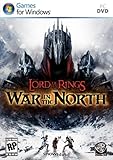
Lord of the Rings: War in the North | $79.99 | Buy on Amazon |
| 4 |

|
Lord of the Rings: War in the North (BBFC) /PS3 | $69.99 | Buy on Amazon |
| 5 |

|
The Lord Of The Rings: War In The North | $29.99 | Buy on Amazon |
Choose the current-console edition
The relevant release for this guide is The Lord of the Rings: War in the North – Legacy Edition. Do not assume that an older disc, an old Xbox 360 listing, or a backward-compatibility entry is the same product as the current-console store version. Search your console store for the complete Legacy Edition name and verify the platform shown before paying.
| Platform | Current listing | Advertised co-op | Online requirement | Other stated features |
|---|---|---|---|---|
| PlayStation 5 | PS5 version of Legacy Edition | Up to three online players; split-screen is advertised, but the local count is unclear | PS Plus required for online play | DualSense vibration support |
| Xbox Series X|S | Xbox Series X|S-optimized Legacy Edition | Two-to-three-player local and online co-op; shared/split screen | Game Pass Essential, Premium, or Ultimate required for online console multiplayer | Smart Delivery; cloud playable with an eligible listed tier, but purchase is still required |
Store features and subscription rules can change by region and over time. Confirm the listing shown by your account before purchase.
#1 Best Overall
What you need before starting
- A PS5 or Xbox Series X|S connected to the internet for purchasing, downloading, and updating the game.
- Sufficient console storage for the installation; the stores do not establish a universal download size.
- An account that can buy or access the game in your region.
- For online play, PS Plus on PlayStation or one of the eligible Game Pass tiers on Xbox.
- For couch co-op, additional compatible controllers. A second DualSense is an optional purchase for PS5, but the PlayStation listing does not establish the complete local-player limit.
Install and start on PS5
1. Find the correct product
- Open the PlayStation Store on your PS5.
- Search for The Lord of the Rings: War in the North – Legacy Edition.
- Open the result and confirm that it is the PS5 version, rather than an unrelated older listing.
- Review the account region, edition name, and displayed player information before completing the purchase.
2. Purchase and download
- Complete the purchase through the PlayStation Store.
- Select the download option, or open your Game Library and choose the title from your purchased games.
- Wait for the installation to finish before inviting other players. Starting while the game is only partially installed can leave features unavailable.
3. Install the latest update
Before beginning a new campaign, allow the console to apply the newest available update. Aspyr Support’s Patch 1 note, dated September 15, 2026, says the patch addresses equipment and gear-loss issues, a progression blocker in Fornost, and general stability improvements. That note identifies the issues it targets; it is not a guarantee that every possible bug has been removed.
4. Launch and check the controls
- Start the game from the PS5 home screen or Game Library.
- Open the in-game controls or options menu before the first fight and confirm the current button assignments.
- Use the in-game layout rather than an old Xbox 360 manual as your control reference. The older manual describes the original release’s combat and checkpoint systems, but it is not an authoritative button map for the 2026 Legacy Edition.
5. Play solo or invite online friends
The PlayStation Store advertises up to three online players and uses the wording: “Co-op Fellowship – Play with up to 2 friends online or in split-screen co-op.” To use online play, make sure the participating PlayStation accounts meet the store’s PS Plus requirement, then use the game’s multiplayer or invite flow after launching the campaign. The listing establishes the advertised online capacity, but it does not provide a different setup procedure for every menu revision, so follow the labels shown in your installed build.
6. Set up local co-op carefully
Connect the additional controllers, sign in the participating profiles when prompted, and choose the split-screen option in the game’s co-op menu. The listing’s generic player field says 1–2 players, while its description advertises playing with up to two friends online or in split-screen. Because those fields conflict, do not promise three-player local PS5 play. If a third controller is rejected, that is consistent with the storefront’s unresolved local-count information rather than proof that your installation is faulty.
What’s actually slowing this PC down?
Pick the symptom - the matching free tool is one click away.
Install and start on Xbox Series X|S
1. Verify the Series listing
- Open the Microsoft Xbox Store on your Series X or Series S.
- Search for The Lord of the Rings: War in the North – Legacy Edition.
- Confirm that the page identifies an Xbox Series X|S-optimized edition.
- Check that Smart Delivery is shown. Smart Delivery means the Xbox ecosystem supplies the appropriate version for the console associated with the purchase; it does not change the game’s co-op rules.
2. Buy and install
- Purchase the game from the Xbox Store.
- Choose the install command, or open your library and install it from your owned games.
- Let the installation complete, then apply any available game update before starting a new campaign.
3. Use cloud play only when the account is eligible
The Xbox listing marks the game as cloud playable with an eligible Game Pass tier, but it also says that the game purchase is required. A subscription by itself should not be treated as ownership. If cloud play presents a purchase prompt, that is consistent with the listing. You can instead install the purchased copy locally on the Series console.
4. Start solo or local co-op
Xbox explicitly lists local co-op for two to three players, with shared or split screen, as well as single-player play. Connect two or three controllers, launch the game, and use the displayed co-op prompt to add the other players. The exact button prompt can differ after updates, so read the on-screen instruction rather than relying on a legacy control chart.
5. Start online co-op
For online console multiplayer, the Xbox listing requires Game Pass Essential, Premium, or Ultimate. After every player has the game available on Xbox and the necessary online entitlement, create or join the session through the game’s multiplayer menu. Xbox’s store page states two-to-three-player online co-op; it does not state that Xbox sessions can include PlayStation players.
Co-op differences between PS5 and Xbox Series X|S
| Question | PS5 | Xbox Series X|S |
|---|---|---|
| Can I play alone? | Yes; the PlayStation listing includes single-player capability through its player information. | Yes; single player is explicitly listed. |
| How many online players? | Up to three online players, described as you plus up to two friends. | Two to three online players. |
| How many local players? | Not conclusively established. The description mentions split-screen, while the generic field says 1–2 players. | Two to three local players with shared/split screen. |
| Is an online subscription required? | Yes. PS Plus is required for online play. | Yes. Game Pass Essential, Premium, or Ultimate is required for online console multiplayer. |
| Can one console use split screen? | Split-screen is advertised, but the maximum local count remains ambiguous. | Yes. Shared/split screen is explicitly listed for two to three players. |
| Is cross-play confirmed? | No official confirmation appears in the listing. | No official confirmation appears in the listing. |
If your group includes both console families, plan as if cross-play is unavailable until an official platform or publisher announcement says otherwise. Do not buy the game on one platform expecting to join friends on the other solely because both stores list the same Legacy Edition.
Understand the game before choosing a hero
The official descriptions present War in the North as an action RPG built around three heroes:
- Eradan: a ranger.
- Andriel: an elf loremaster.
- Farin: a dwarf champion.
The storefront copy describes switching among the characters, developing skills and gear, and cooperating against Agandaûr’s forces. Use those descriptions as the high-level orientation: select the hero whose role appeals to you, learn that character’s current controls in the options menu, and experiment with the skill and equipment screens as the campaign progresses. The platform listings do not provide a complete modern ability chart, damage table, or recommended build, so do not infer exact button combinations or statistics from the old manual.
Update advice and save-protection expectations
Why updating matters
Aspyr’s September 15, 2026 Patch 1 note specifically mentions equipment and gear loss, a Fornost progression blocker, and general stability improvements. Installing the current patch is therefore especially sensible before a fresh campaign or a cooperative session where losing progress would affect several players.
What the patch note does not promise
The note does not establish that every crash, connection problem, save issue, or gameplay defect is fixed. If a problem continues after updating, record the platform, edition, installed update state, chapter or location, and the exact symptom before seeking support. Avoid describing Patch 1 as a universal bug fix.
Quick wins for a faster PC:
Repair Windows errors before they cause bigger problemsFix Now →Scan for outdated or missing drivers - takes under a minuteDriver Scan →Clear out junk files and repair common Windows errorsFree Scan →Controls, controllers, and display behavior
PS5 controller support
The PlayStation listing confirms DualSense vibration support. It does not publish a complete control diagram. Open the game’s controls menu after launching and check movement, attack, ability, interact, camera, pause, and co-op commands on the controller actually connected.
Xbox controller support
The Xbox listing establishes the Series X|S edition and its co-op modes but does not provide a full current button map. Use the in-game controls screen rather than translating controls from an Xbox 360 guide. Updates can also change menu wording or prompts.
Adding a second or third local player
For either console, connect the extra controller before entering the co-op menu, then follow the sign-in and join prompt shown by the game. On PS5, test with one additional controller first because the store’s local-player fields are inconsistent. On Xbox Series X|S, the listing explicitly supports two to three local players.
Independent reader supportYour contribution helps us test, update, and keep practical guides available for everyone.Troubleshooting by symptom
The game does not appear in the store
- Search the full title including Legacy Edition.
- Check that the store is showing the PS5 or Xbox Series X|S product, not an older platform entry.
- Confirm your account’s region. Store catalogs and availability can differ by country.
- Recheck the listing later if the console store is undergoing maintenance or changing its catalog.
Online multiplayer is locked
- On PS5, verify that the participating account has the PS Plus entitlement required by the listing.
- On Xbox, verify Game Pass Essential, Premium, or Ultimate for online console multiplayer.
- Confirm that the game is fully installed and updated on every console.
- Try a same-platform session first. Cross-play between PS5 and Xbox is not confirmed.
A friend cannot join a PS5 split-screen session
Check that the second controller is connected and that the game has reached the co-op join prompt. If a third local player cannot be added, treat the conflicting PlayStation player fields as the explanation until the platform listing is clarified; the evidence does not support promising three-player local PS5 play.
Windows Errors? Fix Them Before They Spread
Repair common Windows errors and clear accumulated junk for a smoother, more stable PC - no reinstall needed.Free scan · no reinstallCrashes, No Sound, or Screen Glitches?
Random freezes, missing sound and display glitches usually trace back to one bad driver. Find and replace yours safely.Free scan · under a minuteXbox cloud play asks you to buy the game
The Xbox listing says cloud play is available with an eligible Game Pass tier but that the game purchase is still required. A purchase prompt is therefore expected when the account owns only the subscription and not the game.
Best Value
- Take on the might of Sauron's forces alone in single-player mode or form a Fellowship with friends in co-operative multiplayer mode.
- Discover an untold story of the war in the North of Middle-earth, inspired by J. R. R. Tolkien's renowned The Lord of the Rings trilogy.
- Engage in brutal combat with your blade, bow, axe or magic and summon Beleram, one of the Great Eagles of Middle-earth, to fight alongside you in battle.
- Develop the Fellowship's unique skills, customize their appearance and upgrade their weapons, equipment and armor.
- Forge a new path through unexplored domains of Middle-earth as well as legendary locations such as Rivendell and the Misty Mountains.
Gear disappears or progress stops in Fornost
First confirm that the latest available update, including the fixes described in Aspyr’s Patch 1 note, is installed. The note addresses gear-loss issues and a Fornost progression blocker, but it does not guarantee recovery of every previously affected save. Do not overwrite a potentially useful save while investigating; preserve the affected save state if your console allows you to manage multiple saves.
The controls do not match an online guide
Open the current in-game controls menu. The original Xbox 360 manual is useful historical documentation for the older release’s combat and checkpoint concepts, but it is not an authoritative control map for the Legacy Edition on PS5 or Xbox Series X|S.
A practical first-session checklist
- Confirm that the product name includes Legacy Edition and matches your console.
- Complete the purchase before attempting Xbox cloud play.
- Install the game locally or start the eligible Xbox cloud session.
- Apply the newest update before beginning the campaign.
- Open the controls menu and learn the current button layout.
- Choose Eradan, Andriel, or Farin, then inspect the skill and equipment screens.
- For online play, verify PS Plus on PS5 or the required Game Pass tier on Xbox.
- For local play, connect the additional controllers before joining the co-op session.
- On PS5, plan around one or two local players because the store’s local count is unresolved.
- Keep PS5 and Xbox players in separate sessions unless an official source later confirms cross-play.
What is confirmed and what remains uncertain
You can purchase and play the Legacy Edition on PS5 and Xbox Series X|S, and both current storefronts advertise cooperative modes. Xbox provides the clearer local-player specification: two to three players locally or online. PlayStation clearly requires PS Plus for online play and advertises up to three online players, but its separate 1–2-player field prevents a reliable claim about the maximum local split-screen group. Neither listing confirms cross-play, and neither supplies a complete current control map. Those distinctions matter when planning a session or choosing which console edition to buy.
Recommended Free Tools
Quick Recap
Product prices and availability are accurate as of the date/time indicated and are subject to change. Any price and availability information displayed on Amazon at the time of purchase will apply.

