
Windows Errors? Fix Them Before They Spread
Repair common Windows errors and clear accumulated junk for a smoother, more stable PC - no reinstall needed.Free scan · no reinstallOutdated Drivers Are Slowing You Down
One free scan finds every outdated or missing driver and matches the right update for your exact hardware.Free scan · exact hardware matchiTechGuides is reader-supported. When you buy through links on our site, we may earn an affiliate commission. As an Amazon Associate I earn from qualifying purchases. Learn more
Do not download or run a purported Marvel’s Wolverine PC build. As of October 13, 2026, Sony describes the game as available worldwide exclusively on PlayStation 5, and Insomniac’s official game information lists PS5. The official sources reviewed do not establish an authorized PC release. A file advertised as a PC version is therefore unverified: its source, authorization, completeness, and safety are unknown. The supported way to play the released game now is on PS5; buying the PS5 game does not provide PC access.
Is Marvel’s Wolverine officially available on PC?
Not according to the current official platform information. Sony’s September 2026 corporate post describes Marvel’s Wolverine as available worldwide exclusively on PlayStation 5. Insomniac’s official game page also lists PS5. Those statements establish the released game’s supported platform, but they do not establish a Windows version.
| # | Preview | Product | Price | |
|---|---|---|---|---|
| 1 |

|
Marvel's Wolverine PS5 | $69.00 | Buy on Amazon |
| 2 |
|
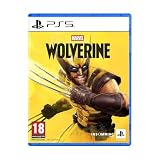
Marvel's Wolverine - PS5 | $73.50 | Buy on Amazon |
| 3 |

|
Merge Games Wonder Boy The Dragons Trap PS5 | $28.98 | Buy on Amazon |
| 4 |

|
Marvel Studios X-Men '97 Wolverine Slash Action Claw Role Play Toy, Super Hero Toys, Toys for 5 Year... | $24.99 | Buy on Amazon |
| 5 |

|
Marvel Cosmic Invasion Deluxe Edition - PlayStation 5 | $53.99 | Buy on Amazon |
That distinction matters when a website, social-media post, torrent index, video, or file-sharing page claims to offer a “PC build.” The claim is not an official release announcement. It does not show that Sony or Insomniac authorized the copy, that it contains the complete game, or that it is safe to execute.
| What you encounter | What is established | Safe interpretation |
|---|---|---|
| Official Sony or Insomniac information | The game is identified for PS5; Sony’s September 2026 post says worldwide PS5 exclusivity. | Use this as the platform reference. |
| A download advertised as a PC build | No authorization, provenance, completeness, or safety is established by the advertisement alone. | Treat it as an unverified file and do not run it. |
| A later official PC announcement | Would need to come from Sony or Insomniac and specify the supported platform and release details. | Recheck official channels before changing your decision. |
| The official PS5 game | PlayStation maintains an official listing for the PS5 release. | It is an option only if you are willing to play on PS5, not a PC solution. |
Why an “unofficial build” cannot be treated as a normal PC game
A legitimate PC release normally has an identifiable publisher, a recognized store or publisher page, documented system requirements, an update mechanism, and a support path. An anonymous executable or archive lacks those assurances. Even if a video shows the game apparently running, the video does not prove that the downloadable file is the same software, that it has not been modified, or that it will behave as shown.
#1 Best Overall
- Marvel’s Wolverine is a new action-packed adventure from Insomniac Games
- Play as Wolverine and Ravage enemies with explosive brutality and unleash razor-sharp adamantium claws to deploy fast, fluid attacks and overcome impossible odds
- An Original, Emotionally Charged Story. Beneath Wolverine’s gruff exterior and violent temperament is a man fighting for a cause greater than himself
- A Global, Adrenaline-Fueled Journey where you slice into enemies across detailed locales such as the frosted Canadian Wilderness, the narrow streets of Tokyo, and the high and low districts of the island nation of Madripoor
There are several separate questions, and an online claim answers none of them by itself:
- Provenance: Who produced the file, and where did it come from?
- Authorization: Did the copyright holder permit distribution or conversion to PC?
- Completeness: Is it the full game, a limited demonstration, a broken port, or a disguised installer?
- Integrity: Was the archive altered after it left its claimed source?
- Safety: Does it contain malware, unwanted software, or an installer that changes your system?
- Support: Can you obtain legitimate updates, fixes, or help if it fails?
The official information establishes none of these properties for a purported Wolverine PC file. Do not infer them from file size, screenshots, comments, a “crack” label, a digital signature that you cannot independently verify, or the number of downloads shown on a page.
What evidence would establish a real PC release?
A trustworthy platform change would be announced through Sony or Insomniac’s own channels. It should identify PC or Windows explicitly and provide concrete release information, such as a date, supported store, and an official product page. A retailer search result, an uploader’s “pre-release” label, or a copied press image is not equivalent to that announcement.
Free tools Windows power users keep installed
One-click scans. No signup required.
An official PC listing would also be the place to find system requirements, supported operating-system versions, storage needs, controller information, patches, and customer support. No such authorized PC specifications or Windows storefront are established by the Sony and Insomniac information cited here. Do not use a stranger’s hardware table to decide whether an unofficial executable is legitimate. Missing requirements are not an invitation to experiment; they are another sign that the claim has not been documented by the publisher.
| Question | Official PS5 release | Unverified PC claim |
|---|---|---|
| Platform status | Identified by Sony and Insomniac as PS5; Sony calls it a worldwide exclusive. | No authorized Windows status established. |
| Where to obtain it | PlayStation’s official game listing. | Third-party page, archive, mirror, or uploader. |
| System specifications | Applies to the supported PS5 platform. | No official PC requirements established. |
| Updates and support | Provided through the supported PlayStation ecosystem. | No reliable publisher update or support path demonstrated. |
| Purchase entitlement | Applies to playing on PS5. | A download claim does not create a Sony or Windows license. |
What Microsoft’s security guidance means for this situation
Microsoft advises downloading software from trusted sources, keeping security protections current, and using official publisher websites or stores. Its guidance also warns that pirated software can be bundled with malware or unwanted software. That is a general risk warning, not proof that a particular Wolverine file contains malware.
Microsoft Support’s malware guidance gives the direct instruction, “Always downloading software from the official vendor’s website.” It also advises reading what an installer will install instead of clicking through every screen blindly. For an unknown build, the safer interpretation is to stop before the installer runs, rather than trying to identify and deselect unwanted components after the fact.
Windows SmartScreen uses reputation signals and can warn when a download or application is unfamiliar. A warning should make you stop and investigate; it is not a challenge to bypass. At the same time, the absence of a warning is not a safety certificate. An unknown build can lack enough reputation data to trigger an alert, or it can change after a scan. Microsoft describes SmartScreen as a warning and reputation system, not as certification for an unofficial game.
The safest decision when you see a PC-build claim
- Stop at the claim. Do not click a download button, run an installer, or follow instructions that ask you to disable Windows security features.
- Check the platform statement. Compare the claim with current Sony and Insomniac information. As of October 13, 2026, those sources identify PS5, not an authorized Windows release.
- Look for a first-party announcement. A genuine platform change should be announced by Sony or Insomniac, not only by an uploader, forum account, video description, or file-hosting page.
- Reject pressure tactics. Requests to use a password-protected archive, “temporary” antivirus exclusion, administrator privileges, a loader, a key generator, or a custom launcher are reasons not to proceed.
- Read installer disclosures only if you are handling a trusted program. Microsoft recommends understanding what an installer will add. With an untrusted build, the safest course is not to start the installer at all.
- Leave the page without downloading. Do not exchange personal information, payment details, console credentials, or email addresses for access to an unauthorized file.
- Use the supported platform if you want to play now. The released game is supported on PS5. This option does not create a PC entitlement.
If you already downloaded the file
The safest action is not to open it. Do not double-click the executable, extract an archive merely to inspect its contents, mount an image, or allow an installer to make changes. If you do not trust the source, remove the download using normal file-management tools and empty the Recycle Bin.
If the file has not been opened
- Leave the file closed and do not provide an administrator password.
- Update Windows and your current security definitions before scanning. In Windows, open Settings, choose Windows Update, select Check for updates, and install available updates.
- Open Windows Security, select Virus & threat protection, choose Protection updates, and select Check for updates.
- Run a scan from Windows Security > Virus & threat protection. Start with Quick scan; if the file or its source remains a concern, select Scan options and run a Full scan.
- After the scan, delete the untrusted download. Do not restore it from quarantine just to test whether it works.
Scanning is a protective step, not proof that the file is clean. A result that finds nothing does not turn an unauthorized build into a legitimate or fully safe game. Do not buy a paid cleaner or optimization utility expecting it to certify the file; no product can establish Sony authorization or make an unknown build equivalent to the released game.
Rank #2
- An original action-adventure story starring Wolverine, developed by Insomniac Games in collaboration with Marvel Games.
If you opened it or granted permission
Stop using the program and do not enter passwords, payment details, or game-account credentials on that computer until you have checked it. Keep Windows Security protections enabled, update them, and run a full scan. If Windows Security reports unwanted software, follow its removal or quarantine prompts and restart when requested.
Review what happened rather than assuming that a failed launch means nothing occurred. Note whether the program requested administrator access, installed another application, created a new browser extension, changed your homepage, opened unexpected windows, or displayed a ransom or credential prompt. These observations help a qualified support technician understand the incident.
The Tool Desk
Outbyte PC Repair FREEClear out junk files and repair common Windows errorsFree Scan →Outbyte Driver Updater FREEFix the driver behind crashes, sound loss and screen glitchesFind Drivers →If you suspect an account may have been exposed, use a different device you trust to change the affected password and enable multifactor authentication where available. Do not reuse a password that was entered while the questionable program was running. If scans continue to report threats, pop-ups persist, or Windows behaves abnormally, stop installing additional “cleaner” tools and seek professional incident-response help.
If the download came with a key generator or crack
Do not run it. Microsoft specifically discusses malware risk associated with pirated software and key generators. That warning concerns the category of software; it does not identify the contents of one particular Wolverine file. The practical response is still to avoid execution, keep protections current, scan the system, and remove the untrusted files.
SmartScreen warnings: what to do and what not to infer
When SmartScreen displays a warning
Read the warning and stop. An unfamiliar app or download may have little reputation data, may be newly distributed, or may be known to be unsafe. For an unofficial Wolverine build, the warning adds another reason not to continue because the file already lacks an established official source.
Do not select options intended to bypass the warning simply to see whether the game starts. Do not turn off SmartScreen, Microsoft Defender, or another security control, and do not create an exclusion for the download directory. Those actions remove safeguards without establishing authorization or safety.
When SmartScreen shows no warning
Proceeding is still not justified. SmartScreen is not a certificate of authenticity, a malware-free guarantee, or evidence that Sony or Insomniac approved the file. Reputation signals can be incomplete, and a file can be modified or repackaged. The platform evidence remains unchanged: official information identifies PS5, while the purported PC build remains unverified.
Common claims that should not change your decision
“It is free, so there is nothing to lose.”
Your files, accounts, privacy, and time can be affected even when no money changes hands. Free distribution does not establish provenance or safety.
“Thousands of people downloaded it.”
A download counter, comments section, or video view count is not an authorization record or a malware test. It can also be manipulated or refer to a different file than the one currently offered.
Rank #3
“The archive contains the expected folders.”
Folder names and screenshots are easy to copy. They do not show that the executable is genuine, complete, or unmodified.
“My antivirus did not detect anything.”
Microsoft’s guidance supports keeping protections current and scanning, but a clean result cannot certify an unknown build. Detection systems have limits, especially for new or altered files.
“The installer asks me to disable antivirus temporarily.”
Decline and close it. A request to weaken security is not evidence of a compatibility requirement. It removes a control precisely when you have the least reason to trust the software.
“A compatibility patch will make the console game run on Windows.”
Do not follow unofficial bypass or loader instructions. The current official sources do not establish a supported PC version, and the safety of any third-party conversion cannot be inferred from its instructions.
Cost, licensing, and the PS5 alternative
The honest purchase search is “Marvel’s Wolverine PS5 game.” PlayStation maintains an official listing, and Sony describes the title as a PS5 exclusive. Prices, editions, retailer stock, regions, and program availability can change, so verify those details on the current official or authorized retailer listing before paying.
There is no established PC price, PC storefront, or PC license to compare with that PS5 purchase. A PS5 purchase buys access for the supported PlayStation platform; it does not unlock a Windows copy, transfer a license to PC, or legitimize an unofficial download. If your requirement is specifically to play on a computer, the PS5 purchase does not satisfy it, even though it is the supported way to play the released game now.
| Your priority | Appropriate choice | What it does not provide |
|---|---|---|
| Play the released game through an official channel | Buy and play the PS5 version from an official listing. | PC access or a transferable Windows license. |
| Play on Windows immediately | No authorized option is established as of October 13, 2026. | A third-party download is not a substitute. |
| Avoid malware and unwanted software | Do not execute the unknown build; keep Windows protections current. | A guarantee that any scanned file is safe. |
The official way to play the released game
For someone who wants to play Marvel’s Wolverine now, the supported alternative identified by current official information is PlayStation 5. PlayStation maintains an official game listing, and Sony describes the title as a PS5 exclusive.
Before purchasing, confirm the current listing, edition, region, format, and availability for your account. Those details can change. Most importantly, understand the platform limitation: purchasing the PS5 game does not enable PC play, transfer a Windows license, or make an unofficial PC build legitimate.
How to check for a future PC release
Platform availability can change, so use a repeatable verification method rather than relying on old posts or search snippets:
Do these 3 things before closing this tab:
1Repair Windows errors before they cause bigger problems2Fix the driver behind crashes, sound loss and screen glitches3Clear out junk files and repair common Windows errorsRank #4
- SLASH ACTION LIKE WOLVERINE: X-Men fans ages 5 and up can play as Wolverine, a gruff mutant who’s seen more wars than he can count, has healing factor powers and three retractable adamantium claws on each hand
- CLAWS OUT: Show your best slash action to activate claws! Claw extends 7 inches (17 centimeters) and is retractable after imaginative fights against the bad guys
- ONE SIZE FITS MOST: Slash Action Claw includes an adjustable wrist strap to comfortably fit most kids ages 5 and up
- DRESS UP YOUR SUPER HERO COSTUMES: Whether you're casually pretend-playing as your favorite X-Men hero, or dressing up in an epic Marvel costume and pairing with super hero masks for Halloween or themed parties, this Slash Action Claw will add action-packed fun to your look!
- TOYS FOR X-MEN FANS AND KIDS ALIKE: Look out for other role play toys and action figures inspired by Marvel Studios X-Men '97! Toys make great gifts for kids, new fans, and longtime fans of the series. (Each sold separately. Subject to availability.)
- Start with Sony’s current corporate or PlayStation announcement.
- Check Insomniac’s official game information for a matching platform statement.
- Confirm that the announcement names PC or Windows explicitly and provides a release date or supported distribution channel.
- Use the publisher’s linked store listing rather than a third-party mirror or “pre-release” download.
- Look for official system requirements and support information before judging whether your computer can run it.
- Compare the announcement date with the page’s current status before installing anything.
Until those first-party sources identify an authorized PC release, a file advertised as one remains an unverified download. The fact that a later announcement could occur does not make today’s anonymous build safe.
Independent reader supportYour contribution helps us test, update, and keep practical guides available for everyone.Frequently asked questions
Is there an official Marvel’s Wolverine PC version?
As of October 13, 2026, Sony describes the game as available worldwide exclusively on PS5, and Insomniac’s official information lists PS5. No authorized PC version is established by those sources.
Can I use my PS5 purchase on PC?
No. The PS5 purchase is for the supported PlayStation platform. It does not provide PC access or turn a third-party Windows file into an authorized copy.
What if a website says the build is “complete” or “pre-cracked”?
Those labels are claims by the uploader. They do not prove provenance, authorization, completeness, integrity, or safety. Do not download or execute the file.
Recommended Free Tools
Is a SmartScreen warning proof that the file is malware?
No. SmartScreen uses reputation and warning signals. A warning is a strong reason to stop, but it is not a forensic finding about this particular file. Conversely, no warning is not proof that the file is safe.
Should I disable antivirus just long enough to launch it?
No. Do not disable SmartScreen, Microsoft Defender, or other safeguards for an unverified build. Removing a warning does not establish authorization or safety.
What should I do if a scan finds nothing?
Keep the file closed and remove it. A clean scan is useful protective information, but it does not certify an unknown build, prove that it is complete, or show that Sony or Insomniac authorized it.
Should I buy a PC cleaner or optimization tool to make the build safe?
No specific paid utility is supported as a solution here. Cleaning or optimization software cannot create a publisher license, verify provenance, or guarantee that an unofficial build is safe.
What’s actually slowing this PC down?
Pick the symptom - the matching free tool is one click away.
How will I know if PC support is announced later?
Look for a Sony or Insomniac announcement that explicitly names PC or Windows, gives release details, and links to an official store page with requirements and support information. Do not rely on a mirror, forum post, or download counter.
Best Value
- 15 PLAYABLE SUPER HEROES: Whether you’re an old-school expert or a first-time fan, you’ll find familiar faces and discover new favourites in a captivating roster of characters from across the Marvel Universe!
- MASTER THE COSMIC SWAP TAG-TEAM SYSTEM: With the Cosmic Swap tag-team system, choose two Super Heroes for each level and switch between them instantly. Create unique combos and powerful special attacks. Each character’s abilities encourage creative team-ups and a more tactical approach to the action.
- AMAZING RETRO ART DIRECTION: MARVEL Cosmic Invasion is a tribute to one of Marvel’s most iconic eras, with stunning full-colour pixel art designs.
- INTUITIVE, FUN MULTIPLAYER FOR EVERYONE: Whether you're teaming up with friends or family, MARVEL Cosmic Invasion has you covered with local/online play and a drop-in/drop-out adaptive system.
Bottom line for PC players
As of October 13, 2026, there is no established authorized PC version in the official Sony and Insomniac information available for this guide. Do not download or run a purported Wolverine PC build, do not bypass SmartScreen or antivirus warnings, and do not treat a clean scan as certification. If you already downloaded one, leave it closed, remove it, update Windows Security, and scan the system. The official released game is supported on PS5; that purchase is not a PC solution.
Frequently Asked Questions
Is Marvel’s Wolverine officially available on PC?
As of October 13, 2026, Sony describes it as a worldwide PS5 exclusive, and Insomniac lists PS5. An authorized PC release is not established.
Can a PS5 purchase unlock the game on Windows?
No. The PS5 purchase applies to PlayStation and does not provide PC access.
Quick wins for a faster PC:
Scan for outdated or missing drivers - takes under a minuteDriver Scan →Repair Windows errors before they cause bigger problemsFix Now →Is a purported unofficial PC build safe if SmartScreen shows no warning?
No. SmartScreen is a reputation and warning system, not certification. No warning does not prove safety or authorization.
What should I do with a downloaded but unopened file?
Do not open or extract it. Update Windows Security, run a scan, remove the untrusted download, and do not restore it from quarantine.
Should I disable antivirus to launch the build?
No. Do not bypass SmartScreen, Microsoft Defender, or other security controls for an unverified file.
What if I already ran the installer?
Stop using it, avoid entering credentials, update protections, run a full scan, follow quarantine or removal prompts, and seek qualified help if problems continue.
Recommended Free Tools
Is buying antivirus or a PC cleaner a solution?
No specific paid product can verify authorization or guarantee an unofficial build is safe.
How can I verify a future PC release?
Check Sony and Insomniac announcements for an explicit PC or Windows statement, release details, an official store listing, and system requirements.
The Bottom Line
Bottom line: Sony and Insomniac identify Marvel’s Wolverine for PS5, not PC, as of October 13, 2026. Treat every unofficial PC build as unverified, do not weaken security controls, and remove and scan any download you already have. The official PS5 game is not a Windows license.
Quick Recap
Product prices and availability are accurate as of the date/time indicated and are subject to change. Any price and availability information displayed on Amazon at the time of purchase will apply.
Quick wins for a faster PC:
Repair Windows errors before they cause bigger problemsFix Now →Scan for outdated or missing drivers - takes under a minuteDriver Scan →Clear out junk files and repair common Windows errorsFree Scan →
