
The Tool Desk
Outbyte Driver Updater FREEFix the driver behind crashes, sound loss and screen glitchesFind Drivers →Outbyte PC Repair FREERepair Windows errors before they cause bigger problemsFix Now →iTechGuides is reader-supported. When you buy through links on our site, we may earn an affiliate commission. As an Amazon Associate I earn from qualifying purchases. Learn more
The most reliable Plex library starts on disk, not in the Plex web app. Keep movies, TV shows, music and other media in separate top-level folders; use predictable titles, years and season/episode numbers; then create a Plex library whose type and folder match that content. Add database IDs only when a normal name is ambiguous. Use tags and collections to describe or group media, and use labels only when you need fine-grained restrictions for people with whom you share a library.
This approach gives Plex’s scanner and metadata agent the information they need while keeping manual corrections, local metadata and future reorganizing manageable.
1. Build a Plex-friendly folder structure first
Plex scans folder structure and filenames before its metadata agent tries to identify each item. Separate major media types before adding anything to Plex. Plex warns that mixing movie and TV content under one path can cause incorrect matches, poor classification or files being ignored. Its TV guidance says scanners and metadata agents work correctly only when major content types are separated.
PC Slower Than It Used to Be?
A free scan shows the junk files, broken settings and background clutter dragging Windows down - then fixes them in one click.Free scan · Windows 10 & 11Outdated Drivers Are Slowing You Down
One free scan finds every outdated or missing driver and matches the right update for your exact hardware.Free scan · exact hardware matchA practical top-level layout looks like this:
/Media
  /Movies
  /TV Shows
  /Music
  /Photos
  /Other Videos
Each folder should normally be used by a matching Plex library. Do not point a library at an entire drive root that also contains unrelated folders. Instead, select the specific directory that contains the media for that library.
#1 Best Overall

- [ Massive 22TB Capacity ] Instantly expand your storage space for files, photos, videos, music, and more. Ideal for backups, media libraries, and OS system storage. (Estimated 20TB Capacity after formatted)
- [ High-Speed USB 3.2 Gen 2 Interface ] Enjoy ultra-fast data transfer speeds up to 10Gbps for efficient file management and quick backups.
- [ 7200 RPM Hard Drive Inside ] Designed for reliable 24/7 operation with robust performance for desktop or console storage needs
- [ Plug-and-Play Compatibility ] Fully compatible with both Windows and macOS systems. No software installation required.
- [ Durable & Silent Design ] Features a stylish design enclosure with long-term durability and a fanless cooling system for whisper-quiet operation.
| Media on disk | Suggested root | Plex library type | What the library should contain |
|---|---|---|---|
| Films | /Media/Movies |
Movies | One folder per movie |
| Television | /Media/TV Shows |
TV Shows | One folder per series, with season folders |
| Music | /Media/Music |
Music | Artist, album and track folders/files |
| Images | /Media/Photos |
Photos | Photo folders and files |
| Miscellaneous video | /Media/Other Videos |
Other Videos | Video that does not fit the movie or TV scanner |
A single Plex library can consolidate multiple content locations, so you can add more than one movie or TV root when necessary. Keep each location internally consistent rather than combining different media types in one path.
2. Name movie folders and files consistently
For movies, Plex recommends a folder for each title. Put the release year in both the folder name and the video filename:
/Media/Movies
  /Avatar (2009)
    Avatar (2009).mkv
The year distinguishes remakes and similarly named films. The per-movie folder also keeps subtitles, artwork and other files associated with the correct title. Plex Support says individual movie folders are recommended and can sometimes significantly increase the speed of scanning new media, but Plex does not publish a measured percentage or guarantee a particular improvement.
Recommended Free Tools
Use an ID when the title is still ambiguous
With the current Plex Movie agent, you can add an IMDb or TMDb identifier in curly braces:
/Media/Movies/Batman Begins (2005) {imdb-tt0372784}
  Batman Begins (2005) {imdb-tt0372784}.mkv
Use an identifier when Plex repeatedly selects the wrong film, when titles have several releases, or when a less-known title is hard to match. Keep the readable title and year even when an ID is present; the ID is an additional hint, not a replacement for a sensible name.
Rank #2

- [ Massive 4TB Storage Capacity ] Store thousands of photos, videos, games, music files, and important documents in one convenient external hard drive.
- [ Fast USB 3.0 Performance ] High-speed USB 3.0 interface provides reliable and efficient data transfer for backups and everyday storage use.
- [ Plug & Play Convenience ] Easy setup with no additional software required; compatible with Windows PCs, Mac computers, gaming consoles, and more.
- [ Reliable Backup & Storage Solution ] Ideal for expanding storage, system backups, gaming libraries, videos, photos, and everyday file organization.
Represent alternate cuts as editions
The newer Plex Movie agent supports an edition marker such as {edition-Director's Cut}:
/Media/Movies/Blade Runner (1982) {edition-Director's Cut}
  Blade Runner (1982) {edition-Director's Cut}.mkv
Plex documents edition support as requiring Plex Pass for the server administrator, Plex Media Server 1.28.1 or later, and the non-legacy Plex Movie agent. Availability and behavior can change with server and agent versions, so verify the current Plex requirements before renaming a large collection. If you do not meet those requirements, keep alternate cuts in clearly named folders and confirm how your installed agent identifies them.
3. Name TV shows, seasons and episodes for the TV scanner
TV organization is hierarchical: a show folder contains season folders, and each episode name includes the show name and season/episode code.
/Media/TV Shows
  /Example Show (2024)
    /Season 01
      Example Show (2024) - S01E01 - Pilot.mkv
      Example Show (2024) - S01E02 - Second Episode.mkv
    /Season 02
      Example Show (2024) - S02E01 - New Start.mkv
Use two digits for season and episode numbers (S01E01, not S1E1) and keep specials in a Season 00 folder when the metadata service defines them that way. The exact episode title is useful to people browsing the library, but the season/episode identifier is the essential matching information.
Add a show ID only when normal naming does not resolve it
With the Plex TV Series agent, a TMDb, TVDB or IMDb show ID in curly braces can improve matching:
Rank #3

- Entry-level NAS Personal Storage:UGREEN NAS DH2300 is your first and best NAS made easy. It is designed for beginners who want a simple, private way to store videos, photos and personal files, which is intuitive for users moving from cloud storage or external drives and move away from scattered date across devices. This entry-level NAS 2-bay perfect for personal entertainment, photo storage, and easy data backup (doesn't support Docker or virtual machines).
- Set Your Devices Free, Expand Your Digital World: This unified storage hub supports massive capacity up to 64TB.*Storage drives not included. Stop Deleting, Start Storing. You can store 22 million 3MB images, or 2 million 30MB songs, or 43K 1.5GB movies or 67 million 1MB documents! UGREEN NAS is a better way to free up storage across all your devices such as phones, computers, tablets and also does automatic backups across devices regardless of the operating system—Window, iOS, Android or macOS.
- The Smarter Long-term Way to Store: Unlike cloud storage with recurring monthly fees, a UGREEN NAS enclosure requires only a one-time purchase for long-term use. For example, you only need to pay $459.98 for a NAS, while for cloud storage, you need to pay $719.88 per year, $2,159.64 for 3 years, $3,599.40 for 5 years. You will save $6,738.82 over 10 years with UGREEN NAS! *NAS cost based on DH2300 + 12TB HDD; cloud cost based on 12TB plan (e.g. $59.99/month).
- Blazing Speed, Minimal Power: Equipped with a high-performance processor, 1GbE port, and 4GB RAM on Board, this NAS handles multiple tasks with ease. File transfers reach up to 125MB/s—a 1GB file takes only 8 seconds. Don't let slow clouds hold you back; they often need over 100 seconds for the same task. The difference is clear.
- Let AI Better Organize Your Memories: UGREEN NAS uses AI to tag faces, locations, texts, and objects—so you can effortlessly find any photo by searching for who or what's in it in seconds. It also automatically finds and deletes similar or duplicate photo, backs up live photos and allows you to share them with your friends or family with just one tap. Everything stays effortlessly organized, powered by intelligent tagging and recognition.
/Media/TV Shows/Planet Earth (2006) {tmdb-1044}
  /Season 01
    Planet Earth (2006) - S01E01.mkv
Use the ID consistently at the show-folder level. Plex also documents a .plexmatch file as an alternative matching aid. Treat IDs and .plexmatch as targeted fixes for ambiguity, not a substitute for a clean show/season/episode hierarchy.
4. Create each Plex library with the matching type
After the folders and names are ready, create libraries from the Plex web app. The labels can vary slightly by client version, but the sequence is:
- Open Plex Web and select Settings or the server’s Manage area.
- Choose Libraries, then Add Library.
- Select the content type: Movies, TV Shows, Music, Photos or Other Videos.
- Choose the metadata language and any library options offered for that type.
- Select Add Folders and choose the specific media directory, such as
/Media/Moviesor/Media/TV Shows. Add additional content locations only when they contain the same type of media. - Save the library and let Plex scan the location.
Do not choose the root of a drive simply because it is convenient. A drive root commonly contains backups, downloads and folders for several media types, which makes classification less predictable.
Understand scanners and metadata agents
The scanner reads names and folder relationships. The metadata agent then uses that information to look for internet or local metadata. A correctly named file can still be misidentified if the library uses an inappropriate scanner or agent, while changing an agent cannot repair a fundamentally confusing folder structure.
For a normal collection, use the current Plex Movie agent for movie libraries and the Plex TV Series agent for TV libraries where those options are available. Agent names and settings can change between Plex Media Server releases; check the options shown by your installation rather than assuming an older label is still present.
Rank #4
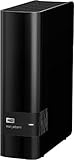
- 14TB storage capacity Provides ample space for storing documents, photos, music and more.
- USB 3.0 interface Offers an easy-to-use connection to devices. Backward compatible with USB 2.0 for simple connection to your computer.
- Data transfer rates up to 5 Gbps with USB 3.0 Enable a rapid response when updating files.
- Automatic backup options Allow you to use compatible software to back up your files to the server.
- Compatible with Mac and PC For flexible installation options.
5. Know the difference between scanning and refreshing metadata
These actions solve different problems:
| Action | Use it when | What it does |
|---|---|---|
| Scan Library Files | You added, removed or moved files, or changed a library location | Checks the content folders for files and updates the library inventory |
| Refresh Metadata | You changed the metadata agent, an item’s matching information or local metadata | Re-requests metadata for items already in the library |
If a new movie does not appear, first run a scan. If it appears under the wrong title, correct the name or folder, confirm the library’s scanner and agent, and then refresh metadata for the item or library as appropriate. Refreshing metadata alone will not discover a file in a location Plex has not scanned.
6. Correct a match without losing future updates
When Plex selects the wrong movie or show, work from the filesystem inward:
- Inspect the folder and filename. Add the release year, season/episode code or an applicable database ID.
- Confirm the item is inside the correct library and that the library uses the intended scanner and agent.
- Run Scan Library Files if the path or files changed.
- Open the item’s menu, choose Refresh Metadata, and review the result.
- If the match is still wrong, use the item’s More menu and select Fix Match or the equivalent matching command exposed by your Plex client. Search by the exact title and year, or enter the supported database ID.
Manual metadata edits are different from a match correction. In the Edit Details interface, changing a field locks that field. A later metadata refresh will not overwrite the locked value. To allow Plex to update it again, edit the field and unlock it. This lets you preserve an intentional correction without permanently blocking legitimate future metadata changes.
7. Tag and group media in Plex
Open an item and choose Edit Details to add or change metadata. Plex allows multiple values in fields such as directors, writers, genres or categories, and collections. Use those fields to describe media and create useful browsing groups.
Free tools Windows power users keep installed
One-click scans. No signup required.
Use tags and collections for organization
- Genres or categories: broad descriptors such as documentary, comedy or science fiction.
- Custom descriptive values: useful for attributes that matter to your household, such as “rewatch,” “family night” or “concert film.” Keep spelling and capitalization consistent so filters do not fragment into near-duplicates.
- Collections: a named group that brings related movies or shows together, such as a film series, a director retrospective or a seasonal queue.
- Directors and writers: useful for browsing a creator’s work when Plex’s metadata supplies the correct values or you add them manually.
Tags describe or group items; they are not a substitute for the folder and filename conventions that identify the media in the first place. If you use several custom values, decide on a small vocabulary before tagging thousands of items. For example, choose either “Family” or “Family-friendly,” not both, unless you deliberately want separate filters.
Best Value

- Compact, stackable, external storage solution designed to compliment the footprint of the 2010 to current Mac mini
- USB 3.2 (5Gb/s) connectivity
- Fast transfer speeds up to 208MB/s
- Compact, aluminum design with MagLev cooling fan; Stacks perfectly with Mac mini
- 3 Year OWC Limited Warranty
Use labels only for sharing restrictions
Plex describes labels as fine-grained restrictions for libraries shared with other users. A label can help you exclude particular items from a person’s shared view when ordinary library-level sharing is too broad. Do not use labels as a general-purpose genre or collection system; use tags and collections for description and browsing, and reserve labels for access-control decisions.
Plan a tagging vocabulary
A simple convention prevents a library from becoming difficult to filter:
- Use singular, stable names where possible (
Family,Documentary,Rewatch). - Keep people, themes, formats and permissions in separate fields rather than combining them into one long tag.
- Use collections for deliberate sets that users will open as a group; use ordinary tags for attributes that may overlap.
- Document any labels used for sharing so you know which restriction each label represents.
8. Choose automatic metadata or local NFO files
Most Plex users should begin with the standard scanner and internet metadata. It requires less preparation and automatically supplies posters, descriptions, cast, crew and other fields when a title matches correctly. Local NFO files are an alternative when you need local control, maintain obscure or personal titles, or want metadata to come from files you manage yourself.
| Workflow | Strengths | Trade-offs and requirements |
|---|---|---|
| Automatic Plex metadata | Fast setup; broad internet-sourced metadata; minimal file preparation | Depends on correct naming, agent behavior and internet metadata; a refresh can change unlocked fields |
| Local NFO metadata | Greater control over titles, descriptions and artwork stored with the media | Requires creating and maintaining NFO files; support is version- and media-type-dependent |
What Plex’s NFO agent supports
Plex’s current NFO guidance specifies Plex Media Server 1.43.1 or newer for its NFO agent. It reads locally stored Kodi/XBMC-format NFO files for movie and TV libraries. Plex lists important limitations: music NFO support is not available, multi-part movies are not supported by the NFO agent, and NFO metadata is not supported for local extras. Plex names FileBot as an example of a tool that can generate NFO files, but the NFO route still requires you to verify that the generated files match Plex’s supported format.
Before switching a large library to NFO, check the current instructions at Plex’s NFO metadata guide and confirm your server version. Keep one small test folder so you can verify matching, artwork and refresh behavior without changing the whole collection.
9. A practical workflow for adding new media
Use the same sequence every time you add content. Consistency prevents one-off fixes from becoming a second organizational system.
- Identify the media type. Decide whether the item belongs in Movies, TV Shows, Music, Photos or Other Videos.
- Create the correct parent folder. Place a film under the movie root, or a series under the TV root.
- Apply the naming pattern. Add a movie title and year, or a show name plus season and episode code. Add an ID only if ambiguity justifies it.
- Keep related files together. Store subtitles and permitted local artwork with the movie or episode they belong to, using the same base name where Plex expects sidecar files.
- Scan the matching library. Do not refresh every library when only one location changed.
- Verify the match. Check poster, year, synopsis and episode order before adding custom tags.
- Apply tags, collections or labels. Use the field that matches the purpose: organization, grouping or access restriction.
- Record unusual decisions. If you used an ID, edition marker,
.plexmatchfile or label, note why so a future cleanup does not remove a deliberate fix.
10. Troubleshoot common Plex organization problems
A movie is missing entirely
- Confirm the file is inside a folder included in the movie library.
- Check permissions and make sure the Plex server account can read the path.
- Run Scan Library Files.
- Remove unsupported or incomplete files only after confirming the scan is not filtering them for another reason.
The wrong movie or show appears
- Correct the title, year, season/episode code or show-folder name.
- Add an IMDb, TMDb or TVDB ID supported by the relevant agent when the title remains ambiguous.
- Check that movie files are not inside a TV library and TV episodes are not inside a movie library.
- Refresh metadata after the naming correction, then unlock any field you want future refreshes to update.
Episodes are in the wrong season
- Verify the episode uses the intended
SxxEyynumbering. - Check whether the series treats specials as season 00.
- Ensure the show folder is not nested under a movie folder or another show.
- Use the TV agent’s supported show ID or a
.plexmatchfile when two series share a title.
Tags seem inconsistent
- Search for near-duplicate spellings and capitalization.
- Choose one canonical value and edit affected items in batches where your Plex client permits it.
- Move access decisions to labels instead of mixing them into genre or collection tags.
11. Maintain the library as it grows
Once the initial structure is correct, maintenance is mostly disciplined naming and selective scanning.
Quick wins for a faster PC:
Clear out junk files and repair common Windows errorsFree Scan →Scan for outdated or missing drivers - takes under a minuteDriver Scan →Repair Windows errors before they cause bigger problemsFix Now →- Keep separate roots for Movies, TV Shows and Music even if they are stored on the same physical disk.
- Use one folder per movie and one show folder with season folders for TV.
- Use years for movies and show names, and two-digit season/episode identifiers for episodes.
- Add database IDs only to items that need disambiguation.
- Review locked fields after manual edits so you know which values will not change on refresh.
- Use tags and collections for browsing; use labels for fine-grained shared-library restrictions.
- When moving files, update the library location if necessary and run a scan rather than relying on a metadata refresh.
- Back up your media folders and any NFO, artwork or naming notes that represent work you would not want to recreate.
12. Storage note
Plex can use media stored on local or external hard drives. Additional storage is useful when the library outgrows its current disk, but the drive itself does not improve tagging or matching. Organization, naming and library configuration determine those results.
Quick Recap
Official references
- Naming and organizing your Movie files
- Creating Libraries
- Using NFO Metadata Files with Plex
- Naming and Organizing Your TV Show Files
- Edit Details
- Metadata Agents
Product prices and availability are accurate as of the date/time indicated and are subject to change. Any price and availability information displayed on Amazon at the time of purchase will apply.

