
Recommended Free Tools
iTechGuides is reader-supported. When you buy through links on our site, we may earn an affiliate commission. As an Amazon Associate I earn from qualifying purchases. Learn more
To help your Roku TV stay in good condition, keep its vents clear, clean it gently, install Roku OS updates, protect it from avoidable hazards, and follow the instructions for your exact model when troubleshooting. These habits may prevent some avoidable wear or damage, but available manufacturer guidance does not quantify how many extra years they add.
“Roku TV” describes a software platform used in televisions made by different manufacturers. The TV maker’s manual and warranty instructions take precedence over general advice; Roku directs partner-manufacturer TV owners to that manufacturer’s product information (Roku’s guide to Roku TVs).
1. Keep the TV’s ventilation openings clear
Air needs to move through the TV’s ventilation openings. Avoid blocking them with objects, fabric, or a tight enclosure, and do not place the set near a heat source. Periodically dust the slots, following your model’s manual for placement and care instructions.
The TCL S3R Roku TV User Guide 12.0 specifically advises owners to dust the cabinet’s ventilation slots. That guidance is for the covered model family, not a universal clearance specification for every Roku TV; consult your own manual for installation distances.
#1 Best Overall

- Important: Watch the video and learn the”Designed for" details listed below!
- Designed for concrete, brick and wood studs wall (single stud).
- Designed for TVs up to 80 lbs (36.3 KG) and display sized 26" - 55" (66 CM - 140 CM).
- Designed for VESA sized from 3.9'' x 3.9'' through 15.7'' x 15.7''.
- Comfortable View with tilt range from +10° to -5°.
2. Clean the screen without damaging it
Turn the TV off before cleaning. Use a soft, lint-free cloth—microfiber is a practical option—to gently wipe the screen and exterior. Avoid abrasive powders and strong cleaners, including ammonia-based products. Never spray liquid directly onto the screen or allow it to run into the cabinet.
Whether a slightly damp cloth or a particular cleaner is acceptable depends on the manufacturer’s instructions. Check the manual before using anything beyond a dry, soft cloth. TCL’s cleaning and maintenance guidance also cautions against harsh cleaning methods.
Rank #2

- Universal TV Mount: The TV wall mount fits for most 32-70 inch TVs up to 99 lbs, with VESA of 75x75mm - 400x400mm. The TV mount can be mounted to 12/16 Inch wood studs, concrete, or brick walls. Please verify the size, weight, and VESA pattern of your TV before purchase. For other screw sizes, please contact us.
- Upgrade Your Viewing: This swivel TV mount tilts -12°/+5°to reduce glare, and swivels the TV left or right according to your seat position for the best viewing angle. The full motion TV wall mount with dual articulating arms provides a smooth 13.89" extension and retract back to 2.59", making your TV alive to move
- Sturdy and Safe Design: Made of sturdy cold-rolled steel, the wall mount TV bracket with dual articulating arms is designed with extra strong load-bearing structure to support up to 99 pounds of TV, which holds the TV securely and keeps the TV and your family safe
- Easy Installation: Installing a TV wall mount has never been easier. Quick 3-Step Process: First, screw the brackets to your TV, then bolt the wall plate to the wall, and finally, attach your TV to the wall plate.
- Customer Support: Need concrete anchors, M8x50mm screws, or missing parts? Don’t run to Home Depot or Lowe’s—we’ll send them to you directly. Just reach out to our US-based support team (available daily) and we’ll get it taken care of quickly.
3. Let Roku OS update, and check manually if needed
Roku says a connected Roku TV checks for software updates when it turns on and then every 24–36 hours; downloading and installing updates are normally automatic. Keeping the TV online gives it the opportunity to receive those updates, which can include software changes and fixes.
If the TV has been offline or you want to check yourself, open the System or Software Update settings and choose the option to check for updates. The exact menu labels can vary by software version. Roku’s software update instructions describe the check process.
Rank #3

- Universal TV Wall Mount: TV bracket fits most 32-70" TVs up to 110 lbs, with max VESA of 400mm x 400mm / 16" x 16" mounting hole spacing, designed for standard 16" studs. If your wood stud spacing exceeds 16 inches, please refer to the 16", 18", 24" wood stud full motion TV mount MD2380-24K
- Enhance Viewing Experience: This full motion TV wall mount tilts TV up 5° and down 15° to reduce glare, and swivels TV left or right according to your seat position. Pull out to 17.5" and retract back to 3.4", making your TV alive to move
- Easy Installation: TV mount comes with clear instructions and hardware in pre-labeled bags. +/-3° post-installation adjustment allows TV leveling after installation. The paper template makes the installation of the TV wall mounting bracket easier. Considerate design for Allen key storage
- Heavy-Duty Unit: TV wall mount swivel and tilt are designed with 6 articulating arms. The technology of robot welding makes this TV mount sturdy and safe
- US-based Customer Support: We are glad to help solve your pre-purchase, installation, or missing-parts questions about TV wall mounts. Please note: Mounting Dream wall mount TV brackets are NOT FOR DRYWALL INSTALLATION. (Concrete anchors are available upon request. Anchor specifications: Φ10×50mm)
4. Reduce physical and electrical hazards
Keep drinks and other liquids away from the TV. Make sure the power cord is not pinched, crushed, or otherwise damaged, and follow the safety instructions in the manual for severe weather and extended periods when the set will not be used.
TCL’s general maintenance advice mentions using a surge protector and unplugging during severe weather. However, troubleshooting instructions for some problems may call for plugging the TV directly into a wall outlet—for example, TCL’s power-but-no-video guidance. Follow the direction relevant to your model and situation. A surge protector is not a guarantee against damage or longer service life.
Rank #4
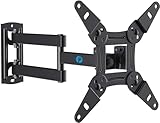
- TV Mount Compatibility - The swivel TV wall mount is compatible with most LED LCD flat or curved 13″-43″ TVs/Monitors up to 44 lbs with VESA mounting patterns 75x75 to 200x200mm. The single TV mount for 24 30 32 39 40 42 43 Inch can be installed on single wood studs, concrete, or brick walls, perfectly compatible with SAMSUNG, SONY, LG, VIZIO, TCL, ELEMENT, SCEPTRE, HISENSE and other TV brands. Please confirm your screen size and TV/monitor VESA before ordering.
- Full Motion for Optimal Viewing - Our articulating arm small tv mount tilts +9°/-11° for anti-glaring, max swivels 90° display left or right according to your seats position (note: max. swivel angle depends on screen size) and rotates 360° for landscape and portrait orientation. It extends 14.59" and retracts back to 2.7" to save space. Makes your viewing or working feel more enjoyable!
- Universal Monitor Wall Mount - ideal for large computer monitors, especially monitors sizes 13, 17, 19, 21, 24, 27, 32, 34, 35 inch ultrawide monitors with VESA patterns from 75x75mm to 200x200mm. Use it as a full motion monitor wall mount to clear up desktop space and for ergonomic computer screen installation to improve your posture.
- Easy Installation - step-by-step instructions and all the necessary hardware is provided, single stud installation simplifies the placement of the TV/monitor on the wall. Removable TV plate designed for single-person installation which helps you to install this full motion TV wall mount without any hassle.
- Friendly After-sales Service - our corner tv wall mount 40 inch is constructed from high quality steel materials, we are so confident in the construction, strength and durability of this wall bracket that we are provide 5-year friendly customer service. Please feel free to contact us anytime, rain or shine:-)
5. Troubleshoot for your model and symptom
Before trying a fix, identify the television’s manufacturer and model from its label, documentation, or settings. A Roku TV is not the same as a separate Roku streaming player, and advice for one device may not apply to the other. Use your TV maker’s support materials for model-specific troubleshooting and warranty questions.
What’s actually slowing this PC down?
Pick the symptom - the matching free tool is one click away.
Do not open the television or attempt internal repairs as routine maintenance. If a problem persists or involves damaged wiring, unusual heat, or other safety concerns, stop using the set when appropriate and contact the manufacturer or a qualified service professional.
Best Value

- Important: Watch the video and learn the”Designed for" details listed below!
- Designed for concrete, brick and wood studs wall (single stud).
- Designed for TVs up to 40 lbs (18.2KG) and display sized 12" - 40" (30.5 CM - 101.6 CM).
- Designed for VESA sized from 75X75 MM through 200x200 MM.
- Comfortable View with tilt range from +15° to -5°.
Does advice for a Roku streaming player apply to a Roku TV?
No—not automatically. Roku says its separate streaming players are designed to remain powered and connected, but that does not establish that every Roku TV should be left on continuously. Likewise, Roku’s overheating instructions are for streaming devices. For an overheating Streaming Stick, Roku advises unplugging it to cool; it also notes that a free HDMI extender may move the stick away from the back of the TV. Those steps apply to the separate stick, not to the television’s lifespan (Roku player power guidance; Roku overheating guidance).
Quick Recap
Product prices and availability are accurate as of the date/time indicated and are subject to change. Any price and availability information displayed on Amazon at the time of purchase will apply.

