
What’s actually slowing this PC down?
Pick the symptom - the matching free tool is one click away.
iTechGuides is reader-supported. When you buy through links on our site, we may earn an affiliate commission. As an Amazon Associate I earn from qualifying purchases. Learn more
The journal you will maintain is the one that takes less than a minute after each drive. Record the date, where you went, why you went, and how far you drove; add odometer readings and business-use details when taxes or reimbursement require them. Keep the record in one predictable place, make entries close to the trip, and review it weekly so missing details do not become a memory exercise.
Decide what kind of driving record you need
“Driving journal” can mean three different things. A personal journal helps you remember routes, fuel use, maintenance context, road conditions, or memorable trips. A business mileage log supports reimbursement or a tax return. A commercial driver’s record of duty status is a regulated compliance record. The same notebook can contain useful information for all three, but the legal standard is not the same.

Personal trip journal
For ordinary household driving, choose the details that will still be useful later: date, starting point, destination or route, distance, and an optional note. You might note a warning light, a difficult detour, a charging stop, or which driver used the vehicle. There is no universal government form for this kind of diary.
Business mileage record
For U.S. federal tax purposes, the Internal Revenue Service (IRS) expects a record that identifies business use rather than a vague monthly estimate. IRS Publication 463 describes an account book, diary, log, expense statement, trip sheet, or similar record as acceptable formats. A computer-prepared record can also qualify when it is complete, accurate, legible, and retrievable.
#1 Best Overall

- KEEP PERFECT RECORDS: Adams Vehicle Mileage and Expense Journals help you log business use of your car or truck with year start and year end odometer readings and flawless daily records
- GET THE BEST DEDUCTION: 588 entries capture the date, odometer readings, total miles and business purpose—everything you need to document business use for the IRS
- SUMMARIES MAKE TAX TIME EASY: Annual summary pages hold monthly mile totals to calculate percentage of business use; monthly maintenance totals help you deduct unreimbursed vehicle expenses
- INCLUDES 6 RECEIPT POCKETS: Don’t forget to save receipts; you get 2 double-sided pockets for oil changes and other service; 2 pockets for repairs, and 2 pockets for parking and tolls
- KEEP IT IN THE CAR: This portable 5-1/4 x 8-1/4 booklet was meant to travel with you; keep one in each glove compartment for a complete record of business use
Commercial driver log
Federal Motor Carrier Safety Administration (FMCSA) electronic logging device (ELD) rules concern commercial drivers’ duty status, not an everyday driver’s personal journal. An ELD record can include driving, on-duty, off-duty, and sleeper-berth statuses, annotations, location information, and explanations for events such as sudden bad weather or a crash. Do not use a casual mileage diary as a substitute for a required commercial record.
The minimum entry that is easy to repeat
Use a fixed five-field line. Keeping the same order removes the decision about what to write each time.
- Date: use the day the trip occurred.
- Start and destination or route: write an address, town, facility, or a route description specific enough to identify the journey.
- Purpose: state the reason in plain language, such as “client meeting,” “school,” “medical appointment,” or “groceries.”
- Distance: record trip miles or kilometres. If you use the vehicle’s odometer, capture the opening and closing readings as well.
- One optional note: record a detour, toll, charging stop, passenger, or another fact you may need later.
For a purely personal trip, you can omit the purpose if it adds no value. For business use, do not omit it: “work” is less useful than “site inspection at Northside warehouse.” If a trip combines personal and business driving, identify the business portion separately instead of labeling the entire journey business.
Build a routine that survives busy days
Set up one capture point
Keep a small notebook and pen in the same console compartment, or create one note, spreadsheet, or mileage-log file with a shortcut on your phone. A single source prevents entries from being scattered across receipts, text messages, and memory. If more than one person drives the vehicle, give each driver a clearly marked section or require initials.
Write before you leave the car
After parking, enter the five fields while the destination and purpose are still obvious. A short entry immediately after the drive is usually easier than reconstructing it at the end of the month. If you cannot stop safely, wait until you are parked; never write while driving.
Rank #2
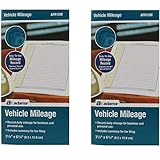
- Sold As 2 Journals
- Adams Vehicle Mileage 3 1/4 x 6 1/4
- Record daily mileage for business and personal use
- Includes summary for tax filing
Use a weekly safety net
The IRS says that a weekly log accounting for the week’s use is timely in its federal business-record context. That is a useful fallback, not a reason to postpone every entry. Set a recurring weekly review to fill gaps, reconcile odometer readings, and attach receipts. Mark an estimate as an estimate rather than presenting a reconstructed figure as a contemporaneous reading.
Close the loop monthly
At month-end, check that the first and last odometer readings make sense, that business and personal trips are classified, and that supporting documents are filed under the same date or trip identifier. Export a digital file or photograph paper pages so one lost device or notebook does not erase the record.
Paper or digital: choose the format you will preserve
| Consideration | Paper notebook or logbook | Digital note, spreadsheet, or tracker |
|---|---|---|
| Speed after parking | Fast when a pen and notebook are always available; no unlock or app navigation. | Fast when a shortcut opens the correct form; slower if the phone is out of battery or the file is hard to find. |
| Required fields | You must draw or print columns for date, destination, purpose, distance, and odometer readings. | Fixed columns, drop-downs, or required fields can reduce omissions, but only if you configure them. |
| Review and correction | Chronological pages are easy to scan; corrections should remain readable rather than being erased. | Search, filters, and totals are convenient; preserve an audit trail when changing a tax record. |
| Retention and export | Store the notebook dry and secure; scan or photograph pages for a backup. | Export a legible copy in a common format and verify that it can be opened without the original app. |
| Privacy and access | Anyone who finds the notebook can read it, but it is not exposed through an online account. | Cloud sync and phone backups help recovery but put location history in additional accounts and devices; protect them with a strong passcode and appropriate sharing settings. |
The IRS accepts multiple formats. For electronic storage used for tax records, IRS Publication 583 describes the need to index, store, preserve, retrieve, and reproduce complete and accurate data in a legible format accessible to the IRS. A digital app is not automatically better than paper: evaluate whether it captures the fields you need and produces a usable export.
What a U.S. business mileage log should contain
IRS Publication 463’s transportation guidance calls for mileage for each business use, total miles for the year, date of use, business destination, and business purpose. Its daily business mileage and expense worksheet also shows odometer readings, miles for the trip, and expense type and amount.
| Column | What to enter | Why it matters |
|---|---|---|
| Date of use | The calendar date of the trip. | Connects the mileage to appointments, invoices, calendars, and receipts. |
| Destination | The business location, customer, job site, or route. | Identifies where the business use occurred. |
| Business purpose | A specific activity, such as “deliver contract to client” or “visit job site.” | Explains why the trip qualifies as business use rather than personal travel. |
| Odometer start and stop | Readings at the beginning and end of the trip or day, consistently measured. | Provides a check against the miles claimed. |
| Trip miles | The distance for that business journey. | Allows individual trips and annual totals to be reviewed. |
| Expense details | Tolls, parking, or other relevant expense type and amount, with receipts. | Supports expenses that require separate documentation. |
| Annual totals | Total vehicle miles and total business miles for the year. | Shows the proportion of vehicle use assigned to business. |
A mileage log supports a claim; it does not guarantee that a deduction is allowed. The applicable tax method, commuting rules, employer policy, and jurisdiction still matter. Keep receipts and other documents where relevant so the mileage entry and the underlying expense support each other.
Rank #3

- Comprehensive Package for Long Term Use: this package comes with 6 auto mileage and expense notebooks; Each mileage log book for car contains 32 pages; This sufficient quantity enables you to keep track of your expenses for a longer period
- Ideally Sized for Convenience: with dimensions of 6.3 x 3.3 inches, the vehicle mileage log book is the ideal size to carry around; Its compact nature ensures you can easily tuck it into your glove compartment or bag, ready to jot down important information whenever the need arises
- Quality Material for Ease of Use: the vehicle book is made from quality paper, providing a smooth writing surface for all your record keeping needs; This ensures clear documentation of all your auto mileage and expenses for easy reference
- Organized Layout for Detailed Record Keeping: each car mileage log book boasts an organized layout with appropriate categories; You can track different types of expenses like mileage, oil changes, parking charges, and even cleaning and repair costs; The 2 page layout allows you to track expenses by day over a 12 months period, with monthly and annual summary pages on the back for easy accurate recording; This gives you a clear and broad view of your vehicle's running costs
- Ideal for Divers: the mileage tracking book constitutes the ideal tool for divers with features specifically designed for auto mileage and expense logging; They provide a systematic way of recording mileage, gas usage, oil changes, and other vehicle related expenses incurred
Separate business and personal use correctly
When a vehicle is used for both purposes, allocate costs between business and personal use rather than treating every mile as deductible. IRS guidance describes calculating business use against total miles driven and allocating actual vehicle expenses to the business portion. Keep the classification at the trip level, then total the categories for the year.
The IRS illustrates the arithmetic with 20,000 total miles: 12,000 business miles and 8,000 personal miles. That example explains allocation; it is not a typical-driver statistic and should not be copied as your own mileage.
Handle a combined trip
Suppose you drive from home to a client, continue to a personal appointment, and return home. Record the client leg with its business destination and purpose. Record the personal leg separately. If the route includes a detour, note it and use a defensible method for identifying the business miles. Do not round a mixed trip into one unexplained number.
Keep corroborating documents
Calendar appointments, work orders, delivery confirmations, toll statements, parking receipts, and fuel receipts can help explain an entry. They do not replace the mileage record, but they make dates, destinations, and purposes easier to verify. File them by date or by a trip number that also appears in the journal.
Make digital records dependable
- Define the columns first. Include date, start, destination, purpose, distance, odometer start, odometer stop, business/personal classification, and expense reference as needed.
- Use controlled values. A short list for trip type—business, personal, medical, charitable, or other—prevents inconsistent labels.
- Protect the original. Restrict editing access, enable device security, and keep version history or a dated export when the record supports a tax claim.
- Export on a schedule. Save a legible spreadsheet or PDF in a location you can retrieve without the tracking app. Keep the export dates in a simple index.
- Test recovery. Open a sample export on another device. If it loses columns, formulas, dates, or notes, change the export process before relying on it.
Location data can reveal home, workplace, medical visits, religious activities, and other sensitive patterns. Decide whether automatic cloud backup is worth that exposure, review who can access the account, and delete data you do not need. Convenience should not silently create a permanent location history.
Crashes, No Sound, or Screen Glitches?
Random freezes, missing sound and display glitches usually trace back to one bad driver. Find and replace yours safely.Free scan · under a minuteWindows Errors? Fix Them Before They Spread
Repair common Windows errors and clear accumulated junk for a smoother, more stable PC - no reinstall needed.Free scan · no reinstallRank #4

- Sold as 1 EA.
- Mandatory records for all who use their automobile for business purposes. Records mileage, parking fees and tolls.
- Features a detachable year-end summary for tax advisor.
- Undated-start any time.
- Good for one full year.
Do not confuse a personal journal with an ELD record
FMCSA guidance applies to commercial motor-carrier operations and required duty-status records. It addresses statuses such as driving and on-duty not driving, along with annotations and location recording. A personal driver who wants to remember trips does not need to reproduce those fields merely because an ELD exists in commercial trucking.
If you drive commercially, follow the rules for your vehicle, operation, exemptions, and jurisdiction, and use the carrier’s approved system. A personal notebook may be useful as a supplementary travel diary, but it is not a replacement for the regulated record.
Independent reader supportYour contribution helps us test, update, and keep practical guides available for everyone.Retention rules depend on where and why you drive
There is no single retention period for every driving journal. The required period can depend on the country, tax year, type of claim, employer policy, and whether the record is commercial.
United States federal context
IRS guidance emphasizes records that are timely, complete, and available to support the reported use. Keep the log and related documents for the period that applies to the return or claim, and confirm the current IRS instructions for your circumstances rather than relying on an informal universal number.
Recommended Free Tools
South Africa example
South Africa’s South African Revenue Service (SARS) 2025–26 eLogbook asks for the travel date, kilometres, destination, reason for travel, and opening and closing odometer readings. It accepts electronic logbooks and describes a five-year retention period for that logbook. Those details belong to that country’s 2025–26 travel-deduction guidance; they are not a general rule for drivers elsewhere.
Recover gracefully when an entry is missing
You forgot the destination
Use a calendar appointment, map history, parking receipt, or work order to reconstruct the location. Add a note that the entry was reconstructed and preserve the supporting document. Do not silently backdate a guess as if it were written at the time.
The odometer reading is wrong
Check the previous and next reliable readings, service invoices, inspection records, or photographs. Correct the row with a dated explanation and retain the original value if your system supports version history. A transparent correction is more credible than an unexplained overwrite.
The phone or app was lost
Restore the latest export or backup, then compare its last odometer reading with the vehicle and service records. Re-enter only the missing interval, flag reconstructed rows, and resume the normal after-parking routine. If no backup exists, create a new log and document the date and reading at which it begins.
The Tool Desk
Outbyte Driver Updater FREEScan for outdated or missing drivers - takes under a minuteDriver Scan →Outbyte PC Repair FREERepair Windows errors before they cause bigger problemsFix Now →Several trips were entered at once
Separate each journey by date, destination, purpose, and distance. If exact times or readings are unavailable, use corroborating documents and label the limits of the reconstruction. A weekly catch-up can be timely under the IRS’s stated federal context, but repeated late entry increases the risk of omissions.
A practical entry template
Copy this structure into a notebook, spreadsheet, or note:
| Date | Start → destination/route | Purpose | Odometer start | Odometer stop | Trip distance | Type | Note or receipt ID |
|---|---|---|---|---|---|---|---|
| 2026-10-13 | Home → Northside warehouse | Site inspection | 48,210 | 48,236 | 26 mi | Business | Work order 184 |
| 2026-10-13 | Warehouse → supermarket | Groceries | 48,236 | 48,244 | 8 mi | Personal | Parking receipt |
The dates and figures in this illustration show the format, not a claim about a real journey. Use your vehicle’s actual units and readings, and keep business and personal rows distinct.
Weekly quality check
- Every drive that matters has a date, identifiable destination or route, purpose, and distance.
- Business rows explain the business activity specifically enough for another person to understand it.
- Opening and closing odometer readings progress logically.
- Business, personal, and mixed-use trips are classified consistently.
- Receipts and related documents can be matched to the relevant row.
- The annual or period total agrees with the vehicle’s odometer and service records within explainable differences.
- A paper backup or digital export is stored where you can retrieve it.
- Any reconstructed or corrected entry is identified rather than disguised as contemporaneous.
Start with the smallest system you can keep
Put a notebook in the car or pin a single digital form to your phone, pre-label the fields, and make the next parked trip your first entry. Add odometer readings and document links when you need business evidence; otherwise keep the personal note short. A consistent, readable record made near the drive is more useful than an elaborate system abandoned after a week.
Free tools Windows power users keep installed
One-click scans. No signup required.
Quick Recap
Product prices and availability are accurate as of the date/time indicated and are subject to change. Any price and availability information displayed on Amazon at the time of purchase will apply.

