
iTechGuides is reader-supported. When you buy through links on our site, we may earn an affiliate commission. As an Amazon Associate I earn from qualifying purchases. Learn more
Integrate robots and AI into a bounded manufacturing task rather than attempting to automate an entire job. Document the current workflow, involve operators and maintenance staff, assess the complete application for safety, budget for integration and support, and test the installed system at the actual site before production startup. For AI, define human and machine responsibilities and the measurements that will determine whether the system is fit for its task.
This approach reduces avoidable surprises, but no source establishes a universal installation method or guarantees zero disruption. The guidance below is grounded in industrial robot and collaborative robot (cobot) workcells, with AI practices drawn from current NIST manufacturing research. Safety requirements for offices, healthcare, logistics, and consumer robots can differ substantially.
What “without disrupting operations” actually requires
In an existing factory, disruption is not limited to a robot stopping production. It can include unexpected downtime during installation, unavailable utilities, software or machine-interface failures, unsafe manual workarounds, quality variation, delayed maintenance, and operators who were not prepared for changed responsibilities. A realistic objective is controlled change: isolate the work, expose dependencies before installation, verify the complete application at the site, and retain a safe way to operate while faults are diagnosed.
Outdated Drivers Are Slowing You Down
One free scan finds every outdated or missing driver and matches the right update for your exact hardware.Free scan · exact hardware matchPC Slower Than It Used to Be?
A free scan shows the junk files, broken settings and background clutter dragging Windows down - then fixes them in one click.Free scan · Windows 10 & 11NIST’s guidance for small and medium-sized manufacturers treats cobot integration as a workcell and process-engineering decision, not a purchase decision. OSHA guidance likewise addresses the robot application, people, safeguards, operating procedures, and acceptance tests together. For AI, NIST’s manufacturing program emphasizes task fitness, human-AI teaming, traceability, integration effort, performance, and semantic correctness. These are evaluation dimensions and active research priorities, not a guarantee that a particular AI system is ready for production.
#1 Best Overall

- 【3 Master Control】Three master controls to choose from, one for educational robotic arms that seamlessly integrates with the Jetson Nano/Orin Nano Super/Orin NX Super ecosystem.Build and run Ubuntu 22.04 based on 3 main controls, making it an ideal development tool for developing robots and programming.Equipped with Orin Nano Super and Orin NX Super, it supports multiple fields such as robot algorithm development and ROS simulation learning.
- 【UR-type mechanical structure】The 7axis collaborative robot developed for user-defined programming has greater flexibility than traditional robotic arms.The smooth body and adaptive gripper have a larger range of motion and can reach more and more precise positioning.Using AI to control its movement and speed, it can achieve millimeter-level positioning and operation.It can work safely with people,is compact, and has many interfaces,making it a collaborative partner on your desktop.
- 【Programmable&ROS system】Explore the possibilities of RoboFlow,the industrial robot software of elephan-t robot.Relying on the original Jetson Nano open source ecosystem,Jetcobot provides rich development interfaces, Python driver libraries and built-in ROS environment to make your development easier and faster. It supports multiple programming languages, various software interaction methods and is for a wide range of app. Explore the unlimited potential of this collaborative robot arm.
- 【AI Vision&Remote Control】Equipped with wooden blocks and stickers,it can realize recognition, tracking, and grasping actions, fully reflecting the AI-Type characteristics of the robot arm. Most functions can be operated through a multi-function app (Android);equipped with a USB game controller remote control to achieve the best control experience;create Jupyter Lab pages online.The APP cannot control the gripper,it is recommended to use a USB controller.
- 【Tutorials】All information and instructions are in English.We provide high-quality technical support services. If you need help, please contact Yahboom.Jetcobot is recommended for individuals with a basic understanding of programming, not for beginners.Considering the threshold of product use,we strongly recommend that you read the instructions carefully before operation.Please pay attention to the power adapters in the list.If you use them interchangeably, they will burn out.
1. Choose a bounded task before choosing technology
Start with one repeatable task whose boundaries can be described precisely. “Automate packaging” is too broad; “pick a confirmed part from a defined presentation, place it in a fixture, and signal completion” is testable. Record the current method before proposing a new one.
Document the existing work
- List each action, handoff, decision, inspection, and material movement.
- Record cycle constraints, quality criteria, normal variation, and known exceptions.
- Identify who responds when a part is missing, damaged, out of tolerance, or presented incorrectly.
- Note startup, shutdown, replenishment, jam-clearing, cleaning, maintenance, and emergency activities.
- Describe the information exchanged with machines, controllers, databases, quality systems, and production scheduling.
Do not simply reproduce a human operator’s method with a robot. NIST advises calculating the human involvement required for efficiency and quality and checking whether the robot’s capabilities actually suit the task. A task may be a poor candidate if it depends on frequent judgment, irregular presentation, delicate handling, or exceptions that are difficult to detect.
Compare candidate tasks on evidence, not enthusiasm
For each candidate, assess task fit and process variability, expected human involvement, available support and maintenance, integration complexity, infrastructure changes, and the cost of commissioning downtime. Ask whether human-cobot interaction is demonstrably faster, better, or cheaper for this particular operation; do not assume that shared workspace alone creates an advantage.
Quick wins for a faster PC:
Repair Windows errors before they cause bigger problemsFix Now →Fix the driver behind crashes, sound loss and screen glitchesFind Drivers →NIST’s report provides methods for identifying a workcell suited to cobot integration, ranging from quicker basic methods to more time-consuming and accurate methods. Select a method appropriate to the decision’s risk and document the assumptions. The result is a reasoned shortlist, not a promised return on investment.
2. Map the workflow, interfaces, and dependencies
Before equipment arrives, create a current-state map and an integration boundary. The map should show what the robot or AI system receives, what it changes, and what must remain available for production to continue.
Physical and machine interfaces
- Workcell dimensions, access points, reach, fixture locations, and material flow.
- Machine signals, controller protocols, interlocks, tooling, sensors, and part-present confirmation.
- Utilities and services, including power, compressed air, network connectivity, and any environmental controls the equipment requires.
- Space for maintenance access, safe isolation, spare tooling, and operator movement.
Software and data interfaces
- Inputs and outputs between the robot controller, programmable logic controller, machines, vision systems, manufacturing software, and quality records.
- Identity, permissions, logging, time synchronization, backups, and recovery procedures.
- AI data sources, labeling or reference data, model versioning, confidence information, and the destination of recommendations or automated actions.
Define what happens when an interface is unavailable. A production-safe design may pause the task, route work to a manual station, or require a qualified person to acknowledge a condition. It should not silently substitute an unverified value or encourage operators to bypass a safeguard.
Rank #2

- 【3 Master Control】Three master controls to choose from, one for educational robotic arms that seamlessly integrates with the Jetson Nano/Orin Nano Super/Orin NX Super ecosystem.Build and run Ubuntu 22.04 based on 3 main controls, making it an ideal development tool for developing robots and programming.Equipped with Orin Nano Super and Orin NX Super, it supports multiple fields such as robot algorithm development and ROS simulation learning.
- 【UR-type mechanical structure】The 7axis collaborative robot developed for user-defined programming has greater flexibility than traditional robotic arms.The smooth body and adaptive gripper have a larger range of motion and can reach more and more precise positioning.Using AI to control its movement and speed, it can achieve millimeter-level positioning and operation.It can work safely with people,is compact, and has many interfaces,making it a collaborative partner on your desktop.
- 【Programmable&ROS system】Explore the possibilities of RoboFlow,the industrial robot software of elephan-t robot.Relying on the original Jetson Nano open source ecosystem,Jetcobot provides rich development interfaces, Python driver libraries and built-in ROS environment to make your development easier and faster. It supports multiple programming languages, various software interaction methods and is for a wide range of app. Explore the unlimited potential of this collaborative robot arm.
- 【AI Vision&Remote Control】Equipped with wooden blocks and stickers,it can realize recognition, tracking, and grasping actions, fully reflecting the AI-Type characteristics of the robot arm. Most functions can be operated through a multi-function app (Android);equipped with a USB game controller remote control to achieve the best control experience;create Jupyter Lab pages online.The APP cannot control the gripper,it is recommended to use a USB controller.
- 【Tutorials】All information and instructions are in English.We provide high-quality technical support services. If you need help, please contact Yahboom.Jetcobot is recommended for individuals with a basic understanding of programming, not for beginners.Considering the threshold of product use,we strongly recommend that you read the instructions carefully before operation.Please pay attention to the power adapters in the list.If you use them interchangeably, they will burn out.
Map people’s work, including exceptions
Observe the work as performed, not only as written in a standard operating procedure. Include replenishment, inspection, tool changes, abnormal sounds, misfeeds, product changeovers, and maintenance access. OSHA guidance says risk assessment should be undertaken during design, manufacturing, integration, operation, and maintenance, and documented for future reference. Changes to the process, equipment, task, or safeguards are reasons to revisit affected risks and operating procedures.
3. Form the implementation team early
The team should include the people who understand the process and the people who will own it after installation. At minimum, involve affected operators, maintenance staff, production engineering, safety personnel, IT/OT representatives where networks or software are involved, the employer, and the system integrator.
Use workers as process and risk experts
Operators can identify reach problems, awkward replenishment, product variants, and real failure responses that a design drawing misses. Maintenance staff can identify isolation points, access requirements, spare-part constraints, and diagnostic needs. OSHA recommends involving affected workers and the employer and calls for knowledgeable employees in the risk assessment.
Put acceptance requirements in the integrator’s scope
Before work begins, write down the interfaces, safety functions, documentation, training, test evidence, and site-acceptance responsibilities expected from the integrator. Clarify who supplies fixtures, sensors, network changes, guarding, manuals, spare parts, and operator training. A vague statement of work transfers uncertainty into the commissioning period, when every unresolved issue competes with production time.
Define authority to stop or reject the startup
Name the person who can stop testing when a safety condition, unexpected motion, quality failure, or unapproved change appears. Require documented approval before production use. This makes a safe stop an ordinary project control rather than an escalation that workers may hesitate to trigger.
The Tool Desk
Outbyte PC Repair FREEClear out junk files and repair common Windows errorsFree Scan →Outbyte Driver Updater FREEScan for outdated or missing drivers - takes under a minuteDriver Scan →4. Perform an application-specific safety assessment
A cobot is not automatically safe because it is marketed as collaborative. NIST explains that “collaborative” is a property of the application, not a blanket guarantee attached to a robot arm. The risk assessment determines whether power and force limiting, speed and separation monitoring, fencing, light curtains, stops, or other safeguards are needed.
Rank #3
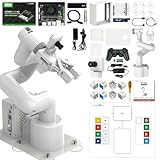
- 【3 Master Control】Three master controls to choose from, one for educational robotic arms that seamlessly integrates with the Jetson Nano/Orin Nano Super/Orin NX Super ecosystem.Build and run Ubuntu 22.04 based on 3 main controls, making it an ideal development tool for developing robots and programming.Equipped with Orin Nano Super and Orin NX Super, it supports multiple fields such as robot algorithm development and ROS simulation learning.
- 【UR-type mechanical structure】The 7axis collaborative robot developed for user-defined programming has greater flexibility than traditional robotic arms.The smooth body and adaptive gripper have a larger range of motion and can reach more and more precise positioning.Using AI to control its movement and speed, it can achieve millimeter-level positioning and operation.It can work safely with people,is compact, and has many interfaces,making it a collaborative partner on your desktop.
- 【Programmable&ROS system】Explore the possibilities of RoboFlow,the industrial robot software of elephan-t robot.Relying on the original Jetson Nano open source ecosystem,Jetcobot provides rich development interfaces, Python driver libraries and built-in ROS environment to make your development easier and faster. It supports multiple programming languages, various software interaction methods and is for a wide range of app. Explore the unlimited potential of this collaborative robot arm.
- 【AI Vision&Remote Control】Equipped with wooden blocks and stickers,it can realize recognition, tracking, and grasping actions, fully reflecting the AI-Type characteristics of the robot arm. Most functions can be operated through a multi-function app (Android);equipped with a USB game controller remote control to achieve the best control experience;create Jupyter Lab pages online.The APP cannot control the gripper,it is recommended to use a USB controller.
- 【Tutorials】All information and instructions are in English.We provide high-quality technical support services. If you need help, please contact Yahboom.Jetcobot is recommended for individuals with a basic understanding of programming, not for beginners.Considering the threshold of product use,we strongly recommend that you read the instructions carefully before operation.Please pay attention to the power adapters in the list.If you use them interchangeably, they will burn out.
Assess the complete application
- Identify hazards from the robot, end effector, tooling, workpiece, fixtures, stored energy, adjacent machinery, and unexpected restart.
- Examine exposure during normal production and abnormal activities such as clearing jams, changing tools, cleaning, teaching, and maintenance.
- Consider foreseeable failures, including sensor faults, communication loss, dropped parts, incorrect programs, and loss of utilities.
- Determine where people can enter, reach, or be trapped and what prevents hazardous motion.
- Select risk-reduction measures for the specific task and document why they are suitable.
OSHA identifies possible safeguards including presence-sensing devices, fixed and interlocked barriers, and limits on robot space. These are examples, not a universal design. The appropriate combination depends on the risk assessment, the application, and applicable requirements.
Train and verify competence
Workers who assemble, integrate, operate, maintain, or repair the application need suitable safety training and demonstrated competence. Training should cover normal operation, authorized recovery actions, emergency stops, energy isolation, restricted modes, fault reporting, and the limits of any collaborative function. Keep attendance, competency checks, and authorization records with the application documentation.
Use the right standards for the jurisdiction
For U.S. industrial robot applications, OSHA’s standards guidance cites ANSI/RIA R15.06 and technical reports addressing task-based risk assessment, safeguarding, existing applications, collaborative robot safety, user responsibilities, and testing methods. OSHA explicitly identifies national consensus standards as guidance from their originating organizations rather than OSHA regulations. Verify the latest editions, applicability, and local legal requirements before implementation.
5. Budget for integration, support, and downtime risk
The purchase price of a robot or AI service is only one part of the cost picture. NIST identifies infrastructure, personnel, vendor or integrator support, maintenance, and commissioning estimates as relevant costs. Include the time required to prepare the area, connect interfaces, test safety functions, correct defects, train users, and return the cell to a stable operating state.
Plan the support model
- Assign ownership for robot programs, AI models, recipes, permissions, backups, and change control.
- Define who responds to mechanical faults, sensor failures, network outages, model-quality issues, and production deviations.
- Stock or source critical tooling, sensors, wear items, and other parts whose absence could stop the cell.
- Schedule preventive maintenance and inspection without assuming that a collaborative device needs less maintenance.
- Specify how a replacement controller, restored program, or rolled-back AI model is validated before use.
John A. Horst, Elena R. Messina, and Jeremy Marvel state in NIST AMS 100-41: “Robots do not support themselves.” The point is practical: integration, maintenance, training, and troubleshooting require people and continuing resources.
Protect production during commissioning
Use a planned installation window, a temporary manual route where feasible, and a clear rollback condition. Stage software and fixtures before taking the line down. Separate development data from live production records. Treat an optimistic commissioning estimate as a risk; NIST discusses disruption qualitatively but does not provide a universal downtime figure.
Rank #4
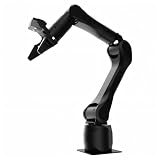
- Synria Alicia-M is a lightweight 6-axis robotic arm designed for embodied AI research, robotics laboratories, teleoperation, imitation learning, and light industrial automation. It supports advanced manipulation workflows for VLA, ACT, and Diffusion Policy applications.
- With a 750mm working space and 1.5kg continuous effective payload, Alicia-M provides a larger operating range for object handling, testing, teaching, and automation tasks while maintaining a compact desktop-friendly structure.
- Built with precision motion control, Alicia-M offers ±0.1mm repeatability to support reliable task execution, experimental consistency, and long-term robotic operation in research, education, and engineering environments.
- Supports ROS2 teleoperation, gravity compensation, velocity mode, and MIT force control mode, enabling smoother manual guidance, responsive control, and safer interaction during data collection, task demonstration, and robotic learning.
- The full machine weighs approximately 5.1kg and uses DC24V power with CAN communication, making it easier to deploy in labs, classrooms, R&D workstations, and light industrial scenarios. Compatible with open-source robotics workflows and simulation-first control development.
6. Commission and accept the installed system at the site
Bench tests cannot prove that the final workcell is safe and functional. OSHA says site acceptance should check the actual utilities, services, machine interfaces, and environmental conditions. The integrator performs the tests and the user verifies them; employers should ensure site acceptance occurs before initial startup.
Free tools Windows power users keep installed
One-click scans. No signup required.
- Confirm the installed configuration. Check robot model and software versions, tooling, fixtures, guards, sensors, wiring, network connections, and physical clearances against approved documentation.
- Verify utilities and services. Test power, air, network, grounding, environmental conditions, and any machine services under actual site conditions.
- Test interfaces. Exercise handshakes, permissives, part-present signals, fault states, recipe changes, data logging, and recovery after communication loss.
- Test safety functions. Verify emergency stops, protective devices, safe-speed or separation functions where used, restricted modes, stopping behavior, and access controls.
- Run normal and abnormal scenarios. Include misfeeds, missing parts, dropped parts, blocked sensors, utility loss, incorrect conditions, manual recovery, and restart.
- Record evidence and defects. Log the test condition, expected result, actual result, responsible person, corrective action, and approval.
- Release the cell deliberately. Start production only after the user has verified acceptance, training is complete, procedures are available, and unresolved risks are controlled.
Continue checking that safety settings and operating conditions remain appropriate. A layout change, new product, altered speed, different end effector, or revised task can invalidate an earlier assessment.
Independent reader supportYour contribution helps us test, update, and keep practical guides available for everyone.7. Integrate AI with explicit human roles and measures
AI should enter the workflow as a defined capability with defined limits. Decide whether it recommends, prioritizes, detects, predicts, or controls; then specify what a person must review, what evidence the person sees, and what happens when the system is uncertain or unavailable.
Define the task and decision rights
- State the operational question the AI must answer and the conditions under which its answer is valid.
- Identify the human role: approve, edit, reject, investigate, or supervise.
- Set boundaries for automatic action, including confidence thresholds, escalation, and safe fallback.
- Record model, data, and configuration versions so a decision can be traced.
- Define how errors are reported and how corrected examples enter future evaluation.
Measure fitness in the real production context
NIST’s manufacturing initiative identifies AI-assisted production scheduling, manufacturing system integration, and preventive maintenance as case-study areas. Its evaluation dimensions include human-AI collaboration effectiveness, task fitness, teaming, interpretability, traceability, trust in generative AI applications, system integration effort, performance, and semantic correctness.
Measure these dimensions against a representative set of normal and exception cases. A technically accurate prediction may still fail if it arrives too late, cannot be interpreted by the operator, conflicts with the scheduling system, or requires more integration effort than the task justifies. Conversely, an AI recommendation that is not fully autonomous may still be useful when a qualified person can verify it quickly and safely.
Do these 3 things before closing this tab:
1Scan for outdated or missing drivers - takes under a minute2Clear out junk files and repair common Windows errors3Fix the driver behind crashes, sound loss and screen glitchesUse a controlled evaluation lifecycle
- Define acceptance measures and test conditions before deployment.
- Evaluate with historical and current data that reflect product variants, shifts, sensors, and known edge cases.
- Run in observation or advisory mode where practical before permitting automatic action.
- Compare outputs with qualified human decisions and production outcomes.
- Monitor drift, data quality, latency, false alarms, missed conditions, and operator overrides.
- Revalidate after model, data, process, equipment, or interface changes.
The NIST AI Resource Center provides testing, evaluation, verification, and validation resources for the voluntary NIST AI Risk Management Framework. Its page notes that AI RMF 1.0 is being revised, so check the live resource for the current version rather than treating 1.0 as permanently current.
Best Value
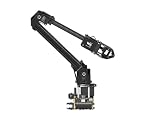
- ✅【Rich Graphic and Video Tutorials】Provides a user-friendly and cross-platform WEB application that integrates a simple and visualized coordinate control mode, making it easier to get started. Comes with rich graphic and video tutorials to help you learn and use it quickly. Compatible with ROS2 and various host computers,supports various wireless and wired communication modes.
- ✅【Meet Innovative Requirements】Comes with an expansion plate, supports customizing the EoAT (End of Arm Tooling) to meet innovative application requirements.Completely open source for the control codes and communication interface documents of Roarm-M2-S, supports multiple languages and devices for secondary development.
- ✅【Multiple Wirelesss Control Modes】 Onboard ESP32 MCU main control module supports multiple wireless control modes, provides control interfaces and rich communication protocols for easily connecting to various devices.
- ✅【360° Omnidirectional Workspace】Adopts a 360°omnidirectional base combined with three flexible joints to create an workspace with a 1-meter diameter.Greater torque and wider range.
- ✅【Lightweight Design】RoArm-M2-S is a 4DOF smart robotic arm designed for innovative applications. Adopts lightweight structure design with a total weight of less than 850g and the effective payload of 0.5kg@0.5m, it can be flexibly mounted on various mobile platforms.
Decision framework for an integration proposal
| Decision area | Questions to answer | Evidence to retain |
|---|---|---|
| Task fit | Is the task bounded, repeatable, and suitable for the robot or AI capability? | Current-state map, variability and exception records, candidate-task assessment |
| Human involvement | Which actions, approvals, recoveries, and quality decisions remain with people? | Role definition, work instructions, training and competency records |
| Safety | What hazards and exposures exist, and which safeguards reduce the assessed risks? | Documented risk assessment, safeguard tests, change history |
| Integration | Which machine, software, utility, network, and data interfaces must work together? | Interface specification, test cases, configuration and version records |
| Support | Who maintains, troubleshoots, backs up, secures, and revalidates the system? | Support plan, maintenance schedule, escalation path, spare-parts plan |
| Acceptance | How will the installed system be tested under actual site conditions? | Site-acceptance protocol, results, defects, approvals |
| AI evaluation | Is the AI fit for the task, understandable, traceable, performant, and semantically correct? | Defined measures, representative test data, monitoring and revalidation records |
Common failure modes and recovery actions
The robot works in a demonstration but not in production
Typical causes include different lighting, fixtures, part presentation, network timing, utility quality, or operator procedures. Re-run tests with the installed configuration and representative materials. Do not expand operating speed or remove safeguards to compensate for an unverified mismatch.
Operators bypass safeguards or reject the workflow
Investigate whether the process makes normal work impractical: replenishment may require excessive access, a stop may clear too slowly, or the procedure may omit a common exception. Involve affected workers, correct the design or instructions, and repeat the risk assessment for the change. Never treat bypassing as an acceptable operating mode.
Frequent faults create manual workarounds
Classify each fault by source: mechanical, sensing, interface, software, data, or procedure. Provide an authorized recovery path and escalation owner. If the workaround changes exposure or task sequence, stop and reassess the application rather than normalizing it.
Recommended Free Tools
AI recommendations are ignored or over-trusted
Check whether the output is timely, interpretable, traceable, and aligned with the operator’s decision. Show the relevant evidence and uncertainty, define when human review is mandatory, and monitor overrides. If users cannot determine when the system is wrong, restrict it to advisory use until the evaluation criteria are met.
A process change invalidates the original approval
Changing a product, fixture, end effector, speed, software interface, layout, or AI model can alter hazards and performance. Apply change control, update procedures and training, repeat affected tests, and retain the new evidence.
What the evidence does—and does not—support
The available NIST and OSHA material supports a disciplined sequence: select a bounded task, map interfaces and human work, involve knowledgeable workers and an integrator, assess application-specific risk, plan infrastructure and support, perform site acceptance, and measure AI in its actual human and production context.
It does not establish a broadly applicable productivity gain, downtime reduction, payback period, or failure-rate percentage. It also does not provide a complete technical design for every factory or a single rollout plan that eliminates disruption. Treat any claimed percentage or “plug-and-play” promise as a separate claim requiring evidence for the specific application, site, edition, and date.
Quick Recap
Product prices and availability are accurate as of the date/time indicated and are subject to change. Any price and availability information displayed on Amazon at the time of purchase will apply.

