
iTechGuides is reader-supported. When you buy through links on our site, we may earn an affiliate commission. As an Amazon Associate I earn from qualifying purchases. Learn more
On a Galaxy A57 5G, open Settings > Software update > Check for updates. If Samsung has released One UI 9 for your exact model, the phone will present the download and installation steps. Samsung’s model record for SM-A576B lists One UI 9 build A576BXXU6BZIE, Android 17, a release date of October 12, 2026, and the September 5, 2026 security patch. That record applies to the SM-A576B variant; carrier and regional versions can receive software at different times.
You can also check with Samsung Smart Switch on a Windows PC or Mac. The computer method is an alternative, not a way to bypass Samsung’s staged rollout. The update screen on your own phone remains the best way to determine whether One UI 9 is currently available for that device.
What the One UI 9 listing means for the Galaxy A57
Samsung’s model-specific update notice covers the Galaxy A57 5G with model number SM-A576B. It identifies the following software package:
| Item | Samsung’s listed value | How to interpret it |
|---|---|---|
| One UI release | One UI 9 | The Samsung interface version included in this update. |
| Build | A576BXXU6BZIE | The exact build identifier in the SM-A576B update record. |
| Android version | Android version C (Android 17) | The Android platform version identified by Samsung for this release. |
| Release date | October 12, 2026 | The date shown in Samsung’s model-specific notice, not a promise that every market received it that day. |
| Security patch level | September 5, 2026 | The patch level associated with that build. |
If your A57 has another model code, or if it was supplied by a different carrier, do not assume that the SM-A576B schedule applies. Samsung states that available features and functions may vary by device, carrier, and network.
#1 Best Overall

- ELEVATED DESIGN. EVERYDAY EASE: Galaxy A57 5G features the best of A Series design that’s lighter, slimmer¹ and made to fit with your outfit
- A VIVID VIEWING EXPERIENCE: Dive deeper into your content with the Super AMOLED Plus display² on Galaxy A57 5G that features slimmer bezels for a more immersive viewing experience
- SNAP IT. LOVE IT. SHARE IT: The triple-lens camera on Galaxy A57 5G lets you capture everything from low-light videos with Nightography Video to landscapes in awesome detail
- BIG-TIME BATTERY LIFE: The 5,000mAh battery in Galaxy A57 5G lets you do what you want without worrying about running out of power and the 45W Super Fast Charging 2.0³ recharges your phone faster
- AWESOMELY FAST PERFORMANCE: Galaxy A57 5G⁴ keeps you connected with faster speeds so you can enjoy every online experience with ease. Stream videos, share photos, video call or simply surf your favorite sites without interruption
Prepare the phone before checking
The update process is straightforward, but a few preparations prevent avoidable interruptions.
- Confirm the model: Open Settings > About phone and note the model number. Use the SM-A576B information above only when that is the model shown.
- Use Wi-Fi when practical: Samsung notes that some carriers require Wi-Fi to check for or install an update. A Wi-Fi connection also avoids relying on mobile data during a large system download.
- Choose an uninterrupted period: The phone may restart and can be temporarily unusable while installation runs, including for calls. Do not begin immediately before travel, a work call, or another situation in which the phone must remain available.
- Keep the phone available: Remain near the device so you can respond to any on-screen prompt. Do not plan to use it during the installation stage.
- Protect important data: A current backup of photos, contacts, messages, and other important files is sensible before any major operating-system change. The Samsung instructions do not specify a particular backup method or guarantee a particular recovery outcome.
Samsung’s published instructions do not establish a guaranteed download size or installation duration for this rollout. Treat estimates shown on your own device as specific to that device and connection.
Install One UI 9 from the Galaxy A57 itself
Menu wording can differ slightly by software version or carrier. Follow the label that appears on your A57; the normal path is the first one below.
- Open Settings. Swipe down to open the quick panel if necessary, then select the gear icon, or open Settings from the app screen.
- Open the software-update page. Tap Software update. On some versions, the equivalent entry can be labeled Check for system updates or Check for software updates.
- Start the check. Tap Check for updates. Depending on the current software and carrier, the button may instead read Download and install.
- Read the result. If Samsung has made One UI 9 available to your exact device, the page will identify an update and present the next action. If it reports that the software is up to date, no package is being offered to that device through that check at that moment.
- Start the download when ready. Follow the on-screen instructions. Keep the phone connected to Wi-Fi if possible and leave it available while the package is obtained.
- Approve installation when prompted. The phone may ask you to start or schedule the installation. Use the displayed controls rather than trying to force a different sequence; Samsung does not publish one universal set of confirmation screens for every carrier version.
- Allow the restart. The A57 can reboot during the process. Do not power it off, remove its connection to a required network, or attempt to use it while the update is being applied.
- Wait for the phone to return to the lock or home screen. The first start after a system update can present additional setup or optimization screens. Complete only the prompts shown on your device.
If the screen offers a different button
Samsung uses several labels for the same update function. Download and install, Check for updates, Check for system updates, and Check for software updates can all lead to the update check. The wording is not evidence that your phone has a different One UI release; identify the installed version after the process completes.
How to confirm that One UI 9 installed
Do not rely only on the notification that the update finished. Read the software information stored on the phone:
- Open Settings.
- Tap About phone.
- Tap Software information.
- Read the One UI version, Android version, build number, and security patch level shown there.
For the SM-A576B release documented by Samsung, the expected identifiers are One UI 9, build A576BXXU6BZIE, Android 17, and the September 5, 2026 security patch. If your screen shows an older One UI version or a different build, the phone has not installed that specific package, even if another update recently completed.
Rank #2
- ELEVATED DESIGN. EVERYDAY EASE: Galaxy A57 5G features the best of A Series design that’s lighter, slimmer¹ and made to fit with your outfit
- A VIVID VIEWING EXPERIENCE: Dive deeper into your content with the Super AMOLED Plus display² on Galaxy A57 5G that features slimmer bezels for a more immersive viewing experience
- SNAP IT. LOVE IT. SHARE IT: The triple-lens camera on Galaxy A57 5G lets you capture everything from low-light videos with Nightography Video to landscapes in awesome detail
- BIG-TIME BATTERY LIFE: The 5,000mAh battery in Galaxy A57 5G lets you do what you want without worrying about running out of power and the 45W Super Fast Charging 2.0³ recharges your phone faster
- AWESOMELY FAST PERFORMANCE: Galaxy A57 5G⁴ keeps you connected with faster speeds so you can enjoy every online experience with ease. Stream videos, share photos, video call or simply surf your favorite sites without interruption
Check with Smart Switch on a Windows PC or Mac
Samsung also provides a computer-based route through Smart Switch. It is useful when you prefer to manage the update from a computer or when the phone’s update page is difficult to use, but it does not guarantee an earlier offer.
Recommended Free Tools
- Install and open Smart Switch on a Windows PC or Mac.
- Use a USB cable to connect the Galaxy A57 to the computer.
- Wait for Smart Switch to recognize the phone. Keep the cable connected while it checks the device software.
- If Smart Switch offers an update, select Update and follow the instructions displayed by the program.
- Do not disconnect the USB cable or use the phone until Smart Switch reports that the process is complete. The phone may restart during the update.
- After the phone returns to normal operation, use Settings > About phone > Software information to verify the installed One UI version and build.
Smart Switch can legitimately show no update even when you expected one. Its result is still governed by the model, carrier, region, and rollout assigned to the connected phone. If it does not offer One UI 9, that alone does not establish that the A57 is ineligible.
Phone update or Smart Switch: which method fits?
| Consideration | Galaxy A57 update screen | Smart Switch |
|---|---|---|
| Equipment | The phone and its network connection. | A Windows PC or Mac, Smart Switch, and a USB cable. |
| Where you start | Settings > Software update. | Smart Switch after connecting the phone by USB. |
| How the offer is determined | The phone checks Samsung’s offer for that device and network. | The computer program checks the connected phone and presents Update only when an update is offered. |
| During installation | Keep the phone available; it may restart and be temporarily unusable. | Keep both the phone and USB connection undisturbed until Smart Switch finishes. |
| Best use | The simplest option when the phone is online and working normally. | An alternative when you prefer a computer-managed process or need to check through Smart Switch. |
Neither method changes Samsung’s release policy. Choose the method that you can leave undisturbed and that meets your carrier’s connection requirements.
Why One UI 9 may not appear on your A57
The phone is a different regional or carrier variant
The documented package is specifically for SM-A576B. A model sold under another code can have a different firmware track, and a carrier-branded phone can wait for carrier approval. Check the model number in About phone before comparing your screen with the SM-A576B build.
Your carrier requires Wi-Fi
Connect to Wi-Fi and repeat the check. Some carriers require Wi-Fi for both the availability check and the installation. A mobile-data connection that works for ordinary browsing is not proof that the carrier permits a system update over that connection.
Crashes, No Sound, or Screen Glitches?
Random freezes, missing sound and display glitches usually trace back to one bad driver. Find and replace yours safely.Free scan · under a minutePC Slower Than It Used to Be?
A free scan shows the junk files, broken settings and background clutter dragging Windows down - then fixes them in one click.Free scan · Windows 10 & 11The rollout has not reached your network
Samsung’s release date in a model notice is not a simultaneous worldwide switch. Availability can vary by device, carrier, and network. Check again later, and consult your local carrier or Samsung support for the release status of your exact model rather than installing an unofficial package.
Rank #3
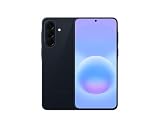
- International Model – Global Connectivity – Plug & Play with an active SIM on AT&T, Verizon, T-Mobile, and most U.S. carriers. New activations are supported on T-Mobile and Its MVNO's in the U.S., as some carriers may not recognize International IMEI's as Compatible. (No U.S. manufacturer warranty; Seller Return policy applies.)
- This model is Dual SIM with eSIM capability however the configuration is either SIM+SIM or eSIM+SIM 6.7” Super AMOLED Display (120Hz). Enjoy ultra-smooth scrolling and vibrant colors with a large Full HD+ screen, perfect for streaming, gaming, and browsing.
- Powerful Performance Equipped with an advanced Exynos processor and 8GB RAM, delivering fast multitasking and efficient performance for apps and games. 256GB Storage Store your photos, videos, apps, and files without worrying about space.
- Triple Camera System (50MP Main) Capture sharp, detailed photos with optical image stabilization, plus ultra-wide and macro lenses for versatile shooting.
- Long-lasting 5,000mAh Battery Stay powered all day with fast charging support, keeping you connected longer. Premium Build & Durability Sleek gray finish with water and dust resistance (IP68 rating) for added durability.
The menu label is different
Look under Settings > Software update even if the action is called Download and install, Check for system updates, or Check for software updates. Menu wording can change with the existing software and carrier customization.
Smart Switch shows no update
Make sure Smart Switch recognizes the intended phone and that the USB cable remains connected. If the program still has no Update option, use the phone’s own update page later or ask the local carrier or Samsung support about the device’s rollout. Smart Switch is an alternate check, not a bypass for regional eligibility.
The phone reports that it is current
A current message describes what Samsung is offering to that phone at that time. It does not, by itself, prove that every Galaxy A57 variant has received One UI 9 or that SM-A576B owners in every region have the same schedule. Recheck after the rollout reaches your carrier.
Free tools Windows power users keep installed
One-click scans. No signup required.
One UI 9 timing and the A57’s longer support promise
Samsung announced the Galaxy A57 5G on March 25, 2026 with One UI 8.5. In that launch announcement, Samsung said the phone would receive up to six generations of Android OS and One UI upgrades and up to six years of security updates. “Up to” is important: it describes Samsung’s stated support commitment, not a guaranteed delivery date for every future release or every market.
The later SM-A576B update notice is the stronger evidence for the current One UI 9 status because it names the build, Android version, release date, and patch level. It does not establish a complete region-by-region schedule for other A57 variants. For that reason, use the software-update page on your own phone as the final availability check.
What Samsung’s wording means in practice
Samsung’s support guidance says, “Available features and functions may vary by device, carrier, and network.” That qualification applies both to whether the package appears and to what you see after installation. Two Galaxy A57 phones can therefore show different timing or menu text without either phone being defective.
Rank #4

- International Model – Global Connectivity – Plug & Play with an active SIM on AT&T, Verizon, T-Mobile, and most U.S. carriers. New activations are supported on T-Mobile and Its MVNO's in the U.S., as some carriers may not recognize International IMEI's as Compatible. (No U.S. manufacturer warranty; Seller Return policy applies.)
- This model is Dual SIM with eSIM capability however the configuration is either SIM+SIM or eSIM+SIM. 6.7” Super AMOLED Display (120Hz). Enjoy ultra-smooth scrolling and vibrant colors with a large Full HD+ screen, perfect for streaming, gaming, and browsing.
- Powerful Performance Equipped with an advanced Exynos processor and 8GB RAM, delivering fast multitasking and efficient performance for apps and games. 256GB Storage Store your photos, videos, apps, and files without worrying about space.
- Triple Camera System (50MP Main) Capture sharp, detailed photos with optical image stabilization, plus ultra-wide and macro lenses for versatile shooting.
- Long-lasting 5,000mAh Battery Stay powered all day with fast charging support, keeping you connected longer. Premium Build & Durability Sleek gray finish with water and dust resistance (IP68 rating) for added durability.
The model notice also says, “To get the best from your device, please keep your device up to date and regularly check for software updates.” Regular checks are useful because a release date in a Samsung notice is not a promise that an update will be offered to every network on that date. The check on your own phone remains the authoritative practical result.
After the installation finishes
- Open Settings > About phone > Software information and record the One UI version, build, and security patch level.
- Confirm that the phone can connect to your usual Wi-Fi and mobile network after the restart.
- Place or receive a test call when the phone is no longer showing installation activity, especially if the update was performed when you needed to remain reachable.
- Open the apps you rely on most and complete any update prompts they display. A system update and an app update are separate processes.
- If something is not working as expected, note the exact message and the software identifiers before contacting the carrier or Samsung support. Those details help support distinguish a rollout issue from a device-specific problem.
Samsung’s own update notice recommends keeping the device up to date and checking for software updates regularly. Use the built-in update page periodically rather than assuming that a single check covers every later release.
Independent reader supportYour contribution helps us test, update, and keep practical guides available for everyone.Frequently Asked Questions
Is One UI 9 available on every Galaxy A57 immediately?
No. Samsung’s model-specific notice lists One UI 9 for the Galaxy A57 5G SM-A576B, but availability can vary by device, carrier, and network. A different regional model or carrier version may follow another schedule. Check the model number under Settings > About phone and use the Software update page on that phone.
What are the identifiers for the listed SM-A576B update?
Samsung lists One UI 9 build A576BXXU6BZIE, Android 17, a release date of October 12, 2026, and a security patch level of September 5, 2026. These identifiers describe the package in the SM-A576B record; they are not a guarantee that every A57 variant receives the same build on the same date.
Why does my A57 say it is up to date when I cannot find One UI 9?
That message means Samsung is not offering a package to that phone through that check at that moment. It may reflect a regional or carrier rollout schedule, a different model code, or a carrier requirement such as Wi-Fi. Check again later and ask local Samsung or carrier support about the exact device rather than assuming it is permanently ineligible.
Quick wins for a faster PC:
Fix the driver behind crashes, sound loss and screen glitchesFind Drivers →Clear out junk files and repair common Windows errorsFree Scan →Scan for outdated or missing drivers - takes under a minuteDriver Scan →Can Smart Switch force One UI 9 onto the phone?
No. Smart Switch is an alternate official checking and installation route. After you connect the A57 by USB, it shows an Update option only when Samsung offers compatible software to that connected device. It does not bypass model, carrier, network, or regional rollout controls.
Best Value

- International Model – Global Connectivity – Plug & Play with an active SIM on AT&T, Verizon, T-Mobile, and most U.S. carriers. New activations are supported on T-Mobile and Its MVNO's in the U.S., as some carriers may not recognize International IMEI's as Compatible. (No U.S. manufacturer warranty; Seller Return policy applies.)
- This model is Dual SIM with eSIM capability however the configuration is either SIM+SIM or eSIM+SIM 6.7” Super AMOLED Display (120Hz). Enjoy ultra-smooth scrolling and vibrant colors with a large Full HD+ screen, perfect for streaming, gaming, and browsing.
- Powerful Performance Equipped with an advanced Exynos processor and 8GB RAM, delivering fast multitasking and efficient performance for apps and games. 256GB Storage Store your photos, videos, apps, and files without worrying about space.
- Triple Camera System (50MP Main) Capture sharp, detailed photos with optical image stabilization, plus ultra-wide and macro lenses for versatile shooting.
- Long-lasting 5,000mAh Battery Stay powered all day with fast charging support, keeping you connected longer. Premium Build & Durability Sleek gray finish with water and dust resistance (IP68 rating) for added durability.
Do I need a computer to install the update?
No. The normal method is Settings > Software update on the phone itself. Smart Switch on Windows or Mac is optional and requires the program, a computer, and a USB cable. Neither method is established as universally faster or more reliable; use the one you can leave undisturbed and that meets your carrier’s requirements.
How do I verify that One UI 9 really installed?
Open Settings > About phone > Software information. Read the One UI version, Android version, build number, and security patch level. For the listed SM-A576B package, the expected values are One UI 9, Android 17, build A576BXXU6BZIE, and the September 5, 2026 security patch.
Can I use the phone while One UI 9 is installing?
Plan not to. Samsung’s guidance indicates that installation can restart the phone and make it temporarily unusable, including for calls. Keep the device available for prompts, do not interrupt the process, and do not disconnect a required USB connection when using Smart Switch.
How long will the Galaxy A57 receive updates?
Samsung’s March 25, 2026 launch announcement promises up to six generations of Android OS and One UI upgrades and up to six years of security updates. The phrase “up to” describes the stated support commitment; it does not set a guaranteed delivery date for every release, carrier, or market.
The Bottom Line
For the Galaxy A57, start with Settings > Software update > Check for updates, using Wi-Fi when practical. The Samsung record for SM-A576B lists One UI 9 build A576BXXU6BZIE with Android 17 and the September 5, 2026 security patch, but rollout timing varies by carrier and region. If no offer appears, check the model number, try again later, or use Smart Switch as an alternative. Confirm the result under Settings > About phone > Software information.
Quick Recap
Product prices and availability are accurate as of the date/time indicated and are subject to change. Any price and availability information displayed on Amazon at the time of purchase will apply.

