
Do these 3 things before closing this tab:
1Repair Windows errors before they cause bigger problems2Scan for outdated or missing drivers - takes under a minute3Clear out junk files and repair common Windows errorsiTechGuides is reader-supported. When you buy through links on our site, we may earn an affiliate commission. As an Amazon Associate I earn from qualifying purchases. Learn more
Prefer not to run the server on your own PC? Godlike.Host offers hosted American Truck Simulator servers with free DDoS protection and up to three free backups a day.
To install mods on an American Truck Simulator (ATS) dedicated server, select and activate the mods in a normal ATS game installation, export the active setup, and copy the resulting server_packages.sii and server_packages.dat files into the dedicated server’s home folder. The dedicated server does not connect to Steam Workshop and does not need a separate folder of copied .scs files.
How ATS server mod installation works
ATS separates mod selection from dedicated-server operation. A regular ATS client is used as the authoring environment: it loads Workshop subscriptions and locally installed packages, resolves the active map, downloadable-content and mod combination, and then exports that configuration. The dedicated server reads the exported package files when it starts.
The Tool Desk
Outbyte Driver Updater FREEScan for outdated or missing drivers - takes under a minuteDriver Scan →Outbyte PC Repair FREERepair Windows errors before they cause bigger problemsFix Now →This means the server is not a second copy of the in-game Mod Manager. You do not log in to Workshop from the server, and you normally do not build a server-side collection by dropping every .scs file into a new directory. The exported files describe the setup the server must use.
SCS Software identifies the dedicated-server application as app ID 2239530. The same installation model applies whether you install it through Steam or SteamCMD.
#1 Best Overall

- Which 18 wheeler do you like most? Discover many new American and Euro truck brands.
- Drive your big rig truck across USA, Canada and Mexico
- New and improved graphics engine!
- Different climate locations: desert, snow, mountain, city
- Improved Controls (tilt steering, buttons or virtual steering wheel)
What you need before installing a modded server
- A normal ATS game installation that can start and load the profile you will use to create the package.
- The ATS Dedicated Server application (app ID
2239530) installed through Steam or SteamCMD. - Access to the server’s home directory, including the location of
server_config.sii. - The Workshop subscriptions or non-Workshop mod packages you intend to activate.
- Permission to edit ATS configuration files and open the required network ports.
- A logon token if the server configuration or current SCS requirements call for one.
Decide where the game and server will keep their user data before you generate any files. If you launch either program with -homedir, use the same intended home-directory arrangement consistently. A package exported from one user path can be invisible to a server reading another path.
1. Install and initialize the dedicated server
- Install the ATS Dedicated Server app, app ID
2239530, with Steam or SteamCMD. - Start the dedicated server once without trying to join it. The first launch creates the server configuration file,
server_config.sii, in the server’s home directory. - Stop the process and note the exact directory that contains
server_config.sii. This is the destination used later for the exported package files. - If you use a custom home directory through
-homedir, record that path and apply the same choice when preparing the game installation and exporting packages.
Initializing the application first prevents a common deployment mistake: copying package files beside the program executable while the server is actually reading a different home directory.
Recommended Free Tools
2. Prepare the mod set in a normal ATS installation
Use the full ATS client—not the dedicated-server executable—to assemble the exact combination players should use. The ATS user path stores profiles and mods; it is separate from the directory containing the game binaries.
| Operating system | ATS user path documented by SCS | What belongs there |
|---|---|---|
| Windows | C:Users<your_user_name>DocumentsAmerican Truck Simulator, or the equivalent Documents location when Documents is redirected to OneDrive |
Profiles, configuration and the mod directory |
| Linux | /home/<user_name>/.local/share/<game_name> |
Profiles, configuration and the mod directory |
| macOS | /Users/<user_name>/Library/Application Support/<game_name> |
Profiles, configuration and the mod directory |
Workshop packages
In the ATS client, subscribe to each required Workshop item. Steam makes a subscribed Workshop item available to the game after it has downloaded. Open ATS’s Mod Manager, verify that every intended item is present, and activate the set on the profile you will use for export.
Rank #2

- Enjoy a trucking experience focused on your career as a truck driver
- Become immersed as you follow Nathan’s story about becoming a successful truck driver
- Work on your relationships as you get closer to your family and the local community with each job
- Customize your truck to your heart’s content with tons of new parts and paint jobs to choose from
- Navigate the open road as you encounter different landscapes and interesting locations
Do not assume that subscribing is the same as activating. The export reflects the active Mod Manager state, including load order and enabled or disabled status. Remove experimental items and make sure the profile can load the selected map and DLC combination before exporting.
Non-Workshop packages
For a compatible direct-download mod, place its .scs package in the normal ATS user-path mod directory. Start ATS, open Mod Manager, activate the package, and confirm that the game accepts the resulting setup. Keep the original package available for the client computers that will need to match the server’s mod requirements.
Validate the active setup
- Use one profile as the authoritative server configuration rather than exporting from several profiles.
- Check that required map and truck dependencies are enabled.
- Resolve any Mod Manager warnings before exporting.
- Launch into the game long enough to verify that the map and major assets load with the selected combination.
- Write down the intended mod list and order so a later update can be compared against the known-good setup.
3. Export the server package files
The export command must be run from the normal ATS game installation after the intended mods are active.
- Open ATS’s
config.cfgin the user path. - Set
g_consoleto enabled. If the line already exists, change its value rather than adding a duplicate setting. - Start ATS and load the profile whose active mod set you want to publish to the server.
- Open the in-game console with the
~key. - Run
export_server_packages. You can provide a destination when you need the files written somewhere other than the default export location. - Exit or return to the desktop and verify that both files were created:
server_packages.siiandserver_packages.dat.
SCS documents these files as carrying the map, DLC and mod configuration from the current game setup. Treat them as a pair: a successful export produces both, and deploying only one is incomplete.
Rank #3

- Ca. 6000 km of motorway and 600 km of country road, to a scale of 1:10
- Numerous detailed models of motorway interchanges
- 16 cities, some of them with unique road designs (e.g. roundabouts or bridges)
- Numerous POIs in cities and near motorways and country roads
- All large waterways.Ground based on real satellite data.Licensed vehicles from Scania and MAN.Purchase trucks and trailers.Hire drivers
4. Deploy the exported files to the server
- Stop the dedicated-server process if it is running.
- Copy
server_packages.siiandserver_packages.datinto the same dedicated-server/game home folder that containsserver_config.sii. - Preserve the exact filenames and extensions. Do not rename the files or place them inside the normal game’s
modfolder on the server. - Keep a backup of the previous pair until the new configuration has been tested.
- Start the dedicated server and inspect its log for package-loading errors before asking players to connect.
No separate server mod directory is required for this workflow. SCS staff state: “You are not required to copy anything. You just have to provide server_packages.sii and .dat. Those two files contains mods setup and everything required by server to be modded.” The practical implication is that the dedicated server needs the exported package pair alongside its configuration, not a second manual Workshop download.
5. Configure ports, tokens and reachability
Mod files do not make a server discoverable by themselves. Configure the connection and query ports in server_config.sii, and use distinct values for those two functions. If the configuration requires a logon token, enter a valid token in the appropriate setting.
Quick wins for a faster PC:
Clear out junk files and repair common Windows errorsFree Scan →Fix the driver behind crashes, sound loss and screen glitchesFind Drivers →Repair Windows errors before they cause bigger problemsFix Now →- Connection port: the port players use for the game session.
- Query port: the port used for server-browser information; keep it separate from the connection port.
- Logon token: supply one when required by the server configuration or current SCS service rules.
- Firewall: allow the selected ports through the host operating system and any upstream firewall.
- Router/NAT: forward the ports to the machine running the server when it is behind a private network address.
A public IP address and correct port forwarding are needed for reliable browser visibility from outside the local network. Direct search or connection can still work in some NAT arrangements even when browser listing does not, so test both the advertised listing and a direct connection path.
6. Have players use the matching mod state
The exported configuration tells the server which map, DLC and mods it expects; it does not install missing client content for players. Every player must have access to the required DLC and the same compatible mod versions. Workshop users should let Steam finish downloading updates before launching ATS. Players using direct-download packages need the corresponding .scs files in their own ATS user-path mod directory and must activate them in Mod Manager.
Rank #4

- ✅ The complete game, every mode, level and vehicle unlocked from the first tap
- ✅ Zero ads, zero pop-ups, zero watch a video to continue
- ✅ No in-app purchases, one price, nothing else to buy ever
- ✅ 100% offline play, no account needed
- ✅ Made for Fire tablets, tested on Amazon devices
Do not mix a newly exported server package with older client packages casually. A mod can keep the same display name while its files or dependencies change, so record the update date and regenerate the package pair whenever the active content changes.
What’s actually slowing this PC down?
Pick the symptom - the matching free tool is one click away.
Updating a mod without breaking the server
- Stop new connections or schedule a maintenance window.
- Update the mod in the normal ATS installation. For Workshop content, allow the client to complete the download; for direct packages, replace the old file with the compatible release.
- Open Mod Manager and reactivate the desired set. Check that no dependency is disabled and that the profile still loads.
- Run
export_server_packagesagain from the updated setup. - Confirm that a fresh
server_packages.siiandserver_packages.datexist. - Stop the server, replace both files together in the server home folder, and retain the prior pair as a rollback copy.
- Restart the server, read the startup log, and perform a test connection before reopening the session to everyone.
Regenerating only after the game-side setup has been updated is important. The package files represent the state at export time; changing a Workshop subscription later does not automatically rewrite the files already deployed to the server.
Independent reader supportYour contribution helps us test, update, and keep practical guides available for everyone.Troubleshooting common installation failures
The server says server_packages.sii is missing
Generate the package pair from the normal ATS game and copy both files into the server home directory containing server_config.sii. Check the spelling, capitalization and extension, and confirm that the server is not using a different -homedir than the one you inspected. A partially copied pair can produce the same startup failure as a completely absent export.
The files exist, but the server still cannot load them
- Verify that
server_packages.siiandserver_packages.datare in the server’s user-data folder, not beside an unrelated executable or in the client-onlymoddirectory. - Check that the dedicated server and the normal game resolve the same intended home-directory arrangement.
- Re-export after activating the intended profile; an export from another profile may reference a different map or DLC state.
- Read the server log for a specific missing dependency or malformed package indication before replacing files again.
Players are rejected for a mod or version mismatch
Compare the server’s current export date with each player’s Workshop or direct-download package date. Update the normal game, activate the exact desired set, export again, and redeploy both files. Players should remove stale duplicates from their mod directories so ATS does not select an older copy with the same name.
Best Value
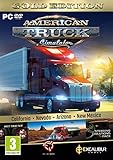
- Highly detailed officially licensed 3D truck models
- Huge selection of tuning accessories
- Rich variety of companies and industries to work for
- Become the king of the road, start your own business and build your fleet into a trucking empire
- Steering wheel, gamepad and other input devices supported
A Workshop mod does not appear on the server
The dedicated server cannot use the Steam Client and cannot access Steam Workshop. Subscribe and download the item in the normal ATS client, activate it in Mod Manager, and then run the export command. Merely subscribing without exporting leaves the server’s existing package files unchanged.
PC Slower Than It Used to Be?
A free scan shows the junk files, broken settings and background clutter dragging Windows down - then fixes them in one click.Free scan · Windows 10 & 11Crashes, No Sound, or Screen Glitches?
Random freezes, missing sound and display glitches usually trace back to one bad driver. Find and replace yours safely.Free scan · under a minuteThe server is running but does not appear in the browser
Check that the connection and query ports are different and that both are allowed through the host firewall. Confirm router forwarding to the server’s private address and verify the configured public address where applicable. Test a direct search or connection separately; browser visibility depends on the public-network path and query-port reachability.
A redirected Documents folder causes inconsistent results
On Windows, ATS may use the Documents location redirected to OneDrive rather than the local path shown in a default installation. Inspect the actual user path used by the running game, place non-Workshop packages in that path’s mod directory, and ensure the server’s home-directory setting points where you expect. Do not assume that two similarly named Documents folders are interchangeable.
Self-hosting versus managed ATS hosting
The mod workflow is the same only when a managed provider gives you access to the server’s ATS home folder and accepts the exported package files. Evaluate the operating model before choosing where to run the server.
| Decision area | Self-hosted machine | Managed hosting |
|---|---|---|
| File control | You control server_config.sii, package backups and the operating-system filesystem. |
Confirm that the provider lets you upload or replace server_packages.sii and server_packages.dat directly. |
| Updates | You schedule ATS, mod and operating-system maintenance and perform every export. | The provider may handle machine maintenance, but you still need to update the normal ATS setup and supply a new package pair. |
| Ports and tokens | You choose firewall rules, connection/query ports and token settings. | Verify which ports can be changed and how tokens and firewall rules are configured. |
| Public networking | You provide the public address, forwarding and upstream firewall configuration. | The provider generally supplies public networking; check whether the required connection and query ports are available. |
| Uptime and recovery | You are responsible for power, connectivity, monitoring and rollback backups. | Ask what uptime, restart, backup and recovery controls are included rather than assuming they are part of the service. |
Regardless of where the process runs, keep dated copies of the last known-good package pair and the matching mod list. That gives you a clear rollback point when a Workshop update changes a dependency.
Quick Recap
Final deployment checklist
- The ATS Dedicated Server app (ID
2239530) has launched once and createdserver_config.sii. - The normal ATS client uses the intended user path and, if applicable, the same
-homedirarrangement. - Every required Workshop or direct-download package is active in Mod Manager.
g_consoleis enabled andexport_server_packagescompleted successfully.- Both
server_packages.siiandserver_packages.datare besideserver_config.siiin the dedicated server’s home folder. - Connection and query ports are distinct, allowed through firewalls, and forwarded when NAT is involved.
- A required logon token is configured.
- Players have matching mod versions and required DLC.
- The startup log and a test connection confirm that the exported setup loads correctly.
Product prices and availability are accurate as of the date/time indicated and are subject to change. Any price and availability information displayed on Amazon at the time of purchase will apply.

