
Quick wins for a faster PC:
Repair Windows errors before they cause bigger problemsFix Now →Fix the driver behind crashes, sound loss and screen glitchesFind Drivers →Clear out junk files and repair common Windows errorsFree Scan →iTechGuides is reader-supported. When you buy through links on our site, we may earn an affiliate commission. As an Amazon Associate I earn from qualifying purchases. Learn more
Yes—you can play Halo: Combat Evolved on Linux, but there is no single installation that works identically on every distribution. The official Steam route is Halo: The Master Chief Collection (MCC), whose Windows release runs on desktop Linux through Steam’s compatibility tools. On Steam Deck, MCC was marked “Playable” in a Halo Support update dated April 6, 2023, although that status came with documented anti-cheat, crash, and cross-platform co-op caveats. A separate community project, halo-ce-universal, provides a native Linux executable based on a decompilation of the Xbox build; it requires you to supply legitimate game data and install 32-bit graphics and audio libraries.
Choose the right Linux version of Halo CE
The two practical routes are different editions, not two installers for the same build. Choose before downloading anything:

| Route | What you play | Linux status | What you need | Best fit |
|---|---|---|---|---|
| Steam MCC | Halo: Combat Evolved Anniversary inside Halo: The Master Chief Collection | Windows-targeted game running through a Steam compatibility layer; Steam Deck has a dated “Playable” support note | Steam account, purchased MCC license, game download, and a selected compatibility tool | Players who want the official Steam edition, achievements, matchmaking, and the Anniversary presentation |
| Community native port | Campaign and multiplayer based on the Xbox build decompilation | Project documents a native 32-bit x86 Linux executable | Linux libraries, a source build or project release, and game data extracted from an Xbox disc image you legally possess | Technically confident users who specifically want a native Linux build |
Neither route should be treated as universally plug-and-play. Linux distributions, graphics stacks, audio servers, desktop sessions, and game updates change over time. The native project is not an official Microsoft or Bungie distribution, and MCC is not a native Linux Steam build.
Recommended Free Tools
The Steam choice is the straightforward ownership path: your license, updates, and online features remain tied to Steam, while Linux supplies the compatibility environment. The native choice is more hands-on and separates the executable from the copyrighted game content. It is useful when you specifically want a Linux binary, but it is not a replacement for the official MCC storefront or services.
#1 Best Overall

- A CLASSIC REIMAGINED — Experience the original Halo: Combat Evolved campaign rebuilt with high‑definition visuals, updated cinematics, refined controls, and a brand‑new three‑mission adventure.
- ENHANCED AUDIO & VISUALS — Relive every mission with modernized animations, a remastered soundtrack, and fully rebuilt sound design for deeper immersion across the Halo universe.
- NEW STORY CONTENT — Play as the Master Chief alongside Sgt. Johnson in Operation: Meteorite, a standalone campaign featuring new environments, enemies, and gameplay challenges.
- CO‑OP YOUR WAY — Play solo, in 2‑player split‑screen co‑op (console only), or up to 4‑player online co‑op with full crossplay and cross‑progression support.
- XBOX PLAY ANYWHERE — Play across XBOX Series X|S and Windows PCs at no additional cost, with shared progress and achievements across supported devices.
Route A: Install MCC through Steam compatibility tools
What this route includes
MCC’s Steam listing includes Halo: Combat Evolved Anniversary. Its published technical requirements are written for Windows, so desktop Linux use means running that Windows release with the compatibility feature or tool selected in Steam. Do not interpret the Windows requirements page as evidence of native Linux support.
Install the game
- Install the current Steam client for your Linux distribution and sign in to the account that owns MCC.
- Open your Steam Library, select Halo: The Master Chief Collection, and choose Install. Leave enough space for the collection and updates; the current download size is shown by Steam and can change.
- Open the game’s Properties, then the Compatibility tab. Enable Force the use of a specific Steam Play compatibility tool if you need to choose one. If you already have a preferred current tool, select it; otherwise begin with Steam’s current default rather than copying an old version recommendation.
- Launch MCC once. Allow the compatibility prefix and shader data to be created, then wait for the main menu to finish loading.
- From MCC’s game-selection screen, choose Halo: Combat Evolved Anniversary. Start a short campaign session before troubleshooting multiplayer, so you know the installation itself launches.
Install only the collection components you intend to use if Steam presents a content-selection screen. This reduces the initial download, but the exact choices and storage figures can change with MCC updates. Let Steam finish both game and compatibility-tool updates before judging performance.
Compatibility changes as Steam, the game, graphics drivers, and anti-cheat components are updated. No single Proton or other compatibility version can be identified as universally best from the available evidence, so treat version changes as troubleshooting experiments rather than guaranteed fixes.
Desktop Linux expectations
On a conventional Linux desktop, MCC’s behavior depends on the selected compatibility layer and your distribution’s Vulkan, OpenGL, audio, and controller support. A successful install can still have a broken multiplayer mode or a regression after an update. Keep the game files intact, record which compatibility tool is selected, and change one setting at a time so you can undo a failed experiment.
When testing, separate three questions: does Steam start the Windows executable, does the CE campaign load, and do anti-cheat-dependent online modes connect? A failure in the third question does not necessarily mean the installation is corrupt. Restart Steam after changing compatibility settings, and test campaign first so network services are not masking a local launch problem.
Steam Deck: what “Playable” means
A Halo Support article updated April 6, 2023 records MCC’s Steam Deck rating changing from “Unsupported” to “Playable.” The update enabled access to modes requiring Easy Anti-Cheat, including matchmaking and Custom Game Browser. It is a dated support statement, not a guarantee for every 2026 build or every SteamOS update.
Rank #2
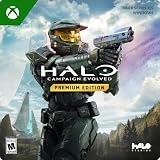
- PREMIUM EDITION CONTENT — Receive the Alpha Halo Armory Pack with 5 armor skins and 6 weapon skins, plus the Digital Artbook, Digital Short Story, and in‑game bonus content.
- A CLASSIC REIMAGINED — Experience the original Halo: Combat Evolved campaign rebuilt with high‑definition visuals, updated cinematics, refined controls, and a brand‑new three‑mission adventure.
- ENHANCED AUDIO & VISUALS — Relive every mission with modernized animations, a remastered soundtrack, and fully rebuilt sound design for deeper immersion across the Halo universe.
- NEW STORY CONTENT — Play as the Master Chief alongside Sgt. Johnson in Operation: Meteorite, a standalone campaign featuring new environments, enemies, and gameplay challenges.
- CO‑OP YOUR WAY — Play solo, in 2‑player split‑screen co‑op (console only), or up to 4‑player online co‑op with full crossplay and cross‑progression support.
The article’s Developer Notes include this explanation: “Since the game was coded with only Windows in mind, the code does not explicitly account for any of the Linux behavior.” It also reports several limitations:
- Choosing one anti-cheat launch option could result in the opposite option being used.
- Transitions involving parties could freeze or crash.
- Campaign Co-op or Spartan Ops between Steam Deck players and PC/Xbox players could disconnect.
- Those co-op modes were reported to work as expected when every participant was on Steam Deck.
- Some input-restricted matchmaking may require Preferred Input Device to be changed to Gamepad.
Before relying on these details, check the current Halo known-issues information and the current Steam Deck listing. Support labels and anti-cheat behavior are live-service details that can change without changing your local installation steps.
Steam Deck launch checklist
- Install MCC from the Deck’s Gaming Mode storefront.
- Launch it once in the default configuration and confirm that the desired CE mode opens.
- If multiplayer asks for an anti-cheat choice, note which option is displayed and verify the result after restarting; the 2023 note describes cases where the opposite option was applied.
- For matchmaking that restricts input type, open the in-game settings and set Preferred Input Device to Gamepad.
- Test co-op with the same device class before inviting PC or Xbox participants. A mixed group may disconnect even when an all-Deck group works.
Route B: build and run the native Linux port
What the project is—and is not
halo-ce-universal describes itself as a port of the Halo: Combat Evolved decompilation to Linux, Windows, and Android. The decompilation is identified as Xbox build 2342. The project does not include game data. You must provide an Xbox disc image in .xiso or .iso form from your own legitimate copy; do not download unauthorized images.
The documented Linux executable is 32-bit x86. It uses OpenGL 4.5 for graphics and SDL3 for sound and input. That combination is why a modern 64-bit distribution can still require 32-bit runtime packages.
Separate build requirements from run-time requirements
If you compile from source, the Linux README lists these build requirements:
- Python
- Ninja
- Clang
- 32-bit glibc development files
- 32-bit SDL3 development files
To run the resulting binary, it lists:
- 32-bit OpenGL libraries
- 32-bit PipeWire or PulseAudio client libraries
Package names differ by distribution and release. The examples below are starting points from the project documentation, not an exhaustive dependency list:
Rank #3

- Genre: First Person Shooter
| Distribution family | Examples documented by the project | Important qualification |
|---|---|---|
| Arch Linux | lib32-glibc, lib32-sdl3, lib32-mesa, plus the applicable 32-bit audio client |
Choose the PipeWire or PulseAudio package that matches your system and check the current README for exact names. |
| Debian/Ubuntu | gcc-multilib, libc6-dev-i386, libsdl3-dev:i386, plus required 32-bit runtime libraries |
Multi-architecture support and package availability vary by release; use the current distribution instructions. |
Build from the repository
- Install the listed compiler, build system, Python, and 32-bit development packages for your distribution.
- Clone or otherwise obtain the project source, then change to its repository root.
- Run the project’s documented configuration command:
python configure.py- Compile the Linux target:
ninja linux- Launch the resulting executable:
build/linux/haloIf configuration fails, fix the missing development dependency before running Ninja again; a successful compiler installation alone does not provide 32-bit SDL3 or glibc headers. Keep the build directory and repository together while testing so the relative path to the executable and extracted data is unambiguous.
The project also links release builds. A prebuilt release and a source build are different distribution methods; do not assume that installing one has performed the dependency checks required by the other. Read the release notes for the matching data and configuration expectations before replacing a working build.
Provide the game data at first launch
If the program cannot find its data, it asks for an Xbox .xiso or .iso image. Supply the image through the program’s prompt. On first start, the project can extract the maps/ folder and place it next to the executable. Keep the image and extracted files from a lawful copy of the game; the port supplies code, not copyrighted game content.
Free tools Windows power users keep installed
One-click scans. No signup required.
The project reports that different game versions work and notes a PAL map-timing adjustment so PAL and NTSC players can play together. That is a project-specific compatibility feature, not a statement that every regional disc image has identical behavior. If players cannot join one another, confirm that each installation has compatible extracted maps and that the relevant regional timing behavior is understood before changing unrelated graphics settings.
Controls, campaign, and multiplayer in the native port
Keyboard, mouse, and gamepad
A controller is optional. The native port supports keyboard and mouse as well as gamepads, with the familiar WASD-and-mouse arrangement described in its instructions. A Steam Deck or desktop controller can therefore be used, but an untested model should not be assumed to map perfectly. The MCC Steam Deck guidance likewise treats Gamepad as an input setting, not a hardware requirement.
Networking
The project documents campaign play and system-link games over a local network or the internet, with up to 128 players on up to 128 machines. This is the project’s own new netcode and feature implementation. It is not a promise of official MCC matchmaking, Xbox services, cross-platform support, or availability of a public server. Treat the 128-player figure as a project-stated capability, not a guarantee that every map, host, or connection will sustain that size.
Rank #4
Custom maps and unfinished menus
The Linux README says many PC menu functions are not wired up yet. Custom Edition and OpenSauce maps require an experimental setting, and the project warns that custom-map behavior may not support every map function. Use the native port primarily for the modes the current release documents, and expect experimental features to break after updates. A map working on another platform or an earlier build does not establish that every menu, script, or OpenSauce feature is implemented in the Linux executable.
Do these 3 things before closing this tab:
1Repair Windows errors before they cause bigger problems2Fix the driver behind crashes, sound loss and screen glitches3Clear out junk files and repair common Windows errorsTroubleshoot the failure you actually see
MCC opens but a CE mode does not
- Confirm that MCC finished downloading its updates and that Halo: Combat Evolved Anniversary is installed in the collection’s content selector.
- Return to Properties > Compatibility and test the current default tool before trying another current tool.
- Disable unnecessary launch options, restart Steam, and test campaign before anti-cheat-dependent multiplayer.
- If a change makes the result worse, revert it rather than layering several untracked settings.
Steam Deck multiplayer freezes, crashes, or disconnects
- Recheck the current support notes because the cited caveats are from April 6, 2023.
- Verify which anti-cheat option actually launched; the dated note reports that the opposite option could be selected.
- Set Preferred Input Device to Gamepad when matchmaking restricts input.
- For campaign co-op or Spartan Ops, test an all-Steam-Deck party before mixing Steam Deck with PC or Xbox players.
The native executable will not start
- Check that the binary is the documented 32-bit x86 Linux build and that 32-bit OpenGL and audio client libraries are installed.
- For a source build, verify that configuration completed before running Ninja and that you launched
build/linux/halofrom the expected repository output. - Use your distribution’s package names for the installed release; copying a package name from another distribution can leave a missing library unresolved.
The native port reports missing maps or game data
Provide a supported .xiso or .iso from your own Xbox copy and allow the first-start extraction. Do not substitute an image from an unofficial download. If extraction succeeds but the game still cannot find maps, check that the extracted maps/ directory is beside the executable rather than in an unrelated working directory.
Audio or graphics are missing in the native port
Recheck the 32-bit OpenGL 4.5 stack and the 32-bit PipeWire or PulseAudio client libraries. A 64-bit version of a library alone does not satisfy a 32-bit executable. Driver package names and multilib setup vary, so follow the current project README and your distribution’s documentation for the final package selection.
Independent reader supportYour contribution helps us test, update, and keep practical guides available for everyone.Should you use an old Wine guide?
Historical community instructions for the original Halo PC/CE and modifications describe PlayOnLinux and old Wine builds such as 3.5 and 1.9.19-staging. Those version-specific steps are stale evidence that a Wine route was attempted, not current installation advice. For a new installation, use MCC through Steam compatibility tools or follow the native project’s current Linux documentation. A legacy Wine prefix can be useful only when you are deliberately preserving an old, already-working setup and are prepared to solve its compatibility problems yourself.
Decision checklist
- Choose MCC if you want the official Steam edition, Anniversary content, Steam ownership, or the supported Steam Deck path. Accept that Linux desktop play uses compatibility software and that multiplayer behavior can change.
- Choose the native port if you want a Linux executable, are comfortable with 32-bit dependencies and source builds, and can provide legitimate Xbox game data.
- Use keyboard and mouse if you do not own a controller; neither route requires one.
- Do not choose based on a promised universal Proton or Wine version. Compatibility is configuration- and update-dependent, and no comparative version test establishes a single best choice here.
What to verify before you start
- Your Linux distribution is current enough to provide the required Steam, graphics, and audio components.
- You know whether you are installing MCC’s Combat Evolved Anniversary or the native port based on the Xbox decompilation.
- For MCC, your Steam account owns the collection and you have storage for the current download.
- For the native port, you have a lawful Xbox disc image and can install 32-bit libraries.
- You are prepared to recheck Steam Deck and project documentation after updates, especially for anti-cheat, co-op, and experimental custom-map features.
Frequently asked questions
Frequently Asked Questions
Can I play Halo: Combat Evolved on Linux without a controller?
Yes. The native port supports keyboard and mouse as well as gamepads, and a controller is optional for MCC too. On Steam Deck, Gamepad is a preferred-input setting for some matchmaking situations, not a requirement to launch the game.
What’s actually slowing this PC down?
Pick the symptom - the matching free tool is one click away.
Is Halo MCC native on Linux?
No. MCC is the Windows-targeted Steam release running through a compatibility tool. The native Linux executable described here belongs to the separate halo-ce-universal community project.
Best Value
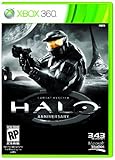
- Features seven of the most popular multiplayer maps in Halo history
- Co-op play over Xbox LIVE
- New achievements, new challenges, and a new story to uncover
Which Proton version should I use?
There is no universally best version established here. Start with Steam’s current default, record the selected tool, and test another current option only when you have a specific problem. Compatibility can change with game, Steam, driver, and anti-cheat updates.
Does Steam Deck support Halo CE multiplayer?
Halo Support’s April 6, 2023 update changed MCC’s Deck status to “Playable” and enabled modes requiring Easy Anti-Cheat, including matchmaking and Custom Game Browser. The same update documented possible anti-cheat-option confusion, party crashes or freezes, and disconnects in mixed Steam Deck/PC/Xbox co-op. Check current support notes because that statement is dated.
Where do I get the native port’s game files?
The project supplies code, not copyrighted game data. Provide an Xbox .xiso or .iso image from a legitimate copy you own, then let the program extract its maps folder at first launch. Do not use unauthorized downloads.
Can I build the native port on a 64-bit Linux installation?
Usually the host can be 64-bit, but the documented executable is 32-bit x86. Source builds therefore require 32-bit glibc and SDL3 development files, while runtime use requires 32-bit OpenGL and PipeWire or PulseAudio client libraries.
Does the native project provide official MCC matchmaking?
No. It documents its own system-link networking and new netcode, including a project-stated capability of up to 128 players on up to 128 machines. That should not be confused with official MCC matchmaking, Xbox services, or guaranteed public-server availability.
Are Custom Edition and OpenSauce maps fully supported?
No. The Linux README describes their support as experimental, and the project warns that custom-map behavior may not implement every map function. Many PC menu functions are also not wired up yet.
The Bottom Line
For the least complicated ownership and update path, install Halo: The Master Chief Collection in Steam and run its Windows release with the current compatibility setup, remembering that Steam Deck’s “Playable” note dates from April 6, 2023 and includes multiplayer caveats. Choose halo-ce-universal only when you specifically want the community native build, can install its 32-bit OpenGL and audio dependencies, and can supply lawful Xbox game data. Neither route is a universal guarantee, so keep the project and platform documentation current as Linux and game updates change.
Quick Recap
Product prices and availability are accurate as of the date/time indicated and are subject to change. Any price and availability information displayed on Amazon at the time of purchase will apply.

