
iTechGuides is reader-supported. When you buy through links on our site, we may earn an affiliate commission. As an Amazon Associate I earn from qualifying purchases. Learn more
The biggest improvement you can make to Melomania A100 SE sound is getting a reliable seal with the right silicone tip. Start with the supplied S, M and L tips, choose the size that stays secure without pressure, then use the Melomania Connect app’s seven-band EQ to make small, one-control-at-a-time changes. Compare Dolby Audio on and off, select the appropriate Normal, Noise Cancelling or Transparency mode, and troubleshoot balance, battery, firmware and blocked tips before assuming the earbuds are faulty.
There is no universally “correct” EQ curve. The useful goal is a repeatable fit and a controlled way to tailor the A100 SE to your ears, recordings and listening volume.
Start with fit: the seal controls bass and isolation
Cambridge Audio calls tip selection the most important factor in getting the earbuds to fit correctly and making bass sound optimal. The company’s support guidance says to try the supplied sizes and make sure the earbuds seal without being pushed too far into the ear. A loose seal commonly makes bass seem thin and can reduce the effectiveness of noise isolation.
Use this sequence before changing any app setting:
- Try all three supplied sizes. Test S, M and L in each ear. Your ears do not have to use the same size.
- Choose the smallest size that seals comfortably. The earbud should stay in place while you walk or move your jaw, but it should not create painful pressure or sit deeply in the canal.
- Check both sides with familiar music. Listen to a track with a steady bass line and vocals. A stable, centered image and audible low end are better signs than simply choosing the largest tip.
- Recheck the fit after inserting the earbuds. A tip can fold or shift as the earbud is inserted. If the bass changes when you gently press or rotate an earbud, the seal is not yet consistent.
Cambridge Audio’s noise-cancelling guidance also starts with a good seal. If one side sounds quieter, swap the left and right tips. If the quietness follows the tip, inspect it for blockage or wear, clean it according to the manufacturer’s care guidance, and replace it if necessary. Cambridge Audio says replacement silicone and foam tips are available through its website; check compatibility before buying any third-party tip.
#1 Best Overall
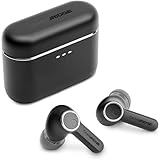
- 10mm deep bass drivers
- aptX Lossless
- Up to 39 hours battery
- Adaptive Active Noise Cancelling
- Wireless Charging
Keep tip condition in your regular maintenance routine. A partially blocked mesh or a soft, worn tip can change the level of one channel even when the electronics are working normally.
See Cambridge Audio’s support instructions for low volume or no sound on one side and for poor noise cancelling on the A100 or A100 SE.
Set up Melomania Connect before tuning
The A100 SE’s sound controls are in the Melomania Connect app. The product page lists a seven-band adjustable EQ, ANC controls and Transparency controls. Use the app as the main place to change the earbuds, then check other software in the playback chain so you do not accidentally stack several equalizers.
Do these 3 things before closing this tab:
1Scan for outdated or missing drivers - takes under a minute2Repair Windows errors before they cause bigger problems3Fix the driver behind crashes, sound loss and screen glitches- Pair both earbuds with your phone or source device and open Melomania Connect.
- Confirm that the app identifies the A100 SE and that both earbuds show a normal connection and battery state.
- Play a familiar track at a comfortable, repeatable volume.
- Open the EQ and note the original setting before changing anything.
- Temporarily disable equalizers in the phone, music service, streaming box or media player while you establish a baseline.
When diagnosing a problem, return the custom EQ to its original or flat setting. A dramatic custom curve can make one part of a recording seem missing and can obscure whether a physical tip or channel problem exists.
Use the seven-band EQ deliberately
The app gives you seven independent controls, but Cambridge Audio does not publish a single “best” curve or measured response that would make one preset objectively right for every listener. Treat the EQ as a personal adjustment tool rather than a correction that everyone should copy.
Rank #2

- 10mm deep bass drivers
- aptX Lossless
- Up to 39 hours battery
- Adaptive Active Noise Cancelling
- Wireless Charging
A controlled way to tune
- Make one change at a time. Move one band by a small amount, listen for at least a few passages, and note what changed.
- Use several types of material. Include a bass-heavy recording, an acoustic or vocal track, and a dense, bright mix. A setting that flatters one song can make another muddy or harsh.
- Level-match your comparison. A slightly louder version often sounds more exciting. Compare the adjusted setting with the original at approximately the same volume.
- Stop when the change solves the problem. Large boosts can reduce headroom and make distortion more likely. Cutting an unwanted region can be as effective as boosting another one.
- Save or record your preferred setting. Keep a neutral baseline so you can return to it when changing genres or troubleshooting.
Adjustments by listening goal
| Goal | What to try | What to listen for |
|---|---|---|
| More low-end weight | Make a small change to the lowest band or bands. | Bass should gain body without masking vocals, kick-drum definition or bass-guitar notes. |
| Clearer vocals | Try a modest change in the midrange control that affects the vocal region. | Words should become easier to follow without sounding nasal or forward. |
| Less brightness | Reduce the upper control that contributes to treble energy. | Cymbals and “s” sounds should become easier to tolerate without losing detail. |
| More perceived detail | Use a very small upper-range adjustment only after checking fit and volume. | Detail should increase without hiss, glare or listening fatigue. |
| Listening quietly | Compare the app’s DynamEQ feature with it disabled. | Cambridge Audio describes DynamEQ as maintaining balance at different listening levels by adjusting bass and treble; decide by listening rather than assuming it will suit every track. |
The band labels and exact center frequencies are those shown in the current app. Do not infer a frequency value that the app does not display. If another app applies its own EQ, turn it off while making these adjustments; otherwise the final sound is the sum of two unknown curves.
Compare Dolby Audio on the A100 SE
Dolby Audio is one of the A100 SE’s defining additions. Cambridge Audio says the processing happens inside the earbuds, so it works with any paired device rather than requiring a particular phone, operating system or playback app. The company describes a wider sense of space and clearer left/right separation, but whether that presentation is preferable is subjective.
Windows Errors? Fix Them Before They Spread
Repair common Windows errors and clear accumulated junk for a smoother, more stable PC - no reinstall needed.Free scan · no reinstallOutdated Drivers Are Slowing You Down
One free scan finds every outdated or missing driver and matches the right update for your exact hardware.Free scan · exact hardware matchMake a fair comparison:
- Choose a track you know well and note the playback position.
- Listen with Dolby Audio off for a complete verse or chorus.
- Switch Dolby Audio on without changing volume and replay the same passage.
- Pay attention to vocal placement, center-image stability, ambience and whether instruments remain distinct in a dense mix.
- Repeat with spoken audio or a different genre before deciding which setting you prefer.
Use Dolby Audio as a listening choice, not as a guarantee of higher fidelity. Some recordings may benefit from a larger presentation; others may sound more natural with the processing disabled.
The A100 SE’s redesigned honeycomb grille is also described by Cambridge Audio as intended to provide a more natural treble response. That is a manufacturer feature description, not an independently measured result.
Choose the right ambient mode and ANC strength
The A100 SE provides three ambient modes identified by Cambridge Audio:
Rank #3
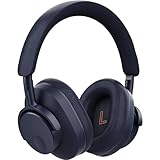
- User-Replaceable Battery & Earcups
- 100-Hour Battery Life
- DynamEQ - Dynamic Adaptive Equalisation
- aptX Lossless
- Adaptive Active Noise Cancelling
- Normal: the standard listening mode without active noise cancelling or Transparency emphasis.
- Noise Cancelling: active noise cancellation, with adjustable strength in the app.
- Transparency: microphones feed outside sound through so you can remain more aware of your surroundings.
Select the mode for the situation rather than leaving one setting on permanently. Normal can be useful in a quiet room, Noise Cancelling for steady external noise, and Transparency when you need to hear announcements or nearby conversation. The best ANC setting is the one that reduces distraction without making the sound or your own voice uncomfortable.
The Tool Desk
Outbyte Driver Updater FREEFix the driver behind crashes, sound loss and screen glitchesFind Drivers →Outbyte PC Repair FREEClear out junk files and repair common Windows errorsFree Scan →If the ambient controls are missing
Cambridge Audio notes that the app may show ambient controls only when the earbuds are out of their case and detected as being worn. Remove both earbuds, place them in your ears and wait for the app to recognize them before looking for ANC or Transparency controls.
If ANC seems weak
Recheck the seal first, especially if the problem is stronger on one side. Then verify that Noise Cancelling is selected rather than Normal or Transparency and adjust the ANC level in Melomania Connect. The manufacturer’s ANC modes guidance explains the available modes and controls.
Fix low volume, missing sound or an uneven stereo image
Work from the simplest causes to the least likely. Change one item at a time so you know which step fixed the problem.
1. Check device balance and Mono Audio
Open the accessibility or audio settings on the phone, computer or source device. Make sure the left-right balance slider is centered and Mono Audio is disabled when you want stereo. A shifted balance can imitate a defective earbud; Mono Audio can also change the way a stereo mix appears.
Rank #4
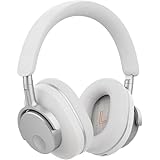
- User-Replaceable Battery & Earcups
- 100-Hour Battery Life
- DynamEQ - Dynamic Adaptive Equalisation
- aptX Lossless
- Adaptive Active Noise Cancelling
2. Remove custom processing
Return the Melomania Connect EQ to its original setting and disable EQ, sound-enhancement, spatial-audio or hearing-accessibility processing in the source device and playback app. Play the same track again before making any further changes.
3. Check battery state
Use Melomania Connect to check both earbud batteries. Charge the earbuds and case if either side is low, then test again. A battery check is especially important when one earbud drops out intermittently or its level changes during use.
4. Inspect and swap the tips
Look for debris, moisture, a folded silicone edge or a visibly worn tip. Swap the tips between sides. If the quiet channel follows the tip, the tip or its blockage is the likely cause; clean or replace it. If the quietness stays with the same earbud, continue with the software and firmware checks.
5. Update firmware safely
Install available firmware through Melomania Connect. Cambridge Audio’s instructions say to remain on the update screen and avoid phone calls during installation. If the update fails, close and reopen the app and try again. Do not interrupt the process simply because the progress appears to pause.
Recommended Free Tools
For the manufacturer’s complete decision path, use the support page titled “How do I fix low volume or no sound on one side of my Melomania A100 or A100 SE earbuds?”
Best Value

- User-Replaceable Battery & Earcups
- 100-Hour Battery Life
- DynamEQ - Dynamic Adaptive Equalisation
- aptX Lossless
- Adaptive Active Noise Cancelling
What the A100 SE specification tells you
The following figures are Cambridge Audio specifications or feature descriptions. They are not independent laboratory measurements.
| Specification or feature | A100 SE information | Qualification |
|---|---|---|
| Driver size | 10 mm | Listed on the official product page. |
| Equalizer | Seven-band adjustable EQ | Controlled through Melomania Connect. |
| Battery life | Up to 39 hours total | Maximum claimed in Cambridge Audio’s October 2026 launch announcement; the consulted material provides no independent test protocol or measured result. |
| Battery life with ANC | Up to 21 hours | Manufacturer specification on the A100 SE product page, not an independent measurement. |
| Ambient controls | Normal, Noise Cancelling and Transparency; adjustable ANC levels | Feature description from Cambridge Audio support and product information. |
| Launch price | £129 / €149 / $149 / HK$1280 | Geographically specific launch pricing announced for availability from October 2026; prices and availability can change. |
Because battery figures are “up to” values, actual runtime varies with volume, codec, ANC state, temperature, battery age and other operating conditions. The 39-hour number should not be treated as a guaranteed result for every listener.
A100 versus A100 SE: what changed
Cambridge Audio describes the A100 SE as an update to the original A100. The official comparison identifies three changes rather than a quantified sound-quality test.
Free tools Windows power users keep installed
One-click scans. No signup required.
| Area | Melomania A100 | Melomania A100 SE |
|---|---|---|
| Design | Original A100 design | Refined look, including a blue finish. |
| Grille and treble description | Original grille | Redesigned honeycomb grille, which Cambridge Audio says is intended to produce a more natural treble response. |
| Dolby Audio | Not identified as an A100 feature in the official comparison | Included; processing occurs inside the earbuds and is device-independent. |
| Measured performance difference | No controlled head-to-head listening measurements are provided in the cited Cambridge Audio material. | |
Do not interpret the feature list as a measured percentage improvement. The practical A100 SE differences are the added Dolby processing, the revised grille design and the cosmetic changes.
Read Cambridge Audio’s A100 versus A100 SE comparison for the manufacturer’s description.
A repeatable listening routine
Once fit, firmware and source settings are stable, use this short routine whenever you change tips, phones or EQ presets:
- Fit both earbuds and play a familiar vocal-and-bass track.
- Confirm that the stereo image is centered and that neither tip is moving.
- Choose Normal, Noise Cancelling or Transparency for the environment.
- Compare Dolby Audio off and on at the same volume.
- Start from the original EQ, then change only the band that addresses an identifiable issue.
- Replay the same passage and one contrasting recording before keeping the setting.
- Save a neutral baseline and your personal setting separately.
This routine separates physical fit, ambient processing, Dolby processing and EQ, so a change in one area does not hide a problem in another.
Maintenance that protects consistent sound
- Inspect the silicone tips and acoustic openings regularly for blockage or deformation.
- Replace a tip when it no longer seals or when swapping sides shows that it causes a channel to sound quiet.
- Keep firmware current through Melomania Connect, following the update-screen and no-calls precautions.
- Keep a flat or original EQ setting available for troubleshooting.
- Check the source device’s balance and Mono Audio whenever the stereo image suddenly shifts.
- Use the same reference tracks and volume when judging a new EQ or Dolby setting.
The most reliable improvement is still the least glamorous one: a comfortable, secure seal. Once that is consistent, the A100 SE’s adjustable EQ, Dolby Audio and ambient modes give you controllable choices instead of guesses.
Quick Recap
Product prices and availability are accurate as of the date/time indicated and are subject to change. Any price and availability information displayed on Amazon at the time of purchase will apply.

