
What’s actually slowing this PC down?
Pick the symptom - the matching free tool is one click away.
iTechGuides is reader-supported. When you buy through links on our site, we may earn an affiliate commission. As an Amazon Associate I earn from qualifying purchases. Learn more
If a VHS cassette will not eject, turn the VCR off, unplug it for the interval specified for your model, reconnect power, and press Eject once. Do not pull, pry, or yank the cassette or any exposed tape. If the reset does not work, stop: manual removal inside a VCR is a model-specific service procedure, not a universal front-panel trick.
Try a safe power reset first
-
If the VCR is clicking, grinding, or moving the tape unpredictably, stop pressing Eject. Do not pull on the cassette or on any tape visible at the slot.
-
Turn the VCR off and unplug its power cord from the outlet.
Free tools Windows power users keep installed
One-click scans. No signup required.
Special offer. See more information about Outbyte and uninstall instructions. Please review EULA and Privacy policy. -
Leave it unplugged for the time specified by the manufacturer for your exact model. Sony’s U.S. support guidance says to wait 30 seconds; Dynabook/Toshiba specifies 2–3 minutes for the Toshiba models listed in its support article. These are different model-specific instructions, not competing universal standards.
#1 Best Overall
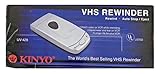
 KINYO UV-413 1-Way VHS Rewinder
- 1 touch rewind
- Auto eject and stop
- LED indicator
-
Reconnect power and press Eject once. If the cassette comes out, remove it without tugging any loose tape.

Sony warns that forcibly removing a stuck tape can cause internal VCR damage. Its guidance is to seek service if the unplug-and-eject attempt does not resolve the problem. Toshiba’s cited advice for its listed models also directs users to authorized service.
When to stop and arrange service
If the cassette remains stuck after the reset, use the manufacturer’s service route or contact a qualified VCR technician. Identify the exact model from its label before seeking help, since service procedures differ by deck. The sources cited here do not establish a reset success rate, so a failed reset is not a reason to apply more force.
Crashes, No Sound, or Screen Glitches?
Random freezes, missing sound and display glitches usually trace back to one bad driver. Find and replace yours safely.Free scan · under a minuteWindows Errors? Fix Them Before They Spread
Repair common Windows errors and clear accumulated junk for a smoother, more stable PC - no reinstall needed.Free scan · no reinstallWhy internal manual ejection is model-specific
In service documentation, manual removal means mechanically returning the deck to its eject position. It can require disassembly and careful control of tape slack; it does not mean turning a guessed gear or pulling the cassette through the slot.
Example: specific JVC models
The JVC service manual for HR-S3902US, HR-S3912UC, HR-S3912US, HR-S5902US, and HR-S5912UC describes unplugging power, disassembling major parts, turning the loading-motor gear while controlling slack tape, lifting out the cassette-holder assembly, and winding the slack back into the cassette. Those directions apply to the models covered by that manual, not to VCRs generally.
Other mechanisms use a different sequence
An Aiwa D33 video-mechanism manual preview describes removing the loading motor, turning a gear to unsled the mechanism, using the capstan belt to take up slack, then turning the gear again to unload. The difference from the JVC procedure is why gear location, direction, and sequence must come from the service documentation for the exact deck.
Rank #4

- ESSENTIAL REPAIR TOOL: Winding key is used to manually rewind VHS video cassette tapes
- EASY FIT: The spindle is designed to smoothly fit inside any standard VHS cassette to rotate the reels. 3D Printed with precision to provide smooth fit.
- SAFELY RESPOOLS TAPES: Gently respools video tape back onto the reels by hand to salvage recordings on tapes that can no longer be rewound in a VCR.
- COMPACT AND PORTABLE: Small, lightweight design fits easily in toolboxes or repair kits for on-the-go use.
- VINTAGE VCR REPAIR TOOL: Essential for anyone still using or repairing older VCR players. Keeps cassette tapes playable.
Opening a VCR exposes internal electrical components and delicate mechanisms; an improvised procedure or poor reassembly can damage the deck or tape. Only consider internal work if you have the exact service manual and the skills to follow it. If you are unsure, leave the VCR closed and use a technician.
Quick Recap
Best Value
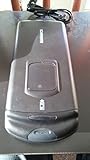
- 1 touch rewind
- AC powered
- Status monitoring window
Product prices and availability are accurate as of the date/time indicated and are subject to change. Any price and availability information displayed on Amazon at the time of purchase will apply.

