
iTechGuides is reader-supported. When you buy through links on our site, we may earn an affiliate commission. As an Amazon Associate I earn from qualifying purchases. Learn more
If Marvel’s Wolverine will not download, stalls, installs but stays locked, or cannot be updated, work through the problem in this order: confirm you are using a PS5 and the purchasing account, check PlayStation service status, test the console connection, verify free storage and system software, restart the download from Downloads/Uploads, and use Safe Mode’s Clear Cache and Rebuild Database option if the queue remains stuck. These steps apply to the PS5 release; the game is not available for PS4.
Do not assume that buying another copy or installing the latest game patch will repair a license, network, or queue problem. Account ownership, Console Sharing and Offline Play, storage, system software, and the download queue must be checked separately.
| # | Preview | Product | Price | |
|---|---|---|---|---|
| 1 |

|
Marvel's Wolverine PS5 | $69.00 | Buy on Amazon |
| 2 |
|
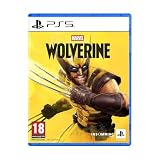
Marvel's Wolverine - PS5 | $73.50 | Buy on Amazon |
| 3 |

|
Merge Games Wonder Boy The Dragons Trap PS5 | $28.98 | Buy on Amazon |
| 4 |

|
Marvel Studios X-Men '97 Wolverine Slash Action Claw Role Play Toy, Super Hero Toys, Toys for 5 Year... | $24.99 | Buy on Amazon |
| 5 |

|
Marvel Cosmic Invasion Deluxe Edition - PlayStation 5 | $53.99 | Buy on Amazon |
Confirm the platform, release, and edition first
Sony Interactive Entertainment released Marvel’s Wolverine worldwide on September 15, 2026, exclusively for PlayStation 5. PlayStation’s official FAQ identifies the game as a single-player, narrative-driven action-adventure and explicitly says that PS4 is unsupported. A PS4 console, a PS4 disc, or a PS4-compatible download cannot run this release.
Outdated Drivers Are Slowing You Down
One free scan finds every outdated or missing driver and matches the right update for your exact hardware.Free scan · exact hardware matchWindows Errors? Fix Them Before They Spread
Repair common Windows errors and clear accumulated junk for a smoother, more stable PC - no reinstall needed.Free scan · no reinstallIf you are looking at a store listing, make sure it identifies the PS5 version before troubleshooting. The FAQ names two editions:
#1 Best Overall
- Marvel’s Wolverine is a new action-packed adventure from Insomniac Games
- Play as Wolverine and Ravage enemies with explosive brutality and unleash razor-sharp adamantium claws to deploy fast, fluid attacks and overcome impossible odds
- An Original, Emotionally Charged Story. Beneath Wolverine’s gruff exterior and violent temperament is a man fighting for a cause greater than himself
- A Global, Adrenaline-Fueled Journey where you slice into enemies across detailed locales such as the frosted Canadian Wilderness, the narrow streets of Tokyo, and the high and low districts of the island nation of Madripoor
| Edition | Platform identified by the official FAQ | What is established about contents |
|---|---|---|
| Standard Edition | PS5 | The edition is listed, but the reviewed FAQ does not state a complete contents list in the troubleshooting material. |
| Digital Deluxe Edition | PS5 | The edition is listed, but the reviewed FAQ does not state a complete contents list in the troubleshooting material. |
Edition selection does not change the basic download, license, storage, or update checks. If the game is owned by another user on the console, use the sharing and license checks below rather than purchasing a second copy.
“When we set off to make Marvel’s Wolverine, our goal was to create an authentic and compelling Wolverine experience that delivers a new, unique story while remaining true to iconic characters,” said Marcus Smith, Insomniac Games’ creative director for Marvel’s Wolverine.
That statement is development context, not an explanation of download or installation failures.
The Tool Desk
Outbyte PC Repair FREEClear out junk files and repair common Windows errorsFree Scan →Outbyte Driver Updater FREEFix the driver behind crashes, sound loss and screen glitchesFind Drivers →Use this symptom-to-fix order
| Symptom | First actions | Escalate when |
|---|---|---|
| The download does not begin | Pause and resume it in Downloads/Uploads; if needed, cancel and delete it, then retry from Game Library. | The new download will not start after service, software, storage, and queue checks. |
| The download is frozen at one point | Check PlayStation service status, test the internet connection, then use Safe Mode’s Clear Cache and Rebuild Database option. | The queue remains unchanged even though the network test succeeds. |
| The game has a padlock or is missing | Sign in to the buying account, verify the transaction, check any PlayStation Plus entitlement, and review Console Sharing and Offline Play. | The transaction and entitlement are valid but the library still does not show access. |
| Installation or updating finishes but the game will not open | Record the exact message, check for remaining game or optional-content downloads, then verify the account, license, system software, and game update. | Support is needed to interpret the message or repair an account or service-side issue. |
Fix a Marvel’s Wolverine download that will not start
1. Pause and resume the queue
- Open the PS5 Control Center.
- Select Downloads/Uploads.
- Highlight Marvel’s Wolverine and choose Pause.
- Wait briefly, select the item again, and choose Resume.
Pausing and resuming forces the console to re-request the queued transfer without removing the entry or the license. If the progress changes, leave the console connected until the queue completes.
2. Cancel the failed entry and start a clean download
If pause and resume has no effect, remove only the failed queue entry:
- Open Downloads/Uploads from the Control Center.
- Select Marvel’s Wolverine.
- Choose Cancel and Delete.
- Open Game Library, locate the game, and start the download again.
This procedure clears the queued transfer so the console can create a fresh one. It does not prove that the purchase was invalid; a license can remain valid even when a download record is corrupted.
Rank #2
- An original action-adventure story starring Wolverine, developed by Insomniac Games in collaboration with Marvel Games.
3. Check service status before repeating attempts
Review the current PlayStation service-status page. A platform outage can prevent authentication, store access, or content delivery, and repeatedly deleting the queue will not repair a service interruption. Status information is time-sensitive, so check it at the moment the failure occurs rather than relying on an earlier result.
4. Install current PS5 system software
Use the PS5 system-software update control and install any offered update before trying the game again. An outdated console can fail store, license, or transfer operations even when other internet activity appears normal. Restart the console after the system update completes, then retry from Game Library.
5. Verify free storage using the console’s requirement
Open Settings > Storage to see available space. The game’s current product page shows the minimum free space required for that edition and content selection; use that live figure rather than an old number copied from a listing. The required space can change as updates or optional content change, and no fixed Marvel’s Wolverine install-size figure is established here.
If free space is below the product-page requirement, remove or move unused games and media, then retry the download. A transfer can fail before the visible progress reaches its expected size because the console also needs working space to unpack and install data.
6. Use Safe Mode when the queue remains broken
When service status is normal, the internet test is successful, system software is current, and storage is sufficient, PlayStation’s general download guidance recommends Safe Mode and the Clear Cache and Rebuild Database option. Follow the on-screen Safe Mode instructions exactly. This is a console-maintenance step for a persistent queue or database problem, not a Wolverine-specific patch.
Fix a download that is stuck
Check the service before troubleshooting your network
A stuck percentage can result from a platform-side interruption. Check PlayStation service status first. If an affected service is reported, wait for it to recover and then use Downloads/Uploads to resume the item. Do not infer a hardware fault from a single stalled transfer during an outage.
Rank #3
Run the PS5 connection test
- Open Settings.
- Select Network.
- Choose Connection Status.
- Select Test Internet Connection.
The test confirms whether the console can reach the network at that time. It does not guarantee that a particular store or content-delivery service is available, so interpret it together with the service-status result.
Retry, then use the database option
If the connection test succeeds and the download remains unchanged, return to Downloads/Uploads and try Pause followed by Resume. If that does not move the queue, choose Cancel and Delete, start the game again from Game Library, and then use Safe Mode’s Clear Cache and Rebuild Database option if the replacement queue also stalls.
There is no verified universal download speed or installation duration for this title. Network conditions, regional service load, edition, and selected content can change the result, so do not treat a particular number of minutes or a percentage as a diagnostic threshold.
Quick wins for a faster PC:
Fix the driver behind crashes, sound loss and screen glitchesFind Drivers →Clear out junk files and repair common Windows errorsFree Scan →Fix a padlock, missing purchase, or inaccessible library entry
Sign in to the account that bought the game
A padlock commonly indicates that the active user cannot validate the game license. Sign out or switch users as needed and sign in to the PlayStation account that completed the purchase. Then open the transaction history for that account and confirm that the Marvel’s Wolverine transaction is present.
Check the exact edition and platform in the transaction. A PS5 purchase is required for this release; a record for another product or platform does not grant access to the PS5 game.
Check a PlayStation Plus entitlement
If access came through PlayStation Plus rather than a direct purchase, verify that the subscription is active and that Marvel’s Wolverine is still available through that benefit. An expired subscription or a title removed from the benefit can produce a lock even when the game was previously installed.
Rank #4
- SLASH ACTION LIKE WOLVERINE: X-Men fans ages 5 and up can play as Wolverine, a gruff mutant who’s seen more wars than he can count, has healing factor powers and three retractable adamantium claws on each hand
- CLAWS OUT: Show your best slash action to activate claws! Claw extends 7 inches (17 centimeters) and is retractable after imaginative fights against the bad guys
- ONE SIZE FITS MOST: Slash Action Claw includes an adjustable wrist strap to comfortably fit most kids ages 5 and up
- DRESS UP YOUR SUPER HERO COSTUMES: Whether you're casually pretend-playing as your favorite X-Men hero, or dressing up in an epic Marvel costume and pairing with super hero masks for Halloween or themed parties, this Slash Action Claw will add action-packed fun to your look!
- TOYS FOR X-MEN FANS AND KIDS ALIKE: Look out for other role play toys and action figures inspired by Marvel Studios X-Men '97! Toys make great gifts for kids, new fans, and longtime fans of the series. (Each sold separately. Subject to availability.)
Check Console Sharing and Offline Play
When another user owns the game, the owner’s account must have Console Sharing and Offline Play enabled on the PS5 for other users on that console to use the license. If the owner recently changed consoles or disabled sharing, the game may remain visible but inaccessible to the other profile.
Recommended Free Tools
Restore licenses and retry
For a verified purchase, use the PS5’s Restore Licenses function, then restart the console and check Game Library again. PlayStation also recommends checking service status, installing current system software, activating Console Sharing and Offline Play where appropriate, and using Safe Mode’s cache and database options if the lock persists.
Look for a hidden purchase
If the game does not appear in Game Library, review the buying account’s transaction history and check whether the title was hidden. A hidden item can look like a missing purchase even though the transaction is valid. Correct the library visibility, then open the product page and start the download from the correct account.
When installation or updating completes but the game will not open
Capture the exact state before changing anything
Write down the exact error message or code and note whether the Downloads/Uploads queue still contains Marvel’s Wolverine data. Look for separate entries such as optional language or other content packages. The official guidance does not say that every player must download every language package, so do not delete or install optional packages solely because another player has a different queue.
Verify four independent requirements
- Account: the active profile is the purchaser, an eligible PlayStation Plus subscriber, or a user covered by Console Sharing and Offline Play.
- License: transaction history, restored licenses, and the visible entitlement all correspond to the PS5 edition.
- System: PS5 system software is current.
- Game update: the title has finished its current update and no required item remains in Downloads/Uploads.
After these checks, restart the console and try the game once more. If the message changes, record the new wording rather than assuming the two errors have the same cause.
What version 1.002.000 fixes—and what it does not
Insomniac’s latest official patch note located for this guide is version 1.002.000, dated October 6, 2026. It adds QSSR on PS5 for image detail and image stability, addresses community-reported crashes and bugs, and improves overall stability. The notes also list fixes involving the user interface, Photo Mode, out-of-bounds situations, visual polish, progression, accessibility, and localization.
Best Value
- 15 PLAYABLE SUPER HEROES: Whether you’re an old-school expert or a first-time fan, you’ll find familiar faces and discover new favourites in a captivating roster of characters from across the Marvel Universe!
- MASTER THE COSMIC SWAP TAG-TEAM SYSTEM: With the Cosmic Swap tag-team system, choose two Super Heroes for each level and switch between them instantly. Create unique combos and powerful special attacks. Each character’s abilities encourage creative team-ups and a more tactical approach to the action.
- AMAZING RETRO ART DIRECTION: MARVEL Cosmic Invasion is a tribute to one of Marvel’s most iconic eras, with stunning full-colour pixel art designs.
- INTUITIVE, FUN MULTIPLAYER FOR EVERYONE: Whether you're teaming up with friends or family, MARVEL Cosmic Invasion has you covered with local/online play and a drop-in/drop-out adaptive system.
This is a game update, not a universal installer repair. The notes do not claim that version 1.002.000 resolves every download, update, license, or installation failure. Install the patch when the console offers it, but continue with the account, service, storage, network, and Safe Mode checks when the underlying symptom remains.
When to contact PlayStation Support
Escalate after the relevant queue, service, network, storage, account, license, system-software, and Safe Mode checks have been completed. Support can act more quickly when the report describes one reproducible problem instead of saying only that the game does not work.
Include these details
- The exact error code or message, copied character for character.
- What happened, including whether the download failed to start, stopped at a particular point, disappeared, or finished but stayed locked.
- The steps that reproduce the problem, including the account and edition being used.
- The date and time of the attempted download, update, or launch.
- A screenshot or video when possible, with personal information hidden if necessary.
- The results of the PlayStation service-status check, the internet-connection test, the storage check, and any Safe Mode action already attempted.
Do not provide a guessed failure rate or claim that the issue affects a particular percentage of players. The official release, patch, and support materials reviewed for this title do not publish a failure-rate statistic.
What’s actually slowing this PC down?
Pick the symptom - the matching free tool is one click away.
Optional hardware and purchasing context
PlayStation identifies PS5 and PS5 Pro consoles and the DualSense controller in its game information. They are platform options, not remedies for a stalled download, missing license, or failed installation. A different console or controller should not be presented as a fix for a service, account, storage, or queue problem.
Likewise, purchasing a second copy does not repair an existing license or network failure. Confirm the transaction, account, edition, and Console Sharing and Offline Play status first. Physical-versus-digital availability, regional store listings, and current pricing can vary and are not established by the troubleshooting information here.
Quick Recap
A concise decision path
- Confirm the console is PS5 and the product listing is the PS5 edition; PS4 is unsupported.
- Check PlayStation service status.
- Run Settings > Network > Connection Status > Test Internet Connection.
- Install current PS5 system software and check Settings > Storage against the live product-page requirement.
- For a non-starting download, use Downloads/Uploads > Pause, then Resume.
- If it still fails, choose Cancel and Delete, return to Game Library, and start the download again.
- For a stuck replacement queue, use Safe Mode’s Clear Cache and Rebuild Database option.
- For a lock or missing game, verify the buying account, transaction history, PlayStation Plus status if applicable, Console Sharing and Offline Play, hidden items, and restored licenses.
- For a post-install launch failure, record the exact message and remaining queue items, then verify the account, license, system software, and game update.
- Send the complete evidence package to PlayStation Support if the problem remains.
Product prices and availability are accurate as of the date/time indicated and are subject to change. Any price and availability information displayed on Amazon at the time of purchase will apply.

