
iTechGuides is reader-supported. When you buy through links on our site, we may earn an affiliate commission. As an Amazon Associate I earn from qualifying purchases. Learn more
Most POCO problems can be narrowed down safely by asking two questions first: is only one app failing, or is the entire phone affected; and does the problem appear after an update, during heavy use, or in a hot or poorly connected environment? Start with reversible steps—update software, close background work, restart, check storage, and reduce the workload. Escalate persistent overheating, repeated system freezes, or any visibly damaged battery to Xiaomi after-sales support or an authorized repair center.
The details below follow Xiaomi’s published guidance for specific POCO models. A recommendation for the POCO C85, F6 Pro, F7 Pro, X6 Pro, F7, M6 or C40 should not be treated as a universal diagnosis for every POCO phone.
Start with a quick symptom check
Before changing settings, write down what is happening and when. This prevents you from applying a gaming fix to an app-compatibility problem or treating a damaged battery as an ordinary software issue.
- Scope: Does one app crash, or do several apps and the home screen stop responding?
- Timing: Did it start immediately after a system update, app update, phone migration or restore?
- Workload: Does it happen while gaming, switching repeatedly between apps, installing downloads, or multitasking?
- Environment: Is the phone in direct sun, a hot room, or an area with weak mobile or Wi-Fi service?
- Storage: Is internal storage nearly full?
- Safety: Is the back cover lifting, the battery visibly swollen, or the phone unusually hot even when idle?
These observations matter because Xiaomi lists different possible contributors—app compatibility, corrupted cache, low storage, network conditions, background processes, high resource use and system errors—depending on the model and symptom.
#1 Best Overall

- USA MARKET ONLY WORK ON TMOBILE MINT TELLO OR ANY UNDER TMOBILE NETWORK PHONE NEEDS A SIM CARD ALREADY ACTIVATED ,OUTSIDE USA WORKS ANY GSM CARRIER SIM GSM FCC ID: 2AFZZPC0AG
- Dual sim (NO MICRO SD) 5G: 5G SA: n1/2/3/5/7/8/20/26/28/38/40/41/66*(70M)/71/77/78/485G NSA: n1/3/5/7/8/20/28/38/40/41/66*(70M)/71/77/784G LTE TDD: B38/40/41/42/484G LTE FDD: B1/2/3/4/5/7/8/18/19/20/26/28/66*(70M)/713G WCDMA: 1/2/4/5/6/8/192G GSM: 2/3/5/8Supports 4x4 MIMO*5G SA/NSA N66(70M) and 4G B66(70M): UL 1710MHz~1780MHz, DL 2110MHz~2180MHz*5G connectivity may vary based on region availability and local operator support.
- 6.59" 1.5K 120Hz ultra-bright AMOLED displayResolution: 2756*1268Contrast ratio: 8,000,000:1Refresh rate: Up to 120Hz*Refresh rate can be adjusted to up to 120Hz for supported apps.Peak brightness: 3500 nits covering 25% display areaHBM brightness: 2000 nitsTypical brightness: 800 nitsTouch sampling rate: Up to 480HzInstant touch sampling rate: 2560Hz*2560Hz instant touch sampling rate is activated under Game Turbo Mode.12-bit color depth, 68 billion colorsDCI-P3 wide color gamut3840Hz PWM dimmingOriginal color PROPro HDR displayWet Touch display 2.0HDR10+TCertifiedTÜV Rheinland Flicker Free CertifiedTÜV Rheinland Circadian Friendly CertifiedDolby VisionCorning Gorilla Glass 7i
- Dimensity 8500-Ultra4nm manufacturing processOcta-core CPU, up to 3.4GHzMali-G720 MC8 GPU / 6500mAh (typ)100W HyperChargeUSB Type-C charging portUp to 27W reverse chargingSupports PD3.0/PD2.0Smart charging
- Wi-Fi Protocol: Wi-Fi 6/ Wi-Fi 5/ Wi-Fi 4 and 802.11a/b/g*Wi-Fi 6 capability may vary based on regional availability and local network support. Wi-Fi connectivity (including Wi-Fi frequency bands, Wi-Fi ratified in IEEE Standard 802.11 specifications) may vary based on regional availability and local network support. The function may be added via OTA when and where applicable.WLAN frequency: 2.4G Wi-Fi | 5G Wi-FiSupports 2x2 MIMO, 8x8 Sounding for MU-MIMO, Wi-Fi Direct, MiracastBluetooth 6.0Supports SBC / AAC / LDAC / LHDC 5.0 / LC3 / ASHA / AuracastNFC -
A practical first-response matrix
| What you observe | Likely area to check first | Low-risk first action |
|---|---|---|
| One app closes or will not respond | App update, cache, compatibility, storage or network | Update the app and phone, restart, then clear that app’s cache |
| Several apps and the launcher freeze | System workload, low storage, background activity or a system error | Close unused apps, restart and make room in storage |
| Warmth during a game or long multitasking session | High CPU/GPU load, display settings or hot surroundings | Reduce graphics or frame rate, lower brightness, pause and cool the phone |
| Warmth after a system update | Temporary recompilation, indexing and optimization | Allow the phone to finish background work; monitor whether it settles |
| Heat while idle, persistent severe heat or a damaged-looking battery | Possible hardware or battery fault | Stop risky use and contact an authorized service provider |
No universal POCO temperature limit or prevalence statistic is established in the cited Xiaomi guidance. Do not use an invented number as a safety test.
Fix an app that crashes or becomes unresponsive
If the rest of the phone works normally and only one application fails, troubleshoot that application before resetting the entire device.
1. Install both available updates
- Open the phone’s system updater and install any pending HyperOS or Android update offered for your model.
- Open the app store, find the affected app and install its latest version.
- Restart the phone after updating.
Xiaomi’s POCO F7 Pro guidance notes that app updates can improve compatibility with a newer system version. A system update can also correct bugs affecting several applications, so check both rather than updating only the app.
The Tool Desk
Outbyte PC Repair FREEClear out junk files and repair common Windows errorsFree Scan →Outbyte Driver Updater FREEScan for outdated or missing drivers - takes under a minuteDriver Scan →2. Close unused apps and restart
Open the recent-apps view and dismiss applications you are not using, especially games, video editors, navigation tools and other high-load software. Then restart the phone. This clears transient background activity without deleting personal data.
3. Check available storage
Low free storage can contribute to instability. In Settings, open the storage screen and remove downloads, duplicate media or unused applications only after confirming that you no longer need them. Keep adequate working space for app updates and temporary files; Xiaomi identifies low storage as a possible contributor to instability on the POCO F7 Pro.
Rank #2

- USA MARKET ONLY WORK ON TMOBILE MINT TELLO OR ANY UNDER TMOBILE NETWORK PHONE NEEDS A SIM CARD ALREADY ACTIVATED ,OUTSIDE USA WORKS ANY GSM CARRIER SIM GSM FCC ID: 2AFZZPC0AG
- Dual SIM (nano SIM + nano SIM or nano SIM + eSIM or eSIM + eSIM) (NO MICRO SD) 5G SA: n1/3/5/7/8/20/28/38/40/41/66(70M)/77/78/71/2/48/265G NSA: n1/3/5/7/8/20/28/38/40/41/66(70M)/77/78/71 4G LTE TDD: 38/40/41/42/484G LTE FDD: 1/2/3/4/5/7/8/18/19/20/26/28/66(70M)/71 3G: WCDMA:1/2/4/5/8/19 2G: GSM: Quad Band Wireless Networks -- Bluetooth 5.4Wi-Fi Protocol: 802.11a/b/g/n/ac/ax
- 6.9" eye-care AMOLED display*The screen size of POCO F8 Ultra is about 6.85 inches in the full rectangle when measured diagonally. Actual viewable area is less due to the curved corner design and measurements between individual products may vary.Resolution: 2608*1200Contrast ratio: 5,000,000:1Refresh rate: Up to 120Hz*Refresh rate can be adjusted to up to 120Hz for supported apps.Peak brightness: 3500 nits covering 25% display areaHBM brightness: 2000 nitsTypical brightness: 600 nitsMinimum brightness:
- Snapdragon 8 Elite Gen 5 Mobile Platform3nm manufacturing processOcta-core CPU2 x Prime Core, up to 4.6GHz6 x Performance Core, up to 3.6GHzAdreno GPUQualcomm AI engine
- Symmetrical stereo speakers with an independent subwoofer | 3-Mic arrayHi-Res & Hi-Res Audio Wireless certification, Dolby Atmos, Sound by BoseSupports audio formats such as MP3, FLAC, AAC, OGG, WAV, AMR, AWB, APE Proximity sensor | Ambient light sensor | Accelerometer | Electronic compass | Gyroscope | IR blaster | Flicker sensor | X-axis linear vibration motor |Color Temperature Sensor
4. Clear the affected app’s cache
Menu names vary by HyperOS or Android release, but the usual route is Settings > Apps > Manage apps > [the affected app] > Storage, followed by Clear cache. Cache clearing removes temporary files, not your account or app documents. If the app offers locally stored drafts or downloads, verify their backup status first.
5. Reinstall only when the earlier steps fail
Uninstall and reinstall the app if it continues to crash. Reinstallation can remove damaged local files, but it may also remove offline content or sign you out. Confirm that you know the account credentials and that important data is synchronized before uninstalling.
Free tools Windows power users keep installed
One-click scans. No signup required.
6. Check the connection and permissions involved
If the crash occurs only when the app connects to a service, compare behavior on a stable Wi-Fi connection and on mobile data. Xiaomi lists network status among possible contributors for particular POCO responsiveness and app issues. A network-dependent failure is not proof that the phone hardware is defective.
When an “App Not Responding” message appears
On the POCO C85, Xiaomi’s guidance says to tap Options once and wait rather than repeatedly tapping the dialog. Repeated taps can create more input backlog and make the phone appear even less responsive. If the app eventually responds, update it and follow the cache and storage steps above.
When the entire POCO phone freezes
A system-wide freeze is different from a single-app crash. If the home screen, Settings and several apps stop responding, treat it as a workload, storage or system issue first.
Rank #3

- USA MARKET ONLY WORK ON TMOBILE BOOST MINT TELLO OR ANY UNDER TMOBILE NETWORK PHONE NEEDS A SIM CARD ALREADY ACTIVATED ,OUTSIDE USA WORKS ANY GSM CARRIER SIM GSM FCC ID: 2AFZZPC0AG
- Dual SIM (nano SIM + nano SIM or nano SIM + eSIM) (NO MICRO SD) 5G: 5G SA: n1/2/3/5/7/8/20/26/28/38/40/41/66*(70M)//77/78/485G NSA: n1/3/5/7/8/20/28/38/40/41/66*(70M)/77/784G LTE TDD: B38/40/41/42/484G LTE FDD: B1/2/3/4/5/7/8/18/19/20/26/28/66*(70M)/713G WCDMA: 1/2/4/5/6/8/192G GSM: 2/3/5/8Supports 4x4 MIMO*5G SA/NSA N66(70M) and 4G B66(70M): UL 1710MHz~1780MHz, DL 2110MHz~2180MHz*5G connectivity may vary based on region availability and local operator support.
- 6.83" 1.5K 120Hz ultra-bright AMOLED displayResolution: 2772 x 1280Contrast ratio: 8,000,000:1Refresh rate: Up to 120Hz*Refresh rate can be adjusted to up to 120Hz for supported apps.Peak brightness: 3500 nits covering 25% display areaHBM brightness: 2000 nitsTypical brightness: 800 n: 2560Hz*480Hz touch sampling rate is activated under Game Turbo Mode.*2560Hz instant touch sampling rate is activated under Game Turbo Mode.12-bit color depth, 68 billion colorsDCI-P3 wide display 2.0HDR10+TÜV Rheinland Low Blue Light (Hardware Solution) CertifiedTÜV Rheinland Flicker Free CertifiedTÜV Rheinland Circadian Friendly CertifiedDolby VisionCorning Gorilla Glass 7i
- MediaTek Dimensity 9500s3nm manufacturing process1 x Cortex-X925, up to 3.73GHz3 x Cortex-X4, up to 3.3GHz4 x Cortex-A720, up to 2.4GHzImmortalis-G925 MC11NPU 890 - 8500mAh (typ)100W HyperChargeUSB Type-C charging portUp to 27W reverse chargingSupports PD3.0/PD2.0Smart charging
- Wi-Fi Protocol: Wi-Fi 7/ Wi-Fi 6/ Wi-Fi 5/ Wi-Fi 4 and 802.11a/b/g*Wi-Fi 7/Wi-Fi 6 capability may vary based on regional availability and local network support. Wi-Fi connectivity (including Wi-Fi frequency bands, Wi-Fi standards and other features as ratified in IEEE Standard 802.11 specifications) may vary based on regional availability and local network support. The function may be added via OTA when and where applicable.WLAN frequency: 2.4G Wi-Fi | 5G Wi-FiSupports Multi-Link Operation, 2x2 MIMO, 8x8 Sounding for MU-MIMO, Wi-Fi Direct, MiracastBluetooth 6.0, Dual-BluetoothSupports SBC / AAC / LDAC / LHDC 5.0 / LC3 / ASHA / AuracastNFC
Use the least destructive sequence
- Give the phone a short moment if it is completing an installation, migration or large download.
- Dismiss unused recent apps when the interface responds.
- Restart the phone.
- Install pending system and app updates.
- Check free storage and remove only confirmed-unneeded files.
- Record whether the freeze returns during a particular app, network condition or multitasking pattern.
Xiaomi’s POCO M6 FAQ addresses freezing during use, while other POCO support pages identify high resource use, low storage, background activity and system errors as possible causes. Those are possibilities, not a diagnosis of your individual phone.
If the problem began after migration or an update
Note the exact time the behavior started and whether it affects newly installed apps or only older ones. A post-update compatibility problem may be limited to one app; a broad freeze accompanied by heat may also reflect temporary background optimization. Keep the phone connected to a reliable network and allow downloads or installations to finish before judging normal performance.
If freezes continue after updates, a restart, storage cleanup and reduced multitasking, document the affected apps and frequency and contact Xiaomi after-sales support or an authorized repair center. Do not jump directly to unofficial firmware or internal repairs.
Reduce warmth during demanding use
Some warmth is a workload signal rather than an immediate fault. Xiaomi’s model-specific recommendations consistently focus on reducing simultaneous work, improving airflow and lowering display or game demands.
POCO C85: warmth during ordinary use
Xiaomi lists poor network conditions, many background tasks and high-load applications as possible contributors for the POCO C85. Its suggested measures are:
Rank #4
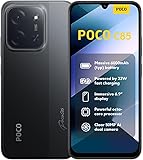
- USA USERS: Only Works on TMOBILE - MiNT IN THE USA Market (Previous sim card activated) Outside USA 4G VoLTE Worldwide Unlocked Dual Nano sim . FCC ID: 2AFZZPC3EG -
- Dual Nano Sim + 1 Slot Micro SD 4G: LAtin Bands / 3G Quad Band Global / 2G: Quad Band Global - Supports 4G/3G/2G2G: GSM:2/3/5/8 --- 3G: WCDMA:1/5/8 --- 4G: LTE FDD: 1/2/3/4/5/7/8/20/28 / 4G: LTE TDD: 38/40/41
- 6.9" Dot Drop displayResolution: 1600*720Refresh rate: Up to 120Hz*Refresh rate can be adjusted to up to 120Hz for supported apps.Brightness: 660 nits (typ), 810 nits HBMReading modeTÜV Rheinland Low Blue Light (Software Solution) Certified TÜV Rheinland Circadian Friendly Certified TÜV Rheinland Flicker Free CertifiedDC immingTouch sampling rate: Up to 240HzContrast ratio: 1200:1Color depth: 8-bit, 16.7 million colorsColor gamut: 83% NTSC
- MediaTek Helio G81-Ultra processorOcta-coreCPUCortex-A75+Cortex-A55Max CPU frequency: 2.0GHzGPUMali-G52 MC2
- 50MP main camera5P lensf/1.8Auxiliary lensRear camera video recording1080p (1920x1080) HD video recording at 30 fps720p (1280x720) HD video recording at 30 fps / 8MP front cameraf/2filmCamera | HDR mode | Soft-light ring | Portrait mode | Time-lapseFront camera video recording1080p (1920x1080) HD video recording at 30 fps720p (1280x720) HD video recording at 30 fps
- Clear background tasks that you are not using.
- Move to a stable network when the signal is poor.
- Lower the display refresh rate and brightness.
- Avoid heavy use in hot ambient conditions.
- Keep the system and apps current.
A weak signal can make the phone work harder to maintain a connection, so compare behavior in a location with a stronger Wi-Fi or mobile signal.
POCO F6 Pro: heat while switching between apps
Repeatedly launching apps and leaving several processes active increases CPU activity, according to Xiaomi’s POCO F6 Pro guidance. Close apps you do not need, take breaks during long sessions and use the phone in a ventilated environment. If the heat persists despite a lighter workload and cooling time, Xiaomi directs users to a local after-sales center.
POCO X6 Pro: gaming heat
For the POCO X6 Pro, Xiaomi recommends lowering the game’s frame rate and graphics quality. Large software or app downloads and installations can also add load; let those operations finish and allow the phone to cool before starting another demanding session. Reducing visual settings may lower peak performance, but it is the appropriate first trade-off when heat is the problem.
General workload changes that are reversible
- Pause long gaming, camera, navigation or video sessions and let the device cool naturally.
- Close background apps that are not needed for the current task.
- Lower brightness and, where the model exposes the control, refresh rate.
- Reduce game graphics and frame-rate settings.
- Use the phone in a ventilated place rather than a hot car, enclosed pocket or direct sunlight.
- Do not start another heavy task while downloads, installations or system maintenance are still running.
Do not infer that every warm POCO has the same cause. These measures are manufacturer guidance for named models and situations.
Understand warmth after an update
The UK POCO F7 FAQ says the phone may feel noticeably warmer for one to two days after a system update. Xiaomi attributes that temporary increase to app recompilation, system optimization and indexing, and says the temperature should gradually return to normal as the system stabilizes.
Best Value
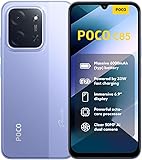
- USA USERS: Only Works on TMOBILE - MiNT IN THE USA Market (Previous sim card activated) Outside USA 4G VoLTE Worldwide Unlocked Dual Nano sim . FCC ID: 2AFZZPC3EG -
- Dual Nano Sim + 1 Slot Micro SD 4G: LAtin Bands / 3G Quad Band Global / 2G: Quad Band Global - Supports 4G/3G/2G2G: GSM:2/3/5/8 --- 3G: WCDMA:1/5/8 --- 4G: LTE FDD: 1/2/3/4/5/7/8/20/28 / 4G: LTE TDD: 38/40/41
- 6.9" Dot Drop displayResolution: 1600*720Refresh rate: Up to 120Hz*Refresh rate can be adjusted to up to 120Hz for supported apps.Brightness: 660 nits (typ), 810 nits HBMReading modeTÜV Rheinland Low Blue Light (Software Solution) Certified TÜV Rheinland Circadian Friendly Certified TÜV Rheinland Flicker Free CertifiedDC immingTouch sampling rate: Up to 240HzContrast ratio: 1200:1Color depth: 8-bit, 16.7 million colorsColor gamut: 83% NTSC
- MediaTek Helio G81-Ultra processorOcta-coreCPUCortex-A75+Cortex-A55Max CPU frequency: 2.0GHzGPUMali-G52 MC2
- 50MP main camera5P lensf/1.8Auxiliary lensRear camera video recording1080p (1920x1080) HD video recording at 30 fps720p (1280x720) HD video recording at 30 fps / 8MP front cameraf/2filmCamera | HDR mode | Soft-light ring | Portrait mode | Time-lapseFront camera video recording1080p (1920x1080) HD video recording at 30 fps720p (1280x720) HD video recording at 30 fps
That one-to-two-day timeframe belongs to the POCO F7 guidance. It is not a universal promise for every POCO model, nor does it explain severe heat, visible battery damage or warmth that continues indefinitely. During this period, keep the phone on current software, avoid stacking several demanding tasks and observe whether the behavior is trending downward.
Battery and overheating safety
Stop routine troubleshooting and treat the situation as a safety issue if the phone’s battery appears swollen, deformed or damaged, or if the device remains severely hot without an obvious workload.
The POCO C40 User Guide states: “If the battery appears deformed or damaged, stop using it immediately.” The same guidance says that built-in battery removal or repair should be handled by an authorized repair center. Do not open the phone, press down a lifting back cover, puncture the battery, attempt a battery replacement yourself or install unofficial firmware as a heat remedy.
Recommended Free Tools
- Disconnect the phone from charging if it is safe to do so.
- Move it away from flammable materials and let it cool without covering it.
- Do not continue gaming or repeatedly restart it to test the heat.
- Contact Xiaomi customer support or an authorized repair center for instructions.
Xiaomi’s published pages do not establish a universal temperature threshold. A service decision should therefore be based on persistence, circumstances and physical battery condition—not on a number copied from another model.
Choose the right escalation point
| Situation | Continue home troubleshooting? | Next step |
|---|---|---|
| One app crashes; phone otherwise responds | Yes | Update, restart, check storage, clear cache and reinstall if appropriate |
| Phone freezes during a heavy task and recovers after reducing workload | Yes, while monitoring | Lower graphics or refresh rate, close background apps and take breaks |
| Warmth follows a POCO F7 system update | Monitor in the model-specific one-to-two-day window | Allow optimization to finish; seek help if heat is severe or does not trend down |
| Overheating persists on a POCO F6 Pro despite lighter use and ventilation | No prolonged experimentation | Contact a local after-sales center |
| Battery appears deformed or damaged | No | Stop using the phone and use an authorized repair center |
| Repeated system-wide freezes after updates, restart and storage checks | Only basic observation | Provide Xiaomi support with the model, software version, timing and affected apps |
Model-specific quick reference
| Model and source context | Published symptom | Key manufacturer guidance |
|---|---|---|
| POCO C85 | Warmth during use; “App Not Responding” dialog | Clear background work, use a stable network, lower brightness and refresh rate, avoid hot conditions; tap Options once and wait on the ANR dialog |
| POCO M6 | Freezing during use | Use the general sequence: close unused apps, restart, update software and check storage; escalate recurring system freezes |
| POCO F7 Pro | Apps crash | Update phone and app, close background apps, ensure free storage, clear cache or reinstall when appropriate |
| POCO F6 Pro | Heat when switching apps | Close unnecessary apps, take breaks, use ventilation; contact a local after-sales center if persistent |
| POCO X6 Pro | Gaming heat | Lower game frame rate and graphics; wait for downloads or installations to finish and let the phone cool |
| POCO F7 (UK FAQ) | Warmth after a system update | Recompilation, optimization and indexing may raise workload for one to two days; temperature should gradually settle |
| POCO C40 User Guide | Deformed or damaged battery | Stop using immediately; do not remove the built-in battery yourself; use authorized repair support |
A prevention routine for everyday POCO use
- Install phone-system and app updates when they become available.
- Keep enough free storage for updates and temporary files.
- Close demanding apps you are no longer using instead of leaving many active indefinitely.
- Use lower brightness, refresh rate, graphics quality or frame rate when a task produces noticeable heat.
- Avoid sustained heavy use in hot surroundings and allow cooling breaks.
- After an update or migration, let downloads, indexing and optimization complete before running several demanding tasks at once.
- Record the model, software version, affected app and conditions before contacting support; this makes a recurring fault easier to reproduce.
The safest rule is simple: software and workload symptoms justify reversible maintenance first; persistent heat, repeated system failure or a physically abnormal battery justifies professional service.
Quick Recap
Product prices and availability are accurate as of the date/time indicated and are subject to change. Any price and availability information displayed on Amazon at the time of purchase will apply.

