
iTechGuides is reader-supported. When you buy through links on our site, we may earn an affiliate commission. As an Amazon Associate I earn from qualifying purchases. Learn more
The fastest safe approach is to verify the exact model first, then isolate the fault: reduce unnecessary radios for battery drain, check flight mode/SIM/data settings for internet problems, re-pair Bluetooth accessories, and treat “AI” or voice-recognition failures as model-specific. The HMD 2660 Flip’s current official documentation describes it as a feature phone and does not document an AI assistant or voice-command repair procedure. If your handset is a different HMD model or a carrier edition, its menus and available features may differ.
Start by identifying the phone and the feature that is failing
“HMD AI flip phone” is not precise enough to select a repair procedure. HMD’s available 2660 Flip documentation covers battery life, Bluetooth, accessibility, software updates and factory reset, but it does not list an AI assistant or voice-recognition function. A caller may instead mean speech-to-text, voice dialing, a voice assistant supplied by a carrier, or a microphone that does not work with a Bluetooth headset.
Find the model number
- Open the phone’s Settings menu and look for About phone, Device information or a similarly named item. Menu wording can vary by software version.
- Write down the model number, software version, country or market where the phone was sold, and whether it uses one or two SIM cards.
- Compare that information with the label on the box or the original receipt. Do not order a battery or charger from a listing that only says “HMD flip”; regional parts and supported features can differ.
If the model is the HMD 2660 Flip, use the battery and connectivity guidance below. If it is another model, treat the steps as general diagnostics and use that model’s own manual before changing settings or buying parts.
Windows Errors? Fix Them Before They Spread
Repair common Windows errors and clear accumulated junk for a smoother, more stable PC - no reinstall needed.Free scan · no reinstallOutdated Drivers Are Slowing You Down
One free scan finds every outdated or missing driver and matches the right update for your exact hardware.Free scan · exact hardware matchUse this symptom-to-remedy triage
| What you observe | First action | Escalate when |
|---|---|---|
| Charge falls quickly while the phone is idle | Turn off Bluetooth when unused, use Wi-Fi instead of mobile data where practical, and enable airplane mode when calls are not needed. | Drain remains rapid after radio and charging checks, or the battery or phone becomes unusually hot, swollen or damaged. |
| Phone will not access the internet | Check airplane mode, network mode/selection, the chosen SIM for data, mobile data and roaming. | The same SIM fails in multiple locations or a known-good SIM also fails after a restart. |
| Bluetooth accessory will not connect | Toggle Bluetooth, remove the old pairing, then pair the accessory again from the Bluetooth menu. | A known-good accessory cannot pair, or the phone cannot discover any nearby device. |
| “AI” or voice recognition does not respond | Verify that the exact model and region actually support the feature; test the microphone without Bluetooth. | The feature is documented for the model but still fails after a restart and software update, or the model identity is uncertain. |
Change one thing at a time and test after each change. That preserves a useful record and prevents a settings change from hiding the original cause.
#1 Best Overall
![Tracfone, TCL FLIP 3, SIM Card Included Flip Phone (Locked to Carrier) | 16GB, Stone Gray, 5MP Video Capable Camera, Locked [Sim Card Included - Separate Purchase Not Necessary]](https://m.media-amazon.com/images/I/31w5fHyjtJL._SL160_.jpg)
- Carrier: This phone is locked to Tracfone, which means this device can only be used on the Tracfone wireless network. A Tracfone plan is required to activate this device. Activating is easy, upon receipt go to Tracfone Website and select “Activate” and follow the prompts.
- 📱 Classic Flip Design & Dual Displays: Features a pocket-friendly flip design with a large internal display for easy reading and navigation, plus a convenient external preview screen to check time, incoming caller ID, and notifications at a glance without opening the phone. Sim Card Included - Separate Purchase Not Necessary
- 📶 Reliable 4G LTE Connectivity & VoLTE: Powered by 4G LTE network speeds for crystal-clear HD voice calls, reliable text messaging, and dependable nationwide coverage across America's top networks.
- ⌨️ Tactile Keypad & Loud Speakerphone: Designed with large, easy-to-press buttons for comfortable dialing, intuitive menu navigation, and a powerful speakerphone for hands-free conversations.
- 🔋 All-Day Battery: Stay connected with a long-lasting battery designed for extended talk and standby time. Wi-Fi Note: Wi-Fi is locked until device is activated. Note: Network-locked to TracFone for 365 days from activation.To find the no-contract Tracfone plan for you, visit the Tracfone Store Link located below the product title
Fix battery drain on an HMD flip phone
1. Reduce radios when they are not needed
HMD’s 2660 Flip battery guidance recommends selective use of network connections: switch Bluetooth on only when needed and use Wi-Fi instead of mobile data where possible. When you do not need calls or other radio connections, enable airplane mode. Airplane mode closes the mobile-network connection and switches off wireless features, so it is most useful during storage, travel or periods when the phone is only being used offline.
- Open Settings and turn Bluetooth off if no accessory is connected.
- Join a trusted Wi-Fi network when you are doing data-heavy tasks and mobile coverage is weak or constantly changing.
- Enable airplane mode when you do not need calls or mobile connectivity. Turn it off again before expecting calls or texts.
- After each change, leave the phone idle for a comparable period and observe whether the rate of loss changes.
A weak cellular signal can make a phone work harder to maintain service, but HMD’s documentation does not publish a runtime figure or a measured drain rate. Do not use an internet battery-runtime number as a promise for your handset.
2. Check charging behavior before buying a battery
A phone that appears to drain rapidly may actually be charging intermittently. Inspect the USB-C plug and socket for looseness, dirt or visible damage, and try a compliant cable and adapter known to work with another device. HMD states that third-party cables and power adapters may be used when they comply with USB 2.0 or later and applicable country, international and regional safety standards.
Rank #2

- 【Dual-screen & Dual-display Design】 This flip phone features dual displays—a 2.8-inch and a 1.5-inch screen—allowing users to check the time, incoming calls, and text notifications without opening the phone. It supports two display modes to meet different needs. Boasting a large screen, high volume, spacious main display, and oversized buttons.
- 【4G LTE Network Compatibility】It is unlocked and supports multiple carrier networks, with optimal compatibility on T-Mobile (highly recommended). Other compatible carriers include MetroPCS, Panda, Tello Mobile, Ultra Mobile, SpeedTalk, Simple Mobile, Mint Mobile, Red Pocket(GSMT) and any other carriers that using T-Mobile service; NOT for CDMA Carriers (AT&T,Verizon, Sprint, Boost, PagePlus)
- 【Large Battery & Charging Dock】The unlocked senior phone is equipped with the latest 1400 mAh rechargeable Li-Ion battery with up to 6-8H of talk time and up to 336 hours of standby time.The senior phone comes with a USB cable and charging dock, simply place the simple phone into the charging dock for faster and safer charging.expandable up to 32GB via microSD for extra photos, music, and contacts.
- 【SOS Button & Speed Dial】In case of an emergency, press the SOS button on the back of the phone for 3 seconds to dial the emergency number (5 can be set) and send a text message to seek prompt help from family or friends. Additionally, it supports quick dialing via the M1/M2 keys and numbers 2-9 for quick access to contacts, making it a more suitable flip phone for the elderly.
- 【Big Button Mobile Phone for Elderly】This clamshell phone features a simple operating system,larger fonts,clearer menu icons,and amazingly loud and clear speakers.You don't have to have your ear close to the phone to hear loud sounds when using hands-free calling.A basic mobile phone that is very suitable for the elderly,children,and visually impaired.
- For EU variants of the HMD 2660 Flip, the documented rechargeable battery is the BL-25AA.
- The phone uses USB-C charging.
- HMD’s recommended adapter output is 5 V/1 A.
- Charger models vary by region, so match the replacement to the phone’s market and model.
When a battery has been completely discharged, allow several minutes for a charging indicator to appear. Avoid deliberately running it completely flat, and follow HMD’s advice not to overcharge or routinely let the charge fall below 20 percent. These are care instructions, not a published battery-health test; the documentation does not provide a battery-health percentage or an expected number of hours.
3. Separate a battery fault from a charger fault
- Power the phone off and connect the USB-C charger. Confirm that the indicator appears and remains present when the cable is gently moved without forcing the connector.
- Try one other compliant USB-C cable and one other compliant 5 V/1 A-capable adapter, if available.
- Charge for a normal period, then use the phone normally rather than repeatedly checking the percentage every few minutes.
- If charging is absent, intermittent or only works at a particular angle, stop using a damaged cable or socket and seek service.
- If charging is consistent but the phone still loses charge quickly while radios are minimized, the battery itself or another hardware component may be at fault.
Use a replacement battery only when the battery is the likely cause and the part is confirmed for the exact model and region. A generic “HMD flip” battery can be the wrong size, connector or market variant. Do not continue using a swollen, leaking or physically damaged battery.
4. Know when battery troubleshooting is finished
Persistent rapid loss after radio and charging checks requires device diagnosis rather than a guessed battery percentage or an unsupported repair claim. Contact HMD’s authorized support channel with the model, market, software version, charger and cable used, charging symptoms, and the conditions under which the drain occurs. HMD’s support center provides guide access and device-diagnosis routes. Keep the purchase and warranty information available before sending the phone for service.
Rank #3
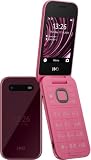
- For USA Buyers: This Smartphone is not compatible/will not work with any CDMA Networks including: VERIZON, SPRINT, US CELLULAR. Please check with your network provider for 3G or 4G/LTE compatibility check before you purchase.
- Single-SIM, Network Compatibility, SIM CARD 1 [2G : GSM 850 / 900 / 1800 / 1900 and/or 3G : HSDPA 850(B5) / 900(B8) / 2100(B1) and/or 4G : LTE 700(B28) / 800(B20) / 850(B5) / 900(B8) / 1800(B3) / 2100(B1) / 2300(B40) / 2600(B7)]
- 2.8 inches, TFT, 240 x 320 pixels
- 128MB Storage, 64MB RAM, microSDHC
- S30+, Unisoc T107 (22 nm), 1.0 GHz Cortex-A7
Restore mobile internet and cellular connectivity
Check the controls in a fixed order
Vodafone’s HMD 2660 Flip troubleshooting guide identifies the relevant controls as flight mode, network selection or mode, dual-SIM selection, mobile data and data roaming. The exact menu names can differ by software, but checking them in this order prevents a disabled radio from being mistaken for a network outage.
Quick wins for a faster PC:
Clear out junk files and repair common Windows errorsFree Scan →Scan for outdated or missing drivers - takes under a minuteDriver Scan →Repair Windows errors before they cause bigger problemsFix Now →- Open Settings and confirm that flight mode is off. If you just turned it off, wait briefly for the network indicator to return.
- Review Network selection or Network mode. Use the automatic or recommended option unless your carrier has supplied a specific setting.
- If two SIMs are installed, select the intended SIM for mobile data. A phone can have service for calls on one SIM while data is assigned to the other.
- Turn Mobile data on. Wi-Fi availability does not prove that cellular data is enabled.
- Turn Data roaming on only when your plan and location require it. Roaming can create charges, so confirm the carrier’s terms first.
- Move to a location where the same SIM normally receives service and test again.
If the phone shows service but individual apps cannot connect, first verify that the problem is not limited to one app or to Wi-Fi. If no service appears in several locations, test the SIM in another compatible phone or test a known-good SIM in the HMD phone, provided your carrier allows that test.
Restart after an operating-system error
Vodafone’s guide states: “If there’s an error in the operating system on your phone, it may help restarting it.” Power the phone off completely, wait a few seconds, then turn it on and test mobile data again. A restart is reversible and should precede a factory reset. Do not erase the phone merely because data is temporarily unavailable.
Rank #4

- Please confirm compatibility with your carrier before ordering. LTE/4G compatibility is dependent on your carrier and available networks in your region. This device is a single SIM product and uses a nano SIM card.
- Enhanced accessibility - Bigger buttons, hearing aid compatibility, real-time text (RTT), and a programmable dedicated side button to quickly dial a loved one in case of emergency.
- Everything you need to stay connected - Browse the Internet and download all your favorite apps – all on 4G.
- Functional and rigorously crafted highly durable flip design - See caller ID on the outer screen. Flip the phone closed to end calls.
- The battery for this device can be found under the packaging divider and will need to be inserted into the product and charged before powering on. Ensure the back cover remains on at all times when charging and using the device.
Fix Bluetooth connection and pairing failures
Start with a clean pairing
- Place the accessory close to the phone and put the accessory into its pairing mode according to its own instructions.
- On the HMD phone, open Settings, then Bluetooth or Connectivity and turn Bluetooth off.
- Turn Bluetooth on again and wait for the accessory to appear.
- If an old entry for that accessory is listed, select it and choose Forget, Remove or Unpair, depending on the menu wording.
- Start a new pairing from the phone’s Bluetooth device list and accept the matching code on both devices.
- Test audio or calls, then test the phone without the accessory to determine whether the fault follows the accessory.
Removing a stale pairing is preferable to repeatedly tapping Connect on an entry that contains obsolete authentication data. If the accessory is connected to another phone, disconnect it there first; many headsets accept only one active connection.
Use isolation tests before resetting anything
- Try a known-good Bluetooth accessory. If only one accessory fails, its battery, pairing mode or firmware may be the issue.
- Try the HMD phone in a different location and with Bluetooth devices removed from its saved list. If no device is discoverable, the phone’s Bluetooth function may need service.
- Restart both the phone and accessory, then repeat the clean-pairing procedure.
- If voice input works with Bluetooth off but not through a headset, treat the problem as an audio-route or headset issue rather than an AI-recognition failure.
Handle voice-recognition and “AI” complaints carefully
There is no documented AI assistant on the HMD 2660 Flip materials
Current HMD 2660 Flip documentation does not establish an AI assistant, voice-command feature or voice-recognition troubleshooting workflow. That absence matters: instructions for a smartphone assistant cannot safely be assumed to apply to this feature phone. The handset may be a different HMD model, a carrier-specific edition, or a phone where the user is calling speech-to-text or Bluetooth microphone behavior “voice recognition.”
Before changing permissions or purchasing parts, verify the model number, region and the name of the function shown on screen. If no voice feature appears in the phone’s own manual or menus, there may be nothing to repair on that model.
Best Value

- 5MP Rear Camera with Built-In Flash
- 1.3GHz Quad-Core Processor
- 4GB Built-In Memory
- 3.8 Battery Hours of Talk Time; 21.4 Days of Standby Time
- 4G Connectivity with preloaded Web Browser, Email
If the verified model does support voice input
The following are general diagnostic steps, not procedures documented as tested by HMD for the 2660 Flip:
- Check the feature’s microphone permission or accessibility setting, if the model provides one.
- Test the built-in microphone with Bluetooth turned off. This distinguishes a phone microphone problem from a headset microphone or audio-routing problem.
- Restart the phone and repeat the test in a quiet room, speaking at a normal distance from the microphone.
- Install an available official software update, then test again. Record the previous and new software versions.
- If recognition fails only for one language, command or app, verify that the feature supports that language and that the failure is not limited to the app.
- Contact HMD or the carrier that supplied the feature if the model is confirmed and the fault remains.
Do not infer recognition accuracy, supported languages or a hardware failure from one unsuccessful command. Published HMD materials provide no voice-recognition accuracy statistic or failure rate.
Choose the least risky remedy
| Remedy | Use it when | Advantages | Risks or limits |
|---|---|---|---|
| Change radio settings | Drain is associated with unused Bluetooth, mobile data or unnecessary cellular connection. | Immediate and reversible; no parts required. | Airplane mode also blocks calls and mobile connectivity until disabled. |
| Use Wi-Fi where practical | Mobile data is unnecessary or cellular coverage is unstable. | Can reduce mobile-radio activity during data use. | Requires a trusted Wi-Fi network; it does not repair a cellular fault. |
| Replace cable or adapter | Charging is intermittent, absent or changes when the cable moves. | Addresses a charging-path problem without opening the phone. | Part must comply with USB 2.0-or-later and safety requirements; adapter and cable compatibility is regional. |
| Replace the battery | Charging is consistent but drain remains rapid and the exact battery part is confirmed. | Targets a battery that is genuinely worn or defective. | Do not use an unverified generic part; replacement can affect warranty or require authorized service. |
| Contact authorized support | Drain persists, no accessory pairs, connectivity fails across tests, or the model/feature is uncertain. | Provides model-specific diagnosis and protects warranty decisions. | Have model, region, SIM, software and error details ready to avoid repeated troubleshooting. |
Prepare an effective HMD support request
Support can act faster when the report distinguishes a setting problem from a hardware or network problem. Include:
Recommended Free Tools
- Exact model number and sales region.
- Software version and whether the phone has one or two SIMs.
- Carrier name, SIM used for data and whether the failure occurs in more than one location.
- Battery symptoms: starting charge, approximate idle or use period, radios enabled, charger output, cable and whether the phone becomes hot or shows physical damage.
- Connectivity symptoms: the precise error text, network indicator, accessory model and whether a known-good SIM or Bluetooth device was tested.
- Voice symptoms: the feature’s exact name, whether it is documented for the model, microphone tests with Bluetooth off, and the software version before and after any update.
Do not disclose passwords or provide payment details to an unverified repair contact. Use HMD’s authorized support and diagnostic channels for persistent faults, uncertain model identity or any suspected battery damage.
What not to do
- Do not buy a battery or charger solely because an online listing says it fits an “HMD flip.” Confirm model and region first.
- Do not claim that a battery is healthy because it reaches 100 percent once; HMD’s guide does not publish a health percentage.
- Do not leave airplane mode enabled and then conclude that the cellular modem is broken.
- Do not repeatedly pair Bluetooth without removing an obsolete pairing.
- Do not factory-reset the phone before recording settings and backing up anything you need. A reset is not a documented first-line fix for these symptoms.
- Do not assume that an “AI” voice assistant exists on the HMD 2660 Flip; verify the model and feature first.
Practical resolution sequence
For most cases, follow this order: identify the model and region; note the exact symptom; reduce unused radios; verify charging with a compliant USB-C cable and the appropriate adapter; check flight mode, network mode, data SIM, mobile data and roaming; restart; cleanly re-pair Bluetooth; and test voice input with Bluetooth disabled only if the verified model supports it. If the fault survives those reversible checks, stop experimenting with settings and send HMD support the complete diagnostic record.
Quick Recap
Product prices and availability are accurate as of the date/time indicated and are subject to change. Any price and availability information displayed on Amazon at the time of purchase will apply.

