
What’s actually slowing this PC down?
Pick the symptom - the matching free tool is one click away.
iTechGuides is reader-supported. When you buy through links on our site, we may earn an affiliate commission. As an Amazon Associate I earn from qualifying purchases. Learn more
If your Pixel is charging over USB but does not appear as a camera, work through the connection in layers: use a USB cable that supports data, unlock the phone, choose Webcam in the phone’s “Charging this device through USB” notification, and make sure the receiving device supports USB Video Class (UVC). Google’s Pixel Camera Help states: “You can use your Pixel phone as a webcam with a USB cable that supports data.” If the host is another Pixel, the setup is not supported because Pixel devices do not support UVC cameras for that scenario.
The sequence below separates a cable problem, a phone USB-mode problem, host incompatibility, and an application that simply has not selected the detected camera.
Check compatibility before changing settings
A Pixel-to-USB webcam connection only works when all of the required layers are present. Confirm these conditions first:
Do these 3 things before closing this tab:
1Fix the driver behind crashes, sound loss and screen glitches2Clear out junk files and repair common Windows errors3Scan for outdated or missing drivers - takes under a minute- The cable carries data. A charging-only cable cannot provide the documented data connection, even if the phone charges normally.
- The phone can expose its camera as a USB function. The phone must be unlocked so you can open the USB notification and select Webcam.
- The receiving device supports UVC. USB Video Class is the camera standard the host uses to enumerate the Pixel as a camera. A host without UVC support will not detect the phone as a webcam.
- The software is in the supported version context. Android platform documentation describes device-as-webcam support for Android 14 QPR1 and higher. The available evidence does not establish support for every earlier Android release, so install current system updates before diagnosing an older build.
- The host is not another Pixel. Google says a Pixel phone cannot be used as a webcam for another Pixel device.
These checks are more useful than repeatedly switching USB modes at random. A failure at one layer can look identical to a failure at another: a charging-only cable, a non-UVC television, and a video app using the wrong camera can all be described as “the Pixel is not detected.”
#1 Best Overall

- Connect your USB-C enabled device to transfer data and charge devices
- 3.3 feet cable length
- Reversible USB-C Connectors
Fix the connection in the correct order
1. Replace the cable with a known-good data cable
Start with the physical connection. Use a known-good USB-C cable explicitly rated for data transfer, not a cable described only as a charging cable. Connect the Pixel directly to the receiving device, then unlock the phone. A cable can deliver power while lacking the conductors or wiring needed for USB data, so seeing a charging indicator does not prove that the webcam connection is possible.
- Disconnect the existing cable from the phone.
- Connect a USB-C cable that you know transfers data.
- Reconnect the receiving device at the other end of the cable.
- Unlock the Pixel and wait for the USB notification.
The expected result is a notification named “Charging this device through USB”. If the notification appears, the cable and basic USB link are working well enough to continue. If it does not appear, unplug and reconnect once more with the phone unlocked, then check the USB settings as described in the next step.
If changing to a verified data cable makes the Webcam option appear, the original cable was the limiting factor. Keep that distinction in mind: changing a camera app cannot repair a cable that never created a data connection.
Free tools Windows power users keep installed
One-click scans. No signup required.
2. Select Webcam in the Pixel’s USB notification
Android does not necessarily expose the camera function automatically. You must choose it from the phone’s USB-use controls.
- With the Pixel connected and unlocked, open the notification shade.
- Tap “Charging this device through USB”.
- Under “Use USB for,” select Webcam.
- Wait for the receiving device to detect the newly selected camera.
Do not leave the mode set to charging, file transfer, MIDI, or another USB function. Those modes can establish a USB connection while intentionally presenting a different function to the host, so the host will not see a camera.
If the notification is missing, unplug and reconnect the cable with the phone unlocked. Then inspect the USB settings again. The key test is whether Webcam is available in the Use USB for list; the host cannot enumerate a webcam function that the phone has not enabled.
Rank #2

- Designed for Pixel Charging: This usb c to usb c cable certified,which has a usb-c connector on both ends, Work with your Pixel USB C original charger to fast charging your devices.such as charging for your Google Pixel 9/9 Pro/9 Pro XL up to 60% in just 35 minutes,help you charge mobile phones efficiently
- 45W High-Speed Charging&Data Sync:The for google usb c cable supports charging of up to PD 45 watts/3A fast charging and transfers data at USB 2.0 (480 Mbps),support 45W/30W/20W/18W PD fast charging,Compatible with Pixel,for Samsung Galaxy,for iPhone 17 16 15 Series,for iPad,for MacBook and More
- Compatible for All USB C Devices: This usb c to c cable compatible with Google Pixel 11,11 Pro,10,10 Pro,Pro XL,10 Pro Fold,Pixel 9 9Pro 9 Pro XL,Pixel 8 8a 8 Pro,Pixel 7 7a 7 Pro,Pixel 6 6a 6 Pro, Pixel 5 5a 4 4a 4xl 3 3a 3xl,Pixel Fold,for iPhone 17,17 pro,17 Pro Max,17 plus,16,16 Pro,16 Plus,16 Pro Max,16e,15,15 Pro,15 Plus,for iPad 10,A16, for iPad Pro,Mini 6th 5th,Air 5,for Samsung S26,S26+,S26 Ultra,S25,S25 Ultra,S24 FE,S24+,S24 Ultra,S23 Ultra,S23+,S23,S23 FE,S22 Ultra,S22,S21FE,S20,A56,A55,A35,A53,A54,A26,A36,Note 20 10,Z Fold Flip series,for Macbook Pro,Air Laptops and other usb-c devices
- Built to Last:The usbc car charger cord is made of TPE flame retardant material and reinforced joint, passed bear 5000+ bends tests, with high safety standard to prevent over-charging, overheating and short-circuit to keep connected devices safe. And 6feet/1.8M Long USB C charging cord is perfect for car or work, long enough to get the job done but not too long to get in the way of driving
- What you get : 1 Pack 6 Foot Long USB C Charger Cable.
3. Verify that the receiving device supports UVC
The receiving device—computer, tablet, television, car system, or another USB host—must implement USB Video Class. UVC is the standard interface used to identify and consume a USB camera. Pixel configuration alone cannot add UVC support to a host that lacks it.
Quick wins for a faster PC:
Fix the driver behind crashes, sound loss and screen glitchesFind Drivers →Clear out junk files and repair common Windows errorsFree Scan →Scan for outdated or missing drivers - takes under a minuteDriver Scan →Check the host’s technical documentation for USB Video Class or UVC camera support. This check matters especially for devices with USB ports that are intended only for charging, storage, service diagnostics, or media playback. A port can accept the cable and provide power without being able to act as a UVC camera host.
After selecting Webcam on the Pixel, give the host a moment to enumerate the device. If the host has UVC support, it should expose the Pixel or Android webcam as a camera source. If the host does not support UVC, no choice of cable, USB mode, or video application can make that particular host detect the phone as a webcam.
4. Distinguish host detection from app selection
There are two separate outcomes:
- Enumeration: the operating system or host recognizes a UVC camera.
- Application selection: a video app chooses that recognized camera for its preview or call.
First determine whether the host sees any new UVC camera after you select Webcam. If it does not, return to the cable, USB-mode, UVC-host, and software-version checks. If it does, the USB connection is functioning and the remaining problem is inside the application.
Open the video app’s camera settings and select the Pixel or Android webcam device. Menu labels vary by app, and the official Pixel documentation establishes UVC enumeration rather than a universal menu path for every third-party application. Close other applications that may already be holding the camera, then reopen the app and select the Pixel source again. This avoids treating an app-level selection issue as a phone-detection failure.
5. Exclude the Pixel-to-Pixel limitation
A Pixel phone cannot serve as a webcam for another Pixel device. Google specifically identifies this as unsupported because Pixel devices do not support UVC cameras for that scenario. If your test setup is Pixel phone to Pixel phone, stop troubleshooting the cable and USB menu: the limitation is the host combination itself.
Rank #3
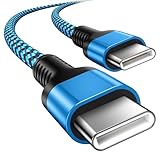
- 【Broad Device Compatibility】This is the USB C to USB C cable Not the USB C to USB A cable, Compatible with virtually all USB C devices. For Google Pixel 11 Pro Fold/11 Pro XL/11 Pro/11/10a/10 Pro Fold/10 Pro XL/10 Pro/10/9a/9 Pro XL/9 Pro/9/9 Pro Fold/8a/8 Pro/8/7a/7 Pro/7/6a/6 Pro/6,for iPhone Duo/18Pro Max/18 Pro/17e/17/Air/17 Pro/17 Pro Max/16e/16/16 Plus/16 Pro/16 Pro Max/15/15 Plus/15 Pro/15 Pro Max, iPad Pro 12.9/11 inch, iPad Air 4/5th, iPad Mini 6th, Galaxy S26 FE/S26 Ultra/S26+/S26/S25 FE/S25 Ultra/S24 Ultra/S25+/S25/S24, and more USB C devices.
- 【High-Speed Charging】Our USB C to USB C fast charging cord type c supports PD3.0, QC3.0, and QC4.0 fast charging, output up to 20 V/3 A, suit with USB C adapters such as 18W/30W/45W/60W, the data transfer speed of up to 480 Mbp/s.The USB C wire can quickly transfer 1GB of music, documents, or the entire photo library in less than a minute, Say goodbye to sluggish transfers.
- 【Long-Lasting】Type c to type c fast charging cable has a premium wear-resistant nylon outer layer adding additional durability and is tangle-free, increases its lifetime, bends freely and can withstand 40000+ bends. The USB C charging wire has a Strong all-metal shell and aluminum alloy connector, Unique SR joint reinforced technology makes the connector less prone to breakage.
- 【Safety First Always】Our USB C cord comes equipped with intelligent safety features, that intelligently match the required current like short-circuit, overvoltage, overheating and overcurrent protection. Smart chip & upgraded automatic temperature control technology significantly reduce the temperature during charging, charge up without worries, and increase charging efficiency by 80% while increasing stability by 90% compared to 60W charging cables
- 【What You Get】We provide this cable c to USB c 1 Pack 10 foot, We are confident in the long-lasting performance of our product. If you have any questions about these USB C wires, please contact us, and we will reply within 24 hours.
Use a different UVC-capable host when testing, such as a computer or another receiving device whose specifications confirm UVC support. Do not infer from a successful computer connection that a second Pixel should work; the Pixel-to-Pixel restriction remains.
What to do when the Webcam option is missing
The absence of Webcam in Use USB for is different from an app failing to list a camera. Work through these branches in order.
The phone only shows charging
Replace the cable with a known-good USB-C data cable, reconnect it, and unlock the phone. A charging-only cable can produce exactly this symptom because it supplies power without a documented data path. After reconnecting, open the “Charging this device through USB” notification and look again for Webcam.
The Tool Desk
Outbyte PC Repair FREERepair Windows errors before they cause bigger problemsFix Now →Outbyte Driver Updater FREEFix the driver behind crashes, sound loss and screen glitchesFind Drivers →The USB notification is not visible
Unplug and reconnect while the phone is unlocked. Then check the USB settings instead of waiting for the notification to reappear. The notification is the documented entry point, but reconnecting resets the physical USB session and can make the controls visible again.
The menu appears, but Webcam is not listed
Confirm the cable is data-capable and install current Pixel system updates. Android platform documentation describes device-as-webcam support for Android 14 QPR1 and higher; the available documentation does not establish that every earlier release exposes the same option. If the phone is running an older or unupdated build, update it before concluding that the hardware or host is incompatible.
Also verify that you are testing a supported host rather than another Pixel. The Pixel-to-Pixel restriction is independent of the cable and Android USB menu.
Rank #4

- 60W Type C to C Cable: Google Pixel 6 7 8 9 10 Pro charger cable supports PD 3.0 fast charging, up to 20V/3A(max) with USB-C power delivery adapters such as 18W/30W/45W/60W. Fast charging gives you a quick and convenient way to recharge your devices up to 85 percent in 40 minutes, and data transfer speeds up to 480Mbps. It can provide a fast charger for Google Pixel 6 7 8 9 10 Pro and high-speed charging for mobile phones with USB C ports.
- Durability 6ft USB C to USB C Cable: The PD charging cord has the most flexible, powerful, and durable TPE material, makes tensile force increase by 200%. Lasts 20x longer than ordinary cables-proven in a laboratory environment to withstand 15000 bends, which makes it more durable than normal USB c cables. Stylish, small and tangle-free, work with a wall charger block makes it easy to plug and charge your phone.
- Compatibility List: Google Pixel 6a charger cable compatible with Google Pixel 11/11 Pro/11 Pro XL/11 Pro Fold,Pixel 10A,Pixel 10,Pixel 10 Pro,Pixel 10 Pro XL,Pixel 10 Pro Fold,Pixel 9A,Pixel 9,Pixel 9 Pro,Pixel 9 Pro XL,Pixel 9 Pro Fold,Pixel 8A,Pixel 8 Pro,Pixel 8,Pixel 7 Pro,Pixel 7,Pixel 6 Pro,Pixel 6a,Pixel 6,Pixel 5,Pixel 5a,Pixel 4a,Pixel 4xl,Pixel 3a,Pixel 3xl,Pixel 2,Pixel XL, USB C PD cable also fast charger for Samsung Galaxy S26 S25 S24/Z Fold 3 4 5 6 7 8/S24 Ultra S24+ S23 S23+ S23 Ultra S23 FE S22/S22+/S22 Ultra/S21/S21+/S21 Ultra/S21 FE 5G/S20/S20 FE 5G/S20+/S10/Note 20/10/9/8,A73 A53 5G A37 A27 A17 A16 A15 A14 A13 5G A12 Z Flip 3 4 5 6 7 8.
- Safety C Type to C Type Fast Charging Cord: This 60W USB C Cord Fast Charger for Pixel 6 Pro/Pixel 7 Pro/Pixel 8 Pro/Pixel 8A/Pixel 9/Pixel 9 10 Pro. Standard 56kΩ resistor provides outstandingly reliable conductivity&stability and protects your devices and charging adapters from damage, which can safely charge up to 60W. This Google Pixel charger fast charging cord lets you enjoy safer and faster charging, no more melted cables and damaged devices. A reversible connector ensures easy insertion every time with no second guessing.
- What You Get: 2Pack 60W PD USB C to USB C Fast Charging Cable.Reliable and friendly customer service, any problem you can contact with us, response within 24 hours.
The option was present and then disappeared
Treat this as a potentially stuck USB configuration. Disconnect and reconnect the cable, then reboot the Pixel. Google Issue 334091555 records a failure in which enabling webcam mode disconnected USB and the mode did not work again until a reboot; that issue is marked Fixed. After restarting, apply current system updates and repeat the data-cable and Webcam-selection steps.
PC Slower Than It Used to Be?
A free scan shows the junk files, broken settings and background clutter dragging Windows down - then fixes them in one click.Free scan · Windows 10 & 11Outdated Drivers Are Slowing You Down
One free scan finds every outdated or missing driver and matches the right update for your exact hardware.Free scan · exact hardware matchRecover from a stuck or repeatedly disconnecting setup
Use this recovery sequence when the Pixel drops the USB connection after you choose Webcam, or when the mode worked once and then stopped:
- Disconnect the USB cable from the Pixel.
- Restart the phone.
- Install any available current system update.
- Reconnect using a known-good USB-C data cable.
- Unlock the phone and open “Charging this device through USB.”
- Choose Webcam under “Use USB for.”
- Check whether the UVC-capable host detects the camera.
This sequence resets the USB session rather than repeatedly toggling the same stuck state. The issue tracker entry is evidence that software failures of this type have occurred, but its fixed status means the documented response is to reconnect, reboot, and update rather than assume that every disconnect indicates permanent hardware damage.
Use the symptom to identify the failing layer
| Observed symptom | Most likely layer to check | Action | What a successful result looks like |
|---|---|---|---|
| The phone charges, but no USB controls appear | Cable or USB session | Use a known-good USB-C data cable; reconnect with the phone unlocked | The “Charging this device through USB” notification appears |
| The USB menu appears, but Webcam is not selected | Phone USB function | Open “Use USB for” and choose Webcam | The host begins looking for a UVC camera |
| Webcam is selected, but the host never lists a camera | Host compatibility or software version | Confirm UVC support, check Android version context, and install current updates | The host enumerates a Pixel or Android webcam device |
| A computer sees the camera, but a video app does not use it | Application selection or camera lock | Select the Pixel/Android webcam in the app and close other camera-using apps | The app preview uses the Pixel camera |
| The host is another Pixel | Unsupported host combination | Use a different UVC-capable receiving device | The alternate host can enumerate the webcam |
| Webcam mode disconnects USB and will not return | Stuck software configuration | Reconnect, reboot, and apply current system updates | The Webcam option returns after the restart |
Why charging does not prove webcam compatibility
USB power and USB data are separate capabilities. A charging-only cable can keep the Pixel’s battery level rising while preventing the phone from presenting any USB data function. Likewise, a host can provide power through a port without implementing UVC. For webcam use, the cable must carry data, the phone must be set to Webcam, and the host must understand UVC.
This is why swapping cables is the first practical test, while checking the receiving device’s specifications is the decisive host test. Neither test is replaced by restarting a video app.
Android version and update guidance
Android platform documentation describes device-as-webcam support for Android 14 QPR1 and higher. That version statement is documentation context, not a guarantee that every Pixel model, build, or host combination behaves identically. If the Webcam option is missing, record the phone’s Android build, install current system updates, and retest with the same known-good data cable.
Best Value

- Perfectly Tailored for Pixel 10 & 9 Series: Specifically designed for the latest Google Pixel 10, 10 Pro XL, 10 Pro Fold, 9, 9 Pro XL, 9a, 8a, 8 Pro, and older models. This USB A to USB C cable ensures seamless compatibility and stable performance for the entire Pixel ecosystem, providing a reliable charging solution without "accessory not supported" warnings.
- Ideal Short Length for Car Use: The 3.3ft length is the perfect size to eliminate cluttered consoles and tangled wires in your car. Ideal for connecting your Pixel phone to a car charger or using Android Auto (if supported by your vehicle). Keep your dashboard neat, organized, and safe while driving, making it a must-have travel accessory.
- Fast Charging & High-Speed Data Sync: Engineered with high-quality copper core, this cable supports fast charging and data transfer speeds up to 480Mbps. Whether you're topping up your battery during a short commute or syncing music and maps, it delivers efficient power and stable data transmission to keep your Google devices ready to go.
- Ultra-Durable & Tangle-Free Design: Built to withstand the rigors of daily use, our cable features a premium, thickened PVC jacket and reinforced connectors. Tested to endure 10,000+ bends, it offers superior flexibility and resistance to daily wear and tear. The soft-touch, anti-tangle design ensures long-lasting performance and remains flexible even in extreme cabin temperatures.
- Excellent Value 2-Pack Design: Each package includes 2 high-quality short USB-C cables, giving you the best value for your money. Keep one in your car and one in your office, or share one with a family member. We offer a worry-free 12-month warranty and 24/7 friendly customer service to ensure your complete satisfaction.
Updates are particularly important after a USB webcam failure that began suddenly. Google’s Issue 334091555 entry describes a webcam configuration bug that disconnected USB and prevented the mode from working again until reboot; the issue is marked Fixed. A current build reduces the chance that you are reproducing that already-addressed failure.
A reliable test procedure for support or escalation
When you need to explain the problem to a support team, capture the result of each layer instead of reporting only that “USB webcam does not work.” Use this compact record:
- Identify the cable as data-capable or charging-only.
- Note whether the Pixel is unlocked when connected.
- Record whether “Charging this device through USB” appears.
- Record whether Webcam is available and selected under “Use USB for.”
- Identify the receiving device and whether its specifications state UVC support.
- State whether the host is another Pixel.
- State whether the host sees a UVC camera even if the chosen app does not.
- Record whether a reboot and current system update changed the result.
This information identifies whether the failure is physical, a phone USB-mode choice, a host limitation, an unsupported Pixel-to-Pixel pairing, an app-selection issue, or the known class of stuck software configuration described by Google’s issue tracker.
Practical decision guide
Follow the shortest branch that matches your symptom:
- No notification and only charging: change to a verified USB-C data cable, reconnect, and unlock the phone.
- Notification present but no camera: choose Webcam under Use USB for.
- Webcam selected but no host detection: verify UVC support and the Android version context; update the Pixel.
- Host detects a camera but the app does not: select the Pixel/Android webcam in the app and close competing camera applications.
- Testing Pixel to Pixel: use a different UVC-capable host because that pairing is unsupported.
- Mode disconnects or vanishes after working: disconnect, reboot, update, and repeat the setup.
Once a UVC-capable host enumerates the Pixel and the application selects that camera, the original “not detected” problem has been isolated to the layer that failed rather than treated as a single generic USB fault.
Quick Recap
Product prices and availability are accurate as of the date/time indicated and are subject to change. Any price and availability information displayed on Amazon at the time of purchase will apply.

