
What’s actually slowing this PC down?
Pick the symptom - the matching free tool is one click away.
iTechGuides is reader-supported. When you buy through links on our site, we may earn an affiliate commission. As an Amazon Associate I earn from qualifying purchases. Learn more
To find vulnerabilities before attackers do, first inventory the systems and software you’re responsible for, then scan relevant assets for known weaknesses, prioritize the findings, and fix or mitigate them. A scan is a starting point—not proof that a system is free of vulnerabilities.
Start with an inventory of what you need to protect
You cannot choose a useful scan until you know which assets are in scope. Make a working list of business computers and servers, operating systems, installed applications, internet-facing services, cloud-hosted systems, and web applications. Include who owns each asset and whether it is exposed to the internet or essential to business operations.


Keep the list current as equipment, software, and services are added or retired. Unknown or forgotten systems can otherwise fall outside the scans and patching work you intend to perform.
Do these 3 things before closing this tab:
1Repair Windows errors before they cause bigger problems2Scan for outdated or missing drivers - takes under a minute3Clear out junk files and repair common Windows errorsUnderstand what a vulnerability scan can—and cannot—tell you
Vulnerability scanning checks systems or applications for known weaknesses. What it can assess depends on the tool, the assets selected, and its configuration. An external scan, for example, does not automatically assess internal systems or every web application; confirm that the scope matches the inventory.
#1 Best Overall
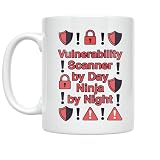
- BOLD CYBERSECURITY DESIGN: Features the phrase 'Vulnerability Scanner by Day Ninja by Night' with striking alert icons and exclamation marks printed on both sides of the mug.
- HIGH-QUALITY CERAMIC: Crafted from durable white ceramic material, this 11 oz mug is built to withstand daily use at home or in the office.
- MICROWAVE & DISHWASHER SAFE: Designed for convenience, this lightweight mug is both microwave and dishwasher safe for easy cleaning and reheating.
- PERFECT GIFT FOR TECH PROFESSIONALS: An ideal gift for cybersecurity analysts, IT professionals, or any tech enthusiast who takes pride in their work.
- COMPACT SIZE: Measures 3.8 inches tall and 3.3 inches wide, making it a great fit for standard cup holders, desks, and kitchen cabinets.
Scanning identifies potential issues; it does not fix them. Findings may need validation against the affected asset and software version before you decide what action to take. NIST describes software vulnerability management as a process for managing known vulnerabilities, not as proof that every weakness or attack path has been found. NIST IR 8011-4
Prioritize findings by exploit evidence and business impact
Do not treat every scan finding as equally urgent. Check whether the vulnerability is known to be exploited, whether the affected asset is exposed, and how important it is to business operations. These factors help determine urgency, but there is no single priority rule established for every organization.
Rank #2
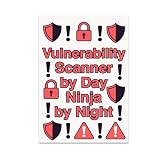
- BOLD CYBERSECURITY DESIGN: Features the phrase 'Vulnerability Scanner by Day Ninja by Night' surrounded by striking alert icons and exclamation marks.
- HIGH-QUALITY GLOSSY PRINT: Printed on durable glossy photo paper with vibrant reds and blacks, delivering fade-resistant colors and sharp, lasting details.
- GENEROUS 13x19 SIZE: This large rectangular poster makes a strong visual statement and is easily readable from across any room.
- VERSATILE DECOR FIT: Complements modern decor styles and suits a variety of spaces including home offices, bedrooms, kitchens, and family rooms.
- PERFECT GIFT FOR CYBERSECURITY ENTHUSIASTS: An ideal choice for IT professionals, security analysts, or anyone who values vigilance and dedication in the cybersecurity field.
CISA describes its Known Exploited Vulnerabilities (KEV) Catalog as an authoritative source for vulnerabilities exploited in the wild and recommends using it as an input to vulnerability-management prioritization. Check the live catalog because its contents change. A KEV match is a strong reason to investigate promptly, especially when the affected asset is reachable or business-critical.
Quick wins for a faster PC:
Clear out junk files and repair common Windows errorsFree Scan →Scan for outdated or missing drivers - takes under a minuteDriver Scan →Repair Windows errors before they cause bigger problemsFix Now →Turn scan results into corrective action
- Confirm the finding. Match it to the asset, installed product, and version. Check whether the reported weakness applies to that specific system.
- Consult the vendor. Review the vendor’s security advisory for a supported update or mitigation and any relevant instructions.
- Apply the remedy. Install the supported update or follow the vendor’s mitigation guidance. CISA’s KEV catalog guidance points organizations to vendor mitigations and applicable guidance; if mitigations are unavailable, it advises discontinuing use of the product.
- Record exceptions. If you cannot update or mitigate immediately, document the affected asset, the reason, the risk-reduction measures in place, and who is responsible for resolving the issue.
- Verify the change. Rescan the affected asset or use another suitable check to confirm the correction. Keep the result with the asset’s maintenance record.
For government organizations, CISA’s Software Acquisition Guide for Government Enterprise Consumers, Version 2 provides software-acquisition and vulnerability-management context. It is not a substitute for the vendor’s product-specific remediation instructions.
Set a repeatable scanning and patching cycle
Choose a cadence that fits your systems and ability to act on findings. Include scans after significant changes, such as deploying a new internet-facing service or updating a major application. A scan schedule without a process for reviewing and resolving results can create a list of unresolved findings rather than reduce risk.
- Assign an owner to each asset and its findings.
- Review newly reported vulnerabilities and relevant KEV catalog entries.
- Track updates, mitigations, and exceptions to completion.
- Rescan or otherwise verify important corrections.
- Include vulnerability handling in your broader security and incident-response plans.
CISA’s Small and Medium-Sized Business Resources page includes cybersecurity guidance, including incident-response resources.
Independent reader supportYour contribution helps us test, update, and keep practical guides available for everyone.Check CISA’s no-cost scanning services if your business is eligible
CISA lists Cyber Hygiene Services for small and medium-sized businesses, including no-cost vulnerability scanning and web application scanning. Review the current CISA listing to confirm eligibility, availability, and what the services cover. Do not assume a service scans every asset you own; compare its stated scope with your inventory.
Free tools Windows power users keep installed
One-click scans. No signup required.
Quick Recap
Product prices and availability are accurate as of the date/time indicated and are subject to change. Any price and availability information displayed on Amazon at the time of purchase will apply.

