
iTechGuides is reader-supported. When you buy through links on our site, we may earn an affiliate commission. As an Amazon Associate I earn from qualifying purchases. Learn more
Yes. Before selling or giving away a PS3, use Settings > System Settings > Restore PS3 System, then choose Full Format when prompted. This deletes the system hard drive’s data and restores default settings. First preserve anything you want to keep and, if possible, deactivate the console’s Game and Video activations for your PlayStation Network account.
Prepare the console before you reset it
Save anything you want to keep
Restoring the system cannot be undone. Before starting, decide whether you need any locally stored saves, captures, or other data, and preserve wanted content. Sony’s manual warns about irreversible data loss but does not give a complete backup procedure for every content type. Sony PS3 system restoration instructions.
Deactivate your account on the PS3, if possible
Deactivation is separate from deleting the console’s local data. On the PS3, select the local user and go to PlayStation Network > Sign-in > Account Management > System Activation. Highlight PS3, select the content type, then choose Deactivate System. Deactivate both Game and Video if each is activated.
Quick wins for a faster PC:
Scan for outdated or missing drivers - takes under a minuteDriver Scan →Repair Windows errors before they cause bigger problemsFix Now →Fix the driver behind crashes, sound loss and screen glitchesFind Drivers →If you cannot access the console, Sony’s remote option deactivates all devices on the account, not one individual PS3, and can be used only once every six months. Changing your account password signs out inaccessible consoles. See PlayStation Support’s console deactivation instructions.
#1 Best Overall

- Easily store and access 2TB to content on the go with the Seagate Portable Drive, a USB external hard drive
- Designed to work with Windows or Mac computers, this external hard drive makes backup a snap just drag and drop
- To get set up, connect the portable hard drive to a computer for automatic recognition no software required
- This USB drive provides plug and play simplicity with the included 18 inch USB 3.0 cable
- The available storage capacity may vary.
Reset the PS3 and choose a format
- On the console, open Settings > System Settings > Restore PS3 System.
- Follow the on-screen prompts to start restoration.
- At the format prompt, choose Full Format for a console being transferred or disposed of.
- Keep the console powered on until the process finishes.
Sony says restoration deletes all data on the system hard disk and restores default settings. It also warns that turning off or otherwise interrupting the console during restoration can damage system software and may require service or exchange. Sony PS3 system restoration instructions.
Quick Format and Full Format are not equivalent choices
| Choice | What Sony says | For a sale or transfer |
|---|---|---|
| Quick Format | Reduces formatting time. Sony cautions that erased data might still be recoverable in some cases with a special tool. | Not Sony’s recommended option for transfer or disposal. |
| Full Format | Sony recommends this when transferring or disposing of the system. The manual does not give a time estimate or guarantee that all data recovery is impossible. | Choose this at the format prompt. |
These tradeoffs are described in Sony Computer Entertainment’s CECH-2101A/CECH-2101B PS3 Instruction Manual (2010 model-era manual): system restoration instructions.
Rank #2
- Easily store and access 1TB to content on the go with the Seagate Portable Drive, a USB external hard drive.Specific uses: Personal
- Designed to work with Windows or Mac computers, this external hard drive makes backup a snap just drag and drop. Reformatting may be required for Mac
- To get set up, connect the portable hard drive to a computer for automatic recognition no software required
- This USB drive provides plug and play simplicity with the included 18 inch USB 3.0 cable
- The available storage capacity may vary.
Choose the right restore command
Restore Default Settings restores settings to their defaults. It is not the documented option for deleting all hard-drive data. For sale preparation, choose Restore PS3 System, which deletes the system hard drive’s data and restores default settings. Sony’s manual distinguishes the two options.
What’s actually slowing this PC down?
Pick the symptom - the matching free tool is one click away.
You do not need to replace a working hard drive just to sell the PS3
The documented reset process does not require a new drive. If the installed drive is failing or you need to replace it, Sony’s older PlayStation 3 Instruction Manual, PS3-01-1.9 describes a 2.5-inch internal Serial ATA drive, but warns that proper operation is not guaranteed for every model. Check compatibility for your exact PS3 model before buying a replacement: Sony PS3 manual.
Quick Recap
Best Value

- 【Plug-and-Play Expandability】 With no software to install, just plug it in and the drive is ready to use in Windows(For Mac,first format the drive and select the ExFat format.
- 【Fast Data Transfers 】The external hard drives with the USB 3.0 cable to provide super fast transfer speed. The theoretical read speed is as high as 110MB/s-133MB/s, and the write speed is as high as 103MB/s.
- 【High capacity in a small enclosure 】The small, lightweight design offers up to 500GB capacity, offering ample space for storing large files, multimedia content, and backups with ease. Weighing only 0.35 Lbs, it's easy to carry "
- 【Wide Compatibility】Supports PS4 5/xbox one/Windows/Linux/Mac and other operating systems, ensuring seamless integration with game consoles,various laptops and desktops .
- Important Notes for PS/Xbox Gaming Devices: You can play last-gen games (PS4 / Xbox One) directly from an external hard drive. However, to play current-gen games (PS5 / Xbox Series X|S), you must copy them to the console's internal SSD first. The external drive is great for keeping your library on hand, but it can't run the new games.
Rank #4
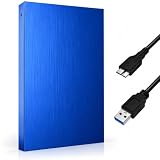
- FAST & RELIABLE USB 3.0 PERFORMANCE: Enjoy quick file transfers and smooth data access with USB 3.0 technology for backing up photos, videos, documents, and media libraries
- PORTABLE 2.5-INCH EXTERNAL HARD DRIVE: Slim, lightweight, and pocket-sized design makes it easy to carry anywhere for work, travel, gaming, or everyday storage needs
- WIDE COMPATIBILITY ACROSS DEVICES: Works seamlessly with laptops, desktops, PCs, gaming consoles, and more. Plug and play with no software installation required
- DURABLE & STYLISH DESIGN: Built with a sturdy Aluminium housing and a modern geometric finish for improved durability, heat resistance, and a premium look
- BUILT-IN LED INDICATOR FOR EASY MONITORING: LED activity light clearly shows power and data transfer status, so you always know when your drive is in use
Rank #3

- Ultra fast data transfers: the external hard drive works with USB 3.0 thickened copper cable to provide super fast transfer speeds. Theoretical read speed is as high as 110MB/s-133MB/s and write speed is as high as 103MB/s.
- Ultra-thin and quiet: the motherboard adopts a noise-free solution, giving you a quiet working environment. Lightweight and portable size designed to fit in your pocket for easy portability.
- Compatibility: compatible with PS4/xbox one/Windows/Linux/Mac/Android,Stable and fast downloading on game console no difference from fast transmission when using on PC.
- Plug and Play: no software to install, just plug it in and the drive is ready to use. The hard drive chip is wrapped with aluminum anti-interference layer to increase heat dissipation and protect data
- Package Contents: 1* portable hard drive, 1 *USB 3.0 cable, 1*USB to type C adapter,1 *user manual, shell packaging, three-year manufacturer's warranty and free technical support services
Product prices and availability are accurate as of the date/time indicated and are subject to change. Any price and availability information displayed on Amazon at the time of purchase will apply.

