
iTechGuides is reader-supported. When you buy through links on our site, we may earn an affiliate commission. As an Amazon Associate I earn from qualifying purchases. Learn more
You cannot enable the official DLSS 5 integration in Hogwarts Legacy yet. NVIDIA announced that the game’s update adding DLSS Neural Rendering is planned for November 5, 2026. Until that update is released and installed, a missing DLSS Neural Rendering option is expected, not evidence of a graphics-settings mistake. See NVIDIA’s announcement for the rollout notice.
After the update, look in Hogwarts Legacy’s graphics options for the exact setting name DLSS Neural Rendering. NVIDIA says the feature is optional. The published material does not yet specify the precise menu path, default state, driver requirement, or a dedicated overlay that proves Neural Rendering is processing a live frame, so verification is limited to a settings check and careful before-and-after observation.
What you can do now—and what must wait
The announced feature is a future game integration, not a hidden switch in the current release. Installing an existing NVIDIA App beta, changing Super Resolution, or enabling Frame Generation will not make DLSS Neural Rendering appear before the Hogwarts Legacy update. NVIDIA’s beta instructions in the announcement concern a separate Frame Generation Performance Mode, not this game-specific addition.
For now, the useful preparation is to identify whether your way of playing the game matches NVIDIA’s listed access paths and to keep your game ready to update. Once the official patch is available, the procedure below applies.
#1 Best Overall

- EXPLORE AN OPEN WORLD. The wizarding world awaits you. Freely roam Hogwarts, Hogsmeade, the Forbidden Forest, and the surrounding Overland area.
- BE THE WITCH OR WIZARD YOU WANT TO BE. Learn spells, brew potions, grow plants, and tend to magical beasts along your journey. Get sorted into your house, forge relationships, and master skills to become the witch or wizard you want to be.
- EXPERIENCE A NEW WIZARDING WORLD ADVENTURE. Experience the wizarding world in an unexplored era to uncover a hidden truth from its past. Battle against trolls, Dark Wizards, goblins, and more as you face a dangerous villain threatening the fate of the wizarding world.
- Import Region Free PEGI Version
Release status at a glance
| Item | What is established |
|---|---|
| DLSS 5 in Hogwarts Legacy | Announced, but not available in the game before the planned update |
| Planned update date | November 5, 2026, according to NVIDIA’s October 13 announcement |
| In-game option name | DLSS Neural Rendering |
| Default state | Not stated in the published sources |
| Exact menu path | Not stated; NVIDIA identifies the graphics option but does not publish a click-by-click path |
| Dedicated live-status overlay | Not documented |
The date is a planned rollout date, so check for a changed schedule if the patch is not available when expected. A platform can receive an update at a different local time or through a staged rollout; the key prerequisite is that the Hogwarts Legacy build itself has been updated.
How to enable DLSS 5 in Hogwarts Legacy
Use these steps after the official game update has installed. They deliberately avoid an unconfirmed menu path: NVIDIA has confirmed the option label, but not the exact sequence of menus used by every platform or interface version.
- Install the official Hogwarts Legacy update. Let your platform finish downloading and applying the patch before launching the game. If the title still reports an older build, exit and allow the update process to complete.
- Launch Hogwarts Legacy. Do not expect the new option in an unpatched copy, even if your hardware is otherwise compatible.
- Open the game’s graphics options. Use the graphics-settings screen exposed by your version of Hogwarts Legacy. The public NVIDIA guidance does not specify whether the control is nested under a particular rendering, upscaling, or advanced submenu.
- Find “DLSS Neural Rendering.” Search for that exact wording rather than a generic “DLSS 5” label. NVIDIA’s FAQ identifies the setting by this name.
- Turn the option on if you want to use it. DLSS 5 is optional, so leaving the control off is also a supported choice. Do not assume that changing a different DLSS control activates Neural Rendering.
- Apply or save the graphics changes if the game requests it. The sources do not establish whether a restart is required, so follow the prompt shown by your copy of the game rather than forcing a restart pre-emptively.
- Return to the same graphics screen. Confirm that DLSS Neural Rendering remains enabled after the setting has been applied. This is the clearest documented user-facing check currently available.
What not to change to “unlock” it
- Super Resolution: DLSS Super Resolution is a separate reconstruction function.
- Frame Generation or Multi Frame Generation: These generate additional frames and are not the Neural Rendering toggle.
- Ray Reconstruction: This is another distinct DLSS technology.
- NVIDIA App beta features: The beta mode described in NVIDIA’s announcement is not the Hogwarts Legacy Neural Rendering integration.
Why can’t I see DLSS 5 in Hogwarts Legacy?
Before the announced game update, the missing setting is normal. After the update becomes available, work through the following checks in order rather than changing unrelated graphics options.
Free tools Windows power users keep installed
One-click scans. No signup required.
1. Verify that the game, not just the driver, was updated
A graphics-driver update alone cannot add a game option that is delivered in the Hogwarts Legacy patch. Check your platform’s download or update history and confirm that the game completed its own update. Relaunching the title after the update can refresh its graphics-options database.
2. Confirm that your play method is one NVIDIA lists
NVIDIA identifies three supported routes for this integration: a local GeForce RTX 50 Series PC or laptop, GeForce NOW, and RTX Spark. The hardware and cloud details are summarized below. If you are playing locally on another GPU generation, the cited NVIDIA material does not establish support for that configuration.
Rank #2

- EXPLORE AN OPEN WORLD. The wizarding world awaits you. Freely roam Hogwarts, Hogsmeade, the Forbidden Forest, and the surrounding Overland area.
- BE THE WITCH OR WIZARD YOU WANT TO BE. Learn spells, brew potions, grow plants, and tend to magical beasts along your journey. Get sorted into your house, forge relationships, and master skills to become the witch or wizard you want to be.
- EXPERIENCE A NEW WIZARDING WORLD ADVENTURE. Experience the wizarding world in an unexplored era to uncover a hidden truth from its past. Battle against trolls, Dark Wizards, goblins, and more as you face a dangerous villain threatening the fate of the wizarding world.
- The Hogwarts Legacy Deluxe Edition includes Thestral Mount, Dark Arts Battle Arena, Dark Arts Cosmetic Set, and 72 Hours Early Access.
- Preorder Hogwarts Legacy Deluxe Edition and receive the Onyx Hippogriff Mount. Content will be delivered as a packed in code with game.
3. Check that you are looking for the right label
The expected text is DLSS Neural Rendering, not “DLSS 5.” A search for only the product number can cause you to overlook the actual control name.
4. Allow for rollout timing
If the update has been announced but has not reached your platform, there is no setting to enable yet. Release timing can vary by storefront, cloud service, region, or staged deployment. The announcement does not promise a universal release hour.
Recommended Free Tools
5. Do not assume an undocumented prerequisite
The available official pages do not state a required driver version, NVIDIA App version, graphics preset, or performance setting for this integration. You can keep your software current, but do not treat an unlisted version number as a confirmed requirement.
What GPU do I need for DLSS 5?
For local play, NVIDIA’s compatibility information points to GeForce RTX 50 Series graphics hardware, including laptops. NVIDIA also lists cloud and compact-system alternatives, so buying a graphics card is not the only way to access the announced integration.
| Access path | Compatibility described by NVIDIA | What it means for you |
|---|---|---|
| Local desktop or laptop | GeForce RTX 50 Series PCs and laptops | The game runs locally on an RTX 50 Series system. The cited sources do not name a specific model, VRAM amount, or preset requirement. |
| Cloud streaming | GeForce NOW; the FAQ specifies Ultimate members stream from RTX 5080 rigs | The rendering hardware is in the cloud rather than in your own PC. Your local device still needs to support the streaming client and connection. |
| RTX Spark | Listed by NVIDIA as an integration platform | NVIDIA names RTX Spark among the supported routes, but the cited pages do not provide a detailed Hogwarts Legacy configuration table. |
Do not extend the local-support statement to GeForce RTX 40 Series cards: the cited FAQ and announcement identify RTX 50 Series support, and they do not establish that local RTX 40 Series systems can run this specific Neural Rendering feature. They also do not publish a minimum processor, memory, storage, or operating-system specification for the integration.
Rank #3

- Fight to save your world. Save your sister. Save your soul.
- Fight for everything. Legends are born from trials.
- Epic weaponry, collect a diverse array of melee weapons and define your playstyle with stylish, effective combat.
- Stunning worlds to explore. Prepare to adventure far and wide across dangerous dimensions, majestic lands and strange new worlds.
Is DLSS Neural Rendering the same as DLSS Frame Generation?
No. They are related parts of NVIDIA’s DLSS family, but they perform different jobs and use different controls.
The Tool Desk
Outbyte Driver Updater FREEFix the driver behind crashes, sound loss and screen glitchesFind Drivers →Outbyte PC Repair FREERepair Windows errors before they cause bigger problemsFix Now →Neural Rendering
NVIDIA describes Neural Rendering as a final rendering stage. The game engine supplies a rendered frame built from artist-designed geometry, textures, and lighting buffers. The neural stage then adds lighting and material detail while the engine frame and developer controls continue to guide the result. This description explains the processing model; it is not a game-specific benchmark or promise of a particular frame-rate increase.
Frame Generation and Multi Frame Generation
Frame Generation creates additional frames between traditionally rendered frames. NVIDIA says Hogwarts Legacy already supports Multi Frame Generation on GeForce RTX PCs and laptops. That existing support does not mean the later Neural Rendering integration is present.
Ray Reconstruction
Ray Reconstruction is another separate DLSS function used in supported ray-traced rendering pipelines. NVIDIA also lists it among Hogwarts Legacy’s existing RTX features. Enabling it does not substitute for the Neural Rendering option.
NVIDIA’s FAQ says DLSS 5 can work with Super Resolution, Frame Generation, and Ray Reconstruction. “Can work with” describes compatibility among technologies, not a single combined switch. Treat each control as independent unless the game’s updated interface explicitly groups them.
What’s actually slowing this PC down?
Pick the symptom - the matching free tool is one click away.
Rank #4

- Play as your favorite character to defend the wizarding world from evil forces: Harry Potter, Hermione Granger, Ron Weasley and Neville Longbottom
- Gain influence to master powerful spells, recruit allies, and uncover magical items
- Enhance your abilities with over 140 cards
- 7 successive game adventures offer increasing difficulty: as you advance through games 1-7 of Harry Potter Hogwarts Battle, you will reveal progressively more challenging adventures and unlock new secrets on your journey to save Hogwarts from the Dark Lord!
- Includes: 252 cards, 4 dice, 7 game boxes, 7 game rules, 4 player boards, 8 villain control tokens, and 70 chip pieces.Perfect for 2-4 players
How can I tell if DLSS Neural Rendering is working?
The strongest documented check is a settings-level one: after updating, the game shows DLSS Neural Rendering, you enable it, and the enabled state remains when you revisit the graphics options. NVIDIA’s public material does not describe a dedicated in-game indicator, log entry, frame counter label, or overlay that proves Neural Rendering processed a particular live frame.
Use a controlled visual comparison
NVIDIA provides official on/off visual comparisons in its announcement. You can use the same idea as an informal check:
- Stand in the same location or load the same scene with identical camera framing.
- Record or capture the scene with DLSS Neural Rendering disabled.
- Enable the option, apply the change, and capture the same view again.
- Compare fine lighting, reflective material detail, and other visible elements without changing the resolution, ray-tracing options, or camera position.
This can show an image difference, but it is not telemetry. A visual change alone cannot identify which DLSS component caused it if several settings were changed at once, and the published sources do not define a pass/fail image test.
What a frame-rate counter can and cannot tell you
A frame-rate counter may show that overall performance changed, but it cannot prove that Neural Rendering is active. No Hogwarts Legacy-specific DLSS 5 frame-rate, latency, or performance-uplift result is published in the cited official material. NVIDIA’s announcement title refers to a “2X Faster Model”; that statement concerns the broader model discussed in the announcement and should not be converted into a Hogwarts Legacy performance expectation.
Quick wins for a faster PC:
Scan for outdated or missing drivers - takes under a minuteDriver Scan →Clear out junk files and repair common Windows errorsFree Scan →Fix the driver behind crashes, sound loss and screen glitchesFind Drivers →Troubleshooting by symptom
The option is missing before the update
There is nothing to repair. The integration is not expected to be present until the announced game update is released and installed. Continue using the game’s existing DLSS options if your hardware supports them, but do not interpret those controls as DLSS 5.
Best Value
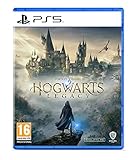
- EXPLORE AN OPEN WORLD. The wizarding world awaits you. Freely roam Hogwarts, Hogsmeade, the Forbidden Forest, and the surrounding Overland area.
- BE THE WITCH OR WIZARD YOU WANT TO BE. Learn spells, brew potions, grow plants, and tend to magical beasts along your journey. Get sorted into your house, forge relationships, and master skills to become the witch or wizard you want to be.
- EXPERIENCE A NEW WIZARDING WORLD ADVENTURE. Experience the wizarding world in an unexplored era to uncover a hidden truth from its past. Battle against trolls, Dark Wizards, goblins, and more as you face a dangerous villain threatening the fate of the wizarding world.
- Please note that although this game is Region Free or Region Unlocked and will work on all systems, this is the international version and may differ from the local version in age rating, labeling or instructions. DLC content may not work unless using an EU Playstation account as stated this is an EU Import Region Free Version
The option is missing after I updated
- Confirm the Hogwarts Legacy update completed rather than only updating your graphics driver.
- Restart the game and reopen its graphics options.
- Check that your local hardware or streaming route matches NVIDIA’s listed compatibility paths.
- Search for the full label “DLSS Neural Rendering,” not only “DLSS 5.”
- If the option remains absent, consult the game platform’s support channel for rollout or installation issues. The cited NVIDIA pages do not establish an additional driver, app, or preset requirement that can be prescribed here.
The option appears but will not stay enabled
Apply the setting using the game’s own confirmation prompt, then revisit the graphics screen. If it resets, record the game version, platform, GPU or streaming route, and any error message before contacting support. Avoid deleting configuration files or forcing undocumented launch parameters: no such workaround is provided by the official compatibility information.
I enabled it but cannot see a status indicator
That is consistent with the available documentation. NVIDIA has not published a dedicated live-processing overlay for this game integration. Use the enabled setting as the documented check and treat visual comparisons as observational rather than proof of frame-level processing.
Local, streamed, and compact-system access compared
The integration is easier to understand when availability and ownership are separated. Local RTX 50 Series play depends on hardware in your computer. GeForce NOW places the listed RTX 5080 rendering system in the cloud for Ultimate members. RTX Spark is named as another supported platform. These are different delivery models, even though NVIDIA lists all three for the Hogwarts Legacy integration.
| Question | Local RTX 50 Series | GeForce NOW | RTX Spark |
|---|---|---|---|
| Where rendering occurs | Your PC or laptop | NVIDIA’s cloud infrastructure | The RTX Spark system |
| Hardware detail stated | RTX 50 Series | Ultimate members stream from RTX 5080 rigs | Platform named; detailed game configuration not stated |
| What you must update | Hogwarts Legacy and your local system software | The cloud game session follows the service rollout | Hogwarts Legacy and the platform’s software as applicable |
| Does owning a local RTX card appear mandatory? | Yes for this route | No; rendering is streamed | No local RTX 50 Series card is implied by the platform listing |
Because the announcement does not publish prices, a specific card recommendation, or a detailed RTX Spark configuration, compatibility should guide your decision rather than an assumed upgrade requirement.
What NVIDIA has and has not promised for Hogwarts Legacy
- Promised in the announcement: a Hogwarts Legacy update adding DLSS Neural Rendering, with the planned launch date stated above.
- Named setting: DLSS Neural Rendering.
- Optional status: NVIDIA’s FAQ says DLSS 5 is optional.
- Supported routes named: GeForce RTX 50 Series local PCs and laptops, GeForce NOW, and RTX Spark.
- Existing features distinguished: NVIDIA says Hogwarts Legacy already has Multi Frame Generation and Ray Reconstruction on GeForce RTX PCs and laptops.
- Not supplied: a game-specific benchmark, latency result, exact menu path, default state, dedicated diagnostic overlay, precise driver version, or minimum system specification.
NVIDIA reports that Hogwarts Legacy has sold more than 40 million copies. That is NVIDIA’s reported figure, not an independently verified sales measurement, and it does not change the feature’s hardware or release requirements.
Quick Recap
Quick checklist
- Wait for the official Hogwarts Legacy update adding the feature.
- Confirm your access route appears in NVIDIA’s compatibility information.
- Open the game’s graphics options after updating.
- Look specifically for DLSS Neural Rendering.
- Enable it if you want to use it, then revisit the setting to confirm it stayed enabled.
- Keep Neural Rendering separate from Super Resolution, Frame Generation, Multi Frame Generation, and Ray Reconstruction.
- Do not treat a generic frame counter or NVIDIA overlay as proof unless a future official update documents a dedicated indicator.
Product prices and availability are accurate as of the date/time indicated and are subject to change. Any price and availability information displayed on Amazon at the time of purchase will apply.

