
Quick wins for a faster PC:
Fix the driver behind crashes, sound loss and screen glitchesFind Drivers →Repair Windows errors before they cause bigger problemsFix Now →iTechGuides is reader-supported. When you buy through links on our site, we may earn an affiliate commission. As an Amazon Associate I earn from qualifying purchases. Learn more
To customize a Galaxy S22 lock screen, open Settings > Wallpaper and style, tap the lock-screen preview, and edit the clock, shortcuts, or widgets in the editor. The exact labels and available options can vary by software version.
Open the Galaxy S22 lock-screen editor
-
Open Settings and tap Wallpaper and style.
-
Tap the Lock screen preview to open its editor. AT&T documents this path for the Galaxy S22; Samsung also describes a lock-screen editor for Galaxy devices generally.

Samsung’s overview describes the editor as a place to adjust wallpaper, clock, widgets, and notifications: Samsung Ireland: Discover new lock screen features on your Samsung Galaxy device.
What’s actually slowing this PC down?
Pick the symptom - the matching free tool is one click away.
Change or hide the lock-screen clock
-
In the lock-screen editor, tap Clock.
-
Choose a clock style, then move or resize the clock as desired. You can also hide it.
#1 Best Overall
 Ailun Screen Protector + Camera Lens Protector for Galaxy S22, 3+3 Pack
- It is 100% brand new, High Definition, preserve the way of stunning HD Display, but also with maximum protection! Protect the Screen against dust, scratches and shocks by coating the glass shield on the screen.
- Precise laser cut tempered glass, exquisitely polished, rounded edges. Original HD Clarity and Touchscreen Accuracy. Reduces fingerprints- Oleophobic Coating magically resists oils and reduces annoying fingerprints.
- Perfect fit: the Screen Protector is specially designed for Samsung Galaxy S22
- Protect the Screen against dust,scratches and shocks by coating the glass shield on the screen.
- Easiest Installation - removing dust and aligning it properly before actual installation,enjoy your screen as if it wasn't there.Precise laser cut tempered glass,perfect fits.
-
Tap outside the clock menu to save the changes.
These clock controls and save behavior are documented specifically for the Galaxy S22 in AT&T’s Galaxy S22 clock and shortcut guide.
Choose the lock-screen shortcut apps
-
In the editor, tap a shortcut position on the lock screen.
Rank #2
 NEW'C for Samsung Galaxy S22 5G Screen Protector Tempered Glass HD Clear
- PRECISE COMPATIBILITY: Designed exclusively for Samsung Galaxy S22 5G (6,1 inch) Not compatible with Samsung Galaxy S22 Plus, S22 Ultra Please check the exact model of your phone before purchasing.
- ULTRA-THIN 0.25 MM: Ultra-thin tempered glass designed to maintain touchscreen sensitivity and facilitate the use of the under-screen fingerprint sensor, while providing protection against everyday scratches and impacts.
- FINGERPRINT SENSOR: After installation, delete your previously registered fingerprints and register them again. If necessary, enable Settings > Display > Touch sensitivity to optimise fingerprint recognition.
- CAREFUL INSTALLATION: Due to its ultra-thin 0.25 mm design, handle the glass carefully during installation. Avoid bending it or applying strong pressure to the edges. Clean and align the screen carefully before installation.
- PROTECTION & CLARITY: 9H tempered glass with an oleophobic coating that helps reduce fingerprints and makes cleaning easier. High transparency maintains the clarity of your display.
-
Select the app you want to appear in that position.
Recommended: Crashes or Glitches? A Free Driver Scan Usually Finds the Culprit →Recommended: Fix Windows Errors and Clear Junk Files in Minutes - Free Scan →Recommended: Update Every Outdated Driver on Your PC in One Scan - Free →Special offer. See more information about Outbyte and uninstall instructions. Please review EULA and Privacy policy. -
Tap Done to apply the selection.
The available choices depend on what the installed software presents in the shortcut picker.
Rank #3
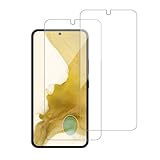
- 【Compatibility】Screen Protector, Tempered-Glass, only for Samsung Galaxy S22 / SM-G901u
- 【Superior Coating】The screen protector features an exceptional coating that creates a smooth surface, reducing the impact of sweat and oil, keeping your screen clean and pristine.
- 【Advanced Craftsmanship】Precision cutting technology ensures a perfect fit for your device, while advanced tempering processes protect the screen protector from scratches and everyday wear and tear. With a hardness rating of 9H, it offers robust protection.
- 【High Sensitivity & Clarity】Made from premium materials, this screen protector delivers crystal-clear visuals and an excellent viewing experience, ensuring smooth and responsive touch sensitivity.
- 【Prompt Service】includes: Heenjer provides a complete cleaning kit and user manual, ensuring efficient customer support and high-quality solutions for your needs.
Add widgets for at-a-glance information
-
Go to Settings > Wallpaper and style and select the current lock-screen preview.
-
Tap Add widgets.
-
Select a widget, choose a style when prompted, then tap Done.
Samsung’s current Brief widget instructions are for Galaxy devices generally rather than an S22-only software build. Samsung notes that supported Brief widget apps may be added, removed, or updated over time. See Samsung UK’s Brief widget instructions, updated 19 March 2026.
Do these 3 things before closing this tab:
1Scan for outdated or missing drivers - takes under a minute2Clear out junk files and repair common Windows errors3Fix the driver behind crashes, sound loss and screen glitchesWhy your menus or options may differ
Galaxy S22 menu labels and features can depend on the software installed on the phone. Samsung’s widget guide does not provide a complete feature matrix for every S22 One UI release, region, or carrier. If a label differs, follow the closest matching option shown on your phone rather than assuming a missing feature is available on every build.
Best Value
![Galaxy S22 Tempered Glass Screen Protector + Camera Lens Protector [ 2 + 2 Pack ][Case Friendly] [Anti-Scratch] [Ultrasonic Fingerprint Unlock] Clear HD Glass Protective Film for Samsung Galaxy S22](https://m.media-amazon.com/images/I/41mwn8f5F3L._SL160_.jpg)
- [Perfect Fit for Galaxy S22] : Exclusively designed for Galaxy S22 with precise cutouts, compatible with most Galaxy S22 cases and covers.
- [Perfect Protection]: Through the industry high hardness 9H high quality tempered glass, three times stronger than ordinary PET film. So strong enough to prevent scratches, scratches and rupture. Precise laser cutting size provides maximum protection for the entire touchscreen surface of your Galaxy S22.(If you cannot use the fingerprint to unlock after installation, reset the fingerprint to unlock. )
- [No Rainbow Effect] : Upgraded all-clear adhesive, not only on the edges, but also the touchscreen area, sticking firmly on your phone to maintain the original screen touch sensitivity. You won't see the rainbow effect as other screen protectors may have on the phone screen.
- [Simple Installation]: Bubble-free, easy installation, and perfect fit. Maintain longevity and durability while preventing the screen protector from peeling off.
- [What You Get]: 2 x tempered glass screen protective film, 2 x Camera Lens Screen Protectors, 2 x equipment cleaning wipe, 2 x dust stickers. If the product has a problem, please contact us first, we provide free replacement warranty and 100% satisfaction guarantee.
One specific version limit: Samsung US says the option to show lock-screen wallpaper on Always On Display is available only on devices running One UI 7.0 or higher. That should not be taken to mean every Galaxy S22 is running that version. See Samsung US: Add, customize, and use widgets on Galaxy phones.
Quick Recap
Product prices and availability are accurate as of the date/time indicated and are subject to change. Any price and availability information displayed on Amazon at the time of purchase will apply.

