
iTechGuides is reader-supported. When you buy through links on our site, we may earn an affiliate commission. As an Amazon Associate I earn from qualifying purchases. Learn more
Samsung’s Galaxy A57 5G (model SM-A576B) software notice lists One UI 9 with a release date of October 12, 2026. The documented A57 change is expanded control over Quick Panel arrangement and customization. Because Samsung releases firmware by market and carrier, first confirm that your own phone has the update, then use the editing controls visible on that build.
This guide separates the A57-specific change from general Galaxy personalization. It also explains which One UI 9 examples belong to Samsung foldables rather than the A57.
What One UI 9.0 changes on the Galaxy A57
Samsung’s device-specific notice for the Galaxy A57 5G (SM-A576B) says: “You can now rearrange and customize the controls in your quick panel even more than before.” That is the clearest confirmed customization change for this phone. The notice is dated October 12, 2026, but a date on Samsung’s page does not guarantee that every country, carrier, or regional firmware delivered it on the same day.
Quick wins for a faster PC:
Scan for outdated or missing drivers - takes under a minuteDriver Scan →Clear out junk files and repair common Windows errorsFree Scan →Fix the driver behind crashes, sound loss and screen glitchesFind Drivers →Use the model-specific notice at Samsung’s Galaxy A57 5G software-update page as the reference for SM-A576B. Other A57 variants can have different firmware schedules or menu wording.
#1 Best Overall
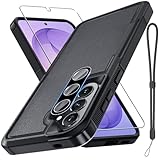
- Compatible Model: Special design for Samsung Galaxy A57,Released in 2026.Package: 1 x phone case,1 x separate HD tempered glass screen protector,1 x camera lens protector,1 x nylon wrist wtrap lanyard
- Military Grade Protection: Hard PC back cover,soft TPU bumper combined to provide dual layer protection. The shock-absorbing TPU bumper keep your phone safe from the occasional drop,while its PC back will protect your phone from daily wear and tear
- Comfortable Grip: The new super cool dual layer design adds non-slip stripes to the side of the case,and the surface of the hard PC back cover is specially frosted. It makes the phone slim and easy to hold for a natural and comfortable feel
- Precise Cutting: Precise clipping ensures easy access to all buttons and ports. Besides,0.08 inch raised screen bezel and 0.12 inch raised camera bezel to provide extra protection for your GalaxyA57
- Full Body Protection: This two-in-one combination of military grade tough protective case,Four-corner grooved airbags,unique shock absorption design. Raised lips keeps camera lifted to prevent your lens from shock,collision and scratch
Confirmed versus general personalization
| Item | What is established | How to use that information |
|---|---|---|
| One UI version | The SM-A576B notice lists One UI 9. | Check the version installed on your phone before changing settings. |
| Quick Panel | Samsung documents more rearranging and customization of Quick Panel controls. | Open the panel and use the edit controls shown on your own build. |
| Rollout timing | The notice carries a release date of 2026-10-12. | Do not assume every carrier or country received it that day. |
| Wallpaper, lock screen, widgets, and themes | These are ordinary Galaxy personalization areas, but the reviewed A57 notice does not list a complete One UI 9 feature inventory for them. | Treat any menu you see as a general device setting unless Samsung’s A57 changelog specifically identifies it as new. |
| FlexWindow editing | Samsung’s One UI overview describes this for the Galaxy Z Flip8 cover display. | It is not evidence that the A57 has a FlexWindow or the same controls. |
Check that One UI 9 is installed
Do this before troubleshooting a missing customization option. Samsung’s standard update route is the following, although labels can vary slightly with software build, language, and carrier.
- Open Settings.
- Tap Software update.
- Select Download and install.
- Tap Check for updates.
- If an update is offered, read the release information, connect to reliable Wi-Fi, ensure the battery is adequately charged, and follow the on-screen installation steps.
- After the restart, return to the software-update screen and verify the installed One UI version and build information.
Samsung describes this route on its One UI overview for supported devices. The exact screen may expose a download button immediately, or it may report that the phone is current.
If the phone says it is up to date
- Check again later rather than treating the release date as a promise for your carrier.
- Confirm the model number under Settings and About phone. The documented notice is specifically for SM-A576B.
- Make sure the phone has a stable connection and enough storage for the update package.
- Install any pending restart or security update, then check the software-update page again.
- If a carrier manages updates on your device, ask that carrier when the firmware is scheduled for your region.
Samsung notes that feature availability can vary by country or region, One UI and operating-system version, device model, and carrier. Its A57 product information is available at Samsung’s Galaxy A57 specifications page.
Customize the Quick Panel on your A57
The Quick Panel is the set of controls that appears when you swipe down from the top of the display. One UI 9’s A57-specific change concerns how those controls can be arranged and customized. Samsung’s notice does not publish a universal, A57-specific tap sequence, so use the labels and edit affordances that your installed build actually displays.
Open the editing view
- From the Home screen or another app, swipe down from the top edge to open the Quick Panel.
- If the first swipe shows only a compact row of controls, swipe down again to reveal the full panel.
- Look for the panel’s edit command, such as an edit icon or an Edit label. Its position can differ by One UI build and screen layout.
- Tap that command and inspect the editing screen before moving anything. The screen should show the controls currently in the panel and any available controls that can be added.
If you do not see an edit command, try opening the panel fully, rotating the phone back to portrait orientation, or closing a notification shade overlay. Avoid installing an app that claims to unlock Quick Panel editing; the documented change is built into One UI.
Rank #2
![Spigen for Galaxy A57 5G Case, Tough Armor [Military-Grade Protection] - Black](https://m.media-amazon.com/images/I/41S5bGOEfzL._SL160_.jpg)
- Hybrid PC and TPU structure with Air Cushion Technology to achieve a slim but durable design
- Raised edges for screen and camera protection Military-grade via Extreme Protection Tech
- All-new revamped design with built-in kickstand for hands-free viewing
- Compatible with wireless charging [NOT compatible with MagSafe]
- Spigen Tough Armor Case Compatible with Samsung Galaxy A37 5G Case
Rearrange controls for faster access
- In the edit view, press and hold a control you use frequently.
- Drag it toward the position where you want it to appear, then release when the insertion indicator moves to that location.
- Put high-priority controls in the first visible group so they are reachable with fewer swipes.
- Move rarely used controls farther down or into the available-controls area if your build offers that distinction.
- Save, apply, or tap Done if your interface presents a confirmation button.
- Close the panel and reopen it to confirm the order from the normal user view.
Use short tests after each change. Turn on a control, verify the result, then turn it off again if it was only a test. This prevents accidentally leaving settings such as wireless radios, sound modes, or screen features in an unwanted state.
Add or remove controls when the build allows it
- Open the Quick Panel’s edit view again.
- Review the controls that are available but not currently displayed.
- Select the control you need, then drag it into the active panel or use the add action shown by your build.
- To remove a control, drag it out of the active arrangement or use the remove action provided on the editing screen.
- Apply the changes and test the panel from both the collapsed and expanded views.
The wording and placement of these actions are not guaranteed to match screenshots from another Galaxy model. If an option is absent, that can reflect your model, carrier firmware, region, language, or a later software revision rather than a fault.
Design a practical control order
| Use case | Controls to place near the front | Reason |
|---|---|---|
| Travel and commuting | Mobile data, Wi-Fi, Bluetooth, location, and personal hotspot if you use them regularly | These settings often need quick changes when networks or accessories change. |
| Meetings and quiet periods | Sound mode, Do Not Disturb, vibration, and screen brightness | They let you silence or restore the phone without opening full Settings. |
| Reading outdoors | Brightness and any available eye-comfort or visibility control on your build | Frequently adjusted display controls are easier to reach in the first group. |
| Occasional tools | Screen recording, calculator, QR scanner, or other controls you rarely use | Keeping them later avoids crowding the controls needed every day. |
These are organization examples, not a promise that every named control appears on every A57 firmware. Keep only controls that your device exposes and that you understand.
Personalize appearance separately from the One UI 9 Quick Panel change
Changing the Quick Panel arrangement is the A57 customization explicitly tied to the One UI 9 notice. Wallpaper, lock-screen appearance, widgets, icons, and themes are separate Galaxy settings. They may be available on your phone, but the reviewed A57 notice does not establish that One UI 9 introduced a particular new option for each category.
Wallpaper and lock-screen appearance
Open Settings and look for a Wallpaper or Wallpaper and style entry, or use the wallpaper option presented when you press and hold an empty area of the Home screen. Choose the screen you intend to change, preview the result, and apply it only after checking whether the selection affects the Home screen, lock screen, or both. Menu names can differ by software build.
Rank #3
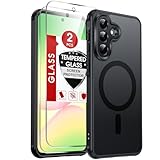
- Precision Fit: This case is precisely engineered exclusively for the 𝐒𝐚𝐦𝐬𝐮𝐧𝐠 𝐆𝐚𝐥𝐚𝐱𝐲 𝐀𝟓𝟕 𝟓𝐆. It offers a perfect millimeter-accurate fit, seamlessly matching your device's contours for exceptional protection
- MagSafe Ready: Unlock next-level convenience with built-in N52 magnets. Securely attach magnetic accessories like wallets, car mounts, ring holders, and chargers—no bulky adapters needed
- Sensory Luxury:The subtly textured surface provides a secure anti-slip grip while showcasing your phone's original color. Stays looking clean and fresh through daily use
- Full Degree Protection:This case delivers military-grade protection without bulk. 0.5mm raised bezels safeguard the screen and cameras from scratches. Quad-corner shock absorption (featuring TPU and air cushion tech) and a reinforced polycarbonate frame ensure survival from 12ft drops tested
- Get Everything You Need: A 𝐆𝐚𝐥𝐚𝐱𝐲 𝐀𝟓𝟕 𝟓𝐆 magnetic case with 2 packs tempered glass screen protector for perfect phone defense. Backed by professional customer support resolving any issue within 12 hours. Complete protection, swift service
When a lock-screen editor is offered, change one element at a time and lock the phone to verify the clock, notifications, and shortcuts remain readable. A visual option found in this menu should not be described as an A57-exclusive One UI 9 feature unless Samsung’s A57 documentation identifies it that way.
Do these 3 things before closing this tab:
1Fix the driver behind crashes, sound loss and screen glitches2Repair Windows errors before they cause bigger problems3Scan for outdated or missing drivers - takes under a minuteHome-screen widgets and layout
Press and hold an empty area of the Home screen, then use the widget or layout control shown by your device. Add a widget only if it provides information you actually need; each widget can consume space and battery. Resize it using the handles provided, place it on the desired Home-screen page, and remove it from the same long-press menu if it obscures icons or text.
After a major update, check the layout on every Home-screen page. A widget may have moved, changed size, or require a fresh permission. Those effects are separate from the Quick Panel rearrangement documented for the A57.
Themes and icon appearance
If your Settings or Galaxy customization menus include a theme or icon section, preview a theme before applying it. Check contrast in the Quick Panel, Settings, and notification text, not just on the Home screen. A theme can alter colors and icon artwork without changing the order of Quick Panel controls.
Do not apply Z Flip8 FlexWindow instructions to the A57
Samsung’s general One UI page includes examples of customizing the FlexWindow on the Galaxy Z Flip8. FlexWindow is the foldable’s cover-display experience. The example is device-specific and does not establish that the Galaxy A57 has a cover display, FlexWindow editor, or the same settings.
What’s actually slowing this PC down?
Pick the symptom - the matching free tool is one click away.
Rank #4

- Compatible Model: Special design for Samsung Galaxy A57,Released in 2026.Package: 1 x phone case,1 x separate HD tempered glass screen protector,1 x camera lens protector,1 x nylon wrist wtrap lanyard
- Military Grade Protection: Hard PC back cover,soft TPU bumper combined to provide dual layer protection. The shock-absorbing TPU bumper keep your phone safe from the occasional drop,while its PC back will protect your phone from daily wear and tear
- Comfortable Grip: The new super cool dual layer design adds non-slip stripes to the side of the case,and the surface of the hard PC back cover is specially frosted. It makes the phone slim and easy to hold for a natural and comfortable feel
- Precise Cutting: Precise clipping ensures easy access to all buttons and ports. Besides,0.08 inch raised screen bezel and 0.12 inch raised camera bezel to provide extra protection for your GalaxyA57
- Full Body Protection: This two-in-one combination of military grade tough protective case,Four-corner grooved airbags,unique shock absorption design. Raised lips keeps camera lifted to prevent your lens from shock,collision and scratch
For A57 instructions, use the model-specific software notice first and treat general One UI demonstrations as examples that may apply only to the device named on that page. If a guide tells you to open a FlexWindow editor on an A57, it is describing the wrong hardware.
Confirm what is available on your exact software build
Samsung’s A57 information warns that availability can differ by region, country, operating-system or One UI version, model, and carrier. Use this checklist when an option shown in another guide is missing:
- Record the model number and software version under Settings and About phone.
- Note the country or region in which the phone was sold and the carrier firmware currently installed.
- Check whether the phone has received One UI 9 or is still on an earlier One UI version.
- Open the Quick Panel fully; some builds hide editing actions until the expanded view is visible.
- Restart the phone after installing the update, then check the panel again.
- Compare the available controls with Samsung’s current device-specific documentation rather than with a video for a different Galaxy model.
Troubleshoot Quick Panel customization
The edit option is missing
Confirm that you expanded the panel completely and that the phone is not displaying a temporary overlay. Restart once, check the software version, and look again. If the edit command remains absent, your carrier or regional build may expose a different layout, or the control may be located behind a menu icon rather than a text label. Do not assume a third-party customization app is required.
A control will not move
Make sure you are pressing and holding the control in the edit view, not merely tapping it in the normal panel. Drag until the interface shows a clear insertion position. If the control is fixed or unavailable for removal, leave it in place; One UI can reserve certain system controls on some builds.
The new order did not persist
Apply or finish the edit session using the confirmation action shown on screen. Reopen the panel after closing it. If the order resets after a restart, install any pending software update, repeat the edit, and check whether a work profile, device-management policy, or carrier configuration is enforcing a layout.
Best Value
![for Samsung Galaxy A57 5G Phone Case[Compatible with Magsafe] [15 FT Military Grade Drop Protection] with Screen Protector & Lens Protector, Non-slip Shockproof Case for Galaxy A57 5G (Dark Blue)](https://m.media-amazon.com/images/I/41eO+9rFr3L._SL160_.jpg)
- 👍【Strong Magnetic Attraction】Compatible for Magnetic chargers and other Wireless chargers without signal influence
- 👍【Compatibility】Designed for Samsung Galaxy a57 5G. Additional 1x 9H HD Tempered Glass Screen Protector & Lens Protector
- 👍【15FT Military-Grade Protection】The heavy-duty and durable Samsung Galaxy a57 5G phone case with shockproof non-slip soft TPU at the corners and scratch-resistant PC on the back can protect your phone from drops and scratches
- 👍【Precise Cutouts】 The Samsung Galaxy a57 5G phone case features precise cutouts for all buttons and ports, tailored for the Samsung Galaxy a57 5G. Raised edges ensure full protection for your phone's screen and back
- 👍【360-Day Warranty】 Our commitment to quality is backed by a 360-day, hassle-free warranty for your peace of mind. Secure your Samsung Galaxy a57 5G case with confidence
The panel looks different after updating
A major One UI update can change spacing, grouping, icons, or the number of controls visible at once. Rebuild your arrangement from the current edit screen rather than trying to reproduce an older screenshot. Keep a note of your preferred order so you can restore it quickly after future updates.
The phone never offers One UI 9
The October 12, 2026 date belongs to Samsung’s SM-A576B notice, not to every sales region or carrier. Check the model number, connect to Wi-Fi, and use Settings > Software update > Download and install > Check for updates again later. If the device was imported, its firmware region may follow the original market rather than your current location.
Use a simple customization plan
- Verify: Confirm the model and installed One UI version.
- Prioritize: List the five controls you change most often.
- Arrange: Place those controls in the first Quick Panel group using the edit view.
- Test: Open the panel from the Home screen and from inside an app, then verify each control.
- Refine: Move occasional controls farther back and remove clutter.
- Separate: Change wallpaper, lock screen, widgets, or themes only through their own menus, without assuming they are One UI 9 A57 additions.
- Recheck: After a later firmware update, confirm that the order and appearance still suit you.
Optional physical protection
A case is unrelated to software customization, but a compatible accessory can protect the phone while you use the new settings. Samsung’s New Zealand launch terms list model-specific A57 accessory codes, which establishes that fit is model-dependent; they do not show that a case adds Quick Panel functions. If you buy one, verify the exact A57 model and regional variant before ordering. The launch document is available at Samsung New Zealand’s A57/A37 offer terms.
Free tools Windows power users keep installed
One-click scans. No signup required.
What you can expect after setup
Once One UI 9 is installed on a supported A57 firmware, the reliable, documented improvement is greater control over Quick Panel arrangement. You can organize the controls around your habits, while visual personalization remains a separate set of Galaxy options whose exact availability depends on the installed build. The safest approach is to follow the controls your phone actually presents, keep model and region caveats in mind, and avoid transferring foldable-only instructions to this non-foldable model.
Quick Recap
Product prices and availability are accurate as of the date/time indicated and are subject to change. Any price and availability information displayed on Amazon at the time of purchase will apply.

