
iTechGuides is reader-supported. When you buy through links on our site, we may earn an affiliate commission. As an Amazon Associate I earn from qualifying purchases. Learn more
Connect the ATH-R30x’s fixed 3.0 m cable to the device’s headphone output. Its plug is a 3.5 mm stereo mini-plug, so it goes directly into a compatible 3.5 mm jack. For an audio interface with a 6.3 mm headphone jack, attach the included 6.3 mm stereo adapter first. Turn the source volume down before plugging in, then raise it gradually.
Identify the ATH-R30x connector first
The ATH-R30x is a wired, open-back reference headphone. It has no detachable cable or wireless mode. The permanently attached cable is 3.0 m long and ends in a gold-plated 3.5 mm stereo mini-plug. Audio-Technica also includes a 6.3 mm stereo adapter for equipment that uses the larger professional-style headphone socket.
That means the connection decision is mainly about the output on your phone, laptop, or interface:
What’s actually slowing this PC down?
Pick the symptom - the matching free tool is one click away.
| Device output | Connection | Additional hardware |
|---|---|---|
| 3.5 mm headphone output | Insert the ATH-R30x plug directly | None |
| 6.3 mm headphone output | Fit the supplied 6.3 mm stereo adapter to the headphone plug, then insert it | Use the included adapter |
| No headphone jack | Use a port-compatible adapter or USB audio device that provides headphone output | Depends on the phone or laptop model |
A USB-C, Lightning, or other digital-port accessory is not automatically compatible just because its connector fits the device. It must support headphone output, and its compatibility depends on the device model and operating system. Check that device’s documentation before buying or using an adapter.
#1 Best Overall

- Versatile open-back reference headphones are ideally suited for home studio production, multimedia content creation, and detailed everyday listening
- Open-back design allows unrestricted driver movement for a clear, natural sound signature
- Enhanced 40 mm drivers reproduce audio with clarity and balance, delivering well-defined lows, transparent mids, and smooth, extended highs that bring out the detail in any mix
- Wide, realistic soundstage provides an immersive listening experience
- Durable, lightweight construction and a new headband design ensure long-lasting comfort
Prepare the device before plugging in
- Stop playback or pause the application that is producing sound.
- Turn the phone, laptop, or audio interface’s headphone volume down. Audio-Technica’s manual specifically instructs users to lower the device volume before connecting the input plug.
- Locate a socket marked with a headphones symbol or otherwise identified as a headphone output. Do not use a microphone, line input, instrument input, or speaker output.
- Check whether the socket is 3.5 mm or 6.3 mm before inserting the plug. Never force a connector into a port that does not match it.
- Connect the headphones using the appropriate method below.
- Start audio playback and increase the output level slowly until it is comfortable.
The manual also advises consulting the connected device’s user manual. This is particularly important when the device has several USB-C ports, a combined headset jack, a dock, or an external audio interface.
Connect the ATH-R30x to a phone
Phone with a 3.5 mm headphone jack
With a conventional 3.5 mm headphone jack, no special adapter is required:
- Lower the phone’s media or headphone volume.
- Insert the ATH-R30x’s 3.5 mm stereo plug fully into the phone’s headphone jack.
- Play music, a video, or another audio source.
- Raise the volume gradually and stop at a comfortable level.
If the phone has a combined headset socket, the ATH-R30x can still be used for headphone playback because its plug carries stereo audio. The headphones themselves are documented as a playback device; the manual does not describe a microphone input.
Do these 3 things before closing this tab:
1Scan for outdated or missing drivers - takes under a minute2Clear out junk files and repair common Windows errors3Fix the driver behind crashes, sound loss and screen glitchesPhone without a 3.5 mm jack
You need an adapter or USB audio device that matches the phone’s physical port and provides a headphone output. The correct accessory cannot be determined without the phone model. A suitable setup generally consists of the phone’s port, a compatible audio adapter or dongle, and the ATH-R30x’s 3.5 mm plug.
- Check the phone’s documentation to determine whether its port supports audio output and which adapters are supported.
- Connect the compatible adapter or USB audio device to the phone.
- Insert the ATH-R30x plug into the adapter’s 3.5 mm headphone socket.
- Keep the phone volume low while the connection is established.
- Play audio and raise the level slowly.
Do not assume that every USB-C-to-3.5 mm accessory performs the same function. Some are passive adapters that require a device with particular audio support, while others contain their own digital-to-analog audio hardware. Follow the phone maker’s compatibility guidance rather than choosing solely by connector shape.
Rank #2
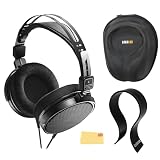
- SOUND QUALITY: The Audio-Technica headphones feature a professional open-back design with 40 mm drivers, delivering natural, balanced audio with clear mids, smooth highs, and defined lows, ideal for critical listening and mixing
- IMMERSIVE SOUNDSTAGE: With a spacious and realistic soundstage, these headphones ensure accurate stereo imaging and depth, providing a true-to-life audio experience for professional and home studio use
- LIGHTWEIGHT COMFORT: Weighing just 210g, it features an adjustable headband, soft velour earpads, and breathable earcups, ensuring long-lasting comfort during extended listening sessions
- BUILD & DESIGN: Its open-back construction allows natural sound flow, while the durable and flexible build makes it ideal for professional and home studio environments
- EVERYTHING IN ONE BOX: Austin Bazaar bundles your purchase with essential accessories, this bundle comes with a case to keep your headphones safely packed away when you're on the go, a stand to place your headphones, preventing tangling and damage and an Austin Bazaar polishing cloth is included to keep your headphones in mint condition
Connect the ATH-R30x to a laptop
Laptop with a 3.5 mm headphone jack
Most laptops that provide a standard 3.5 mm headphone output accept the ATH-R30x directly:
- Reduce the laptop’s output volume in the operating system and in the application you plan to use.
- Insert the 3.5 mm plug into the socket marked for headphones or headsets.
- Choose the connected headphone output if the operating system displays an audio-device selection prompt.
- Start playback and increase the volume gradually.
Some laptops combine headphone and microphone functions in one socket. That does not turn the ATH-R30x into a headset with a microphone; it simply provides a compatible headphone path for its stereo plug.
Laptop without a headphone jack
Use a port-compatible adapter or USB audio device that explicitly provides headphone output. Confirm the laptop’s supported port functions in its documentation, especially when using USB-C, a dock, or a monitor with built-in audio.
- Identify an available port that supports audio through the adapter you intend to use.
- Connect the compatible adapter or USB audio device.
- Wait for the operating system to recognize the output, if recognition is required.
- Plug the ATH-R30x’s 3.5 mm connector into the adapter’s headphone socket.
- Open the laptop’s sound settings and select that output if it is not selected automatically.
- Play audio at low volume, then increase it carefully.
If a USB adapter is detected but produces no sound, verify both the operating-system output selection and whether the adapter actually includes a headphone output. A USB port that supplies power or data is not, by itself, a headphone socket.
Connect the ATH-R30x to an audio interface
Use the interface’s headphone output, not an audio input. Interfaces vary in their connector sizes and controls, so identify the jack and headphone-level control before connecting.
Rank #3

- Advanced build quality and engineering; Designed for studio tracking and mixing
- 40 mm drivers with rare earth magnets and copper clad aluminum wire voice coils
- Tuned for enhanced low frequency performance
- Circumaural design contours around the ears for excellent sound isolation in loud environments
- Convenient single side cable exit
Interface with a 3.5 mm headphone output
- Turn the interface’s headphone level down.
- Insert the ATH-R30x’s 3.5 mm plug directly into the interface’s headphone output.
- Start playback from the computer or other source routed through the interface.
- Raise the interface’s headphone level gradually.
If the interface has separate monitor and headphone controls, adjust the headphone control. Changing the monitor-speaker level may not change the headphone level.
Interface with a 6.3 mm headphone output
The ATH-R30x includes the adapter needed for a compatible 6.3 mm headphone socket:
- Lower the interface’s headphone level completely or to a very low setting.
- Thread or push the supplied 6.3 mm stereo adapter onto the ATH-R30x’s 3.5 mm plug, according to the adapter design.
- Insert the assembled connector into the interface’s 6.3 mm headphone output.
- Play audio through the interface.
- Raise the interface’s headphone level slowly.
The included adapter is for a 6.3 mm stereo headphone output. It is not a substitute for an interface, amplifier, or audio converter, and it should not be inserted into a line input or instrument input.
Choose the correct connection path
| Question | If yes | If no |
|---|---|---|
| Does the device have a 3.5 mm headphone jack? | Connect the ATH-R30x directly. | Continue to the device’s port-compatibility check. |
| Does it have a 6.3 mm headphone jack? | Use the included 6.3 mm stereo adapter. | Do not force the 3.5 mm plug into it; use the correct adapter path. |
| Does the alternative port support headphone output? | Use a compatible adapter or USB audio device, then connect the 3.5 mm plug. | That port cannot be assumed to work for the headphones; consult the device documentation. |
| Are you connecting to a headphone output rather than an input? | Proceed with low volume. | Find the device’s headphone output first. |
What to do if there is no sound
Check the physical connection
Push the 3.5 mm plug fully into the jack. If you are using the 6.3 mm adapter, check that the 3.5 mm plug is fully seated in the adapter and that the adapter is fully inserted into the interface. A partially inserted stereo plug can produce silence, intermittent audio, or sound in only one channel.
Check the selected output
On a laptop, open the operating system’s sound settings and confirm that the headphone jack, USB audio device, or audio interface is selected. On a phone, confirm that the adapter is recognized and that media output is routed to it. If an interface is connected to a computer, verify that the application is using the interface rather than the laptop’s internal speakers.
Quick wins for a faster PC:
Fix the driver behind crashes, sound loss and screen glitchesFind Drivers →Repair Windows errors before they cause bigger problemsFix Now →Scan for outdated or missing drivers - takes under a minuteDriver Scan →Rank #4
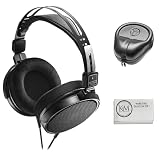
- Open-back design, 40mm Drivers
- Wide, realistic soundstage provides an immersive listening experience
- Durable, lightweight (210 g) construction
- New headband design
- Also Includes: Full-Sized Headphone Case
Check volume at every stage
There can be more than one level control: the application, operating system, phone, adapter, and interface may each have a volume setting. Start with all levels low, play known-good audio, and raise the relevant headphone control gradually. A muted application or interface monitor does not necessarily indicate a headphone fault.
Test the output with another known-working headphone
If another headphone also produces no sound, the problem is more likely to be the device, adapter, selected output, or interface routing. If another headphone works but the ATH-R30x does not, inspect the ATH-R30x plug, the adapter, and the jack for an incomplete connection or physical damage.
Independent reader supportYour contribution helps us test, update, and keep practical guides available for everyone.Fix common connection problems
The plug does not fit
Stop and identify the jack size. The ATH-R30x’s native plug is 3.5 mm; a 6.3 mm output requires the supplied adapter. A phone or laptop with no headphone jack needs a compatible port-matched audio adapter. Never force a connector, and do not confuse a 6.3 mm line or instrument socket with a headphone output.
Only one side plays
Remove and reconnect the plug firmly. If using the 6.3 mm adapter, reseat both connections. Then test another source. One-sided audio can result from a plug that is not fully inserted, an adapter problem, a damaged cable, or a source balance setting. Check the device’s left-right balance control before assuming the headphones are defective.
The Tool Desk
Outbyte Driver Updater FREEScan for outdated or missing drivers - takes under a minuteDriver Scan →Outbyte PC Repair FREEClear out junk files and repair common Windows errorsFree Scan →The sound is too quiet
Increase the selected headphone output gradually, then check the application and system volume. If the interface has independent monitor and headphone controls, adjust the headphone control. With a phone or laptop lacking a built-in headphone output, confirm that the adapter or USB audio device is intended to drive headphones and is recognized by the device.
Best Value

- Critically acclaimed sonic performance praised by top audio engineers and pro audio reviewers
- Proprietary 45 millimeter large aperture drivers with rare earth magnets and copper clad aluminum wire voice coils
- Exceptional clarity throughout an extended frequency range, with deep, accurate bass response
- Circumaural design contours around the ears for excellent sound isolation in loud environments
- 90 degree swiveling earcups for easy, one ear monitoring, and professional grade earpad and headband material delivers more durability and comfort
There is hum, crackle, or intermittent audio
Reseat the plug and adapter, then try a different headphone output or compatible adapter. Keep the cable and connectors free of tension while testing. If the problem follows the ATH-R30x to multiple known-good outputs, stop using the cable or connector until it can be inspected. If it occurs only with one interface or adapter, consult that device’s manual for output, grounding, and routing guidance.
The device speakers keep playing
Confirm that the plug is fully inserted and that the device detected the headphone connection. On a laptop or phone using an external USB audio device, manually select that device as the output. Some interfaces require selecting the interface in the computer’s sound settings and in the audio application separately.
Important limits of this setup
The ATH-R30x connection described by Audio-Technica is headphone playback through a device’s headphone jack. The manual does not specify a microphone input, inline controls, or a wireless connection. If you need voice capture, use the microphone built into the phone or laptop, or connect a separate microphone through equipment that supports it.
PC Slower Than It Used to Be?
A free scan shows the junk files, broken settings and background clutter dragging Windows down - then fixes them in one click.Free scan · Windows 10 & 11Crashes, No Sound, or Screen Glitches?
Random freezes, missing sound and display glitches usually trace back to one bad driver. Find and replace yours safely.Free scan · under a minuteThe 3.0 m fixed cable gives you substantial reach from a desk, interface, or nearby device, but it also means the cable cannot be replaced with a shorter one through a detachable connector. Route it so it is not pulled sharply or caught by a chair. The headphones are open-back reference headphones, so use them in an environment suitable for that design and for the amount of sound that may be audible outside the earcups.
Safe volume and shutdown procedure
- Lower the device or interface headphone level before every new connection.
- Connect the ATH-R30x to the correct headphone output.
- Start playback at a low level.
- Increase volume slowly instead of making a large jump.
- Lower the level before unplugging or moving the headphones to another output.
This sequence follows the manual’s central instruction: lower the connected device’s volume before attaching the input plug, then adjust the level after playback begins.
Quick Recap
Quick checklist
- The source has a headphone output, not merely an audio input.
- The output is 3.5 mm, or the supplied 6.3 mm stereo adapter is being used for a 6.3 mm headphone jack.
- A phone or laptop without a headphone jack is paired with a port-compatible adapter or USB audio device that supports headphone output.
- The device volume is low before connection.
- The operating system or application is using the intended output.
- The plug and any adapter are fully seated.
- Volume is raised gradually after playback starts.
Product prices and availability are accurate as of the date/time indicated and are subject to change. Any price and availability information displayed on Amazon at the time of purchase will apply.

