
Recommended Free Tools
iTechGuides is reader-supported. When you buy through links on our site, we may earn an affiliate commission. As an Amazon Associate I earn from qualifying purchases. Learn more
You can connect many legacy machines without replacing them by working outward from what each controller can safely expose: inventory the hardware and signals, select a compatible read method, normalize the data at a managed edge layer, and only then connect that layer to your manufacturing platform. Native OPC UA or MTConnect support is usually the cleanest route. Older controllers may need a protocol gateway, while signals unavailable in the controller may require separately engineered sensors. Keep machine protection and safety-critical control local; use cloud or enterprise systems for monitoring, analysis and other approved functions.
What a successful retrofit actually delivers
A retrofit is not simply “putting a gateway on the network.” The useful outcome is a trustworthy data path from an installed asset to a manufacturing system, with each value identified, timestamped, quality-checked and protected. The path normally has four layers:
- Asset: the machine, controller, drives, sensors and local operator interface.
- Integration: an adapter, driver, gateway or edge application that can read the asset.
- Communication: the protocol and network route used to move data.
- Application: the manufacturing, maintenance, analytics or traceability system that consumes the data.
A 2025 academic retrofit framework uses similar asset, integration and communication layers and reports a laboratory implementation with two conveyors and two KUKA robots. That is evidence that the pattern can be implemented in a controlled lab, not an industrial benchmark or proof that every controller will interoperate.
What’s actually slowing this PC down?
Pick the symptom - the matching free tool is one click away.
Define the intended outcome before choosing technology. Monitoring spindle load, recording part genealogy, calculating OEE, detecting a bearing condition and issuing a machine command require different data, timing and safety decisions. A connection that is adequate for a once-per-minute dashboard may be unsuitable for event traceability or control.
#1 Best Overall

- Multi-Protocol Support: Integrates with industrial systems and supports multiple communication protocols, including Modbus RTU/TCP, BACnet, OPC UA, OPC XML-DA, and IEC 104, enabling seamless connection with diverse industrial devices to meet different automation needs.
- Cloud Data Connectivity: Functions as an MQTT, HTTP, and Socket client, providing reliable data transmission and automatic reconnection to maintain continuous data flow for IoT applications.
- JS Script Programming Support: Offers flexibility through JavaScript scripting, allowing users to customize and extend the gateway's capabilities to meet specific application needs.
- Alarm and Event Management: Allows users to set trigger conditions, enabling event triggers and releases based on state transitions.
- Easy Configuration and Management: User-friendly graphical configuration software simplifies setup, allowing easy access to real-time and historical data through an HTTP server interface.
Step 1: Build an asset and signal inventory
Start with a worksheet for every candidate machine. Involve the controls engineer, operator, maintenance owner, OT/network administrator and the person responsible for the target manufacturing system. Do not infer capability from a connector’s shape or from a controller family name; verify the exact model, firmware and installed options.
| Inventory field | What to record | Why it changes the design |
|---|---|---|
| Machine identity | Manufacturer, model, serial or asset ID, installation area and production role | Identifies documentation, ownership and criticality. |
| Controller | PLC/CNC/robot controller make and model, firmware version, memory or option modules | Protocol support and address maps are often version-specific. |
| Physical interfaces | Ethernet, serial, fieldbus, USB, discrete I/O and available ports; connector and electrical details | Determines whether a direct connection, converter or sensor is physically possible. |
| Protocols | Exact protocol and variant, transport, mode (client/server or master/slave), address ranges and data direction | “Modbus” or “Ethernet” alone is not enough to select an adapter. |
| Available data | Tag/register names, data types, units, ranges, states, alarms, counters, recipes and event records | Shows what can be measured and whether the meaning is documented. |
| Timing | Required sample or event rate, controller scan constraints and time source | Prevents an analytics feed from being mistaken for a control loop. |
| Read/write boundary | Read-only telemetry, approved commands, or no remote writes; safety interlocks and operating procedure | Remote writes need a separate engineering and authorization review. |
| Documentation and support | Manuals, option licenses, electrical drawings, source-code or password availability, and vendor support status | Undocumented interfaces may require a specialist and a controlled discovery process. |
| Business purpose | Monitoring, OEE, traceability, condition monitoring, energy, maintenance or control | Sets the required semantics, retention, latency and availability. |
| Criticality and constraints | Safety impact, production value, maintenance windows, environmental rating and network rules | Determines test method, edge placement, redundancy and change control. |
Confirm that read access is supported and safe. A controller may expose registers that are technically readable but whose polling rate, session count or diagnostic mode could affect operation. Obtain the machine maker’s documentation where available and have the site controls owner approve the access method.
Step 2: Choose the least-invasive connection path
Use this decision order. Stop at the first path that supplies the required data with acceptable semantics, security and operational risk; do not add a gateway merely because it is familiar.
1. Native OPC UA or MTConnect support
If the machine or its controller already provides an appropriately configured OPC UA server or MTConnect endpoint, begin there. Verify the namespace or information model, supported version, authentication options, update behavior, quality/status fields and licensing. Native support avoids an extra translation hop, but it does not guarantee that the tags you need are present or correctly named.
2. Documented controller or PLC access
Some legacy equipment exposes a documented vendor protocol, fieldbus map or serial interface even when it has no modern industrial information model. A driver or edge application can read that interface and publish a normalized representation. Confirm address offsets, signedness, byte order, scaling, enumerations, alarm latching and any controller limits before building production logic.
3. Protocol gateway
A gateway is appropriate when the machine speaks an OT protocol that the target system cannot consume. An industry white paper describes gateways as a way to interconnect otherwise unconnected equipment and translate OT formats; Modbus-to-MQTT is one example. That example does not establish support for every Modbus variant or every gateway. Select a device only after matching the exact machine interface, protocol version, data direction, environmental requirements, update method and site security rules.
4. External sensors for unavailable signals
If the controller does not expose vibration, temperature, current, pressure or another required signal, add an engineered sensor path rather than guessing from an unrelated register. Document sensor location, range, calibration, sampling, isolation and maintenance responsibility. A sensor can supply a new measurement; it cannot recreate undocumented machine state or prove that a control interlock is safe.
Rank #2

- Multiple Internet access methods is offered: Global frequency LTE 4G/3G & Ethernet port & ADSL.
- Router fucntion is supported: Routing, VPN and firewall.
- Super Powerful Edge Computing Capabilities
- Support graphical programming (Node-RED) to quickly develop edge computing functions to meet unique functional requirements.
- Suitable for a variety of industrial IoT scenarios, supporting Modbus RTU/TCP protocol conversion and other popular PLC common protocols.
5. Specialist integration for constrained or undocumented assets
Use a controls or industrial integration specialist when the interface is proprietary, undocumented, password-protected, electrically unusual or safety-related. The MTConnect community notes that third-party system integrators work with new and legacy equipment. Require a written scope, test plan, ownership of configuration and a rollback procedure before granting access.
Transport is not the same as meaning
A transport protocol moves bytes. A manufacturing application also needs to know what those bytes mean: whether a value is revolutions per minute or radians per second, whether “1” means running or faulted, which unit produced a part, and whether a timestamp came from the controller or the edge host.
How OPC UA and MTConnect can fit together
The OPC Foundation describes MTConnect as common semantic definitions for equipment data in structured XML. It also describes OPC UA as a way to expose the MTConnect model to factory-floor software and cloud applications. In practice, MTConnect can provide a shared manufacturing vocabulary while OPC UA supplies a secure, browsable communication interface. They are complementary options, not interchangeable labels.
Before implementation, confirm that both the source and consuming applications implement the required model and version. Map each tag to a definition, unit, data type, state vocabulary, quality indicator and timestamp policy. Preserve the source value and retain the transformed value or mapping version so that a later change can be audited.
The Tool Desk
Outbyte PC Repair FREEClear out junk files and repair common Windows errorsFree Scan →Outbyte Driver Updater FREEFix the driver behind crashes, sound loss and screen glitchesFind Drivers →Minimum mapping record
- Source address or node identifier and original name.
- Normalized name and semantic definition.
- Data type, engineering unit, range and scaling formula.
- State or enumeration table, including unknown and fault states.
- Source timestamp, edge-receipt timestamp and time-synchronization source.
- Quality/status rules for stale, substituted, bad or unavailable data.
- Sampling, deadband or event policy.
- Owner, change history and target-system destination.
A practical edge-to-manufacturing architecture
Place the integration function at a managed boundary between the machine network and the enterprise or cloud network. A typical flow is:
- Machine controller, CNC, robot or sensor produces values and events.
- An edge connector reads the approved interface, applies the mapping and records source quality and timestamps.
- The edge layer buffers data during an upstream outage and forwards only the required traffic through an explicitly allowed network path.
- The manufacturing platform stores, contextualizes and presents the data for OEE, traceability, maintenance or analytics.
Microsoft’s industrial IoT reference architecture presents OPC UA as a common foundation for edge-to-cloud integration. The reference solution is not a supported Microsoft product offering; evaluate and validate it for the actual production environment. Its example uses certificates and mutual trust for OPC UA connections, while warning that sample defaults may include public endpoints, a shared virtual machine, shared credentials and self-signed certificates. Those defaults must not be treated as a production security baseline.
Design the edge for interruption
Specify what happens when the platform, network or controller is unavailable. Define buffer capacity, retention order, duplicate handling, timestamp preservation, back-pressure and a recovery alarm. Microsoft’s current Azure IoT Operations documentation, accessed October 13, 2026, states an offline operating period of up to 72 hours, with possible performance degradation. That is a product-specific statement, not a general gateway or industry guarantee; your design must define behavior for longer outages and for a full edge-host failure.
Rank #3
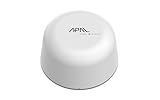
- SATELLITE CONNECTIVITY WHERE OTHERS FAIL: Eliminate dead zones in Agriculture, Forestry, and Mining. Unlike standard LoRaWAN or Cellular networks that require nearby gateways, the Hestia A1 connects directly to the 3GPP NTN Satellite network for deep mountains or open oceans where terrestrial signals cannot reach
- MODBUS PROTOCOL COMPATIBILITY: Built as Modbus Slave Device, Hestia can be connected to most Modbus IoT Host systems to enable satellite connectivity for industrial applications
- PLUG-AND-PLAY VIA RS485/MODBUS: Simple Python script integration with Python samples for Modbus/MQTT available on GitHub. Open custom code architecture provides flexibility for developers without black box limitations
- INCLUDES 3-MONTH SATELLITE DATA PLAN (30KB): Start your remote monitoring project immediately with a free 30KB / 3-Month satellite data plan via the CeresGate platform (Email registration required). Comes with Python sample code on GitHub for easy integration with Raspberry Pi, Linux, and Modbus devices
- TWO-WAY SATELLITE COMMUNICATION & CONTROL: Supports bidirectional data transmission allowing you to receive telemetry from remote sensors and send commands back to control equipment such as opening valves or resetting devices from the cloud without needing complex LoRaWAN infrastructure
Pilot one representative machine before scaling
A pilot should prove data meaning, operational safety and maintainability, not just that packets arrive.
Quick wins for a faster PC:
Scan for outdated or missing drivers - takes under a minuteDriver Scan →Clear out junk files and repair common Windows errorsFree Scan →- Select a representative asset. Choose a machine with the real protocol, network constraints and business use case, rather than the easiest demonstration unit.
- Freeze a read-only scope. List the exact tags and events. Disable remote writes unless a separately approved control project requires them.
- Document the baseline. Capture current operator records, controller values, alarm behavior, time settings and network diagrams.
- Build the edge mapping. Configure protocol access, semantic names, units, quality rules, timestamps and buffering. Keep configuration under version control.
- Validate against the machine. Compare edge values with the controller display and independent operator or maintenance records across normal, idle, fault and restart conditions.
- Exercise failure cases. Disconnect the upstream network, restart the edge host, stop and resume the controller connection, fill or clear the buffer and verify alarms and recovery ordering.
- Review security. Approve certificates, trust lists, accounts, roles, firewall rules, host hardening, patch ownership and logging before connecting production consumers.
- Observe for a defined period. Track stale data, bad quality, clock drift, unexpected load, dropped events and operator objections. Set acceptance criteria with the asset owner.
- Approve scale-out. Reuse templates only where controller models, firmware, semantics and risk are genuinely equivalent. Treat each exception as a new engineering decision.
Security and operational readiness
OPC UA includes mechanisms for secure channels and sessions. Depending on configuration, secure channels can provide confidentiality through encryption, integrity through message signatures and application authentication through certificates. The OPC UA Part 2 Security Model makes clear that the site owner must analyze risk and select the required combination of mechanisms; the specification is not a complete site security program.
- Trust and certificates: establish how client and server certificates are issued, approved, rotated, revoked, backed up and restored. Monitor expiration dates.
- Authentication and authorization: use individual or managed identities where possible, assign least-privilege roles and restrict commands separately from telemetry reads.
- Network boundaries: place edge hosts in an appropriate industrial zone, limit routes and ports with firewalls, and avoid exposing controller endpoints directly to public or general-purpose networks.
- Host security: harden the gateway or edge computer, control removable media, patch through a tested process and record software versions.
- Monitoring: alert on failed logins, certificate errors, configuration changes, unusual polling, stale values and repeated reconnects.
- Resilience: back up mappings, certificates, keys and edge configuration; document replacement hardware and recovery steps.
- Change control: require review for firmware, tag-map, protocol, firewall and consumer changes, with a tested rollback.
The OPC Foundation’s implementation guidance emphasizes checking trusted connection requests, protecting client/server communications, authenticating users and restricting resources according to authorization. Apply those practices within the site’s own risk assessment and incident procedures.
Keep actuation and safety local
Telemetry can travel to an enterprise or cloud system, but a safety function should not depend on that path. Microsoft’s reference solution demonstrates a simulated cloud-triggered pressure action and explicitly says that a real pressure-relief action would be performed on-premises. Use machine-level safety circuits, local PLC logic and site engineering for emergency stops, pressure relief, guarding, interlocks and other protective actions.
If a project needs non-safety commands, define permitted commands, mode checks, operator acknowledgement, authorization, timeout behavior, loss-of-communications behavior and an independent local stop. Test commands first in a simulator or controlled maintenance state, then document who may issue them and how the machine returns to a safe state.
Compare retrofit paths against the same criteria
The following is a decision framework, not a product test. Score each candidate path against the exact machine and target system.
| Criterion | Questions to answer | Warning sign |
|---|---|---|
| Compatibility | Does it support the exact port, protocol variant, firmware and data direction? | Selection based only on a broad protocol name. |
| Semantics | Are units, states, alarms, quality and context preserved? | Values arrive but nobody can explain what they mean. |
| Read versus control | Is the requirement telemetry only, or are commands genuinely needed? | Write capability is enabled “for later” without an approved use. |
| Outage behavior | What buffers locally, for how long, and how are duplicates or losses handled? | No defined recovery or data-loss policy. |
| Security | How are certificates, identities, roles, encryption and network rules managed? | Shared credentials, public endpoints or expired certificates. |
| Maintainability | Who owns mappings, patches, backups and troubleshooting skills? | Only one contractor knows the configuration. |
| Lifecycle effort | What are engineering, licensing, training, support and replacement requirements? | Short pilot success with no plan for firmware or vendor changes. |
Common failure modes and recovery actions
Undocumented or misidentified protocol
Symptom: intermittent reads, nonsense values or no response. Recovery: verify the exact controller manual, electrical layer, address map, byte order, mode and firmware; capture traffic only under an approved controls procedure; involve a specialist if documentation is unavailable.
Rank #4

- 【Built-in 4G LTE Module】 With a standard SIM card slot that supports the 4G LTE network. It can move into 4G LTE wireless network if the Ethernet Internet fails, in order to ensure constant data transmission in the critical facilities. (Not support Verizon Network in the US)
- 【Industrial Hardware】 Qualcomm QCA9531 chipset provides stable performance, it is commonly used within the industry, which is perfect for industrial users to avoid breakdown. The Built-in hardware watchdog ensures the stability. It’s dedicated hardware that can detect and trigger a processor reset if necessary.
- 【Open Source & Secure】 OpenWrt pre-installed. Perfect for developers or IoT integration development. It supports 30+ VPN service providers, including OpenVPN & WireGuard.
- 【Compact Design】 Its aluminum alloy shell, optional wall-mounted design, and wide range of operating temperature are designed for easy installation, storage, and operation in tough industrial environments.
- 【Easy Configuration】 Supports AT command, manual/automatic dial number, and signal strength checking in our new admin panel for better management and configuration.
Correct number, wrong meaning
Symptom: dashboards show plausible but incorrect speed, state or production counts. Recovery: compare against known operating conditions, document units and enumerations, and require the asset owner to sign off the mapping.
Inconsistent timestamps
Symptom: events appear out of order or cycle times are impossible. Recovery: distinguish source and edge timestamps, synchronize clocks using the site-approved method, record time quality and define ordering when clocks disagree.
Free tools Windows power users keep installed
One-click scans. No signup required.
Poor signal quality
Symptom: stale, noisy or constantly changing values create false alarms. Recovery: use source quality flags, deadbands, validation ranges and explicit stale-data alarms; do not silently substitute zero for missing data.
Overexposed endpoint
Symptom: a controller or gateway is reachable from networks that do not need access. Recovery: remove public exposure, restrict routes and ports, replace shared credentials, install managed certificates and review logs.
Forgotten certificates
Symptom: a previously healthy connection fails after certificate expiry or host replacement. Recovery: maintain an ownership and renewal calendar, back up approved trust material securely and test renewal before the deadline.
No outage plan
Symptom: data disappears during maintenance or network loss, then floods the consumer on reconnection. Recovery: define buffer limits, ordering, duplicate handling, alerting and the accepted data-loss window; test them deliberately.
Do these 3 things before closing this tab:
1Repair Windows errors before they cause bigger problems2Scan for outdated or missing drivers - takes under a minute3Clear out junk files and repair common Windows errorsVendor-specific lock-in
Symptom: mappings, data models or credentials cannot be moved to another edge product. Recovery: keep an exportable tag dictionary, documented semantic model, interface specification and recovery image, and require portability in procurement.
Best Value

- 【SMART 4G TO WI-FI CONVERTER】Come with a standard nano-SIM card slot that can transfer 4G LTE signal to Wi-Fi networking. Up to 300Mbps (2.4GHz ONLY) Wi-Fi speeds. It can move into a 4G LTE wireless network if the Ethernet Internet fails, in order to ensure constant data transmission.
- 【OPEN SOURCE & PROGRAMMABLE】OpenWrt pre-installed, unlocked, extremely extendable in functions, perfect for DIY projects. 128MB RAM, 16MB NOR + 128MB NAND Flash. Dual Ethernet ports, USB 2.0 port, Antenna SMA mount holes reserved.
- 【SECURITY & PRIVACY】OpenVPN & WireGuard pre-installed, compatible with 30+ VPN service providers. With our brand-new Web UI, you can set up VPN servers and clients easily. IPv6, WPA3, and Cloudfare supported. Level up your online security.
- 【Easy Configuration with Web UI and GoodCloud】GoodCloud allows you manage and monitor devices anytime, anywhere. You can view the real-time statistics, set up a VPN server and client, manage the client connection list, and remote SSH to your IoT devices. The built-in 4G modem supports AT command, manual/automatic dial number, SMS checking, and signal strength checking in Web UI for better management and configuration.
- 【PACKAGE CONTENTS】GL-XE300-AF 4G LTE Portable IoT Gateway (2-year Warranty) X1, Ethernet cable X1, 5V/2A power adapter X1, User manual X1, Quectel EC25-AF 4G module pre-installed. Please refer to the online docs for first set up.
Implementation checklist
- Business outcome, required tags/events and read/write boundary approved.
- Machine, controller, firmware, interfaces, protocol variant and documentation recorded.
- Data map includes units, states, quality, timestamps, sampling and ownership.
- Chosen path tested for exact compatibility rather than assumed from a protocol label.
- Edge location, network zones, firewall rules and outage behavior documented.
- Certificates, trust, authentication, authorization and renewal responsibility assigned.
- Read-only pilot validated against operator and controller records in normal and fault states.
- Buffering, restart, recovery, backup and rollback procedures exercised.
- Safety-critical control remains local and any non-safety command has a separate approval.
- Scale-out criteria, monitoring, maintenance skills and lifecycle budget accepted by operations, controls and IT/OT owners.
No universal retrofit price, installation duration, success rate or performance benchmark is established for this broad class of equipment. Those figures depend on the machine, interface, documentation, required signals, site rules and target application. Obtain them from a scoped engineering assessment rather than applying a market-wide estimate.
Frequently Asked Questions
Do I need to replace a legacy machine to connect it to a manufacturing system?
Not necessarily. If the controller exposes a safe, documented interface, you may use native OPC UA or MTConnect, a controller driver, or a protocol gateway. If the needed signal is absent, an engineered sensor may be required. Replacement is a machine-specific business and safety decision, not an automatic consequence of age.
Is OPC UA the same thing as MTConnect?
No. MTConnect supplies manufacturing equipment semantics, while OPC UA provides a communication and information-model framework. They can be used together when the source and consuming systems support the required model and version.
PC Slower Than It Used to Be?
A free scan shows the junk files, broken settings and background clutter dragging Windows down - then fixes them in one click.Free scan · Windows 10 & 11Crashes, No Sound, or Screen Glitches?
Random freezes, missing sound and display glitches usually trace back to one bad driver. Find and replace yours safely.Free scan · under a minuteCan a gateway read every Modbus machine?
No. Modbus variants, electrical interfaces, address maps, byte order, scaling and data direction differ. Match the gateway to the exact machine documentation and test it under the site’s controls and security procedures.
How long can an edge system keep collecting data without the platform?
There is no universal duration. Microsoft’s current Azure IoT Operations documentation, accessed October 13, 2026, states up to 72 hours of offline operation with possible performance degradation for that product. Your design must specify buffering and recovery for the actual edge system, including longer outages.
Should cloud analytics operate a safety valve or emergency stop?
No. Safety-critical actions must remain in engineered, local machine and site-control systems. Enterprise or cloud systems may provide approved monitoring or non-safety commands with explicit authorization and loss-of-communications behavior.
Quick Recap
Product prices and availability are accurate as of the date/time indicated and are subject to change. Any price and availability information displayed on Amazon at the time of purchase will apply.

