
The Tool Desk
Outbyte PC Repair FREERepair Windows errors before they cause bigger problemsFix Now →Outbyte Driver Updater FREEFix the driver behind crashes, sound loss and screen glitchesFind Drivers →iTechGuides is reader-supported. When you buy through links on our site, we may earn an affiliate commission. As an Amazon Associate I earn from qualifying purchases. Learn more
For Nintendo 3DS emulation on a dual-screen Android handheld, start Azahar at native 1x resolution (400×240), set the main layout to suit your device, then configure the Android secondary-display option separately and verify which game screen appears on each panel. Increase resolution only in small steps: higher scales can improve image quality but may significantly reduce performance.
Choose an Azahar build for Android
Azahar is a free, open-source Nintendo 3DS emulator for PC and mobile devices and continues Citra’s legacy. Its official project repository lists Google Play and direct or Obtainium installation routes; it recommends the Play build for most users who prefer easier access. Check the repository for current Android distribution details and versions before installing: Azahar’s official repository.
Use a recent build when possible. Azahar’s 2123.3 release notes say that release primarily addressed issues experienced by users of dual-screen Android devices. That is a reason to check for updates, not a promise that every device, graphics backend, or game will behave identically: Azahar 2123.3 release notes.
Set internal resolution before tuning the layout
Internal resolution controls the resolution at which the emulator renders the 3DS screens. The documented native setting is 1x, or 400×240. Higher integer multiples can make the rendered image look sharper, but the documentation warns that higher values can significantly affect performance. There is no single best scale for every handheld or game.
#1 Best Overall

- [system configuration] Important Note : The RGDS Package don’t included Game Card, NO Preload Games.Anbernic's latest RG series product, the RG DS, is now available. CPU: RK3568 quad-core 64-bit Cortex-A55, Max frequency: 2.0 GHZ, GPU: The ARM G52 2ee has 3 + 32gb of memory and storage, and is powered by the latest Android 14 system. It is a folding type android game machine with built-in whole switch chip. It is a magnet type that enters sleep mode when the cover is closed, and closes automatically at a small Angle.
- 【Dual Screens】The foldable RG DS features an entirely new, evolved dual-screen interaction system distinct from the previous X18S/X15 models, offering enhanced operational convenience: supporting multi-touch and capacitive stylus input with a resolution of 640×480. It enables swift switching of keyboard focus between upper and lower screens while achieving synchronised application operation across both displays. Through dedicated shader optimisation, it delivers more vibrant colours and sharper visuals, offering a visual feast. (Includes capacitive stylus)
- 【Dual Screen Creative】 The Dual Screen Creative function unlocks infinite possibilities. Immersive games on the upper screen, strategy guides on the lower screen – freely switch apps between the upper and lower screens.
- 【Compatible with numerous simulators】: Supports Android games (such as Genshin Impact and Honor of Kings) and over 20 other emulators; users can download compatible games themselves. Features a built-in 6-axis gyro sensor and supports online multiplayer; compatible with Moonlight Streaming, enabling free play of PC games and delivering an enhanced user experience.
- 【Battery and WIFI/Bluetooth Function】Features a built-in 4000mAh ultra-high-capacity, high-density lithium-ion battery with a battery life of 6 hours. RG DS Supports 5V/2A charging, taking approximately 3.5 hours to fully charge. 2.4/5G WIFI 802.11a/b/g/n/ac, Bluetooth 4.2
- Open Azahar’s graphics settings. The exact menu labels and availability can vary by build and platform.
- Set internal resolution to 1x (400×240) for a baseline.
- Launch a game and check that it runs acceptably on your device.
- If performance is acceptable and you want a sharper image, raise the scale one step at a time and test again.
These resolution values and the performance caveat are documented in the Libretro Azahar documentation. Internal-resolution scaling does not replace or redraw the game’s original assets. Texture filtering is a separate graphics setting; the same documentation lists filtering options and warns that some can also carry a significant performance cost. Change filtering independently if you want to assess its effect.
Pick a main-screen layout for your handheld
The standard layout options documented for the Azahar Libretro core are default top-bottom, single screen, large screen/small screen, and side by side. Choose based on the physical shape of your display and whether you need both game screens visible at once.
Rank #2
![RgAmbernic RG DS Android 14 System Flip Handheld Game Console RG DS Dual Screen 4 inch resolution 640 * 480 OCA Full Touch Screen Built-in Hall Chip 4000mAh [android]](https://m.media-amazon.com/images/I/41Hn-yYTmNL._SL160_.jpg)
- [system configuration] Important Note : The RGDS Package don’t included Game Card, NO Preload Games.latest RG series product, the RG DS, is now available. CPU: RK3568 quad-core 64-bit Cortex-A55, Max frequency: 2.0 GHZ, GPU: The ARM G52 2ee has 3 + 32gb of memory and storage, and is powered by the latest Android 14 system. It is a folding type android game machine with built-in whole chip. It is a magnet type that enters sleep mode when the cover is closed, and closes automatically at a small Angle.
- 【Dual Screens】The foldable RG DS features an entirely new, evolved dual-screen interaction system distinct from the previous X18S/X15 models, offering enhanced operational convenience: supporting multi-touch and capacitive stylus input with a resolution of 640×480. It enables swift switching of keyboard focus between upper and lower screens while achieving synchronised application operation across both displays. Through dedicated shader optimisation, it delivers more vibrant colours and sharper visuals, offering a visual feast. (Includes capacitive stylus)
- 【Compatible with numerous simulators】: Supports Android games (such as Genshin Impact and Honor of Kings) and over 20 other emulators; users can download compatible games themselves. Features a built-in 6-axis gyro sensor and supports online multiplayer; compatible with Moonlight Streaming, enabling free play of PC games and delivering an enhanced user experience.
- 【Additional Features + Memory】 AI Capabilities: One-click game guide retrieval, dual-screen real-time translation, intelligent dialogue; supports multiple languages and external expansion via TF card. Up to 2TB capacity. Vibration motor and 3.5mm stereo headphone jack supported; features include energy-saving settings, joystick light control, and brightness display.
- 【Battery and WIFI/Bluetooth Function】Features a built-in 4000mAh ultra-high-capacity, high-density lithium-ion battery with a battery life of 6 hours. RG DS Supports 5V/2A charging, taking approximately 3.5 hours to fully charge. 2.4/5G WIFI 802.11a/b/g/n/ac, Bluetooth 4.2
| Layout | When it may suit you | What to check |
|---|---|---|
| Default top-bottom | A familiar stacked presentation when both emulated screens should remain visible. | Confirm the smaller lower screen is still usable on your device. |
| Single screen | When you want one emulated screen at a time to occupy the available area. | Check how your build switches between screens; the documented swap behavior can be set to toggle or hold. |
| Large screen/small screen | When one screen should be prominent while the other remains visible. | The layout includes a prominent-screen choice and a configurable ratio. |
| Side by side | When the physical display shape makes a horizontal arrangement more practical. | This arranges the emulated screens next to each other; it is not a stereoscopic 3D output mode. |
The available choices and controls are described in the Libretro Azahar layout documentation. They describe standard core settings, not a guaranteed menu path in every Android build, so use the equivalent controls shown in your version.
Configure the Android secondary display separately
Azahar’s Android secondary-display feature is a distinct control from the standard core layouts. It adds options for system-default mirroring, top-screen-only, bottom-screen-only, and side-by-side presentations on an auxiliary Android display. The feature was merged on August 8, 2025; its implementation is documented in Azahar pull request #617.
Rank #3
![RgAmbernic RG DS Android 14 System Flip Handheld Game Console RG DS Dual Screen 4 inch resolution 640 * 480 OCA Full Touch Screen Built-in Hall Chip 4000mAh [android]](https://m.media-amazon.com/images/I/41MYQTZEd2L._SL160_.jpg)
- [system configuration] Important Note : The RGDS Package don’t included Game Card, NO Preload Games.latest RG series product, the RG DS, is now available. CPU: RK3568 quad-core 64-bit Cortex-A55, Max frequency: 2.0 GHZ, GPU: The ARM G52 2ee has 3 + 32gb of memory and storage, and is powered by the latest Android 14 system. It is a folding type android game machine with built-in whole chip. It is a magnet type that enters sleep mode when the cover is closed, and closes automatically at a small Angle.
- 【Dual Screens】The foldable RG DS features an entirely new, evolved dual-screen interaction system distinct from the previous X18S/X15 models, offering enhanced operational convenience: supporting multi-touch and capacitive stylus input with a resolution of 640×480. It enables swift switching of keyboard focus between upper and lower screens while achieving synchronised application operation across both displays. Through dedicated shader optimisation, it delivers more vibrant colours and sharper visuals, offering a visual feast. (Includes capacitive stylus)
- 【Compatible with numerous simulators】: Supports Android games (such as Genshin Impact and Honor of Kings) and over 20 other emulators; users can download compatible games themselves. Features a built-in 6-axis gyro sensor and supports online multiplayer; compatible with Moonlight Streaming, enabling free play of PC games and delivering an enhanced user experience.
- 【Additional Features + Memory】 AI Capabilities: One-click game guide retrieval, dual-screen real-time translation, intelligent dialogue; supports multiple languages and external expansion via TF card. Up to 2TB capacity. Vibration motor and 3.5mm stereo headphone jack supported; features include energy-saving settings, joystick light control, and brightness display.
- 【Battery and WIFI/Bluetooth Function】Features a built-in 4000mAh ultra-high-capacity, high-density lithium-ion battery with a battery life of 6 hours. RG DS Supports 5V/2A charging, taking approximately 3.5 hours to fully charge. 2.4/5G WIFI 802.11a/b/g/n/ac, Bluetooth 4.2
- Connect or enable the handheld’s second physical display, or the Android display arrangement you intend to use.
- In Azahar’s Android settings, find the secondary-display layout option. The exact location and label can vary by build.
- Choose system-default mirroring, top screen only, bottom screen only, or side by side according to the panel arrangement you want.
- Launch a game and check both physical displays to confirm that the intended emulated screen appears on each.
- Try a game that uses the lower screen and test touch input on the relevant panel.
Azahar contributor DavidRGriswold described the feature in the pull request as: “Enable support for a second screen on android, either through a physical connection or using screen mirroring through Chromecast or Miracast.” That description establishes the intended feature scope; it does not certify every device and input combination.
Quick Recap
Best Value
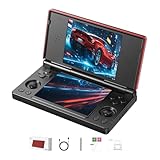
- 【RG DS Dual-Screen Immersion】Dive into authentic dual-screen gaming with two 4-inch IPS OCA-laminated displays, featuring capacitive touch and stylus compatibility. Switch apps between screens effortlessly, perfect for dual-screen applications, multitasking, and interactive touch controls on this RG DS Portable Pocket Arcade.
- 【 Classic Gaming & Modern Performance】Powered by the quad-core RK3568 CPU (2.0GHz) and Mali-G52 GPU, the RG DS smoothly runs over 20 emulators for classic consoles, handhelds, and arcades. Enjoy modern Android titles like Genshin Impact, PC game streaming via Moonlight, and online multiplayer—all from one RG DS handheld game console.
- 【 Intelligent Dual-Screen Creativity】Unlock new gameplay dimensions: play on one screen while displaying guides, maps, or walkthroughs on the other. Built-in AI tools offer one-click game guides, real-time dual-screen translation, and smart dialogue—making gaming more immersive and accessible across languages.
- 【RG DS Versatile Connectivity 】Stay connected with dual-band Wi-Fi and Bluetooth 4.2 on your RG DS Retro Game Console. Stream games from your PC, play online with friends, cast to TV, or enjoy wireless multiplayer and cross-device sharing anytime, anywhere.
- 【4000mAh Battery & Magnetic Flip】Play for hours on a single charge with a 4000mAh polymer battery. The Hall magnetic auto-sleep triggers when closed, preserving power and making this RG DS handheld game console ideal for on-the-go gaming and safe travel.
Rank #4

- Revolutionary Dual AMOLED Displays: Experience a new dimension in gaming with a vibrant 6-inch 120Hz AMOLED main screen and a 3.92-inch 60Hz secondary AMOLED screen, perfect for emulating classics, multitasking, and unique control schemes.
- Flagship Snapdragon Performance: Available with the powerful Snapdragon 8 Gen 2 (Base/Pro/Max) ensuring smooth gameplay for high-end emulation.
- Premium Clamshell Portability: Designed with a protective clamshell form factor, the device is ultra-portable and lightweight (380g), easily slipping into a pocket or bag without sacrificing its expansive dual-screen visual experience.
- Precision Controls & Cooling: Features high-quality Hall Effect joysticks and triggers for drift-free accuracy and longevity. Active cooling maintains low temperatures, allowing the powerful CPU to sustain peak performance during marathon sessions.
- Massive Storage Potential: Configurations range up to 16GB LPDDR5x RAM and 1TB UFS 3.1 storage, providing ample space for extensive game libraries and rapid loading times for a seamless gaming experience.
Troubleshoot unexpected output or poor performance
- The game slows down after raising resolution: Return to 1x, then test higher scales gradually. Do not assume a scale that works in one game will work equally well in another.
- The wrong game screen appears on the second panel: Revisit the Android secondary-display setting and test a different option. Verify the actual screen assignment in-game rather than relying on the option name alone.
- The lower screen does not respond to touch: Test input in a game that uses it and confirm which physical panel is assigned to the lower screen. The documented feature does not guarantee universal device-level touch behavior.
- A layout change causes a crash or unexpected result: Return to native resolution and a conservative layout, confirm that Azahar is up to date, then change one setting at a time.
Product prices and availability are accurate as of the date/time indicated and are subject to change. Any price and availability information displayed on Amazon at the time of purchase will apply.

