
Recommended Free Tools
iTechGuides is reader-supported. When you buy through links on our site, we may earn an affiliate commission. As an Amazon Associate I earn from qualifying purchases. Learn more
Aniimo has two separate collection-reward systems. Regional area rewards are claimed from the selected region’s collection panel on the world map. AniLog milestones are completed through the AniLog and award Aniimo accessories. If you look in the ordinary Mail screen for a regional milestone, you are in the wrong menu.
The same catch can affect several records at once, but each record has its own completion rules and claim screen. Use the map for area percentages, the AniLog for creature and accessory milestones, and an Outpost Research Console only when an objective asks you to submit catches.
Which Aniimo collection task are you completing?
Before pressing any button, identify the notification or objective you are following. Aniimo records collection progress in more than one place, and the claim control depends on the track.
Free tools Windows power users keep installed
One-click scans. No signup required.
| Collection activity | Where progress is tracked | What increases progress | Where the reward is claimed | Typical reward |
|---|---|---|---|---|
| Regional area collection | The selected region’s map collection panel | Catching the Aniimo forms counted for that region | That same regional panel | Milestone rewards at 40%, 70% and 100%, according to the 18 September 2026 walkthrough |
| AniLog collection milestones | The AniLog and individual creature entries | Catching and registering species, then completing listed milestones or research tasks | The AniLog milestone interface | Aniimo accessories and event-specific rewards |
| Catch reporting | An Outpost Research Console | Submitting catches for research | The console’s reporting flow | Report Cards, research points and Credits |
These activities can involve the same catches, but they are not interchangeable. A catch may raise regional completion and register a creature in the AniLog while still requiring a separate action in either reward interface.
#1 Best Overall

- Assetto Corsa Competizione allows you to feel the real atmosphere of the GT3 championship
- Compete against official drivers,teams, cars circuits reproduced in game with the highest level of accuracy ever achieved on console
- Sprint, Endurance, and Spa 24 Hours races come to life with an incredible level of realism, in both single and multiplayer modes
A quick way to identify the right tracker
- An objective mentioning an area, region, percentage or map collection belongs to the regional panel.
- An objective mentioning the AniLog, a creature entry, a milestone or an accessory belongs to the AniLog.
- An objective mentioning reporting, submitting or an Outpost belongs to the Outpost Research Console.
- A reward described as an event delivery may be sent through Mail, but that does not change where a regional percentage reward is claimed.
Taking a moment to identify the tracker prevents the most common mistake: reaching a percentage, opening Mail, finding nothing and assuming the game failed to award the item.
How to claim regional area rewards
1. Open the world map and reveal the regional view
- Open the world map.
- Zoom out until regional names and collection percentages are visible.
- Select the region whose progress you want to inspect.
The regional panel shows the Aniimo already recorded, silhouettes for entries you have not found, and the area’s completion percentage. Each region has its own progress record. Filling one area does not advance another area’s percentage.
Make sure the map is showing the regional layer rather than a close-up travel view. If you cannot see region names or percentages, zoom out farther before looking for the collection controls.
2. Use the regional ledger to plan missing catches
Review the silhouettes in the selected region’s map ledger or collection screen. Selecting an undiscovered silhouette can display its spawn conditions. Use that information to decide where and when to search instead of repeatedly circling the same locations.
The percentage is based on the forms counted by that region, not simply on how many creatures you have caught across the entire game. A creature found elsewhere may not satisfy the selected area’s completion requirement if the relevant regional form has not been recorded there.
Work from the ledger rather than from memory. The silhouettes provide a visible checklist, and their condition details can explain why an apparently familiar Aniimo has not moved the bar. After a hunt, reopen the ledger and verify that the specific missing entry is now recorded.
3. Return to the panel when a milestone is reached
The dated regional walkthrough identifies reward marks at 40%, 70% and 100%. These are progression thresholds reported by ComputerSluggish on 18 September 2026, not population statistics or a universal reward schedule confirmed by an official patch note.
| Regional percentage | Action | Important check |
|---|---|---|
| 40% | Open the selected region’s collection panel and focus the available reward. | Confirm the reward in the panel; reaching the percentage alone does not mean the item has been claimed. |
| 70% | Use the same panel to select and confirm the newly available reward. | Keep the region selected. The claim belongs to that area’s progress record. |
| 100% | Open the panel, focus the final available reward and confirm it. | If the bar stops short of 100%, check for Prismana and special-weather forms, not only ordinary spawns. |
Do not wait for a separate pop-up to tell you that every reward is ready. The practical walkthrough says to return to the region panel, move focus to the reward and confirm it. If several milestones are available, inspect the reward row and claim each item that is marked available.
4. Claim the reward on PS5
- Leave the target region selected in the world-map view.
- Press L3 to display the regional Aniimo list.
- Press L3 again to move focus to the rewards section.
- Highlight a reward marked as available.
- Confirm the selection using the button prompt shown on screen.
This two-press L3 sequence comes from the 18 September 2026 PS5 walkthrough. It is tied to the interface described at that date, so an update could move the control or change its prompt.
Rank #2

- 100+ classic games lovingly presented with best-in-class emulation and modern quality-of-life enhancements – and the ability to play classic games that have not been available for ages
- Discover the brand that launched the modern video game industry and the creative individuals behind it through interviews, archival images, special source material and behind-the-scenes content within an interactive timeline
- Emulation of games created for seven hardware platforms: Arcade, Atari 800, Atari 2600, Atari 5200, Atari 7800, Atari Jaguar, Atari Lynx
- Over 60 minutes of exclusive interviews with key players in the games industry – from early Atari designers and engineers and other luminaries of the gaming world -- as they discuss Atari’s enduring impact on the video entertainment landscape
- A retrospective on gaming history that is a must-own for collectors and fans of video games
If the first L3 press appears to do nothing, check that a region is selected and that the map is zoomed out far enough to show the regional collection view. The second press is the important navigation step: it moves focus from the regional list to the reward area. Once a reward is highlighted, use the confirmation instruction rendered by the game rather than relying on a remembered controller button.
5. Claim the reward on PC
- Select the region in the world map and open its collection area.
- Look beside the collection or reward section for the displayed interaction prompt.
- Use the key shown by the game to move focus to an available reward.
- Confirm the reward with the displayed confirmation key.
Do not assume the default keyboard binding if you have customized controls. The PC walkthrough specifically directs players to follow the on-screen prompt; a remapped key may differ from examples in older guides or videos.
Keyboard layouts and custom bindings are especially important when a guide describes only a key label. Treat the prompt next to the reward as authoritative for your current setup. If focus will not move, back out to the regional map, select the area again and reopen the collection section.
What to verify after claiming
- The reward should no longer be marked as available in that region’s panel.
- The selected region’s percentage should remain at the value you reached; claiming does not reset collection progress.
- If the item is not immediately visible in inventory, inspect the panel again to make sure the confirmation was completed.
- Do not use the Mail screen as the first verification point for a regional map reward.
What counts toward 100% regional completion?
Ordinary catches are only part of the requirement
The Aniimo Eggs gameplay guide reports that catching wild Aniimo raises regional capture completion, but also warns that a region’s 100% state requires its Prismana and its special weather forms. Ordinary weather spawns alone may therefore leave the bar incomplete.
This is a gameplay-guide observation rather than an official patch-note specification. Treat the map ledger as the practical authority for your current build: inspect every remaining silhouette, open its spawn-condition details, and look for a form associated with Prismana or a weather state.
A near-complete bar is therefore not evidence that the final reward is broken. It can simply mean that the remaining entry is a special form. Check the conditions shown for each unfilled silhouette before changing regions or repeating ordinary hunts.
The Tool Desk
Outbyte PC Repair FREERepair Windows errors before they cause bigger problemsFix Now →Outbyte Driver Updater FREEScan for outdated or missing drivers - takes under a minuteDriver Scan →Use silhouettes as a checklist
- A filled entry indicates that the relevant Aniimo has been recorded for the selected collection view.
- An unfilled silhouette identifies a missing entry rather than a generic hint to catch anything.
- Selecting the silhouette can reveal the conditions needed to find it.
- Recheck the ledger after each unusual-weather hunt; the percentage should update when the counted form is registered.
If the map shows a near-complete region but no obvious creatures remain, do not discard the area and start over. The missing item may be a weather form or Prismana that appears only under the condition shown in the ledger.
A sensible 100% checklist
- Open the region and note every silhouette that is still unfilled.
- Open each silhouette’s details and record its displayed spawn condition.
- Search for ordinary regional entries first, then target Prismana and special-weather entries specifically.
- After each successful catch, return to the ledger and verify which silhouette changed.
- When the percentage reaches a reward mark, claim the reward before continuing the hunt.
This approach separates two jobs that are easy to confuse: finding the missing form and claiming the reward unlocked by the percentage. A completed catch does not automatically perform the second job.
How AniLog collection milestones work
Unlock and populate the AniLog
The official global launch page describes the loop as: “Catch and collect various Aniimo. Unlock the Aniilog to claim Aniimo Accessory.” The launch notice expresses the same system as catching and collecting Aniimo, then reaching milestones set in the AniLog to earn Aniimo Accessories.
Rank #3

- 👉️【Usage Notes】When using the gamepad for the first time, it needs to be connected to the PS5 console via a USB-C cable(It must be the data cable included in the package or the original data cable), and then press the Home button to activate it. If your controller has any functional issues, please use this url to update the firmware: we.tl/t-yAwofXJL9YOyyq3K !!! The gamepad is only compatible with PS5 series consoles and Windows PCs, and it is not compatible with PS4.
- 👋【Quick Connection & One - click Wake - up】 You can connect to the PS5 console by pressing the HOME button on the controller. When connecting to the console for the first time, you need to use a data cable. It also supports use on computers with Windows operating systems.
- 🎮️【Controller with Sound】 The controller is capable of producing sound, providing an immersive gaming experience. Please note that the controller is only equipped with a speaker and has no microphone. If you want to use the microphone fuacnction, please use an external headset. It is equipped with a 3.5mm TRRS headphone jack(not compatible with Apple headphones.)
- 🌈【Customizable Colors】Press the Lighting button to switch colors and light effect modes with one click. It features a color memory function, ensuring that the next time you use it, it will still be the color you prefer.
- 🕹️【High - Precision Joysticks】Equipped with upgraded joysticks, these effectively reduce the joystick dead zone and extend the controller's service life.
- Catch a species you have not registered.
- Confirm that the new creature has appeared in the AniLog; the gameplay guide says a newly caught species is registered automatically.
- Open the relevant AniLog entry and read its milestone or research requirements.
- Complete the listed collection objective.
- Return to the AniLog milestone interface and claim the accessory or other currently listed reward.
Creature entries can contain research tasks in addition to the broad collection milestones. Read the wording of the active entry carefully: a task may ask for a particular species, a number of catches, or another condition rather than merely requiring that the creature exist in your overall collection.
Automatic registration means you do not need to enter a separate manual registration command for every new species. You still need to open the entry and inspect its requirements, because registration and milestone completion are different states.
Follow current event notices for reward details
The official pages establish Aniimo accessories as the collection-progression reward, but they direct players to current in-game events and announcements for active reward specifics. Event objectives, accessory names and availability can change, so use the notice attached to the live milestone rather than relying on an old screenshot.
AniLog progress is not a substitute for regional completion. Registering a species can satisfy an AniLog condition while leaving a regional silhouette unresolved, and filling a regional percentage does not automatically complete every AniLog research task.
How to check an AniLog task efficiently
- Open the entry for the newly caught species rather than assuming the broad AniLog page contains every condition.
- Read whether the requirement is a milestone, a research task or an event objective.
- Complete the exact condition shown, then revisit the same entry.
- Claim the reward in the AniLog interface when the task is marked complete.
- Use the current event notice for the accessory name and availability.
If a species appears in the AniLog but no accessory is shown, that may mean the species registration is complete while a separate milestone remains unfinished. Look for the listed task and its progress indicator before assuming the reward failed.
Do these 3 things before closing this tab:
1Clear out junk files and repair common Windows errors2Scan for outdated or missing drivers - takes under a minute3Repair Windows errors before they cause bigger problemsDo not confuse area claims with Outpost reporting
The Outpost Research Console is a separate reporting loop. The gameplay guide says that submitting catches there can produce Report Cards, research points and Credits. Those results are not the regional map rewards described above.
Use the console when the objective specifically asks you to report or submit research. Use the world-map region panel when the objective refers to an area percentage or a regional collection reward. If you submit a catch at an Outpost and no map reward appears, that is expected: the two systems have different claim locations.
A single catch can be useful in all three systems, but the actions remain separate. Catching records the Aniimo, submitting it at an Outpost handles reporting, and confirming a milestone handles the associated reward. None of those confirmations should be assumed to replace another.
Why the Mail screen may not show your area reward
The official launch notice says that in-game rewards generally are issued through official events and in-game mail and warns players to avoid unofficial links. That guidance applies to official reward delivery as a whole. The dated regional walkthrough nevertheless places area-reward confirmation inside the selected region’s map collection panel.
Quick wins for a faster PC:
Clear out junk files and repair common Windows errorsFree Scan →Scan for outdated or missing drivers - takes under a minuteDriver Scan →Repair Windows errors before they cause bigger problemsFix Now →Rank #4
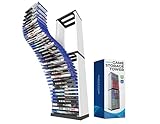
- [Efficient Game Stand for Storage and Organization]: Keep your gaming area clutter-free with this 36-slot game storage tower, compatible with PS5 game, PS4 game, PS4 Slim, PS4 Pro & Switch Lite. This game holder stand is designed for easy access and to prevent disc damage, it ensures your favorite titles are always ready to play.
- [Ample Storage for Gaming Enthusiasts]: With space for up to 36 game discs, this video game shelf or game storage tower helps you keep your collection in one place, eliminating the need to sift through scattered cases. Perfect for seasoned gamers and beginners alike, it simplifies game storage for everyone.
- [Space-Saving Design for Compact Setup]: Our gaming tower frees up valuable shelf space with this sleek and compact disc holder. The vertical design of this PS5/ PS4/PS3 compatible video game tower minimizes footprint while offering an organized and stylish solution for your gaming accessories.
- [Built to Last with Sturdy Construction]: This PS game storage tower crafted from durable ABS material, this tower storage rack is built for stability and long-term use. It protects your game collection while keeping it neatly displayed in one place.
- [Modern and Elegant Gaming Accessory]: Enhance your gaming area with a contemporary storage tower that complements any decor style. The clean and minimalist design adds a professional look to your entertainment space.
For a regional percentage milestone, first return to the map panel and confirm the reward there. Check Mail only when the event notice says that the reward is being delivered through Mail, or after the game has confirmed that a particular event reward was sent there. Do not treat an empty Mail screen as proof that a regional milestone was lost.
This distinction also protects you from unofficial reward links. Use the game’s own event notices, in-game Mail and support options, and avoid external pages that request account details in exchange for a supposed collection reward.
Troubleshooting regional reward claims
| What you see | Likely reason | What to do |
|---|---|---|
| The percentage reached a threshold, but the item is not in your inventory. | The reward is available but has not been confirmed in the regional panel. | Open the same region, enter its rewards section, highlight the available item and confirm it. |
| You cannot find a claim button in Mail. | You are checking the general delivery screen for a map-panel reward. | Return to the world map, select the region and use its collection panel. |
| The expected percentage did not increase after a catch. | The catch may not be the regional form required, or it may belong to another area’s record. | Inspect the selected region’s ledger and compare the catch with its silhouettes and spawn conditions. |
| The area is close to 100% but never completes. | A Prismana or special-weather form may still be missing. | Open every remaining silhouette and search under the listed conditions. |
| The PS5 L3 sequence does not appear to work. | The interface may have changed, focus may not be on the region, or the control scheme may differ after an update. | Reselect the region, follow the current on-screen prompt and verify that the map is zoomed to the regional view. |
| The PC key from a guide does nothing. | Your keybinds may be customized, or the guide may describe an older layout. | Use the prompt displayed beside the collection and reward section instead of a memorized default key. |
| An AniLog task appears complete but has no accessory. | The milestone may require a separate claim, or the active event may have different reward conditions. | Open the AniLog milestone entry, read its current event notice and confirm the reward there. |
| A catch appears in the AniLog but not in the regional list. | The regional form or area record may be different from the newly registered species entry. | Select the region and inspect its missing silhouettes and conditions. |
| An Outpost submission produced Credits but no area reward. | Reporting and regional claiming are separate loops. | Return to the world-map collection panel for the area milestone. |
A practical completion route
Players who want to finish an area efficiently can combine the systems without mixing their claim menus.
- Choose one region on the world map and record its current percentage.
- Open its ledger and select each missing silhouette to learn the relevant spawn conditions.
- Hunt the listed ordinary, Prismana and special-weather forms for that region.
- After each session, revisit the regional panel and claim any available 40%, 70% or 100% reward.
- When a new species is caught, open its AniLog entry and check whether it created a milestone or research task.
- Complete AniLog requirements independently and claim the accessory from the AniLog interface.
- Use an Outpost Research Console only for objectives that ask for catch reporting.
This route prevents the most common bookkeeping error: assuming that a catch, an AniLog registration, a regional percentage increase and an Outpost submission are four names for one reward action. They are separate records and may each require their own confirmation.
Before you leave a region
- Check the percentage and note whether the next reward mark is 40%, 70% or 100%.
- Review every remaining silhouette, including entries tied to Prismana or special weather.
- Claim any available regional reward before switching to another area.
- Open AniLog entries for newly registered species and note unfinished tasks.
- Use Mail only for rewards that the relevant event notice says are delivered there.
Keeping these records separate makes it easier to resume later. You can return to a partially completed region without losing its percentage, then use the ledger to continue from the exact missing form.
Platform and date caveats
The regional interface instructions were published on 18 September 2026 for PS5 and PC. The PS5 L3 navigation and the PC prompt behavior are therefore time-sensitive details, particularly after patches or control remapping. Always give priority to the prompt rendered by your current game build.
The Aniimo Eggs gameplay guide says its released-game information was rechecked on 20 September 2026. It is useful for the map ledger, spawn-condition clues, AniLog registration, Catch Completion and Outpost reporting, but it is not an official patch note. Where its description of 100% completion differs from what your current ledger shows, use the in-game silhouette and condition details as the immediate guide.
The official launch pages establish the AniLog accessory concept and the use of official event and Mail channels, while the regional walkthrough supplies the dated PS5 and PC navigation sequence. Because menu layouts and reward notices can change, treat the current in-game labels and prompts as the final authority.
What’s actually slowing this PC down?
Pick the symptom - the matching free tool is one click away.
Frequently Asked Questions
Where do I claim Aniimo regional area rewards?
Open the world map, zoom out to the regional view, select the area and open its collection panel. Move focus to the available reward and confirm it there. The ordinary Mail screen is not the regional claim location.
Best Value

- Latest AMD Ryzen Processing Unit: x86-64-AMD Ryzen Zen 8 Cores / 16 Threads at 3.5GHz.GPU: AMD Radeon RDNA 2-based graphics engine.
- 16GB GDDR6/256-bit Memory; 825GB SSD Storage Capacity. Ethernet (10BASE-T, 100BASE-TX, 1000BASE-T), IEEE 802.11 a/b/g/n/ac/ax, Bluetooth 5.1
- 【Up to 8K Output+Latest gaming controller 】The console supports 8K output through HDMI 2.1 support, Latest gaming controller features real-time sound & tactile feedback brings you feel your favorite games on the next level
- 【Up to 120fps with 120Hz output: 】Enjoy smooth and fluid high frame rate gameplay at up to 120fps for compatible games, with support for 120Hz output on 4K displays
- 8K output 4K TV: PS5 consoles support an 8K output, so you can play games on your 4320p resolution display. Play your favorite PS5 games on your stunning 4K TV. Bundle with Tanidoy Ultra High Speed HDMI Cable
What are the Aniimo regional reward percentages?
The 18 September 2026 regional walkthrough reports reward marks at 40%, 70% and 100%. These are progression thresholds from that walkthrough and may be affected by later updates.
How do I claim an area reward on PS5?
With the region selected, press L3 to show the regional Aniimo list, then press L3 again to move focus to rewards. Select an available reward and confirm using the on-screen prompt.
How do I claim an area reward on PC?
Select the region, open its collection area and follow the interaction and confirmation keys displayed beside the reward section. Customized bindings can differ from older guide examples.
Crashes, No Sound, or Screen Glitches?
Random freezes, missing sound and display glitches usually trace back to one bad driver. Find and replace yours safely.Free scan · under a minutePC Slower Than It Used to Be?
A free scan shows the junk files, broken settings and background clutter dragging Windows down - then fixes them in one click.Free scan · Windows 10 & 11Why is my region stuck below 100%?
The gameplay guide reports that 100% requires the region’s Prismana and special-weather forms as well as ordinary catches. Select every remaining silhouette to view its spawn conditions.
Do AniLog milestones and regional completion use the same reward menu?
No. Regional milestones are claimed in the selected region’s map panel. AniLog milestones and creature research tasks are handled in the AniLog and can award Aniimo accessories.
Why did an Outpost submission not unlock my area reward?
Outpost reporting is a separate loop that can provide Report Cards, research points and Credits. Area rewards still need to be claimed from the region’s map collection panel.
Are Aniimo rewards always delivered through Mail?
The official launch notice says rewards generally use official events and in-game Mail, but the regional walkthrough places area-reward confirmation in the selected region’s map panel. Follow the delivery instructions for the specific reward.
The Tool Desk
Outbyte PC Repair FREERepair Windows errors before they cause bigger problemsFix Now →Outbyte Driver Updater FREEFix the driver behind crashes, sound loss and screen glitchesFind Drivers →The Bottom Line
For regional rewards, select the area on the world map, inspect its ledger, reach the 40%, 70% or 100% mark, and claim the item from that region’s collection panel. On PS5, the dated walkthrough uses L3 twice to reach the reward section; on PC, follow the current on-screen key prompt. For 100%, check Prismana and special-weather forms. Handle AniLog milestones in the AniLog for accessory rewards, and keep Outpost reporting and Mail deliveries separate from area claims.
Quick Recap
Product prices and availability are accurate as of the date/time indicated and are subject to change. Any price and availability information displayed on Amazon at the time of purchase will apply.

