
Free tools Windows power users keep installed
One-click scans. No signup required.
iTechGuides is reader-supported. When you buy through links on our site, we may earn an affiliate commission. As an Amazon Associate I earn from qualifying purchases. Learn more
The lowest price is not enough to tell you which Rockstar game is the better buy. Compare the same platform and edition, decide what kind of experience you want, verify exactly what the package contains, and check the live price in your country. A sale is worthwhile only when the game, format and account region all fit your setup.
Use Rockstar’s official catalog to build a shortlist, then validate each candidate at the retailer selling it. The process below prevents the most expensive mistakes: buying the wrong console version, paying for an edition whose extras you will not use, or receiving a code that cannot be activated on your account.
| # | Preview | Product | Price | |
|---|---|---|---|---|
| 1 |
|
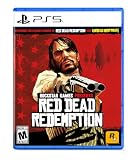
Red Dead Redemption - PlayStation 5 | $24.99 | Buy on Amazon |
| 2 |
|
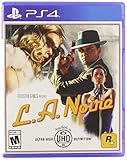
L.A. Noire - PlayStation 4 | $17.40 | Buy on Amazon |
| 3 |

|
Take 2 Interactive Grand Theft Auto 5 (PS5) | $24.03 | Buy on Amazon |
| 4 |

|
Grand Theft Auto: The Trilogy- The Definitive Edition - PlayStation 4 | $23.87 | Buy on Amazon |
The four filters that make a sale comparison fair
Compare every candidate against the same four questions:
Do these 3 things before closing this tab:
1Repair Windows errors before they cause bigger problems2Scan for outdated or missing drivers - takes under a minute3Clear out junk files and repair common Windows errors- Experience: Does the game’s official description match the setting, tone and structure you want?
- Platform: Is the exact title and edition supported on your console generation, PC storefront or Mac setup?
- Contents: Are you looking at the standard release, an upgraded edition, a bundle or a code-only package?
- Price and region: Is the price live, local to your country and redeemable on the account you will use?
Do not compare a discounted complete edition with a standard edition, or a console code with a PC copy, as though they were identical products. Write down the platform, edition, format and region beside every price before deciding.
#1 Best Overall
- When federal agents threaten his family, former outlaw John Marston is forced to hunt down the gang of criminals he once called friends.
- Experience Marston’s journey across the sprawling expanses of the American West and Mexico as he fights to bury his blood-stained past in the critically acclaimed predecessor to the 2018 blockbuster, Red Dead Redemption 2.
- Also included is Undead Nightmare, the iconic horror story that transforms the world of Red Dead Redemption into an apocalyptic fight for survival against a zombie horde.
Build a shortlist from Rockstar’s official catalog
Rockstar’s store lists several distinct choices. Use the catalog as an inventory of products, not as a ranking or a review score. A practical starting shortlist includes:
| Catalog entry | What to verify first |
|---|---|
| Grand Theft Auto V | Whether the listing is for your console generation or PC, and whether the package includes the content you expect. |
| Red Dead Redemption 2 | Supported platform, edition name and whether the retailer is selling a complete digital product or a code. |
| Red Dead Redemption | Platform generation and whether the listing is a native version, backward-compatible product or another format. |
| Grand Theft Auto: The Trilogy – The Definitive Edition | Which three-game package is included and whether the listing matches your platform. |
| L.A. Noire | Platform, physical versus digital format and any edition wording used by the seller. |
| Bully: Scholarship Edition | Whether the store listing supports your intended device and which storefront supplies the activation. |
| Max Payne 3 | Exact platform and whether the product is sold as a standalone game or a bundle. |
| Grand Theft Auto IV: Complete Edition | That the listing is the Complete Edition rather than a different Grand Theft Auto IV product. |
Open the official product description for each finalist and record its stated premise, supported systems and included content. This keeps the comparison anchored to what the publisher currently documents instead of relying on a retailer’s shortened title or an old search result.
Choose the experience before looking at the discount
Price-first shopping encourages a false comparison: a ten-dollar game can appear to be a better deal than a thirty-dollar game even when the cheaper one is not the type of experience you want. Start by describing your preferred session in one sentence, such as “I want a long single-player story,” “I want several connected games in one package,” or “I need something that runs on my current console.”
The Tool Desk
Outbyte Driver Updater FREEScan for outdated or missing drivers - takes under a minuteDriver Scan →Outbyte PC Repair FREERepair Windows errors before they cause bigger problemsFix Now →Use official descriptions as your genre check
Rockstar’s catalog and product pages provide the authoritative synopsis for each title. Read that synopsis, then note the setting, whether the page identifies a single-player experience, and whether the listing emphasizes one game or a collection. Do not infer quality, campaign length or performance from the price, release date or word “Definitive.” Those are separate questions that require their own evidence.
Separate a single game from a collection
A collection can have a lower price per game while still being the wrong purchase if you only want one title. Conversely, a single-game discount may be less attractive than a bundle when you genuinely want all of its included products. Calculate the effective price per included game only after confirming that every component is playable on your device and is included in the edition shown at checkout.
Do not treat the catalog order as a recommendation
The official store’s sequence is a merchandising layout, not a “best” list. There is no supported cross-title score, performance benchmark or value ranking in the catalog itself. Make your own shortlist from your requirements, then compare like with like.
Confirm the exact platform and storefront
Platform compatibility is a product attribute, not a detail to check after payment. A title can exist on one console generation while a similarly named listing belongs to another, and a PC purchase can be tied to a specific storefront or launcher.
Platform checklist
- Write the full device name, including the console generation or “PC”/“Mac.”
- Read the retailer’s platform field rather than relying on the game title alone.
- Check whether the product is a native version, a backward-compatible release or a bundle of versions.
- For PC or Mac, identify the storefront or launcher that will deliver and activate the game.
- Confirm storage, account and network requirements shown on the current product page.
| If you play on… | Compare this exact detail |
|---|---|
| PlayStation or Xbox | Console family and generation, edition name, and whether the offer is a digital entitlement, disc or code. |
| PC | Storefront, operating-system support, launcher requirements and whether the key is restricted to a country or region. |
| Mac | That the listing explicitly supports Mac; a PC code or PC-only product is not automatically a Mac purchase. |
If a retailer omits the platform generation or storefront, treat that omission as a reason to pause. Find a listing that states the information clearly instead of guessing from a cover image.
Rank #2
- Showcased in 1080p for the PlayStation 4 and stunning 4K for PlayStation 4 Pro.
- Includes the complete original game and all additional downloadable content plus new collectibles and detective suits to unlock, each with unique special abilities.
- Features an array of technical and graphical enhancements for a more realistic Los Angeles.
Compare editions and included content
Edition names can change the value calculation more than the sale percentage. Record the edition exactly as written, then list what it includes and whether any upgrade is sold separately.
Standard, upgraded and complete editions
A standard edition generally identifies the base product, while an upgraded or complete edition may add expansions, bonuses or other entitlements. The words alone do not establish which extras are present. Open the publisher’s current edition description and copy the included items into your comparison notes.
When two listings have different edition names, use a table rather than a single price column:
| Item | Candidate A | Candidate B |
|---|---|---|
| Game or games included | Write the exact list from the listing | Write the exact list from the listing |
| Platform | Exact console generation or PC/Mac storefront | Exact console generation or PC/Mac storefront |
| Extra content | Copy the stated bonuses or expansions | Copy the stated bonuses or expansions |
| Upgrade path | State whether a separate upgrade is available | State whether a separate upgrade is available |
| Format | Disc, digital download or redemption code | Disc, digital download or redemption code |
| Regional restriction | Country or account requirement | Country or account requirement |
If a cell is not stated on the current listing, do not fill it with an assumption. Mark it “not stated” in your notes and seek confirmation from the publisher or seller.
GTA VI: treat the edition and format as separate decisions
Rockstar Support’s article, last updated August 18, 2026, lists PlayStation 5 and Xbox Series X|S for Grand Theft Auto VI and identifies Standard and Ultimate editions. The same article describes the Ultimate upgrade contents; open the current support entry and verify the complete itemized list before paying for the upgrade.
The support information also says the physical package contains a digital download code rather than a disc. That distinction affects resale, lending, offline use and the account that receives the entitlement. Check the package description at the retailer and confirm the current official information before ordering, because packaging and edition details can change.
Understand physical, digital and code-only listings
“Physical” does not always mean “disc.” Some packages contain a code printed on a card or insert. A digital purchase may be delivered directly to an account, while a third-party listing may require you to redeem a code manually.
Recommended Free Tools
Questions to answer before checkout
- Is there an actual disc, or only a download code?
- Which account receives the license when the code is redeemed?
- Can the code be redeemed on your platform and in your country?
- Does the code expire, or does the seller state any activation deadline?
- Are later downloads, updates or bonus items tied to the same account?
For a gift, ask these questions before buying. A code that is valid but locked to another country can be unusable for the recipient, and an account-bound digital purchase usually cannot be transferred after redemption.
Rank #3
- Easy to use
- Excellent quality products
- Good product for use
Check country and account-region rules
Rockstar Support advises buying from a retailer in the country of the buyer’s platform account to avoid activation problems. A low price from another market is not a saving if the code cannot be redeemed.
- Identify the country configured on the PlayStation, Xbox or PC storefront account that will use the game.
- Check the retailer’s country or region designation for the exact listing.
- Read the redemption instructions and any warning about VPN use, account migration or regional locks.
- At checkout, confirm that currency, taxes and platform match the intended account.
- Keep the receipt and code-delivery email until activation succeeds.
Rockstar’s support guidance includes platform-specific redemption details. Follow those instructions rather than using a generic code guide, particularly when the product is a physical package containing a digital code.
Compare live sale prices correctly
A sale price is meaningful only when the products are equivalent. Check more than one retailer serving your country at the time you buy, and record the final checkout total rather than the headline discount.
Crashes, No Sound, or Screen Glitches?
Random freezes, missing sound and display glitches usually trace back to one bad driver. Find and replace yours safely.Free scan · under a minutePC Slower Than It Used to Be?
A free scan shows the junk files, broken settings and background clutter dragging Windows down - then fixes them in one click.Free scan · Windows 10 & 11| Price check | Why it matters |
|---|---|
| Same title and edition | A standard edition and an Ultimate or complete edition are different products. |
| Same platform | Console, PC and Mac listings can have separate prices and entitlements. |
| Same format | A disc, account delivery and code may have different restrictions and support. |
| Final local total | Taxes, delivery charges and currency conversion can erase an apparent discount. |
| Sale end and stock status | A temporary price or unavailable package is not a dependable alternative. |
Use a simple value calculation
For a single game, compare the final price with how closely its official description matches your requirements. For a collection, divide the final price by the number of included games only after confirming that you want and can play each one. Do not assign a monetary value to unlisted bonuses or assume that a higher-priced edition is better for every player.
Rockstar’s official store uses localized pricing. That makes it useful for identifying the product and its regional listing, but the store price alone does not prove that a discount exists in your market. Confirm the live offer at a retailer serving your country.
Use a comparison worksheet before buying
Copy this row for every finalist. Filling it out takes less time than resolving a wrong-platform purchase.
| Field | Your entry |
|---|---|
| Title | Exact product name |
| Official premise | One sentence copied or paraphrased from the current product description |
| Platform | Console generation, PC storefront or Mac |
| Edition | Standard, Ultimate, complete or other exact label |
| Included content | Games, expansions and bonuses explicitly listed |
| Format | Disc, direct digital purchase or code |
| Account region | Country that can redeem and use the product |
| Final price | Local checkout total, including tax and delivery where applicable |
| Sale deadline | Date and time shown by the retailer |
| Unresolved question | Anything the listing does not state clearly |
Only compare the final rows after every unresolved question has an answer. If one candidate still lacks platform, edition or region information, it is not a fair price comparison.
What’s actually slowing this PC down?
Pick the symptom - the matching free tool is one click away.
Common sale traps and how to avoid them
Trap: comparing percentages instead of products
A larger percentage off does not make a different edition or platform equivalent. Compare the final product and total price first; use the percentage only as context.
Rank #4
- Grand Theft Auto III: It all starts in Liberty City. With the revolutionary freedom to go anywhere and jack anyone, Grand Theft Auto III puts the center of the criminal underworld at your fingertips, if you have enough guts to take it.
- Grand Theft Auto: Vice City: Welcome to the 1980s. From the decade of big hair and pastel suits comes the story of one man's rise to the top of the criminal pile.
- Grand Theft Auto: San Andreas: Five years ago, Carl 'CJ' Johnson escaped the haze of Los Santos, San Andreas...a city tearing itself apart with gang trouble, drugs, and corruption.
Trap: assuming backward compatibility
A game with a familiar title may not be the version intended for your console. Require the listing to name the supported system or generation.
Trap: treating “physical” as “disc”
Some physical packages contain only a download code. Read the package description and confirm whether a disc is included.
Trap: ignoring the account country
A cheaper imported code can fail at redemption. Match the retailer’s country to the platform account that will use the game.
Quick wins for a faster PC:
Scan for outdated or missing drivers - takes under a minuteDriver Scan →Clear out junk files and repair common Windows errorsFree Scan →Fix the driver behind crashes, sound loss and screen glitchesFind Drivers →Trap: buying a bundle for one component
Divide the price by included games only when you actually want all of them. Otherwise, compare the standalone product that meets your requirement.
Trap: relying on an old release statement
Release dates, editions and packaging can change. Treat dated announcements as historical information and verify the latest official product page before purchasing.
What the dated GTA VI announcement does—and does not—tell you
A Rockstar Games Newswire announcement published June 24, 2026 stated: “Grand Theft Auto VI is a single player experience, coming November 19 to PlayStation 5 and Xbox Series X|S.” That wording is useful for identifying the announced experience and platforms at that time, but it is not proof of the current release status. Check the latest official page for any subsequent date, edition or availability change.
For a GTA VI purchase, complete all of the following separately: confirm the current release information, choose Standard or Ultimate, verify the PS5 or Xbox Series X|S listing, determine whether the physical package is a code rather than a disc, and match the code region to your account.
Where retailer listings fit into the process
Rockstar’s downloads page lists storefront choices and names Amazon for some PC/Mac games. That establishes Amazon as a possible place to search for certain products, not that every Rockstar title or console edition is currently stocked there. It also does not establish a current sale price, regional suitability or any particular retailer program.
Use the official catalog and downloads information to identify the product, then inspect the retailer’s live listing for stock, platform, edition, format, region and final price. If those details conflict, pause and use the clearer listing or seek confirmation from the publisher.
Final pre-purchase checklist
- Write down the experience you want and shortlist titles from the official catalog.
- Confirm the exact platform generation or PC/Mac storefront.
- Match the edition name and list every included game, expansion and bonus.
- Identify whether the offer is a disc, direct digital purchase or download code.
- Check that the retailer’s country matches the platform account’s country.
- Compare the same product at more than one retailer serving your market.
- Record the final checkout total, sale end date and stock status.
- Resolve every missing detail before redeeming or opening the package.
Bottom line
The best Rockstar sale purchase is the one whose official premise fits your intended experience and whose exact platform, edition, format and region are confirmed. Build the shortlist from Rockstar’s catalog, compare equivalent listings at current local prices, and treat dated announcements or vague retailer descriptions as prompts to verify—not as guarantees.
Quick Recap
Product prices and availability are accurate as of the date/time indicated and are subject to change. Any price and availability information displayed on Amazon at the time of purchase will apply.

