
iTechGuides is reader-supported. When you buy through links on our site, we may earn an affiliate commission. As an Amazon Associate I earn from qualifying purchases. Learn more
If you mean AnyPS5—the project documented as porting PS5 executables to Windows and Linux—the reliable way to check a game is to use AnyPS5’s own tested compatibility table. Search for the exact title, verify its PS5 title ID when one is shown, select the correct operating system, and then read the reported status, test build, hardware, performance, and known issues.
A result for Windows does not establish Linux support, and a game that reaches a menu or renders one frame is not automatically considered playable. The table records project-specific tests, not a universal guarantee for every computer or future AnyPS5 release.
First, identify the project you mean
“PS5-on-PC project” is not a standard product category. This guide assumes you mean AnyPS5, whose README describes automatic executable porting to Linux and Windows, a relinker, and implementations of console system libraries for host-side linking. The project describes its purpose as “interoperability, research, preservation, and compatibility,” rather than presenting itself simply as a conventional emulator.
If you intended another project, use that project’s own compatibility database and status definitions. A compatibility result from AnyPS5 cannot be transferred to a different tool, fork, build, or porting project.
#1 Best Overall

- Enjoy precise, comfortable control over 10,000+ supported Steam games.
- Easily pair the controller directly to your Windows PC via Bluetooth or play as you charge with the included USB Type-C cable
- Stay paired with up to four different Bluetooth devices, making it easy to enjoy the controller across Windows PC, Mac, PS5 consoles and smartphones. Discover more connection tips and tricks at playstation.com/pair-dualsense
- Access the latest available controller firmware directly from your PC with the free-todownload PlayStation Accessories app
- Play games streamed from your PS5 or PS4 console to your PC via the PS Remote Play App
The shortest reliable method
- Open the current AnyPS5 tested game compatibility table.
- Search the game’s title, including alternate punctuation or subtitles if necessary.
- When the table shows a PS5 title ID, compare it with the ID for your exact edition. This prevents similarly named releases, regional versions, remasters, and patches from being confused.
- Read the result under the operating system you plan to use. Treat Windows and Linux as separate compatibility questions.
- Read the status and open any linked game report or known-issues entry.
- Note the AnyPS5 build, game patch or special setup, PC hardware, measured frame rate, crashes, freezes, missing audio, rendering defects, and the test date when those details are supplied.
- Compare that test context with your own machine and the AnyPS5 version you intend to run. Regard the row as evidence from a recorded test, not as a promise for every configuration.
This process answers the practical question—“Does this title work on AnyPS5 on my Windows or Linux PC?”—without inferring support from a gameplay video, a general project progress page, or the fact that the game has a PS5 release.
How to read an AnyPS5 compatibility entry
Title and PS5 title ID
Start with identity, not the performance number. A listing can use a title name, a PS5 title ID, or both. Names alone are unsafe when a game has regional editions, bundles, a remaster, a demo, or more than one release with similar wording. Match the ID shown in the table to the ID for the executable you actually have whenever the project provides one.
If no ID is shown for your copy, do not silently assume that a same-name row is identical. Open the report, check the edition and patch information, and look for notes that identify the tested executable.
Operating system
Read the platform column as a hard boundary. A Windows result establishes only what was observed on Windows. It does not establish Linux compatibility, even when both systems use the same PC hardware. Conversely, a Linux result does not prove that the Windows build behaves the same way.
Status or milestone
Compatibility tables often record progress in stages. A title may launch, reach an entry point, render a frame, reach a menu, enter gameplay, or be marked playable. Those milestones are materially different:
- Launch or entry point: the executable starts or reaches an early code path. It may still fail before displaying usable content.
- Rendering or first frame: something is displayed, but input, audio, saving, menus, scenes, or sustained play may still be broken.
- Gameplay: the report reached an interactive section. This does not necessarily mean the whole game is completable.
- In game, playable: the project has assigned its stronger playable label. Read the linked report for the scope of that judgment and any remaining defects.
- Unknown or question mark: the project has not established a result for that platform in the table. It is not a “probably works” rating.
Do not convert a lower milestone into a playable recommendation. The wording in the project’s row is more important than a thumbnail, a short clip, or a claim that the game “boots.”
Known issues and test notes
Open the linked report or issue notes instead of stopping at the headline status. Look for crashes at a particular scene, freezes after a cutscene, missing or corrupted rendering, audio gaps, input problems, save failures, required patches, and special launch steps. A title can be usable for experimentation while still having a defect that prevents a normal playthrough.
Use the test context correctly
For entries with more than one result, compare the same facts across rows:
| Comparison point | What to record | Why it matters |
|---|---|---|
| Platform | Windows or Linux, and any edition or build label | Support is platform-specific; one operating system’s result cannot answer for the other. |
| Status | Launch, rendering, gameplay, playable, or the exact wording used | A milestone is not interchangeable with full playability. |
| Build and patches | AnyPS5 version, game patch, title ID, and special setup mentioned | A different executable or project build can behave differently. |
| Hardware | CPU, GPU, memory details, and other equipment listed in the report | The figures describe the recorded test environment, not a universal minimum specification. |
| Performance | Measured frame rate and the conditions attached to it | Frame rate is meaningful only with its hardware and test context. |
| Problems | Crashes, freezes, audio or rendering defects, input or save issues | A high frame rate does not eliminate a blocking compatibility bug. |
| Test date | Date or release context, when supplied | Compatibility can change as the project and game are updated. |
If a cell is not established by the entry, treat it as unknown rather than filling the gap with a guess. In particular, do not infer a general CPU, GPU, or RAM requirement from one title’s report.
Worked example: Dreaming Sarah
The live AnyPS5 compatibility table provides a useful example for Dreaming Sarah, identified there as PS5 title ID PPSA02929. The Windows row is marked “In game, playable.” The same entry reports two Windows tests:
| Operating system | Recorded hardware | Reported performance | Project status |
|---|---|---|---|
| Windows | GeForce GTX 1050 Ti with an Intel Core i5-7500 at 3.4 GHz | 60 FPS | In game, playable |
| Windows | Intel HD Graphics 620 with an Intel Core i5-7200 at 2.5 GHz | 36 FPS | In game, playable |
| Linux | Not stated in the row | Not stated | ? |
These are project-reported results from the table entry checked in 2026. They show that the title reached the project’s playable classification on Windows in the listed tests, and that performance differed between the two recorded machines. They do not establish a universal 60-FPS requirement, a minimum GPU, or Linux support. The Linux question remains unanswered by this row.
What’s actually slowing this PC down?
Pick the symptom - the matching free tool is one click away.
Rank #2

- 👉️【Usage Notes】When using the gamepad for the first time, it needs to be connected to the PS5 console via a USB-C cable(It must be the data cable included in the package or the original data cable), and then press the Home button to activate it. If your controller has any functional issues, please use this url to update the firmware: we.tl/t-yAwofXJL9YOyyq3K !!! The gamepad is only compatible with PS5 series consoles and Windows PCs, and it is not compatible with PS4.
- 👋【Quick Connection & One - click Wake - up】 You can connect to the PS5 console by pressing the HOME button on the controller. When connecting to the console for the first time, you need to use a data cable. It also supports use on computers with Windows operating systems.
- 🎮️【Controller with Sound】 The controller is capable of producing sound, providing an immersive gaming experience. Please note that the controller is only equipped with a speaker and has no microphone. If you want to use the microphone fuacnction, please use an external headset. It is equipped with a 3.5mm TRRS headphone jack(not compatible with Apple headphones.)
- 🌈【Customizable Colors】Press the Lighting button to switch colors and light effect modes with one click. It features a color memory function, ensuring that the next time you use it, it will still be the color you prefer.
- 🕹️【High - Precision Joysticks】Equipped with upgraded joysticks, these effectively reduce the joystick dead zone and extend the controller's service life.
What “playable” still does—and does not—tell you
“In game, playable” is the strongest status in the Dreaming Sarah example, but it is still a label attached to a particular report. Read what the tester actually exercised. A report may cover a short session, a representative level, or a longer run without proving that every ending, menu, save path, or late-game scene works. Remaining problems can include visual artifacts, intermittent crashes, broken sound, poor frame pacing, or a need to restart after a specific transition.
Conversely, a lower status is not a technical diagnosis. “Rendering” does not tell you whether the missing piece is input, audio, a system-library call, a shader path, or an untested section of the game. Use the linked notes to learn what was observed instead of guessing which subsystem is responsible.
Why a PS5 label does not prove PC compatibility
A game being sold or announced for PS5 tells you which console executable exists; it does not tell you whether AnyPS5 has ported or tested that executable. The project’s compatibility table is the relevant evidence because it records the titles that have actually been examined and the milestone reached.
Do not use an official PlayStation PC release as a substitute for an AnyPS5 result. Sony’s support FAQ explains that PC and console versions of PlayStation Studios games are separate products and that buying one version does not currently grant the other. That policy concerns official releases. AnyPS5 compatibility is a separate technical question about running or porting a PS5 executable on a PC.
Do these 3 things before closing this tab:
1Clear out junk files and repair common Windows errors2Scan for outdated or missing drivers - takes under a minute3Repair Windows errors before they cause bigger problemsWhat to do when your game is not listed
- Search the title again using its subtitle, alternate spelling, and the title ID if available.
- Check whether the table separates a demo, trial, remaster, regional release, or different patch from the version you own.
- Read the project’s current README and compatibility-list notes for the status vocabulary and reporting conventions.
- Check whether the project has a report under an abbreviated name or an ID rather than the store title.
- If no matching entry exists, record the result as not tested or not established. Do not label it incompatible solely because it is absent.
An unlisted title can become listed after a new report, but the absence of a row is not a compatibility rate and cannot be converted into a percentage of games that work. No named, dated population statistic establishes overall AnyPS5 compatibility.
How to avoid false positives from videos and benchmarks
Videos can demonstrate that a particular build reached a particular scene, but they rarely identify every variable needed to reproduce the result. Before treating one as useful evidence, look for the exact title ID, operating system, AnyPS5 build, game patch, hardware, and the point reached in the game. A general project progress page may show an implementation milestone without confirming a specific title.
Technical support for a shader instruction or a console system call is also not the same as game compatibility. Recent technical coverage, including discussion of shader-instruction recognition, can explain why a project is progressing, but only the per-game table and report establish what was tested for a named title. A benchmark showing a high frame rate is similarly incomplete if it omits the scene, resolution, graphics settings, or whether the run lasted beyond an opening sequence.
Hardware: interpret numbers as evidence, not requirements
The Dreaming Sarah figures illustrate the correct use of hardware data. One listed Windows machine produced 60 FPS and another produced 36 FPS, but neither row says that the first GPU is required or that the second GPU is sufficient for every game. Different titles can stress graphics, CPU emulation or translation, memory, storage, audio, and individual system-library implementations in different ways.
Quick wins for a faster PC:
Fix the driver behind crashes, sound loss and screen glitchesFind Drivers →Clear out junk files and repair common Windows errorsFree Scan →When comparing your computer with a report, match as many variables as possible:
- graphics processor model and driver environment;
- processor model and clock information when reported;
- operating system;
- AnyPS5 build or commit context;
- game edition, title ID, and patch;
- special launch options or setup steps; and
- the scene or test procedure used for the quoted frame rate.
If those variables are missing, present the comparison as uncertain. Do not turn a single test row into a shopping list or a generic minimum specification. Checking a table does not require buying a particular GPU, CPU, or controller. A controller can be an optional input device for playing, but it is not a requirement for looking up a status.
Keeping a result current
Compatibility is a moving record. AnyPS5 builds can change, game patches can change executable behavior, and a report can gain or lose details as issues are investigated. Before relying on an old result:
Rank #3

- Bring gaming worlds to life - Feel your in-game actions and environment simulated through haptic feedback*. Experience varying force and tension at your fingertips with adaptive triggers*
- Find your voice, share your passion - Chat online through the built-in microphone. Connect a headset directly via the 3.5mm jack. Record and broadcast your epic gaming moments with the create button
- A gaming icon in your hands - Enjoy a comfortable, evolved design with an iconic layout and enhanced sticks. Hear higher-fidelity** sound effects through the built-in speaker in supported games
- Multi-device connectivity - Connect using a USB Type-C cable or Bluetooth technology and easily play on more devices including Windows PC and Mac computers.
- Elevate PC gaming with advanced features like haptic feedback and adaptive triggers in a range of blockbuster PC titles.
- Reopen the live compatibility table rather than relying on a cached screenshot.
- Check whether the row’s status, platform marker, title ID, or linked report has changed.
- Read the project’s current README for updated instructions and terminology.
- Confirm that your intended AnyPS5 build and game patch match the recorded test.
- Recheck known issues after an update; a fix may resolve one failure while exposing another.
When publishing or sharing a result, include the date you checked it and preserve the qualifiers attached to the test. “Playable on Windows” is incomplete without the title identity and the fact that it describes the project’s recorded test, not every future build.
The Tool Desk
Outbyte Driver Updater FREEScan for outdated or missing drivers - takes under a minuteDriver Scan →Outbyte PC Repair FREERepair Windows errors before they cause bigger problemsFix Now →A practical decision rule
Use this rule when deciding whether to try a title:
- Windows or Linux marked “In game, playable,” with a matching title ID and similar build context: a strong reason to try it, while still reading the issue report.
- Gameplay or rendering milestone only: suitable for experimentation, not evidence of a normal complete playthrough.
- Question mark or no entry: compatibility for that platform is unestablished; do not infer either success or failure.
- Different operating system, title ID, patch, or project build: treat the result as a separate case.
- Hardware substantially unlike the report: use the status as a clue, not as a performance prediction.
The decisive evidence is always the exact row for the exact title, platform, and build context you plan to use.
A five-minute verification checklist
For a quick, reproducible check, copy these fields into your notes:
- Game name exactly as listed.
- PS5 title ID, if present.
- Windows or Linux result.
- Exact status wording.
- AnyPS5 build and game patch.
- Hardware and reported frame rate.
- Known issues and required setup.
- Date checked and link to the report.
This prevents a common mistake: remembering only “someone ran it” while forgetting that the test used a different operating system, a different edition, or an older build. If you cannot fill in one of these fields, mark it unknown. A transparent unknown is more useful than an inferred specification.
Free tools Windows power users keep installed
One-click scans. No signup required.
Frequently asked questions
Does a PS5 game automatically work on AnyPS5?
No. A PS5 release only indicates that a console executable exists. Look for the exact title and ID in AnyPS5’s compatibility table.
Is a Windows result valid for Linux?
No. Windows and Linux entries are separate results. If Linux shows a question mark or has no row, Linux compatibility has not been established.
What does “boots” mean?
It means the program started or reached an early point. It does not guarantee a usable menu, sustained gameplay, sound, saving, or completion.
Can I call an unlisted game incompatible?
No. Absence normally means not tested or not established. It is not proof of failure and is not a percentage of all PS5 games.
Recommended Free Tools
Should I buy the hardware listed in a report?
No. Reported hardware describes one test environment. It is not a general minimum specification or a recommendation for every title.
Does AnyPS5 give me the official PC version of a PlayStation game?
No. Sony treats PC and console versions as separate products. AnyPS5 is a separate technical project concerning PS5 executables.
Rank #4
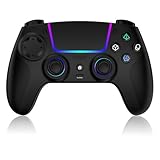
- Seamless Compatibility:This game controller is compatible with PS5, Pro, Slim, PC, and Steam Deck. Enjoy seamlesg integration with your console and all your PS5 games without any complicated setup
- Adjustable RGB Lighting: Personalize your setup with vibrant, 7-color adjustable RGB lighting. Choose from 4 distinct lighting modes (Steady, Breathing, Color Cycle, and Reactive) to match your mood, game, or gaming environment
- 3-Speed Turbo: Gain a competitive edge with the 3-speed adjustable TURBO function. Simply map any action button to turbo for rapid, continuous firing—perfect for shooting games or actions requiring high-speed input
- Programmable Back Buttons: Take command with fully programmable rear buttons M1 & M2. Map complex in-game commands or macros to these buttons, saving your configurations for instant access to advanced maneuvers and shortcuts
- Ergonomic Design: Its form-fitting shape, balanced weight, and soft-touch materials offer superior comfort. This non-slip design ensures stable control and prevents slippage, even with sweaty hands
How often should I recheck a compatibility result?
Recheck after an AnyPS5 update, a game patch, or a reported issue fix. The live table and linked report are more reliable than an old screenshot or video.
What if the table and a video disagree?
Compare title ID, operating system, project build, patch, hardware, and the exact point reached. Prefer the project’s current row and report, and treat the video as supplementary evidence.
Windows Errors? Fix Them Before They Spread
Repair common Windows errors and clear accumulated junk for a smoother, more stable PC - no reinstall needed.Free scan · no reinstallOutdated Drivers Are Slowing You Down
One free scan finds every outdated or missing driver and matches the right update for your exact hardware.Free scan · exact hardware matchFrequently Asked Questions
Does a PS5 game automatically work on AnyPS5?
No. A PS5 release only indicates that a console executable exists. Check the exact title and PS5 title ID in AnyPS5’s compatibility table.
Is a Windows result valid for Linux?
No. Treat each operating system as a separate compatibility question.
What does “boots” mean?
It means the executable started or reached an early point, not that menus, gameplay, audio, saving, or completion work.
Can an unlisted title be called incompatible?
No. An absent row means compatibility is not established; it does not prove failure.
Are listed CPU and GPU models minimum requirements?
No. They describe the recorded test environment for that title and build.
Does AnyPS5 provide an official PlayStation PC license?
No. Sony treats PC and console versions as separate products; AnyPS5 is a separate technical project.
When should I check again?
Recheck after an AnyPS5 release, a game patch, or an issue update, because statuses and known problems can change.
The Bottom Line
To check a PlayStation game on AnyPS5, find the exact title and PS5 ID in the current compatibility table, select your operating system, and read the status, report, build, patch, hardware, performance, and known issues together. A Windows “In game, playable” result such as Dreaming Sarah’s is useful evidence for that recorded test—not a guarantee for Linux, another edition, different hardware, or a future build.
Quick Recap
Product prices and availability are accurate as of the date/time indicated and are subject to change. Any price and availability information displayed on Amazon at the time of purchase will apply.

