
iTechGuides is reader-supported. When you buy through links on our site, we may earn an affiliate commission. As an Amazon Associate I earn from qualifying purchases. Learn more
The true monthly cost of commuting is more than fuel or a train fare. Count every office day, use the full round trip, add parking and tolls, and include the portion of vehicle ownership costs consumed by the commute. For a quick driving benchmark, multiply monthly commuting miles by the applicable IRS mileage rate, then add parking and tolls. For a more personal figure, replace that benchmark with your actual fuel, maintenance, insurance, registration, depreciation or lease costs.
The basic structure is monthly commuting cost = travel operating cost + parking + tolls + transit fares or passes + commute-specific fees. Keep cash spending, allocated ownership cost, time, and employer benefits in separate columns so a low-cash option is not mistaken for a low-cost option.

Start with a complete monthly cost model
Create one worksheet for each mode you could realistically use. The first column should describe the cost; the next should contain the monthly amount; a notes column should identify whether the figure is a direct payment, an allocation, a reimbursement, or a dated benchmark.
Free tools Windows power users keep installed
One-click scans. No signup required.
| Cost category | Driving | Public transit |
|---|---|---|
| Operating cost | Fuel or electricity, plus variable wear if it is not already included in your method | Round-trip fares or a monthly pass |
| Parking | Home, station, and office parking | Station or park-and-ride parking |
| Tolls and access charges | Tolls, bridge fees, congestion charges | Any mode-specific access fee |
| Last-mile travel | Ride to or from a remote parking location | Bus, taxi, rideshare, bicycle, or other connection to the station |
| Fixed ownership or subscription cost | Allocated insurance, registration, maintenance, tires, repairs, depreciation, or lease cost | Not stated; include any recurring pass or service charge that exists for your route |
| Employer assistance | Parking, mileage, or commuter reimbursement | Transit or qualified transportation benefit |
Do not force all categories into one number immediately. A useful result has at least three totals: gross monthly cash cost, allocated monthly cost including ownership, and net cost after benefits you actually receive.
#1 Best Overall

- KEEP PERFECT RECORDS: Adams Vehicle Mileage and Expense Journals help you log business use of your car or truck with year start and year end odometer readings and flawless daily records
- GET THE BEST DEDUCTION: 588 entries capture the date, odometer readings, total miles and business purpose—everything you need to document business use for the IRS
- SUMMARIES MAKE TAX TIME EASY: Annual summary pages hold monthly mile totals to calculate percentage of business use; monthly maintenance totals help you deduct unreimbursed vehicle expenses
- INCLUDES 6 RECEIPT POCKETS: Don’t forget to save receipts; you get 2 double-sided pockets for oil changes and other service; 2 pockets for repairs, and 2 pockets for parking and tolls
- KEEP IT IN THE CAR: This portable 5-1/4 x 8-1/4 booklet was meant to travel with you; keep one in each glove compartment for a complete record of business use
Step 1: Count the office days that actually occur
Use the calendar for the month you are analyzing rather than multiplying a weekly schedule by four. Start with scheduled office days, then remove holidays, approved leave, sick days, closures, and days worked entirely from home. Add an office visit if you normally work remotely but came in for a meeting or other obligation.
Why the count changes the answer
Hybrid work makes commuting cost highly sensitive to attendance. A monthly parking pass may remain unchanged when office days fall, while per-trip fares, fuel, and tolls decline. Conversely, a month with extra in-person meetings can make an apparently cheap mode more expensive.
Record both the actual month and a planning average. For example, keep a column for actual office days in October and another for the average number of office days over the next 12 months. The first answers “what did this month cost?”; the second supports a household budget.
What’s actually slowing this PC down?
Pick the symptom - the matching free tool is one click away.
Make the day count auditable
- List every weekday on which you were expected at the office.
- Mark holidays, leave, closures, and fully remote days.
- Count the remaining office visits.
- Keep the calendar, attendance record, or mileage log with the worksheet.
IRS Form 2106 instructions describe a practical recordkeeping pattern: multiply commuting days by the average daily round-trip distance. A vehicle mileage log book, spreadsheet, or mileage app can preserve the same evidence.
Step 2: Measure the complete trip
Use round-trip distance, not one-way distance. If the route changes, use a representative average and document how you obtained it. Include a drive from home to a station, a detour to an employer parking lot, or a regular last-mile connection when it is part of getting to work.
Driving miles
Calculate monthly commuting miles = office days × daily round-trip miles. With 18 office days and a 32-mile daily round trip, the result is 576 miles. Do not silently substitute a shortest-route estimate if traffic, toll roads, or a regular drop-off makes the actual trip longer.
Transit trips and fare zones
For transit, count each workday’s round trip and identify the fare zones, peak rules, transfers, and pass period. A route with two trains and a bus may still be one integrated fare in one city and several separate fares in another. Use the amount charged to you, not a national average; no universal transit fare is established here.
The Tool Desk
Outbyte Driver Updater FREEFix the driver behind crashes, sound loss and screen glitchesFind Drivers →Outbyte PC Repair FREERepair Windows errors before they cause bigger problemsFix Now →Step 3: Calculate a car commute with actual costs
The actual-cost method estimates what the vehicle consumes for commuting. IRS Topic 510 lists fuel or electricity, oil, maintenance, repairs, tires, insurance, registration, licensing, and depreciation or lease cost among the categories used for vehicle cost accounting. The tax rule is written for business use; here, the same structure is used to estimate a household commuting cost.
Rank #2
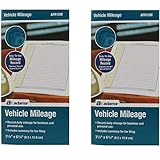
- Sold As 2 Journals
- Adams Vehicle Mileage 3 1/4 x 6 1/4
- Record daily mileage for business and personal use
- Includes summary for tax filing
Separate variable and fixed costs
- Variable costs: fuel or charging, oil, mileage-related maintenance, tires, and repairs that increase with use.
- Fixed or time-based costs: insurance, registration, licensing, depreciation, and a lease payment.
- Trip charges: parking, tolls, congestion fees, and bridge charges.
Do not count the entire insurance bill or lease payment as a commuting expense unless the vehicle exists solely for commuting. Allocate only the relevant share.
Allocate ownership costs fairly
Choose a consistent denominator. A mileage allocation uses commuting miles divided by total vehicle miles for the same period, then applies that fraction to the vehicle cost. A time allocation can be appropriate for some annual fees, but it should be documented and used consistently. IRS Topic 510 says actual costs must be divided between business and personal use when calculating an attributable amount; the same discipline prevents a household estimate from assigning every personal vehicle cost to work travel.
Annual bills are lumpy. Convert an annual insurance premium, registration fee, or expected repair budget into a monthly accrual for the 12-month view, while preserving the actual payment in the cash-flow view. For depreciation, use a defensible household estimate rather than treating the vehicle’s entire purchase price as one month’s cost.
Recommended Free Tools
Build an actual-cost worksheet
- Record fuel or electricity used for the commute during the month.
- Record oil, maintenance, tires, and repairs paid during the month. For infrequent work, keep a 12-month average as a second view.
- Enter monthly insurance, registration, licensing, depreciation, or lease amounts.
- Apply your documented commuting-mile share to costs that also support personal travel.
- Add parking, tolls, and other trip charges separately.
This method is the best fit when your vehicle is unusually expensive or efficient, when fuel prices are volatile, or when you need to know the household cost rather than a standardized reimbursement figure.
Use the IRS mileage rate as a dated benchmark
A standard-mileage benchmark is faster: multiply commuting miles by the applicable IRS mileage rate and then add parking and tolls. The Internal Revenue Service announced a 2026 business mileage rate of 72.5 cents per mile in 2025. The rate is a benchmark, not a promise that your personal fuel, insurance, depreciation, or repair cost equals that amount.
GSA reported that the IRS made a midyear 2026 adjustment effective July 1, 2026. If a worksheet includes travel before and after that date, split the miles into the applicable periods and use the rate for each period. The exact post-July 1 figure is not stated in the available figures, so verify the IRS notice for the dates you are analyzing instead of applying 72.5 cents to the entire year.
Worked benchmark example
Suppose the month has 18 office days, a 32-mile daily round trip, $180 in office parking, and $40 in tolls.
18 × 32 = 576commuting miles.576 × $0.725 = $417.60at the 72.5-cent 2026 benchmark.$417.60 + $180 + $40 = $637.60before any employer reimbursement.
The $637.60 result is a standardized estimate for those travel dates. It is not a personal-cost guarantee. Compare it with your actual fuel, maintenance, insurance, depreciation, and lease data, and split the calculation if the travel crosses the July 1 rate change.
Rank #3

- Comprehensive Package for Long Term Use: this package comes with 6 auto mileage and expense notebooks; Each mileage log book for car contains 32 pages; This sufficient quantity enables you to keep track of your expenses for a longer period
- Ideally Sized for Convenience: with dimensions of 6.3 x 3.3 inches, the vehicle mileage log book is the ideal size to carry around; Its compact nature ensures you can easily tuck it into your glove compartment or bag, ready to jot down important information whenever the need arises
- Quality Material for Ease of Use: the vehicle book is made from quality paper, providing a smooth writing surface for all your record keeping needs; This ensures clear documentation of all your auto mileage and expenses for easy reference
- Organized Layout for Detailed Record Keeping: each car mileage log book boasts an organized layout with appropriate categories; You can track different types of expenses like mileage, oil changes, parking charges, and even cleaning and repair costs; The 2 page layout allows you to track expenses by day over a 12 months period, with monthly and annual summary pages on the back for easy accurate recording; This gives you a clear and broad view of your vehicle's running costs
- Ideal for Divers: the mileage tracking book constitutes the ideal tool for divers with features specifically designed for auto mileage and expense logging; They provide a systematic way of recording mileage, gas usage, oil changes, and other vehicle related expenses incurred
Add parking, tolls, and fees explicitly
These charges are easy to lose when a mileage figure is used. List each one by location and payment type:
- Parking at home, at a station, and at the office.
- Meter, garage, permit, or reserved-space charges.
- Road, bridge, tunnel, and congestion tolls.
- Employer or building access fees.
- Regular rides between a remote parking area and the workplace.
A monthly parking pass should be allocated to the month in which it provides access, even if you paid it in one annual transaction. If parking is free on some days and paid on others, record the actual pattern rather than assuming the maximum charge.
Calculate a public-transit commute
Use monthly transit cost = (commuting days × round-trip fare) or monthly pass price + station parking + last-mile cost. Compare the per-trip total with the pass price for the same calendar period; choose the lower amount only when the pass actually covers the trips you make.
PC Slower Than It Used to Be?
A free scan shows the junk files, broken settings and background clutter dragging Windows down - then fixes them in one click.Free scan · Windows 10 & 11Crashes, No Sound, or Screen Glitches?
Random freezes, missing sound and display glitches usually trace back to one bad driver. Find and replace yours safely.Free scan · under a minuteInclude the parts outside the train or bus
Station parking, a feeder bus, a rideshare to an infrequent station, bicycle rental, or a second fare can change the result. Keep those amounts separate so a change in station or last-mile method can be tested without rebuilding the whole worksheet.
Handle irregular attendance
If office days vary, calculate both scenarios: pay per trip for the actual month and the pass cost if you bought one. Do not assume a pass is cheaper merely because it is marketed as unlimited; the break-even point depends on the local price and the number of valid travel days.
Account for employer commuter benefits
IRS Publication 15-B identifies transit passes and qualified transportation fringe benefits as relevant employer-provided commuting benefits. Enter the gross cost first, then subtract only a benefit you actually receive. A promised program, an enrollment option you did not use, or a tax preference that never reached your paycheck is not a reduction in your realized monthly cost.
Keep reimbursements distinct from discounts. A $100 employer reimbursement reduces your out-of-pocket total, while a pretax arrangement may change payroll treatment without changing the posted fare. Show both gross and net figures so driving and transit are compared on the same basis.
Compare modes on consistent axes
Money is only one decision variable. Put each realistic mode in a row and compare the same categories in every row.
Rank #4

- Sold as 1 EA.
- Mandatory records for all who use their automobile for business purposes. Records mileage, parking fees and tolls.
- Features a detachable year-end summary for tax advisor.
- Undated-start any time.
- Good for one full year.
| Axis | What to record | Why it matters |
|---|---|---|
| Monthly cash cost | Fuel, fares, parking, tolls, passes, and last-mile payments | Shows the amount leaving your account this month |
| Allocated ownership cost | Vehicle depreciation or lease, insurance, registration, maintenance, and tires | Prevents a car from looking free because its fixed bills are paid elsewhere |
| Time | Door-to-door minutes, waiting, transfers, traffic, and reliability | Keeps time visible without assigning an arbitrary dollar value |
| Flexibility | Errands, schedule changes, weather exposure, and route availability | Captures practical value that a fare-only comparison misses |
| Risk | Missed connections, breakdowns, unsafe conditions, or unusual delays | Highlights reliability and recovery needs |
| Benefits and tax treatment | Benefits actually received and any applicable reimbursement | Separates household economics from tax rules |
Keep time separate unless you deliberately choose a personal value for an hour. Two commuters can use the same cost worksheet and reach different decisions because one values schedule flexibility and the other values predictable travel time.
Use a representative month and a 12-month average
One month can mislead. Fuel, repairs, registration, insurance premiums, and office attendance do not arrive evenly. Maintain two views:
- Actual-month view: payments and trips that occurred in the selected month.
- 12-month planning view: annualized insurance, registration, maintenance, repairs, tires, depreciation, and expected office attendance divided across 12 months.
Do not replace the actual view with the average. A household may need the average to set a budget and the actual figure to explain why this month’s spending was unusually high.
Spreadsheet layout and formulas
A simple sheet can use one row per month and separate columns for each mode. Keep inputs visible instead of embedding unexplained numbers inside a total.
| Column | Entry or formula |
|---|---|
| Office days | Count of actual in-office days |
| Daily round-trip miles | Measured home-to-office-to-home distance |
| Monthly commuting miles | office days × daily round-trip miles |
| Driving operating benchmark | monthly commuting miles × applicable IRS rate |
| Actual fuel or electricity | Commute-related amount recorded for the month |
| Allocated fixed vehicle cost | Documented commuting share of insurance, registration, maintenance, depreciation, or lease |
| Parking and tolls | Actual charges by location |
| Transit fares or pass | Actual fare or pass price for the month |
| Last-mile cost | Station parking and connecting travel |
| Employer benefit | Benefit actually received |
| Gross total | All applicable costs before benefits |
| Net out-of-pocket total | gross total − benefit actually received |
Use a note beside every rate and annualized amount. For the 2026 mileage benchmark, record the travel period and whether the miles occurred before or after July 1.
Tax treatment is different from economic cost
IRS Publication 463 says ordinary travel between home and a regular workplace is generally personal commuting. It also says parking at the regular workplace is a nondeductible commuting expense. Those rules answer whether an expense is deductible; they do not erase the expense from a household budget.
Do not reduce your true commuting cost merely because a tax rule labels the trip personal, and do not treat a mileage benchmark as a tax deduction for ordinary commuting. Record tax treatment in a separate column from the economic calculation.
Quick wins for a faster PC:
Repair Windows errors before they cause bigger problemsFix Now →Scan for outdated or missing drivers - takes under a minuteDriver Scan →Common mistakes and how to correct them
Using one-way distance
Symptom: The result looks roughly half of what you spend. Fix: multiply office days by the full daily round trip, including regular detours.
Counting scheduled days instead of actual visits
Symptom: A hybrid month costs the same as a fully in-person month. Fix: remove holidays, leave, closures, and remote days from the office-day count.
Calling fuel the cost of driving
Symptom: A paid-off vehicle appears nearly free. Fix: add the allocated share of insurance, registration, maintenance, tires, repairs, depreciation, or lease cost.
Applying one 2026 rate to every date
Symptom: A year-spanning worksheet ignores the July 1 adjustment. Fix: split the miles by travel period and verify the applicable IRS rate for each period.
Do these 3 things before closing this tab:
1Repair Windows errors before they cause bigger problems2Fix the driver behind crashes, sound loss and screen glitches3Clear out junk files and repair common Windows errorsHiding parking and tolls inside a mileage figure
Symptom: Two routes with different garages or toll roads appear identical. Fix: list parking and tolls as separate line items.
Subtracting benefits you did not receive
Symptom: The worksheet shows a net cost lower than your bank or payroll records. Fix: subtract only an employer transit, parking, mileage, or commuter benefit that was actually paid or applied.
Confusing a tax rule with a cost
Symptom: A nondeductible commute is entered as zero. Fix: retain the economic cost and record deductibility separately.
Decision rule: which number should you use?
- Use the actual-cost total for household budgeting and a vehicle-specific decision.
- Use the IRS mileage benchmark for a quick, standardized comparison, clearly dated to the applicable 2026 rate period.
- Use the cash total when the immediate question is whether you can afford this month’s commute.
- Use the allocated total when deciding whether a car, transit pass, or hybrid schedule is economically preferable over time.
- Show time and reliability separately unless you intentionally assign your own value to travel time.
The reliable answer is therefore not one universal number. It is a documented monthly figure built from actual office days, round-trip travel, local charges, and a clearly labeled treatment of fixed vehicle costs or transit benefits. Once those inputs are visible, changing a work schedule, route, parking option, or employer benefit changes only the relevant rows rather than hiding the effect in an unexplained total.
Quick Recap
Product prices and availability are accurate as of the date/time indicated and are subject to change. Any price and availability information displayed on Amazon at the time of purchase will apply.

