
iTechGuides is reader-supported. When you buy through links on our site, we may earn an affiliate commission. As an Amazon Associate I earn from qualifying purchases. Learn more
A remote company’s culture is what employees can reliably see in its decisions, communication, expectations, and everyday treatment—not just the values written on a website. To make that culture work across distance, turn values into observable behaviors, document how work gets done, model the standards in management decisions, onboard people deliberately, and make communication and social connection fair across schedules.
What makes remote company culture real?
Culture is the pattern employees experience when they decide what matters, how to ask for help, where to find information, and whether it is safe to raise a problem. Distance makes informal expectations harder to pick up, so leaders need to make important norms explicit and demonstrate them consistently.
GitLab’s handbook recommends articulating values prescriptively and reinforcing them visibly, with no unwritten rules employees are expected to discover on their own. Its examples connect values to hiring, onboarding, feedback, recognition, compensation, promotions, and management decisions. That is a useful test for any remote business: do the organization’s incentives and everyday choices support the behaviors it says it values? GitLab’s values guidance
How should you turn values into everyday behaviors?
Write values in terms of actions employees can recognize. A broad word such as “transparency” is not a working agreement until people know which decisions, updates, and documents they can access. “Flexibility” needs practical expectations for availability and response times. For each value, describe what people should do, what managers should do, and what the organization will reward or correct.
#1 Best Overall

- Compatible with Nintendo Switch 2’s new GameChat mode
- Auto-Light Balance: RightLight boosts brightness by up to 50%, reducing shadows so you look your best—compared to previous-generation Logitech webcams (1)
- Privacy with a Slide: The integrated webcam cover makes it easy to get total, reliable privacy when you're not on a video call
- Built-In Mic: The built-in microphone lets others hear you clearly during video calls
- Easy Plug-And-Play: The Brio 101 works with most video calling platforms, including Microsoft Teams, Zoom and Google Meet—no hassle; it just works
- Transparency: Identify where decisions and their reasoning are recorded, and which updates are shared with the team.
- Flexibility: Explain how colleagues communicate availability, set response expectations, and hand off work.
- Accountability: Clarify how commitments are tracked and how a person can flag a delay or request help.
Leadership behavior is part of the message. Gallup advises leaders to reinforce purpose, values, and expectations through decisions, communication, and performance management, while managers connect daily work to organizational goals. In its current guide, Gallup attributes 70% of the variance in team-level engagement to managers. That figure describes the relationship Gallup reports; it is not a predicted effect of any one management practice. Gallup’s workplace guide
What belongs in a remote team handbook?
Put recurring expectations in a shared, searchable place rather than relying on an employee being online when someone explains them. A handbook can cover:
Rank #2

- Compatible with Nintendo Switch 2’s new GameChat mode
- Crisp HD 720p/30 fps video calls with diagonal 55° field of view and auto light correction. Compatible with popular platforms including Skype and Zoom.
- The built-in noise-reducing mic makes sure your voice comes across clearly up to 1.5 meters away, even if you’re in busy surroundings.
- C270’s RightLight 2 feature adjusts to lighting conditions, producing brighter, contrasted images to help you look good in all your conference calls.
- The adjustable universal clip lets you attach the camera securely to your screen or laptop, or fold the clip and set the webcam on a shelf. You’re always ready for your next video call.
- Where decisions, project updates, and durable reference material are recorded.
- Which communication channels are used for which purposes, and what response time is expected.
- How teams handle urgent issues, request help, and hand work across time zones.
- Which discussions need a meeting and which can be resolved asynchronously.
- Who owns each policy or document, and how employees can suggest an update.
Use tools that fit the organization’s existing work and make information easy to find, access, and maintain. Remote says its handbook and meeting notes are in Notion and its engineering source of truth is GitLab; these are examples of its own setup, not universal requirements. Remote’s account of its culture
How do you onboard people into the culture?
Onboarding is an employee’s first sustained experience of how the organization operates. Treat it as more than an equipment checklist: introduce the organization’s purpose and expectations, provide the access and tools needed to do the job, and help the new hire form working relationships.
Rank #3
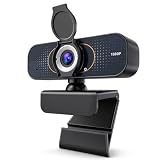
- 【CRYSTAL-CLEAR 1080P VIDEO】Enjoy sharp, natural-looking video for meetings, classes, family calls and streaming. The 2MP fixed-focus lens captures Full HD detail, while the 110° wide view fits more of your workspace or group into the frame without constantly repositioning the webcam.
- 【CLEARER VIDEO AND VOICE】Automatic light correction helps keep your image bright and balanced in changing indoor light. The built-in microphone captures your voice for everyday conversations, helping you join work calls, online lessons and family chats without adding a separate camera or desktop microphone.
- 【PLUG IN AND START CALLING】Connect the USB cable, select the webcam in your preferred app and begin—no driver download or complicated setup required. Compatible with Windows, macOS and Chromebook, and works with popular platforms including Zoom, Microsoft Teams, Google Meet, Skype and more.
- 【PHYSICAL PRIVACY COVER】Open the lens cover when you are ready for a call and close it whenever the camera is not in use. The built-in cover creates a visible physical barrier over the lens, giving you simple privacy control for home offices, classrooms, shared workspaces and everyday personal use.
- 【MOUNT IT YOUR WAY】Clip the webcam securely to a laptop or desktop monitor, adjust the 360° horizontal rotation and 180° foldable base for a comfortable angle, or place it on the included tripod for flexible desk positioning. Ideal for remote work, online learning, family calls and streaming.
- Explain the organization. Give new hires time to read the values and working agreements, then discuss how they apply to actual decisions and day-to-day work.
- Set up the work. Make sure access, tools, key documents, communication channels, and role priorities are clear.
- Provide a human guide. Pair the employee with a mentor or onboarding buddy who can answer practical questions and explain how stated values show up in real situations.
- Make expectations findable. Direct the employee to written policies and team practices rather than leaving them to infer unwritten norms from whoever happens to be online.
GitLab’s all-remote guidance describes onboarding across organizational, technical, and social dimensions, and recommends discussing values with a mentor or onboarding buddy. GitLab’s all-remote onboarding guide
When should a remote team meet, and when should it work asynchronously?
Choose the format based on urgency, the need for live discussion, available time-zone overlap, and whether colleagues who cannot attend need the outcome later. A live meeting can help when people need to work through ambiguity together; an asynchronous update is often more accessible when a decision or status can be understood in writing. Either way, record important outcomes where the wider team can find them.
Rank #4

- Compatible with Nintendo Switch 2’s new GameChat mode
- HD lighting adjustment and autofocus: The Logitech webcam automatically fine-tunes the lighting, producing bright, razor-sharp images even in low-light settings. This makes it a great webcam for streaming and an ideal web camera for laptop use
- Advanced capture software: Easily create and share video content with this Logitech camera that is suitable for use as a desktop computer camera or a monitor webcam
- Stereo audio with dual mics: Capture natural sound during calls and recorded videos with this 1080p webcam, great as a video conference camera or a computer webcam
- Full HD 1080p video calling and recording at 30 fps. You'll make a strong impression with this PC webcam that features crisp, clearly detailed, and vibrantly colored video
| Choice | Use it when | Make it fair by |
|---|---|---|
| Synchronous discussion | The issue is urgent or benefits from real-time exchange. | Sharing the outcome and decisions with people who could not attend. |
| Asynchronous communication | People can review information and respond without a live conversation. | Writing clearly, allowing reasonable response time, and not making access depend on being online with a manager. |
Remote-first and asynchronous practices can reduce time-zone bias, according to GitLab’s guidance. That does not mean every conversation should be text-based: teams still need live discussion when the work calls for it. The key is to avoid making proximity to a manager or a particular working hour the default route to influence or information. GitLab’s all-remote guide
Recommended Free Tools
How do you collaborate and whiteboard in a remote environment?
Start with the collaboration goal: does the group need to generate ideas together, review a visual artifact, or make and record a decision? Use a live session when simultaneous exchange is valuable, and provide the relevant context or artifact in advance where possible. For colleagues who cannot attend, share the resulting notes, decisions, and next steps in the team’s usual written source of truth. GitLab lists this as a frequently asked question in its all-remote guide, which also emphasizes asynchronous practices for teams with varied schedules. GitLab’s all-remote guide
Best Value

- 【Angetube Webcam with Mutil-Funtion Ring Light for Better Portrait】 The streamcam built in 3 different colors LED and stepless adjustable brightness to delivery brighter and softer tone light without glare. Single press the touch button to change the color temperatures.A rotating bezel allows for quick, brightness level changes and turn on/off the light without the need to go into software settings.
- 【Designed for Streaming】 Make a great first impression with fans and impress your friends with Angetube 862Pro’s crisp HD webcam 1080p 60 FPS camera with true-to-life colors.Auto low-light correction kicks in to ensure you stand out, even in poor lighting conditions.Real time auto focus make you never have to worry about adjusting the focal length.Plug and play on Xbox one.Widely compatible with livestream software such as OBS.
- 【Zoomable Webcam with RF 360° Omnidirectional Remote Control】 Control your video calls with a remote, so even away from the desk you are still in charge. 5X digital zoom below 1080p, Disable video, mute, adjust the FOV, white balance, and more. Adjust the webcamera brightness in Mac OS / Windows without software. This is a great convenience for Mac users.(Zoom function works at 720p and lower resolutions. It is not available in 1080p mode.)
- 【Built-in Microphone&Privacy Shutter】 Built-in dual omnidirectional mics with noise cancellation ensure that you get clear audio from every angle.The built-in privacy cover and the remote disable video allows you to enjoy safe digital web life when not in use and prevent hackers from spying on you. It is perfect to provide privacy, security, and peace of mind to individuals, groups, organizations, companies, business, and governments.
- 【USB A & C Web cam and Wide Compatibility】 The 1080p webcam works with USB A or USB C with included Adapter. Plug and play,No additional driver required.The facecam is compatible with Windows XP/7/8/10/11, Mac OS, Linux,Chrome OS, Ubuntu etc.Perfect for Zoom, Skype, Facetime, Facebook, YouTube, Microsoft Teams, and any other popular video calling software.
How can teams create social connection without making it mandatory?
Offer ways to connect that do not depend on office proximity, while recognizing that employees differ in their appetite for non-work conversation. Options might include coffee chats, virtual lunches, social hours, coworking calls, or interest groups. Make participation an invitation rather than a test of commitment, and consider time zones, accessibility, and the time burden when choosing formats.
GitLab’s informal communication guidance describes coffee chats and other social practices as ways to build relationships. Co-founder Sid Sijbrandij summarizes the intention this way: “When working remote it is important to formalize informal communication. Explicitly plan time to create, build, and maintain social connections and trust.” These are options for creating opportunities to connect, not a guarantee that a ritual will cure loneliness or improve performance. GitLab’s informal communication guidance
How can you tell whether employees experience the culture you describe?
Use manager conversations and appropriate employee feedback channels to check whether people understand priorities, can find the information they need, feel included, and can raise problems. Look for gaps between the stated rules and what employees report experiencing, then address the underlying process or management behavior. Engagement and wellbeing measures can inform that work, but a single score cannot stand in for the whole culture. Gallup’s guidance emphasizes consistent leadership communication and measurement as inputs to managing distributed teams. Gallup’s workplace guide
The Tool Desk
Outbyte PC Repair FREERepair Windows errors before they cause bigger problemsFix Now →Outbyte Driver Updater FREEScan for outdated or missing drivers - takes under a minuteDriver Scan →Work arrangements vary, so do not assume every employee faces the same remote experience. In Gallup’s U.S. snapshot of employees with remote-capable jobs on May 1, 2026, 26% worked exclusively remotely, 52% were hybrid, and 22% were fully on-site. Those figures describe that population and date, not the composition of every workforce. Gallup’s workplace guide
Quick Recap
Product prices and availability are accurate as of the date/time indicated and are subject to change. Any price and availability information displayed on Amazon at the time of purchase will apply.

