
Free tools Windows power users keep installed
One-click scans. No signup required.
iTechGuides is reader-supported. When you buy through links on our site, we may earn an affiliate commission. As an Amazon Associate I earn from qualifying purchases. Learn more
On a Galaxy S22 Ultra, open Phone > More options > Settings > Block numbers to block a specific caller or, if available, turn on blocking for unknown numbers. Spam filtering is a separate setting: it may appear under Caller ID and spam protection. The exact labels and options depend on your carrier and software version.
Choose the kind of calls you want to stop
Samsung’s built-in Phone controls handle three different cases. A manual block targets a particular number; unknown-number blocking targets calls identified as unknown or unspecified; spam protection identifies and filters calls classified as spam or scams. Unknown-number blocking is not necessarily the same as blocking every number that is missing from your Contacts.
| Control | What it filters | Where to find it | Availability |
|---|---|---|---|
| Block a number | A number you select | Phone > More options > Settings > Block numbers | Samsung documents this route; specific selection options may vary. |
| Block calls from unknown numbers | Unknown or unspecified callers, as described by Samsung | Phone > More options > Settings > Block numbers | The switch may not appear on every device or configuration. |
| Spam and scam protection | Calls identified as spam or scams | Phone settings under Caller ID and spam protection | Feature and filtering choices can vary by carrier and software version. |
Block a specific number in Phone settings
- Open the Phone app.
- Tap More options (the three vertical dots), then Settings.
- Tap Block numbers.
- Enter the phone number and tap Add. If the screen offers selectors, you can instead choose a number from Recents, Messages, or Contacts.
Samsung’s instructions for adding numbers are available in its Galaxy call-blocking guide and Galaxy call-settings guide.
What’s actually slowing this PC down?
Pick the symptom - the matching free tool is one click away.
Block someone from Recents
If the caller is in your recent call history, use the call log rather than typing the number:
#1 Best Overall
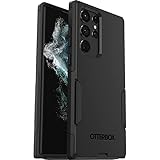
- Perfect Fit for Samsung Galaxy S22 Ultra: Precision-engineered for the Samsung Galaxy S22 Ultra, this OtterBox case offers a flawless fit. It not only preserves your phone's sleek design but also ensures unparalleled protection against everyday hazards.
- Rugged Multi-Layer Defense: Featuring dual-layer construction with a rigid shell and internal rubber layer, our case exceeds 3X military drop standards (MIL-STD-810G 516.6), crafted from over 35% recycled plastic for eco-conscious resilience.
- Secure Grip, Streamlined Protection: Rely on the OtterBox legacy with Commuter Series—total protection with rubber-gripped edges for a secure hold. It's a slim, easy-to-install case providing durable quality and a precise fit for hassle-free defense
- Wireless Charging Compatible: Its slim profile is pocket-friendly, offering protection and ease for your on-the-go lifestyle
- Trusted OtterBox Quality: With OtterBox, you're not just buying a case; you're investing in peace of mind. Our limited warranty covers material and workmanship defects.
- Open Phone > Recents.
- Select the unwanted number and open its information or details view.
- Choose Block.
This route is documented in Samsung’s instructions for blocking certain incoming calls. The wording or placement of the details view may differ on your phone.
Block unknown or unspecified callers
- Open Phone > More options > Settings > Block numbers.
- Turn on Block calls from unknown numbers, if the switch is shown.
Samsung describes this control as blocking unknown or unspecified callers. It does not establish that the setting blocks every caller who is not saved in Contacts. If the option is absent, your carrier, software version, or device configuration may not provide it under that label.
Rank #2

- Compatible with Samsung Galaxy S22 Ultra (Only - Not Compatible with Galaxy S22/S22+)
- Multi-layer defense: solid inner shell and soft outer cover (NO BUILT IN SCREEN PROTECTOR)
- included belt clip/holster doubles as a kickstand for hands-free viewing
- OtterArmor Defense protects your OtterBox case from many common
Filter spam and scam calls
Spam protection is distinct from manually blocking a number or blocking unknown callers. Where supported, Samsung’s call settings offer a broader identification and filtering control:
Do these 3 things before closing this tab:
1Repair Windows errors before they cause bigger problems2Scan for outdated or missing drivers - takes under a minute3Clear out junk files and repair common Windows errors- Open the Phone app and go to More options > Settings.
- Tap Caller ID and spam protection.
- Review and accept the terms if prompted, then open the available protection options.
- Choose Block all spam and scam calls for broader filtering, or Only block high-risk scam calls to allow less severe spam through.
The broader choice blocks calls identified as spam or scams; the high-risk-only choice is less restrictive. These options may not appear on every Galaxy S22 Ultra. Samsung notes that Smart Call may be unavailable on some carriers or models. See Samsung’s call-settings guidance and its Smart Call overview.
Rank #3

- Compatible with Samsung Galaxy S22 Ultra (Only - Not Compatible with Galaxy S22/S22+)
- Multi-layer defense: solid inner shell and soft outer cover (NO BUILT IN SCREEN PROTECTOR)
- OtterArmor Defense protects your OtterBox case from many common
- CASE ONLY: "Belt Clip Holster not included"
Unblock a number
- Open Phone > More options > Settings > Block numbers.
- Find the blocked number and tap the minus control beside it to remove it from the list.
Samsung also describes unblocking through a relevant contact or call detail in some flows. If you cannot find the minus control, check the caller’s details or use the blocked-number list instructions in Samsung’s support guide.
Independent reader supportYour contribution helps us test, update, and keep practical guides available for everyone.What call blocking does not necessarily stop
- Voicemail: Blocking a number on the phone does not guarantee that the caller cannot leave voicemail. Samsung advises contacting your carrier if you want to block voicemail from specific callers.
- Every unknown or spam caller: The unknown-caller switch and spam identification are separate controls, and spam filtering depends on the available feature and its options.
- A uniform menu on every S22 Ultra: Samsung states, “The screens and settings on your device may vary depending on your wireless provider and software version.” Its Canada guidance carrying that wording was updated August 29, 2026. If a named option is missing, the feature may not be available in your configuration.
For voicemail controls, contact your carrier; Samsung’s guidance is in its call-blocking support page.
Quick Recap
Best Value
![Spigen for Galaxy S22 Ultra Case, Liquid Air [No Magnet Ring] [Military-Grade Protection] - Matte Black](https://m.media-amazon.com/images/I/51dOAJz68RL._SL160_.jpg)
- Slim, form-fitted and lightweight
- Form-fitted to maintain a slim profile and pocket-friendly
- Anti-slip matte surface gives fingerprint-resistance and comfort in every grip
- Mil-Grade protection and Air Cushion Technology for anti-shock protection
- Galaxy S22 Ultra Case Compatible with Galaxy S22 Ultra
Rank #4

- Perfect Fit for Samsung Galaxy S22 Ultra: Precision-engineered for the Samsung Galaxy S22 Ultra, this OtterBox case offers a flawless fit. It not only preserves your phone's sleek design but also ensures unparalleled protection against everyday hazards.
- Rugged Multi-Layer Defense: Featuring dual-layer construction with a rigid shell and internal rubber layer, our case exceeds 3X military drop standards (MIL-STD-810G 516.6), crafted from over 35% recycled plastic for eco-conscious resilience.
- Secure Grip, Streamlined Protection: Rely on the OtterBox legacy with Commuter Series—total protection with rubber-gripped edges for a secure hold. It's a slim, easy-to-install case providing durable quality and a precise fit for hassle-free defense
- Wireless Charging Compatible: Its slim profile is pocket-friendly, offering protection and ease for your on-the-go lifestyle
- Trusted OtterBox Quality: With OtterBox, you're not just buying a case; you're investing in peace of mind.
Product prices and availability are accurate as of the date/time indicated and are subject to change. Any price and availability information displayed on Amazon at the time of purchase will apply.

