
iTechGuides is reader-supported. When you buy through links on our site, we may earn an affiliate commission. As an Amazon Associate I earn from qualifying purchases. Learn more
Real-time AI personalization uses fresh activity and available context to tailor a recommendation or experience while someone is using a site, app, or service. The practical sequence is to collect events, choose or rank an option, deliver it through the active channel, and measure the result. A new event can influence a decision quickly without retraining the model at that moment: event processing, model updates, and bulk data ingestion are separate operations with different timelines.
How the real-time personalization pipeline works
A personalized result is only as timely as the path from activity to delivery. A typical system connects event collection, decisioning, channel delivery, and measurement:
- Collect signals. Record interactions such as clicks, purchases, and video views, along with context the system is configured to use.
- Make the decision. A recommendation or ranking model scores candidate items or actions against interaction history and supported context. Another approach selects among predefined experience variants.
- Deliver the result. Return the recommendation or chosen variant to the app, site, or other channel during the interaction.
- Measure what happened. Track a defined objective, compare results against a baseline or alternatives, and use the outcomes to inform later decisions.
Streaming event ingestion, low-latency model serving, and delivery to the user’s channel are distinct architectural pieces, not a guarantee that every system will respond within a particular time. Microsoft’s overview describes these elements in an enterprise personalization architecture: Microsoft’s AI personalization overview. AWS documents real-time event recording and recommendation APIs for its own service: AWS event recording documentation.
Recommended Free Tools
What “real time” means—and what it does not
The phrase can refer to several different kinds of freshness. A newly recorded event might affect a recommendation without changing the model’s trained parameters. A model refresh may happen on a separate schedule, while bulk data may need to be incorporated through a later training process.
#1 Best Overall

- 2K Ultra HD & 10m Night Vision: Equipped with 2K Full HD resolution, this indoor security camera delivers sharp, detailed live video for baby/pet monitoring and home security—letting you keep an eye on what matters most anytime, anywhere(with 10-meter clear night vision)
- Dual-Band 2.4G/5GHz WiFi & Bluetooth Pairing: Effortlessly connect based on dual wifi signal WiFi more stable signals for smooth live viewing. Setup takes just minutes with Bluetooth pairing—no complicated configurations required
- AI Motion Tracki &Wide-Angle View: With 340° horizontal and 80° vertical pan/tilt rotation, the indoor camera features advanced AI motion tracking, cover every corner of your room and monitors your home security comprehensively, capturing all key moments
- Smart Motion Detection & Customizable Zones:This security camera also can detect motion or sounds. On the Osaio app, you can customize monitoring zones to target key areas, ensuring you get alerts about what matters, delivers reliable peace of mind
- Two-Way Audio & Alexa Compatibility: The built-in microphone and speaker let you communicate in real time, whether you’re comforting your baby, soothing your pet, or greeting family. Pair the camera with Alexa device to view the live via voice control
| Operation | What changes | Timing established by the sources |
|---|---|---|
| Use a new event | Recent activity becomes available to influence decisions for supported models and existing catalog items. | AWS says supported recipes can use newly recorded events within seconds of import. This is an AWS product behavior, not a universal guarantee. AWS: how new data influences recommendations |
| Refresh a model or account for new items | The system updates or refreshes recommendation behavior on its own schedule. | AWS says some listed recommenders update every two hours to consider new items. That is separate from a new event influencing a recommendation. AWS: how new data influences recommendations |
| Incorporate bulk interaction data | Previously collected interaction records are used in a later training process. | AWS says bulk interaction data does not update real-time personalization until subsequent training; a more specific elapsed time is not stated in that documentation. AWS: how new data influences recommendations |
A separate example shows why serving a fresh result and refreshing a model are different engineering problems. A USENIX Association paper on QuickUpdate, evaluated on one of Meta’s largest production recommendation models, reports a reduction of over 13x in average published update size and required bandwidth while serving accuracy remained comparable to a fully fresh model. That is a specific systems result from the 2024 study—not a general latency, conversion, or revenue claim. USENIX Association, NSDI 2024: QuickUpdate.
Which signals and context can shape a decision?
Recent activity and interaction history
Clicks, purchases, views, and other recorded interactions can help a system infer what is relevant now. Longer-term history can add useful context, but it is not the same thing as a live-session signal. The chosen recipe or model must be able to use the data supplied to it.
Rank #2

- [2.5K Full HD Resolution – Crystal Clear Detail] See every moment in sharp HD 2.5K clarity. SensForge’s indoor camera delivers lifelike video and picture quality, so you can easily monitor your baby, pets, or home day or night.
- [AI Smart Detection – Human, Pets & Motion Alerts] Advanced AI technology automatically detects humans, dogs, cats, and other movement, sending instant alerts to your phone. Reduce false notifications and enjoy intelligent monitoring without constant manual checks.
- [360° Pan-Tilt Coverage – No Blind Spots] Get complete room visibility with full 360° horizontal and 90° vertical rotation. The Sensforge Pan-Tilt Camera ensures total protection for every corner of your space, offering wide-angle security for peace of mind.
- [Two-Way Audio & Instant Notifications – Stay Connected in Real Time] Speak and listen through the Sensforge app or camera, enabling seamless communication with family members, pets, or visitors—even when you’re away.
- [Dual-Band Wi-Fi (2.4GHz & 5GHz) – Quick, Reliable Setup] Easily connect to your preferred network—no compatibility worries. Dual-band Wi-Fi ensures stable performance, faster setup, and smoother video streaming without connection drops.
Context beyond the user’s history
Contextual metadata can include fields such as device type or time of day. AWS says these fields can be passed with recommendation or ranking requests when the data schema and selected recipe support them; sending a field does not by itself ensure that a model will use it. AWS: contextual metadata
Anonymous and low-history users
Context can help when an individual has little interaction history, but it does not eliminate cold start. For example, AWS describes new-user recommendations that may initially rely on other users’ early interactions or popularity, with interaction data, user metadata, and context affecting recommendations in different ways. AWS: how new data influences recommendations
Rank #3
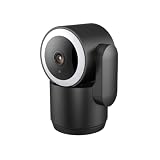
- Dual-Band WiFi & Easy Setup: Luna indoor camera for home security stays connected with stable 2.4GHz & 5GHz WiFi support plus Bluetooth pairing for quick installation. The Luna AI App ensures a seamless setup in minutes
- 360° Pan, Tilt & Zoom with Auto Tracking: This security camera protects every corner of your home with a 360° panoramic view. Customize motion zones to focus on key areas like pets, living room, or baby room—making it a reliable pet camera for total peace of mind
- 2K Color Night Vision & Built-in Spotlight: Capture stunning 2K ultra-HD footage day or night with this indoor camera. Advanced color night vision ensures you see every detail—even in complete darkness. The integrated spotlight automatically brightens the scene, deterring intruders and enhancing video quality
- Two-Way Audio: Speak directly to family, pets, or deter unwanted visitors with built-in two-way audio on this indoor camera. Stay connected anytime, anywhere with the Luna AI App
- One-Touch Privacy Mode: Protect your personal time with ease—simply activate Privacy Mode on your camera for home security, and the camera tilts away to a pre-set position, ensuring your moments at home stay truly private
AWS also supports recording session-based events. Activity tied only to a session is not used for training until an event associates that session history with a user ID. That mechanism should not be mistaken for automatic creation of a durable, cross-device profile. AWS: recording real-time events
Recommendations and adaptive experience variants
Ranking items or actions
A recommendation system can score candidate products, videos, or other items using available interactions and context, then return an ordered or selected result. The quality of that choice depends on the candidates, the data available, and how the model is configured—not simply on whether the system is described as AI.
Rank #4

- AI-Powered Smart Detection: Advanced AI technology accurately identifies people while filtering out vehicles and animals, so you only get the alerts that matter most
- Secure Cloud Storage: Protect your recordings with AES-128 encrypted cloud storage
- Pre-Capture Recording: Cloud subscribers benefit from pre-capture functionality, ensuring the camera starts recording right at the moment motion begins - never miss a thing
- Reliable 2.4GHz Wi-Fi Connection: Optimized for 2.4GHz networks to deliver stable, uninterrupted performance. (Not compatible with 5GHz Wi-Fi.)
- Exceptional Night Vision: Equipped with four powerful infrared LEDs and an advanced image sensor, providing sharp, detailed footage even in total darkness
Choosing among experience variants
Some personalization systems instead decide which predefined experience to show, such as one of several banner variants. Firebase describes its Remote Config personalization this way: “Personalization uses machine learning—specifically a contextual multi-armed bandit algorithm—to determine the optimal experience for individual users to achieve an objective.” Firebase Remote Config personalization documentation
Quick wins for a faster PC:
Fix the driver behind crashes, sound loss and screen glitchesFind Drivers →Repair Windows errors before they cause bigger problemsFix Now →Scan for outdated or missing drivers - takes under a minuteDriver Scan →A contextual multi-armed bandit explores alternatives and learns from observed rewards and context. It does not simply lock onto whichever option happened to perform best first: early results can be noisy, and different contexts can favor different options. Teams must define the objective—for example, a specific engagement event—because the system optimizes the measured goal, not an assumed notion of user benefit or long-term value.
Where real-time personalization fits
- Commerce: Recommend products or personalize their ranking as a shopper browses. AWS lists ecommerce among its recommendation use cases. AWS recommendation documentation
- Video and other content: Rank or recommend material using viewing activity and supported context. AWS documents a video-on-demand use case and contextual metadata for recommendation requests. AWS recommendation documentation and AWS contextual metadata documentation
- In-app experiences: Choose among banners, features, or other parameter variants using an analytics event as the objective. Firebase’s documentation uses banner-ad variants as an example. Firebase Remote Config personalization documentation
- Support and cross-channel journeys: Surface useful context or suggestions during an active interaction and coordinate delivery through the channel in use. Microsoft’s enterprise overview discusses these applications. Microsoft’s AI personalization overview
How to evaluate a real-time personalization system
Check freshness and response time separately
Ask which events are usable during an active session, which only affect later training, and when new items become eligible for recommendations. Measure decision latency under expected load and against the response time the interaction can tolerate; the AWS timing examples above apply to supported AWS behaviors, not every system.
Best Value
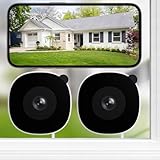
- 2K 105° Wide‑Angle Through‑Glass View: Capture sharp glare‑free 2K glass‑through footage with INFIYA camera. Fixed‑lens design for tool‑free magnetic window mounting. Use inclined mount (sold separately) for better downward angle when mounting high.
- Clear 2K Vision Day and Night: Equipped with Black-Light Color Tech, this window security camera delivers vivid full‑color night vision under ambient light. IR‑free design avoids glass‑reflected glare. Optimized for street/porch light or moonlight; not designed for pitch‑black environments.
- Flexible Storage – TF Card & Cloud: Cloud subscription is optional, not mandatory. Select paid cloud or local TF‑card storage (max 128GB, card not included). Features 24/7 & event‑triggered recording, smart loop overwrite. Access 10‑second alert clips from the last 2 days with no card or subscription.
- Indoor Window Mount for 24/7 Outdoor Monitoring, Tool‑Free Setup: Stick the magnetic base to clean dry window glass and snap on the camera. This indoor camera enables non‑stop outdoor monitoring with included Type‑C cable. Requires constant power, no built‑in battery.
- AI Human Detection – Reduce False Alerts: Get real‑time phone alerts from smart pixel‑based sensing. Turn on AI human detection to filter tree and traffic false triggers, only alerting you of real human activity.
Test cold-start behavior and context support
Find out what happens for anonymous, new, or low-history users, and whether the selected model or recipe supports the context fields and candidate types you need. Test whether the system returns a useful result when history is sparse rather than assuming context will compensate automatically.
Define a measurable objective and preserve comparison
Set an objective that corresponds to the intended experience, retain a baseline or alternatives for comparison, and monitor outcomes beyond the primary reward where appropriate. Firebase recommends allowing alternatives to be explored multiple times and gives about 14 days as general guidance for its feature; it also documents a 24-hour stickiness window for an alternative and support for a baseline plus up to two additional metrics. These are Firebase feature guidance, not universal experiment settings. Firebase Remote Config personalization documentation
Free tools Windows power users keep installed
One-click scans. No signup required.
Include delivery, operations, and governance
A model’s choice matters only if it reaches the surface the user sees. Evaluate how event collection, serving, authentication, caching, and channel delivery fit together. Also decide what data to collect, its purpose, access controls, and retention. The cited product and architecture sources do not establish jurisdiction-specific legal requirements, so legal obligations should be checked against the rules that apply to the deployment.
Quick Recap
Product prices and availability are accurate as of the date/time indicated and are subject to change. Any price and availability information displayed on Amazon at the time of purchase will apply.

