
Outdated Drivers Are Slowing You Down
One free scan finds every outdated or missing driver and matches the right update for your exact hardware.Free scan · exact hardware matchWindows Errors? Fix Them Before They Spread
Repair common Windows errors and clear accumulated junk for a smoother, more stable PC - no reinstall needed.Free scan · no reinstalliTechGuides is reader-supported. When you buy through links on our site, we may earn an affiliate commission. As an Amazon Associate I earn from qualifying purchases. Learn more
Short answer: Matter is the application and interoperability layer; Wi-Fi and Thread are two different ways a Matter device joins an IP network. An ESP32-C6 contains both a Wi-Fi radio and an IEEE 802.15.4 radio, so Espressif provides Matter examples for either transport. In the documented ESP-Matter configurations, however, a device runs the Wi-Fi example or the Thread example, not both transports concurrently. A Thread Border Router is a separate network function: it connects the Thread mesh to an IP backbone such as Wi-Fi or Ethernet so controllers and other reachable devices can communicate with Thread Matter devices.
What Matter, Wi-Fi, Thread and a border router each do
These terms describe different layers or jobs, which is why they are easy to conflate:
- Matter defines how compatible smart-home devices describe functions, exchange commands and behave as a common ecosystem.
- Wi-Fi is a higher-bandwidth IP network attachment commonly used by mains-powered products.
- Thread is a low-power, IPv6-based mesh network built on IEEE 802.15.4, well suited to battery-operated sensors and controls.
- A Thread Border Router forwards traffic between the Thread mesh and a backbone IP network, normally Wi-Fi or Ethernet. It is infrastructure, not simply another Thread end device.
Matter therefore does not replace Wi-Fi or Thread. It runs over IP and can use either network attachment. In a mixed home, Wi-Fi Matter devices join the Wi-Fi LAN, Thread Matter devices join the Thread mesh, and the border router provides the path between the mesh and the backbone.
Espressif’s Developing with the SDK – ESP32-C6 – ESP-Matter Programming Guide states: “ESP32-C6 supports both the Wi-Fi and IEEE 802.15.4 radio, so you can run Wi-Fi or Thread matter example on it.” The wording is important: the documented examples are alternatives selected by configuration.
#1 Best Overall
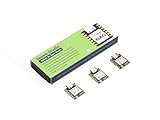
- Enhanced Connectivity: Combines 2.4GHz Wi-Fi 6 (802.11ax), Bluetooth 5(LE), and IEEE 802.15.4 radio connectivity, allowing you to apply the Thread and Zigbee protocols.
- Matter Native: Supports building Matter-compliant smart home projects thanks to its enhanced connectivity, achieving interoperability
- Security Encrypted on Chip: Powered by ESP32-C6, it brings enhanced encrypted-on-chip security to your smart home projects via secure boot, encryption, and Trusted Execution Environment (TEE)
- Outstanding RF performance: Has an on-board antenna with up to 80m BLE/Wi-Fi range, while reserving an interface for external UFL antenna
- Leveraging Power Consumption: Comes with 4 working modes, with the lowest being 15 μA in deep sleep mode, while also supporting lithium battery charge management.
What the ESP32-C6 can do
The ESP32-C6 integrates Wi-Fi and IEEE 802.15.4 radios. Espressif documents ESP-Matter development for both transports, making the chip useful for experimenting with a Wi-Fi Matter end device or a Thread Matter end device.
Two documented example configurations
For the ESP-Matter examples, the Thread and Wi-Fi builds deliberately enable different networking components:
| Setting | Thread Matter configuration | Wi-Fi Matter configuration |
|---|---|---|
CONFIG_OPENTHREAD_ENABLED |
y |
n |
CONFIG_ENABLE_WIFI_STATION |
n |
y |
CONFIG_USE_MINIMAL_MDNS |
n |
y |
In practical terms, the Thread build enables OpenThread and turns off Wi-Fi station mode. The Wi-Fi build enables Wi-Fi station mode and turns off OpenThread. These settings describe separate firmware choices; they should not be presented as proof that one ordinary ESP32-C6 Matter application is operating as a simultaneous Wi-Fi and Thread device.
The Tool Desk
Outbyte Driver Updater FREEScan for outdated or missing drivers - takes under a minuteDriver Scan →Outbyte PC Repair FREEClear out junk files and repair common Windows errorsFree Scan →Radio capability is not the same as a finished product
An ESP32-C6 development board gives you a platform on which to build and flash an example, but boards do not necessarily have identical antennas, connectors, power arrangements or exposed pins. Check the board’s support for the ESP-IDF and ESP-Matter version you intend to use, and verify that the interfaces required by the example are available. Espressif’s documentation establishes chip and SDK capability, not compatibility for every retail development board.
How a mixed Matter network is connected
Imagine three network segments:
- A Wi-Fi LAN carries Wi-Fi Matter devices and usually the home’s IP-connected controller or hub.
- A Thread mesh carries Thread Matter devices such as low-power sensors or switches.
- A Thread Border Router attaches to the Thread mesh and also has a connection to the Wi-Fi or Ethernet backbone.
The border router does not translate Matter commands into a proprietary protocol. Its principal job is IP connectivity: it makes the Thread side reachable from the backbone and allows appropriate traffic to move in the other direction. The controller still needs network access to the device, and discovery or commissioning behavior depends on the controller and the particular implementation.
Rank #2

- ESP32-C6-DevKitC-1 development board using the universal module ESP32-C6--1 with 16 MB SPIflash
- ESP32-C6 development board has complete Wi-F, low-power Bluetooth and other functions
- ESP32-C6--1 uses an onboard PCB antenna, and the module has a built-in ESP32-C6 chip, which has good functionality
- The ESP32 USB Type-C interface of the ESP32-C6 chip supports USB 2.0 full-speed mode and can also be used as the power supply interface of the development board. It can burn firmware to the chip, communicate with the chip through the USB protocol, and can also be used for debugging
- ESP32-C6-DevKit most of the pins of the module on the board have been led out to pin headers on both sides. Developers can easily connect various peripheral devices through jumpers according to actual needs. The development board can also be plugged into a breadboard for use
Espressif’s Arduino-ESP32 guide illustrates this arrangement, while its ESP Thread Border Router documentation describes the border router as the bridge between the Thread network and a backbone network. The backbone can be Wi-Fi or Ethernet; it is not limited to one physical medium.
Do you need a Thread Border Router?
You need a border-router function when Thread devices must communicate with a controller or other Matter devices that are reachable through a separate Wi-Fi or Ethernet IP network. A Wi-Fi-only controller cannot reach a Thread mesh merely because both sides use Matter; there must be an IP path between them.
Check these conditions before buying or building hardware:
- Where is the controller? If it is on the Wi-Fi or Ethernet LAN, plan for a border router that connects that backbone to Thread.
- Does the controller already provide border routing? Some home hubs and network products include the function. Confirm it in the product’s technical documentation rather than assuming that Matter support alone includes Thread routing.
- Are all devices on one transport? A small Wi-Fi-only test network does not need Thread infrastructure. A Thread-only experiment may use a Thread-capable controller directly, but mixed-network reachability still depends on the controller’s supported architecture.
- Can the controller reach both networks? VLAN isolation, firewall rules and an incorrectly attached border router can prevent otherwise valid devices from being discovered.
Border-router hardware: why the architecture differs from an end device
Espressif’s Wi-Fi-based border-router design uses two SoCs. A Wi-Fi host SoC provides the backbone connection, while an ESP32-H-series radio co-processor, or RCP, provides access to the IEEE 802.15.4 physical and MAC layers used by Thread. The host runs the border-router software and communicates with the RCP.
This two-chip design is not the same as flashing a Thread Matter end-device example onto an ESP32-C6. A border router must maintain connectivity to the Thread network and the backbone and perform routing-related infrastructure work. Espressif also documents an ESP32-C6 OpenThread border-router example, demonstrating implementation-specific capability. That documentation should not be interpreted to mean that every ESP32-C6 board is an instant, turnkey border router: board wiring, firmware, host networking and the supported SDK release all matter.
Rank #3

- Equipped with a high-performance 32-bit RISC-V processor with clock speed up to 160 MHz, and a low-power 32-bit RISC-V processor with clock speed up to 20MHz
- Supports 2.4GHz Wi-Fi 6 (802.11 b/g/n) and Bluetooth 5 (LE), with onboard antenna
- Built in 320KB ROM, 512KB of HP SRAM, 16KB LP SRAM and 4MB Flash memory. Onboard 1.47inch LCD display, 172×320 resolution, 262K color
- Adapting multiple IO interfaces, integrates full-speed USB port. Onboard TF card slot for external TF card storage of pictures or files
- Supports accurate control such as flexible clock and multiple power modes to realize low power consumption in different scenarios. Built-in RGB LED with clear acrylic sandwich panel for cool lighting effect
| Hardware role | Network attachment | Typical responsibility |
|---|---|---|
| Wi-Fi Matter end device | Wi-Fi station | Runs Matter over the home’s Wi-Fi IP network; often suitable for a powered product with more bandwidth. |
| Thread Matter end device | Thread mesh via IEEE 802.15.4 | Runs Matter over a low-power mesh; often suitable for battery-operated devices. |
| Thread Border Router | Thread plus Wi-Fi or Ethernet backbone | Connects the Thread mesh to the backbone so IP-connected controllers and devices can communicate across the networks. |
Choosing Wi-Fi or Thread for an ESP32-C6 experiment
Start with the device’s power source and traffic pattern rather than the radio specification alone.
Choose Wi-Fi when
- The product is continuously powered or can tolerate higher energy use.
- It needs comparatively higher bandwidth or already fits naturally on the home’s Wi-Fi LAN.
- You want the simplest first experiment and already have a reliable Wi-Fi access point and controller path.
Choose Thread when
- The product is battery-operated or designed for low-power operation.
- The traffic consists mainly of control messages, sensor reports or other low-bandwidth exchanges.
- You want mesh networking and are prepared to provide or verify a Thread Border Router.
Espressif describes Wi-Fi as appropriate for higher-bandwidth, constantly powered devices and Thread as low-power mesh networking for battery-operated devices. These are design guidelines, not published measurements of ESP32-C6 range, throughput or battery life.
Setting up the ESP-Matter example
The exact menu names and defaults can change between ESP-IDF and ESP-Matter releases. Espressif’s current pages are labeled latest, so compare them with the version checked out in your workspace. The OpenThread API example is explicitly associated with ESP-IDF release-v5.5, and RF-coexistence guidance is also version-specific.
- Confirm the software baseline. Select an ESP-IDF release and an ESP-Matter revision that are documented to work together. Do not mix configuration guidance from an unrelated SDK release without checking the compatibility notes.
- Confirm the board. Verify that the ESP32-C6 board exposes the required USB or serial connection, has a suitable antenna arrangement and is supported by the selected example.
- Decide the transport before configuring. For a Wi-Fi Matter device, use the Wi-Fi station configuration. For a Thread Matter device, use the OpenThread configuration. Treat these as separate builds.
- Apply the relevant configuration values. The documented Thread values are
CONFIG_OPENTHREAD_ENABLED=y,CONFIG_ENABLE_WIFI_STATION=nandCONFIG_USE_MINIMAL_MDNS=n. The documented Wi-Fi values areCONFIG_OPENTHREAD_ENABLED=n,CONFIG_ENABLE_WIFI_STATION=yandCONFIG_USE_MINIMAL_MDNS=y. - Build and flash the example using the commands and target settings for your selected ESP-IDF release. Because command-line details and project layout vary by release, use the instructions bundled with that example rather than copying a command from a different version.
- Provide the matching network. A Wi-Fi build needs access to the intended Wi-Fi LAN. A Thread build needs a functioning Thread network and, for backbone access, a border router or controller that supplies that role.
- Test reachability before diagnosing Matter. Confirm that the board joined the expected transport and that the controller can reach that network. A successful firmware build does not prove that a border router, firewall or controller is configured correctly.
Common mistakes and how to correct them
Assuming both radios are active because the chip contains both
The ESP32-C6 hardware includes both radios, but the documented ESP-Matter examples disable one networking mode while enabling the other. Build the configuration that matches the intended transport and describe the result as Wi-Fi or Thread unless you have implemented and validated a different architecture.
Calling a Thread end device a border router
A Thread Matter sensor can participate in the mesh without routing that mesh to Wi-Fi. Use the term border router only for an implementation that provides the Thread-to-backbone connectivity function.
Rank #4

- ESP32-C6-DevKitC-1 development board using the universal module ESP32-C6--1 with 4 MB SPIflash
- ESP32-C6 development board has complete Wi-F, low-power Bluetooth and other functions
- ESP32-C6--1 uses an onboard PCB antenna, and the module has a built-in ESP32-C6 chip, which has good functionality
- The ESP32 USB Type-C interface of the ESP32-C6 chip supports USB 2.0 full-speed mode and can also be used as the power supply interface of the development board. It can burn firmware to the chip, communicate with the chip through the USB protocol, and can also be used for debugging
- ESP32-C6-DevKit most of the pins of the module on the board have been led out to pin headers on both sides. Developers can easily connect various peripheral devices through jumpers according to actual needs. The development board can also be plugged into a breadboard for use
Expecting Matter to remove the need for IP connectivity
Matter interoperability does not make isolated networks automatically reachable. Check the backbone connection, Thread attachment, routing function and controller network access separately.
Assuming every ESP32-C6 board has the same support
Chip-level support does not guarantee identical board interfaces or firmware compatibility. Verify the board and SDK combination before treating an example as portable.
Copying settings from a different SDK release
Configuration symbols and defaults can change. Use the documentation for the release you are building, especially where the page is marked latest, and note that Espressif’s OpenThread API and RF-coexistence material may be tied to ESP-IDF v5.5.
A practical decision checklist
- Is the device powered continuously, or must it run from a battery?
- Does it need higher-bandwidth traffic, or only small control and sensor messages?
- Will the Matter firmware be a Wi-Fi station build or a Thread/OpenThread build?
- Is there already a Thread Border Router on the home network?
- Can the intended controller reach both the Wi-Fi backbone and the Thread-connected device?
- Does the selected ESP32-C6 board support the exact ESP-IDF and ESP-Matter example?
- Have you kept the Wi-Fi and Thread configuration values mutually consistent?
For a first ESP32-C6 Matter prototype, Wi-Fi is usually the shorter path when a suitable access point and controller are already available. Thread is the better fit when low power and mesh operation are central, provided the Thread infrastructure is present. In either case, the transport choice belongs to the device build; the border router belongs to the network architecture.
What’s actually slowing this PC down?
Pick the symptom - the matching free tool is one click away.
What the documentation establishes—and what it does not
Espressif’s documentation establishes that the ESP32-C6 supports Wi-Fi and IEEE 802.15.4, that ESP-Matter examples exist for Wi-Fi and Thread, and that their documented configurations enable one transport while disabling the other. It also establishes border-router designs using a Wi-Fi host and an ESP32-H-series RCP, plus an ESP32-C6 OpenThread border-router example.
Those documents do not establish identical behavior for every development board, universal compatibility with every controller, a particular product’s current availability, or measured range, throughput or battery life. Treat those items as hardware- and implementation-specific checks rather than assumptions.
Quick Recap
Product prices and availability are accurate as of the date/time indicated and are subject to change. Any price and availability information displayed on Amazon at the time of purchase will apply.

