
iTechGuides is reader-supported. When you buy through links on our site, we may earn an affiliate commission. As an Amazon Associate I earn from qualifying purchases. Learn more
Insignia is an unofficial, community-run replacement for Microsoft’s original Xbox Live servers. It lets a compatible original Xbox use its normal Xbox Live menus and supported games for online matchmaking and leaderboards by sending the console’s service requests to Insignia-operated infrastructure. The service is free, is not affiliated with or endorsed by Microsoft, and requires more than simply connecting an old Xbox to the internet: you need the correct Xbox Live dashboard, network and DNS configuration, and console registration.
The setup applies to the original Xbox, not Xbox 360 or newer Xbox consoles. Game support and active players vary by title, so check Insignia’s current game list before buying hardware or planning a session.
| # | Preview | Product | Price | |
|---|---|---|---|---|
| 1 |
|
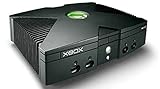
Microsoft Xbox Original Console Only - Black (Renewed) | $219.99 | Buy on Amazon |
| 2 |
|
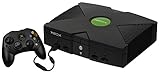
Microsoft Original Xbox Console with Controller, Power Supply, and AV Cable,Black | $229.99 | Buy on Amazon |
| 3 |
|
Microsoft Xbox Console | $228.99 | Buy on Amazon |
| 4 |
|
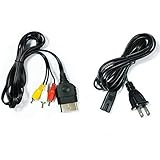
AV Cable and AC Power Cord for Xbox | $7.98 | Buy on Amazon |
| 5 |

|
XBOX Console (Renewed) | $228.34 | Buy on Amazon |
What Insignia actually replaces
Microsoft shut down the original Xbox Live service in 2010. Insignia recreates the online service layer needed by supported original Xbox games, including matchmaking and leaderboard functions, without restoring Microsoft’s own servers. Your console remains the Xbox Live client: you use the familiar dashboard and enter a game’s native Xbox Live mode rather than running a separate PC matchmaking program.
Quick wins for a faster PC:
Repair Windows errors before they cause bigger problemsFix Now →Fix the driver behind crashes, sound loss and screen glitchesFind Drivers →Insignia describes itself as a free replacement for Microsoft’s servers for the original Xbox. It is an independent community service, not a current Microsoft network and not an endorsed Microsoft product. That distinction matters for expectations: compatibility depends on Insignia’s implementation and supported-game list, and the service can change independently of Microsoft.
#1 Best Overall
How the connection works
The original Xbox still runs the game
Insignia targets the original Xbox platform and preserves the console’s normal online flow. A supported game presents its own Xbox Live menus, searches for matches through the console’s networking code, and displays results in the way it did when Microsoft operated the service.
DNS sends service lookups to Insignia
The key network step is DNS. When the Xbox looks up the service names used by Xbox Live, the configured DNS path resolves the relevant requests to Insignia infrastructure instead of Microsoft’s retired endpoints. Insignia’s connection guide specifies the required network preparation and DNS configuration. The exact values and instructions can change, so use the current values in that guide rather than copying an old forum post.
Insignia also publishes insigniaDNS, a local DNS server for situations in which an internet provider blocks, rewrites, or otherwise mishandles custom DNS settings. This is a fallback for the name-resolution part of the connection; it does not replace console registration or game compatibility requirements.
Do these 3 things before closing this tab:
1Scan for outdated or missing drivers - takes under a minute2Repair Windows errors before they cause bigger problems3Fix the driver behind crashes, sound loss and screen glitchesRegistration authorizes the console
Before the console can communicate with Insignia’s servers, you must register it with Insignia. Registration is therefore a required access step, not an optional profile feature. If DNS is correct but the console has not been registered, online services will still fail.
Rank #2
- Great condition, comes with 5 games, a remote and receiver to play DVD's, and all necessary cords.
Insignia provides the replacement backend
Insignia handles the service requests that supported games need for matchmaking and related online functions. Public documentation explains the DNS and registration behavior, but it does not publish a complete protocol-by-protocol description of every reimplemented Xbox Live function. It is more accurate to describe Insignia as a documented replacement service than to speculate about undocumented authentication or server internals.
Requirements before you begin
| Requirement | What it means |
|---|---|
| Original Xbox | The target platform is the first-generation Microsoft Xbox. Xbox 360 and later consoles are outside this setup. |
| Xbox Live dashboard | Insignia’s guide identifies dashboard version D:1.00.5960.01 as the target, described as the latest Xbox Live dashboard. |
| Internet connection | The console must reach the internet through Ethernet or another network arrangement compatible with the original Xbox. |
| Insignia DNS configuration | The Xbox’s network settings must direct relevant service lookups through Insignia’s DNS path. |
| Console registration | The Xbox must be registered with Insignia before it can communicate with the service. |
| Supported game | Only titles on Insignia’s current supported list can use the service, and player activity differs by game. |
You do not need a separate PC matchmaking client. You do need compatible hardware, the required dashboard, a working network path, registration, and a supported game.
How to connect an original Xbox to Insignia
- Identify whether the console is stock or modified. A standard retail Xbox and a console running custom software can reach Insignia, but the dashboard-update path and possible BIOS restrictions differ.
- Bring the dashboard to the required version. Insignia’s guide targets
D:1.00.5960.01. On a stock console, boot a game that includes Xbox Live support and select its Xbox Live option to trigger the available dashboard update process. On a modified console, follow the update procedure appropriate to the dashboard already installed; do not overwrite a custom setup with a stock update without checking its documentation. - Connect the Xbox to your network. Confirm that the console receives a usable network configuration and can reach the internet. A link light or cable connection alone does not prove that DNS or external access is working.
- Enter the DNS settings specified by Insignia. Configure the console’s network settings so Xbox Live service lookups use Insignia’s DNS path. Use the current values in Insignia’s connection instructions. If your provider interferes with custom DNS, evaluate the project’s insigniaDNS local-DNS fallback.
- Register the console with Insignia. Complete the registration process before attempting to sign in through a game. Keep the console identifier and any registration information available in case you need to repeat the setup after changing hardware or network settings.
- Test from a supported game. Start a title on Insignia’s current supported list, open its native Xbox Live or online multiplayer menu, and try a service connection. A game that is not supported cannot be made compatible by changing DNS alone.
- Check live activity for the specific title. Insignia publishes title-by-title activity information. A game may be technically supported but have no players at the time you search, especially outside scheduled community events.
Dashboard details for stock and modified consoles
Stock Xbox consoles
On an unmodified Xbox, the practical issue is obtaining the required Xbox Live dashboard. Insignia’s instructions point to updating by booting a listed Xbox Live game and selecting Xbox Live. The update depends on the game and the console’s existing software, so an update prompt may not appear if the disc, dashboard, or network path is unsuitable.
What’s actually slowing this PC down?
Pick the symptom - the matching free tool is one click away.
After updating, configure the network and DNS settings, register the console, and test with a supported title. Updating the dashboard does not itself register the machine or guarantee that every game will work.
Rank #3
- Beneath the cool, tough exterior is a system capable of powering the very best single and multiplayer gaming experiences available today
- Designed to push gaming to the absolute limit, the Xbox console delivers incredible graphics and cinematic sound
Modified Xbox consoles
Modified systems can use different dashboards and BIOSes. Follow the update path for the installed dashboard rather than assuming the stock-console procedure is safe. Preserve a known-good backup or recovery method before changing low-level software.
Some modified BIOSes include code that blocks Xbox Live connections. Insignia’s xblunblock project is a small prototype that temporarily patches that blocking behavior in RAM, allowing connectivity to Insignia. The project lists iND 5003.06 and X2 5035 among tested BIOSes, but it explicitly warns that the tool is experimental. Treat it as a compatibility workaround, not a universal or permanent BIOS fix.
Which games work?
Insignia supports selected original Xbox games rather than every title that once had Xbox Live. The supported list and activity counts are live information. Insignia’s 2026 site snapshot showed 213 supported games and 35,514 registered users; both figures can change, and a registration total does not indicate that all users are online or active in a particular game.
Check three separate things before choosing a game:
Rank #4
- Made of 4N oxygen-free copper (OFC) imported terminals, plastic and other materials, the wire body is soft, flexible, environmentally friendly, non-toxic, and has super wear resistance
- AV cable is designed according to the connection requirements of the XBOX series host and TV and audio equipment, which can effectively solve the audio and video transmission problems of the XBOX host
- Yellow is used for video, red and white are used for left and right stereo audio input.
- AC Power Cord has many uses. It is suitable for most devices that require a 2-pin AC power cord, such as PS2 game consoles, and Samsung LED LCD TV smart displays, Xbox One S X, PS4 PlayStation 4 consoles, PS3, printers, scanners, game consoles, entertainment systems, etc.
- Includes every power cord needed for the Xbox console to work.
- Support status: the title must appear on Insignia’s current supported-game list.
- Functionality: a title may have matchmaking, leaderboards, or other online features implemented to different extents.
- Current population: the activity table changes continuously, so a supported game can still be quiet when you search.
Do not promise a friend that a particular game will have opponents merely because it is listed. Coordinate a play time, check the activity indicator, and verify that everyone is using a supported version of the game.
Insignia compared with LAN tunneling
LAN-tunneling services and other fan projects can also connect people who own older consoles, but they solve a different problem. The following comparison describes the practical distinction without assuming performance or reliability for any competing service.
| Question | Insignia | LAN tunneling or another fan service |
|---|---|---|
| Platform scope | Original Xbox. | Depends on the particular service; may include other consoles or platforms. |
| How games connect | Native Xbox Live menus and matchmaking for supported titles. | Often presents a virtual LAN path; the game may use system-link or another local-network mode. |
| Console preparation | Required dashboard, DNS configuration, console registration, and sometimes a BIOS workaround. | Varies; may involve homebrew, a tunnel client, network changes, or no console registration. |
| Account and community features | Insignia account registration, native-style matchmaking, and supported online features such as leaderboards. | Depends on the service and the game mode it tunnels. |
| Game availability | Limited to Insignia’s supported list, with activity varying by title. | Depends on which games support the tunneled mode and which users are present. |
If your priority is the original Xbox’s own Xbox Live interface, Insignia is the approach designed for that experience. If a game lacks Insignia support but has a usable system-link mode, a LAN tunnel may be a separate option, with different setup and community requirements.
Troubleshooting by symptom
The Xbox has internet access but Insignia does not appear
- Confirm that the dashboard is
D:1.00.5960.01or otherwise follows the current Insignia requirement. - Recheck the DNS entries exactly as shown in Insignia’s current guide.
- Verify that the console itself, rather than only a router or another device, is using the intended DNS path.
- If your provider rewrites custom DNS, investigate the insigniaDNS local fallback.
The connection reaches the service but the console is rejected
Registration may be incomplete or associated with a different console identity. Finish the registration process and verify that you are testing the same Xbox that was registered.
Best Value
- Original Xbox Console by Microsoft
The game starts but finds no matches
First confirm that the title is currently supported. Then check the live activity for that game and try again when other players are online. A working service connection cannot create a population for an empty game.
A modified Xbox refuses to connect
Check whether the installed BIOS contains Xbox Live blocking behavior. Insignia’s xblunblock prototype lists iND 5003.06 and X2 5035 among tested BIOSes, but it is experimental and may not apply to your configuration. Follow the project’s current compatibility notes and keep a recovery path before patching.
An update changed the console’s behavior
Recheck the dashboard version, custom-dashboard settings, DNS configuration, and registration status as separate items. Changing one layer does not automatically repair another.
Recommended Free Tools
What Insignia can and cannot promise
- It can: provide a community-operated replacement path for supported original Xbox online games, including native-style matchmaking and published activity information.
- It cannot: make every original Xbox game compatible, guarantee players for a particular title, or turn an Xbox 360 or newer console into an original Xbox client.
- It is not: Microsoft’s current Xbox network or a Microsoft-supported service.
- Its availability changes: supported titles, player counts, and setup instructions can be revised as the community maintains the service.
A practical pre-session checklist
- Original Xbox connected to the internet.
- Dashboard checked against
D:1.00.5960.01. - DNS configured according to Insignia’s current instructions.
- Console registration completed.
- Modified-BIOS blocking checked where applicable.
- Game confirmed on the current supported list.
- Activity checked for the intended play time.
When all seven checks pass, launch the supported game and use its ordinary Xbox Live multiplayer menu. That is the central design of Insignia: the original console and game remain in charge of the player experience while Insignia supplies the server-side service that Microsoft no longer operates.
Quick Recap
Product prices and availability are accurate as of the date/time indicated and are subject to change. Any price and availability information displayed on Amazon at the time of purchase will apply.

