
Crashes, No Sound, or Screen Glitches?
Random freezes, missing sound and display glitches usually trace back to one bad driver. Find and replace yours safely.Free scan · under a minuteWindows Errors? Fix Them Before They Spread
Repair common Windows errors and clear accumulated junk for a smoother, more stable PC - no reinstall needed.Free scan · no reinstalliTechGuides is reader-supported. When you buy through links on our site, we may earn an affiliate commission. As an Amazon Associate I earn from qualifying purchases. Learn more
Can your PC run FreeStyle Football 2? If it has a 64-bit Windows installation, 16 GB of memory, and at least the listed minimum processor and graphics card, it meets the published floor. Steam currently lists the game as not yet available, with a planned Q4 2026 release window, so no final launch-build benchmark or guaranteed frame rate exists yet.
For a more comfortable target, aim for the recommended processor and graphics card rather than treating the minimum GPU as a promise of high settings. The practical tuning approach is to begin at 1920×1080, cap frames at a rate the system can hold consistently, and reduce resolution scale before shadows, effects, post-processing, or crowd detail when frame times become uneven.
Official FreeStyle Football 2 requirements
Steam’s 2026 listing gives two hardware tiers. Both are for online play and both require 16 GB of RAM and 60 GB of free storage. The operating-system versions, processors, and graphics cards differ:
| Tier | Operating system | Processor | Memory | Graphics card | Storage and connection |
|---|---|---|---|---|---|
| Minimum | Windows 10 64-bit | Intel Core i5-9400 or AMD Ryzen 5 3500X | 16 GB | NVIDIA GeForce GTX 1650 or AMD Radeon RX 6400 | 60 GB free; broadband internet |
| Recommended | Windows 11 64-bit | Intel Core i5-12400 or AMD Ryzen 5 5600 | 16 GB | NVIDIA GeForce RTX 2070 or AMD Radeon RX 5700 | 60 GB free; broadband internet |
These figures are the requirements shown by Steam and JOYCITY for the 2026 listing. They are not an FPS table: the page does not promise a resolution, graphics preset, frame rate, or minimum 1% low. A computer that qualifies can still need reduced settings, especially in a busy online match or on a laptop with power or thermal limits.
#1 Best Overall
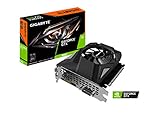
- Powered by GeForce GTX 1650
- NVIDIA Turing architecture and GeForce Experience
- Integrated with 4GB GDDR6 128bit memory interface
- 80mm unique blade fan
- 170 mm compact card size
What each requirement means in practice
Memory: 16 GB is the baseline
Because both tiers specify 16 GB, 8 GB should be treated as an upgrade requirement rather than an optional refinement. Windows, the game, voice chat, browser tabs, and Easy Anti-Cheat all compete for available memory. If your system has two replaceable modules, use a matched 16 GB kit supported by the motherboard; on a laptop, verify that the memory is not soldered and that the manufacturer permits an upgrade. Capacity alone is not proof of compatibility, so check the system manual or motherboard memory list before buying.
Graphics cards: floor versus headroom
The GTX 1650 and RX 6400 represent the published minimum GPU class. They may be suitable for a carefully tuned 1080p experience, but the listing does not attach a frame-rate target to them. The RTX 2070 and RX 5700 provide substantially more rendering headroom for higher image quality and steadier frame times. Compare the exact card in your PC with these classes, including laptop variants: a mobile GPU with the same name can perform differently from a desktop card.
Processors and frame-time stability
The recommended Core i5-12400 and Ryzen 5 5600 are newer than the minimum i5-9400 and Ryzen 5 3500X. That extra CPU capacity matters when the match contains several players, physics events, animation updates, and network processing at once. A system with a fast GPU but an older, heavily loaded processor can show stutter even when its average FPS looks acceptable.
Do these 3 things before closing this tab:
1Fix the driver behind crashes, sound loss and screen glitches2Repair Windows errors before they cause bigger problems3Scan for outdated or missing drivers - takes under a minuteOperating system, storage, and internet
The minimum row names Windows 10 64-bit, while the recommended row names Windows 11 64-bit. A 32-bit Windows installation does not meet either specification. Reserve at least the required 60 GB on the installation drive and leave additional room for patches, temporary files, and shader caches; running a drive nearly full can cause installation or update failures. Steam specifies broadband because matches are online. Download speed affects installation and updates, while latency, packet loss, and connection stability affect responsiveness during play.
How to check your PC before installing
- Confirm Windows architecture. Open Settings > System > About and check that the system type is a 64-bit operating system. Record the Windows edition and build so you can apply pending updates.
- Identify the processor and installed RAM. In Settings > System > About, note the CPU model and installed memory. Compare the model with the minimum or recommended row, not just the advertised clock speed.
- Identify the active GPU. Press
Ctrl+Shift+Escto open Task Manager, choose Performance, and inspect each GPU entry. On a laptop, make sure the game is assigned to the discrete GPU rather than an integrated adapter. - Check free space. In Settings > System > Storage, verify at least 60 GB is available on the target drive. Keep extra capacity for updates instead of filling the drive to the exact requirement.
- Test the connection. Use a wired connection if practical, stop large downloads and cloud synchronisation, and avoid playing while another device saturates the network. A speed test by itself cannot guarantee a stable match because it does not represent every route to the game server.
- Update the graphics driver. Install the current driver supplied for your exact GPU model, restart Windows, and confirm that no installation error remains before launching.
Settings for smoother performance
JOYCITY has described work on responsiveness, controls, character balance, and network optimisation, but the official pages do not publish a complete graphics menu or a launch FPS target. Use the following as a conditional tuning sequence, then adjust to the controls that actually appear in your installed build.
Rank #2
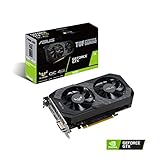
- Digital Max Resolution:7680 x 4320
- The ASUS TUF Gaming GeForce GTX 1650 is built with the breakthrough graphics performance of the award-winning NVIDIA Turing architecture to supercharge your favorite games.
- Ultra-fast GDDR6 with over 50% more memory bandwidth for high-speed gaming.
- Auto Extreme Manufacturing uses automation to enhance reliability.
- TUF compatibility testing ensures TUF Gaming and TUF Gaming alliance components work together flawlessly.
1. Establish a repeatable starting point
Begin at 1920×1080 if your display supports it. Choose a frame-rate cap that your PC can hold during a full match, not the highest number it reaches in an empty menu. A stable cap generally feels better than an uncapped value that repeatedly falls, because consistent frame times make player input easier to read.
2. Lower resolution scale first when frame time is uneven
If the game offers a resolution-scale or render-scale slider, reduce it in small steps while keeping the display resolution at 1920×1080. This reduces the number of pixels the GPU must shade and is usually more effective than changing several image-quality options at once. Check the image after each change; excessive reduction makes player silhouettes and the ball harder to track.
The Tool Desk
Outbyte Driver Updater FREEScan for outdated or missing drivers - takes under a minuteDriver Scan →Outbyte PC Repair FREEClear out junk files and repair common Windows errorsFree Scan →3. Reduce the settings that usually cost the most
- Shadows: lower quality or distance first if the GPU is near full utilisation.
- Effects: reduce particles, lighting effects, and similar options when busy plays cause sudden dips.
- Post-processing: lower blur, ambient effects, or other screen-space treatments if available.
- Crowd or environment detail: reduce these only if the shipped build exposes them; they can help in scenes with many visible objects.
Change one group at a time and replay a similar situation. Otherwise you cannot tell which adjustment fixed the problem.
4. Prefer fullscreen and a clean background
Use exclusive fullscreen if the game provides it and if switching away from the game remains convenient. Close launchers, browser tabs, recording tools, and overlays that you do not need. Disable unnecessary startup applications and pause large downloads. These steps free CPU time and memory without changing game files.
5. Keep the driver and power mode appropriate
On a desktop, select the operating system’s normal high-performance gaming power profile only when temperatures and electricity use are acceptable. On a laptop, play while connected to the manufacturer’s power adapter and select a performance profile that does not throttle the CPU or GPU. Monitor temperatures if the game begins smoothly and then slows after several minutes; that pattern often indicates thermal throttling rather than an unsuitable graphics preset.
Rank #3

- Power by All-new NVIDIA turing architecture with 1280 CUDA Cores and 4GB GDDR6 128-bit memory to give you incredible new levels of gaming realism, speed, power efficiency and immersion
- 3.5in dual fans offer higher performance cooling and low acoustic noise
- GTX 1650 Chipset, Support Nvidia Technology, avoid using unofficial software.
- Boost Clock / Memory Speed : up to 1590 MHz / 12 Gbps / 4GB GDDR6 / 128bit
Diagnosing stutter, low FPS, and input delay
Low FPS from the first match
- Verify that the game is using the discrete GPU on a laptop.
- Check GPU utilisation and temperature while playing. High utilisation with low FPS points toward resolution or graphics quality; low utilisation with a busy CPU points toward a processor, background-task, or frame-cap issue.
- Lower render scale, then shadows and effects, in that order.
- Confirm that the display is running at its intended refresh rate in Settings > System > Display > Advanced display.
Intermittent hitching or uneven frame times
- Set a cap below the rate your PC reaches only briefly.
- Close applications that periodically scan, synchronise, or download.
- Keep free space available for shader and update activity.
- Watch memory usage. If it approaches the physical limit, close browser tabs and other large applications or install more RAM if your system supports it.
Delayed actions, rubber-banding, or disconnects
These symptoms are not fixed by a faster graphics card. Test a wired connection, stop competing traffic, reboot the router, and avoid Wi-Fi dead zones. If other online services work normally but matches remain unstable, record the time, region, and symptoms for support; a local FPS counter cannot diagnose server latency or packet loss.
Launch or installation errors
Steam lists Easy Anti-Cheat, so its service must install and start correctly. If launch fails, restart the PC, allow Steam to complete pending updates, and use Steam’s installed-file verification option. Security software can quarantine an anti-cheat component; review its event log and create an exception only if you trust the official installation. Do not download replacement anti-cheat files from unofficial sites.
Should you upgrade a component or replace the PC?
| Situation | Most useful next step | Why | Check before spending |
|---|---|---|---|
| 8 GB RAM, otherwise suitable hardware | Upgrade to 16 GB | Both published tiers require 16 GB, so memory is a prerequisite. | Module type, available slots, and maximum supported capacity. |
| Meets minimum GPU but wants higher settings | Consider a graphics-card upgrade | The recommended GPU tier offers more rendering headroom. | Power-supply wattage, case clearance, connectors, and CPU balance. |
| Older CPU and minimum GPU together | Evaluate a platform replacement | Replacing one part may leave the other as the frame-time bottleneck. | Motherboard socket, memory generation, cooling, and total budget. |
| No 64-bit Windows support or very limited upgrade paths | Consider a complete system | A replacement can solve OS, CPU, GPU, RAM, and storage constraints together. | Warranty, component models, power supply quality, and future upgrade slots. |
A prebuilt system is simpler when several parts fail the target, but a single-component upgrade can cost less when the motherboard, power supply, and case are already compatible. The official specification requires storage capacity, not a particular SSD model; an SSD is still preferable for shorter loading and patch operations, provided it has enough free space.
What is still unknown before release
No official source currently supplies a complete launch graphics menu, benchmark results, recommended resolution scaling, or an FPS guarantee. Any number measured in a preview, test, or community video should be labelled with the game build, resolution, settings, hardware, driver, and scene. It is not a universal promise for every PC.
The June 22 official announcement said that demo accounts, gameplay data, and acquired items would be wiped after the test. An October 7 announcement scheduled launch-detail, edition, and pre-order information for October 14, 2026 at 01:00 UTC; that announcement is a reveal schedule, not proof of a release date. Check the Steam listing and official announcements for changes before committing to an upgrade.
Quick wins for a faster PC:
Repair Windows errors before they cause bigger problemsFix Now →Fix the driver behind crashes, sound loss and screen glitchesFind Drivers →Clear out junk files and repair common Windows errorsFree Scan →Practical pre-launch checklist
- 64-bit Windows is installed and updated.
- Your CPU and GPU meet at least the minimum row; the recommended row is the better target for higher settings.
- 16 GB of RAM is installed and stable.
- More than 60 GB is free on the installation drive.
- Graphics drivers are current for the exact GPU.
- Easy Anti-Cheat can install without being blocked by security software.
- Broadband connectivity is stable, with competing downloads paused during matches.
- You have a repeatable 1080p starting point and a frame cap your system can sustain.
- You will judge performance by frame-time consistency in a real match rather than by a menu FPS number.
Steam lists controller support, so a PC controller may be a comfort choice for players who prefer it; it does not increase FPS or replace a hardware upgrade.
Quick Recap
Product prices and availability are accurate as of the date/time indicated and are subject to change. Any price and availability information displayed on Amazon at the time of purchase will apply.

