
Outdated Drivers Are Slowing You Down
One free scan finds every outdated or missing driver and matches the right update for your exact hardware.Free scan · exact hardware matchPC Slower Than It Used to Be?
A free scan shows the junk files, broken settings and background clutter dragging Windows down - then fixes them in one click.Free scan · Windows 10 & 11iTechGuides is reader-supported. When you buy through links on our site, we may earn an affiliate commission. As an Amazon Associate I earn from qualifying purchases. Learn more
Free VPN apps on Google Play turned some Android phones into residential proxy nodes, according to HUMAN’s March 26, 2024 investigation. Researchers identified 28 apps containing PROXYLIB or LumiApps code; 17 were presented as free VPNs. Google removed the identified apps, but affected users should uninstall them, check VPN settings, and run Play Protect.
The incident was not a case of Android’s legitimate VPN technology becoming inherently malicious. The problem was that code embedded in certain apps enrolled devices into a proxy network without clear user awareness, allowing other traffic to pass through the phone’s residential or mobile IP address.
Key takeaways
- HUMAN identified 28 Android applications distributed through Google Play that contained PROXYLIB or a later PROXYLIB version bundled through the LumiApps SDK.
- Seventeen of the 28 identified applications were presented as free VPNs, while the remaining apps included launchers, keyboards, entertainment apps, and other utilities.
- A proxy node is different from an ordinary VPN: instead of only routing the installing user’s traffic through a provider, the phone could relay someone else’s traffic through the user’s IP address.
- Google removed the identified apps in its 2024 response and said Play Protect could disable them and prompt users to uninstall them.
- Users who may have installed an affected app should run Play Protect, uninstall the app, remove unfamiliar VPN profiles, review special access, reboot, and update Android.
- The incident does not prove that every free VPN is malicious, that every app with one of the listed names remains dangerous, or that Android’s
VpnServiceAPI is unsafe.
What happened with the free VPN apps on Google Play?
HUMAN Security’s Satori threat-intelligence team reported on March 26, 2024 that 28 Android applications distributed through Google Play contained code associated with PROXYLIB or the LumiApps SDK. Seventeen of those applications were presented as free VPNs. The code enrolled devices into a residential-proxy network, according to HUMAN’s investigation.
Quick wins for a faster PC:
Fix the driver behind crashes, sound loss and screen glitchesFind Drivers →Clear out junk files and repair common Windows errorsFree Scan →The basic chain was:
- A user installed an app that appeared to provide a VPN or another ordinary utility.
- The app included a malicious or deceptively disclosed software development kit, or SDK.
- The embedded code contacted command-and-control infrastructure and obtained information needed to register the device.
- The phone became a node in a residential-proxy network.
- Traffic from another person or operator could be relayed through the phone’s home or mobile connection.
- Background-service and boot-start behavior could help the proxy service continue operating after the app was no longer actively open.
HUMAN’s technical analysis described a native library named libgojni.so, command-and-control lookup and registration requests, proxy communication over a socket, and use of Android permissions associated with foreground services and boot completion. One example included port 1334; the research also identified infrastructure such as api.lumiapps[.]io and an example registration path at api.yellowflashvpn.com/api/v1/register. These are historical indicators from the investigation, not universal tests that can prove a phone is clean.
#1 Best Overall
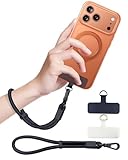
- Reclaim Your Hands, Secure Your Phone: Tired of bulky pockets and the constant fear of dropping your phone? This Advanced phone lanyard wrist instantly secures your device to your wrist, freeing your hands for life's real moments. Effortlessly handle your coffee, grocery bags, or your child's hand with total confidence. Perfect for crowded commutes, busy travel, or capturing the perfect photo, it's the reliable partner that keeps your phone is always safe, accessible, and never a burden.
- Military-Grade Protection, Zero-Risk Security: Why Trust Your $1000+ Phone to a Cheap and Flimsy Strap? Our Phone Strap is engineered with an industrial-strength zinc alloy clasp, a high-toughness TPU pad, and an 7mm ultra-tough nylon rope. It's tested to be 5x stronger than ordinary straps, and withstands sudden pulls and daily stress, offering worry-free protection. This strap prevents accidental drops and deters theft, giving you true peace of mind anywhere.
- All-Day Comfort, Adjustable Freedom: Crafted to combine a soft-touch polyester exterior with a flexible nylon core, delivering both durable strength and second-skin comfort. The smooth-gliding buckle secures a perfectly snug, custom fit for any wrist and keeps it. Enjoy set-and-forget convenience for true peace of mind, completely free from slipping or irritation.
- Charging-Friendly, Ultra-Thin Pad Design:Ditch the thick, port-blocking metal plates! Our ugraded high-pressure TPU Pad is only 0.48mm . It provides superior, tear-resistant strength while being slim enough to leave your charging port 100% free. Finally, enjoy the convenience of powering up your device while it remains securely attached to your phone wrist strap.
- Universal Compatibility, Versatile Use: This phone lanyard is perfect for iPhone 17 Pro Max, SE4, 16, 15, 14, Samsung Galaxy S25 Ultra, S24, S23, and other smartphones with full-coverage cases (Not for Half-Coverage Case). Its utility extends far beyond your phone. Securely carry your keys, wallet, ID, camera, or earbuds. Lightweight yet incredibly sturdy, it's the versatile partner for travel, outdoor adventures, and daily routine.
What does “turned phones into proxies” mean?
“Turned phones into proxies” means that an affected phone could act as an intermediary for traffic generated by someone else. An outside service might see the phone’s residential or mobile IP address as the source of a request, even though the request was initiated elsewhere.
A simple way to picture the difference is this:
Normal VPN use:
Your phone ──encrypted tunnel──> VPN provider ──> destination website

Proxy-node abuse:
Someone else's traffic ──> your phone ──> destination website
                              |
                         your residential IP
A normal VPN usually creates an encrypted tunnel from the installing user’s device to a VPN provider’s server. The user’s traffic exits through the provider’s server. In the incident described by HUMAN, the phone itself became an exit point for other traffic.
Residential proxies have legitimate commercial uses, including market research, advertising verification, price monitoring, and search testing. The security problem was undisclosed or deceptive enrollment of users’ devices and the possibility that the resulting proxy capacity could be abused.
How is a VPN different from a residential proxy?
A VPN primarily gives the installing user a way to route that user’s traffic through a provider. A residential proxy network provides exit points that make traffic appear to originate from residential or mobile connections. The two technologies can overlap technically, but their user roles are different.
| Question | Ordinary VPN | Proxy-node enrollment |
|---|---|---|
| Whose traffic is being routed? | The installing user’s traffic | Traffic from another user or operator may pass through the device |
| What appears as the source IP? | Usually the VPN provider’s server IP | The enrolled phone’s residential or mobile IP |
| What does the user normally expect? | A privacy or routing service for the user | Often an app feature that does not clearly disclose proxy participation |
| Can the behavior be legitimate? | Yes, when the app follows Android and Google Play requirements | Yes in some commercial contexts, but only with lawful, transparent, user-facing consent and an appropriate core purpose |
Android’s VpnService API is legitimate. Android requires a user confirmation dialog before an app becomes the active VPN service, and only one application can be the currently prepared VPN service. Android documents the confirmation, configuration, lifecycle, and VPN controls in its VPN developer documentation. A VPN permission prompt confirms that an app requested VPN access; it does not independently validate the app’s ownership, privacy policy, SDKs, or monetization model.
Which apps were identified?
The following 28 application names appeared in HUMAN’s 2024 investigation. The list describes the identified app samples or versions from that investigation, not every app that has ever used one of these names. App names can be reused by unrelated developers, and an app can remain installed after its Google Play listing disappears. Where possible, identify an app by its package name, developer, signing identity, version, and installation source—not by name alone.
Rank #2

- More Secure: With the use of phone lanyard, you can choose to hang your phone on your belt, backpack, or wrist to prevent it from being lost/stolen while you are exercising, shopping, walking, bicycling, hiking, climbing, exploring, etc
- Upgraded Flexibility: Made with lightweight and extra-strong spring rope, the maximum length of the cell phone lanyard is 30 inch. Our cell phone leash always keeps your phone close at hand and provides a cushion in a sudden fall
- Does Not Interfere With Charging: Compatible for both corded and wireless charging without being removed. NOTE: PHONE TAB NOT SUITABLE TO HALF COVERAGE PHONE CASE
- Multiple Functions: Not only the phone, you can also use the stretchy strap to hang keys, USB flash drives, car keys, headphones, ID cards, and other compact things that need to be carried around
- Easy Installation: Package included Phone Tether*1; Black Tether Tab*2; Carabiner*1. Simply insert the ultra-thin phone patch between the case and the phone and it could connect to the phone leash through the charging port. The carabiner could help you carry your phone more safely and conveniently when you are exploring
| Application name | Presentation or category in the reported list | Identification caution |
|---|---|---|
| Lite VPN | VPN-branded | Historical app name; verify developer and package |
| Anims Keyboard | Keyboard | Historical app name; verify developer and package |
| Blaze Stride | Utility or other app | Historical app name; verify developer and package |
| Byte Blade VPN | VPN-branded | Historical app name; verify developer and package |
| Android 12 Launcher — CaptainDroid | Launcher | CaptainDroid appears in the reported name; verify the package |
| Android 13 Launcher — CaptainDroid | Launcher | CaptainDroid appears in the reported name; verify the package |
| Android 14 Launcher — CaptainDroid | Launcher | CaptainDroid appears in the reported name; verify the package |
| CaptainDroid Feeds | Feed or utility app | CaptainDroid appears in the reported name; verify the package |
| Free Old Classic Movies — CaptainDroid | Entertainment | CaptainDroid appears in the reported name; verify the package |
| Phone Comparison — CaptainDroid | Utility or information app | CaptainDroid appears in the reported name; verify the package |
| Fast Fly VPN | VPN-branded | Historical app name; verify developer and package |
| Fast Fox VPN | VPN-branded | Historical app name; verify developer and package |
| Fast Line VPN | VPN-branded | Historical app name; verify developer and package |
| Funny Char Ging Animation | Entertainment or animation app | Historical app name; verify developer and package |
| Limo Edges | Utility or customization app | Historical app name; verify developer and package |
| Oko VPN | VPN-branded | Initial identified carrier; verify the package and version |
| Phone App Launcher | Launcher | Historical app name; verify developer and package |
| Quick Flow VPN | VPN-branded | Historical app name; verify developer and package |
| Sample VPN | VPN-branded | Historical app name; verify developer and package |
| Secure Thunder | VPN or security-branded utility | Historical app name; verify developer and package |
| Shine Secure | VPN or security-branded utility | Historical app name; verify developer and package |
| Speed Surf | VPN or browsing-branded | Historical app name; verify developer and package |
| Swift Shield VPN | VPN-branded | Historical app name; verify developer and package |
| Turbo Track VPN | VPN-branded | Historical app name; verify developer and package |
| Turbo Tunnel VPN | VPN-branded | Historical app name; verify developer and package |
| Yellow Flash VPN | VPN-branded | Historical app name; verify developer and package |
| VPN Ultra | VPN-branded | Historical app name; verify developer and package |
| Run VPN | VPN-branded | Historical app name; verify developer and package |
Use the list as a historical cross-check, not as a current safety certification. Do not assume that a current app with the same name is related to the 2024 sample, and do not assume that an app is safe merely because its old listing has changed.
Was Oko VPN the original discovery?
According to HUMAN’s retrospective account, Oko VPN was first reported in May 2023 after researchers found that its Android version enrolled devices in a proxy network. HUMAN said the Android Oko VPN app was removed from Google Play on March 23, 2023, then expanded its investigation to identify 28 related applications.
The Android and iOS versions should not be treated as equivalent. HUMAN specifically reported that the iOS version it examined did not contain PROXYLIB. That finding applies to the examined iOS version and does not establish that every app with the same name or every later release was safe.
How did the LumiApps SDK fit into the incident?
LumiApps presented itself as an app-monetization platform. HUMAN reported that LumiApps offered an SDK for Java, Kotlin, and Unity projects, as well as a mechanism for automatically adding the SDK to uploaded APKs. The resulting code could load the native PROXYLIB component and retrieve command-and-control information, according to HUMAN’s technical account.
The stated monetization model involved using a user’s IP address to load publicly available web pages in the background and provide information to companies. HUMAN reported that developers could be rewarded according to traffic routed through users’ devices. HUMAN also said the disclosure screen it expected was not observed in the applications it examined.
That evidence does not establish that every developer using a LumiApps component knowingly participated in abuse. Developers may not have understood what an SDK was doing, but Google Play policy still treats third-party code as part of the app’s responsibility. Google’s policy says apps and third-party SDKs must not access or interfere with devices, networks, APIs, or services in an unauthorized manner, and it permits third-party proxy services only when proxying is the app’s primary, user-facing core purpose. See Google Play’s device and network abuse policy.
Rank #3

- 【Premium Double-layer Shielding Material】 Adopted upgraded double-layer reinforced metal fiber shielding fabric, this faraday blocking pouch delivers powerful multi-spectrum signal isolation with shielding effectiveness over 80dB. It effectively shields WiFi, Bluetooth, RFID, GPS, NFC, mobile phone cellular signal and car key fob signal, greatly reducing the risk of wireless signal interception and tracking
- 【Comprehensive Privacy Protection】 Designed for modern anti-surveillance and anti-hacking needs, the signal blocking pouch cuts off external signal connection instantly. It avoids telecom fraud, data leakage and illegal tracking, and also protects precision measuring instruments from external signal interference to keep accurate working performance for business and outdoor use
- 【Spacious & Portable Size】 Measured at 8.2 inches in length and 4.7 inches in width, this extended-size faraday pouch is wider and longer than ordinary storage bags. It easily fits most smartphones, car key fobs, GPS devices, walkie-talkies and small electronic gadgets. Lightweight, durable and pocketable for daily carrying
- 【Simple Self-test Operation】 You can complete a quick signal test at home in seconds. Just put your phone into the faraday bag and make a call from another device. It cuts off all incoming calls and messages, offering stable and reliable shielding performance for daily use
- 【Versatile for Daily Scenarios】This durable multi-functional shielding pouch features fireproof, waterproof and shockproof performance. It prevents car key relay attacks and location tracking, suitable for commuting, business trips and outdoor activities. Reliable after-sales support ensures your satisfying shopping experience
What could the proxy network be used for?
The proxy capacity created by the affected apps could be used for legitimate services such as ad verification, market research, search monitoring, and price checking. Residential IP addresses are also attractive for abuse because activity can look as though it originated from ordinary home or mobile users instead of a data-center server.
Reporting on the incident described possible uses including ad fraud, automated shopping or scalping, web scraping, spam, phishing, credential stuffing, password spraying, account takeover activity, and traffic obfuscation. “Could be used” is important: the available reporting does not prove that every affected phone relayed a specific criminal campaign or that every device was used for the same purpose.
What could happen to an affected user?
An enrolled phone could consume mobile-data or home-broadband bandwidth, generate additional background network activity, use battery and processing resources, and make the user’s IP address appear in logs associated with someone else’s activity.
What’s actually slowing this PC down?
Pick the symptom - the matching free tool is one click away.
Those effects could lead to unusual data usage, slower network performance, CAPTCHAs, blocked websites, account-security alerts, or abuse complaints. A suspicious IP address does not automatically make the phone owner legally responsible for another person’s conduct. Any legal consequence depends on the jurisdiction, the facts, and what actually happened.
What did Google do about the affected apps?
Google removed the 28 identified apps from Google Play after HUMAN’s report. Google later told BleepingComputer that Play Protect could detect and disable the identified apps and ask users whether they wanted to uninstall them, as reported on March 27, 2024 by BleepingComputer’s coverage.
| Term | What it means | What it does not mean |
|---|---|---|
| Removed from Google Play | The app was no longer available from its Play listing at that time | Previously installed copies were automatically deleted |
| Disabled by Play Protect | Google’s security service prevented an identified app from running and could prompt for removal | Every future proxy SDK or malicious VPN will necessarily be detected |
| Uninstalled | The app and its installed package were removed from the phone | Other unfamiliar VPN profiles or permissions were automatically cleaned up |
Google Play availability is useful but not a complete guarantee. An app can be published temporarily, a legitimate app can later add a problematic SDK, and modified or sideloaded APKs receive a different level of scrutiny. HUMAN warned users about clones and modified apps distributed outside official marketplaces.
Rank #4
![ZapEnergi 2 Pack Military Grade Faraday Bags for Phones | [5G/WiFi/GPS/RFID] Signal Blocker Pouch, Fireproof Waterproof, Anti-Tracking Privacy Shield for Travel, Security & Theft](https://m.media-amazon.com/images/I/41wMtcI4DfL._SL160_.jpg)
- 【3-SECOND SIGNAL BLOCK】Place your phone or key fob inside this faraday bag , fold the closure, and within 3 seconds, all wireless signals are blocked — WiFi, Bluetooth, GPS, RFID & cellular. No tracking. No data leaks. No relay theft. Your devices go silent instantly. A true faraday cage for daily peace of mind
- 【DOUBLE PROTECTION】Made from upgraded double-layer reinforced metal fiber fabric, this faraday pouch delivers over 80dB shielding effectiveness. Blocks 5G, GPS, WiFi, RFID, NFC, Bluetooth & key fobs. Keeps your devices safe from hacking, skimming & unauthorized access
- 【MILITARY-GRADE DURABILITY】The outer silicone-coated layer is fire-retardant, waterproof, and scratch-resistant — a true go dark faraday bag for real life. Rain, dust, or daily wear — this phone faraday bag protects your devices from both physical damage and digital threats
- 【LIGHTWEIGHT & PORTABLE】The faraday blocking pouch measures 8.2" x 4.7" — fits most smartphones, key fobs, credit cards, GPS devices, hard drives & walkie-talkies. Your everyday cell phone signal blocker. Comes with a detachable lanyard & keychain for hands-free security during travel, commutes, or hiking
- 【WHAT YOU GET】2 Faraday bags, 2 durable detachable neck lanyards, and 2 keychains — plus a 1-Year Quality Warranty and Lifetime Technical Support. We’re always here to assist with any questions or concerns about your faraday pouches
What does Google Play require from VPN apps?
Google Play’s VpnService policy says VPN functionality must be the app’s core purpose, subject to listed exceptions; the app must document VpnService use in its Play listing; traffic to the VPN endpoint must be encrypted; and VpnService cannot be used to collect sensitive data without prominent disclosure and consent or to redirect and manipulate other apps’ traffic for monetization. Required disclosures must appear inside the app during normal use and require affirmative user action, according to Google Play’s VpnService requirements.
The policy context matters because a developer cannot automatically avoid responsibility by blaming an integrated SDK. Google’s device and network abuse policy explicitly applies to third-party code included in an app. That is a software-supply-chain lesson for developers as well as a safety lesson for users.
Independent reader supportYour contribution helps us test, update, and keep practical guides available for everyone.How can you check and clean an Android phone?
If you installed one of the identified app samples, or if an unfamiliar app has VPN access and unexplained background network activity, start with Android’s built-in controls. Menu names vary by manufacturer, Android edition, and language.
- Run Play Protect. Open the Google Play Store, tap the profile icon, choose Play Protect, and run a scan if the option is available.
- Follow any Play Protect action. If Play Protect identifies or disables an app, use its uninstall prompt rather than reopening the app.
- Uninstall the app manually if necessary. Go to Settings → Apps, select the affected or suspicious app, and choose Uninstall. The exact path may differ on Samsung, Pixel, Motorola, and other Android devices.
- Review VPN profiles. Open Settings → Network & internet → VPN, or search Settings for “VPN.” Forget or remove an unfamiliar VPN profile. Android’s VPN controls show apps for which the user accepted a VPN connection request.
- Review special access. In Settings → Apps → Special app access, inspect Display over other apps, Install unknown apps, Usage access, and Unrestricted battery usage. Remove access that the suspicious app does not need.
- Check device-administrator access. If the app refuses to uninstall, search Settings for Device admin apps or Device administrators and remove the app’s administrator access if permitted.
- Reboot the phone. Restarting after removal helps stop remaining background processes and confirms whether the app returns.
- Update the device. Install available Android updates and Google Play system updates.
- Review network activity. Check Android mobile-data usage and, where available, router logs for unexplained traffic. Historical indicators such as a domain or port from a security report should not be used alone to declare a phone clean.
- Protect important accounts when warranted. Change important passwords and enable multifactor authentication if the app had access to sensitive information or the phone showed other suspicious behavior.
What if the suspicious app cannot be uninstalled?
- Try Settings → Apps instead of the launcher’s uninstall command.
- Remove device-administrator access if the app has it.
- Boot Android into Safe Mode and uninstall the app there. The Safe Mode procedure differs by manufacturer.
- Run Play Protect again after removal.
- Contact the administrator if the phone is managed by a workplace, school, or mobile-device-management system.
- As a last resort, back up essential data and perform a factory reset. Make sure critical photos, authenticator recovery codes, and other required data are backed up before resetting.
Do not install an unfamiliar “cleaner,” “booster,” or security application solely to remove a suspicious VPN. Adding another untrusted app can increase the problem instead of solving it.
How should you choose a safer VPN?
Choose a VPN by examining its ownership, business model, technical evidence, and disclosures—not simply by choosing the first free app in Google Play. A paid VPN is not automatically trustworthy, and a free VPN is not automatically malicious.
Recommended Free Tools
| Check | What to look for | Warning sign |
|---|---|---|
| Company identity | Transparent ownership and an identifiable operating company | No clear company, support channel, or abuse-reporting process |
| Privacy terms | A specific logging policy that explains what data is handled | Broad data resale language or vague promises |
| Technical evidence | Independent audits, technical assessments, or open-source clients where practical | Security claims with no supporting evidence |
| Business model | A clear explanation of how the service earns money | Unexplained bandwidth sharing or “earn money” features |
| App distribution | A maintained official app from a consistent developer identity | Primary distribution through APK-download or modified-app sites |
| Permissions | Permissions and special access related to the service’s stated function | Unrelated accessibility, device-administrator, overlay, or usage access |
| Product behavior | Clear controls for always-on VPN, split tunneling, and per-app routing | Traffic redirection or monetization that is not clearly disclosed |
Established providers readers may compare include Proton VPN, Mullvad VPN, IVPN, and NordVPN. These names are starting points for evaluating transparency and fit, not guarantees of safety. Check each provider’s current ownership information, privacy terms, supported platforms, independent evidence, Google Play availability, and plan conditions before subscribing.
Best Value

- 【Protect Your Car & Personal Data】 - Blocks 5G, WiFi, Bluetooth, GPS, and RFID signals to help prevent tracking, unauthorized access, and keyless car theft. Ideal for home, office, or travel, this Faraday pouch gives peace of mind everywhere
- 【Complete Signal Blocking for Privacy】 - Safeguard smartphones, key fobs, passports, credit cards, and small valuables from digital intrusion or scanning. Use a Faraday bag for phones to protect sensitive data wherever you go
- 【Premium Multi-Layer Shielding】 - Features a multi-layer Faraday bag design, durable scratch-resistant outer layer, heat-resistant inner layer, and signal-blocking layer. Fireproof, water-resistant, and wear-resistant to reliably help reduce signal intrusion and protect your devices and valuables
- 【Travel, Home, or Car Use】- Compact yet spacious design fits phones, key fobs, car keys, passports, and cards. Perfect for cars, offices, airports, hotels, or home use. Carry your Faraday pouch for convenient protection on the go
- 【Sturdy, Portable & Easy to Use】 - Hook-and-loop closure with detachable wrist strap allows quick access while keeping valuables secure. Sleek, lightweight Faraday bag with scratch-resistant exterior fits comfortably in pockets, bags, or luggage for daily carry
Do not publish a VPN’s exact monthly price, introductory offer, renewal price, taxes, simultaneous-device limit, refund period, or free-tier limits without checking the provider’s current official terms. A VPN subscription is not a cleanup tool for an already infected phone; remove suspicious software first.
What remains uncertain?
- The investigation does not establish whether every developer whose app contained a LumiApps component knew about the component’s behavior.
- The investigation does not establish that every later version of a named app retained the same functionality.
- The investigation does not identify an exact criminal campaign for every device or prove that every enrolled phone relayed criminal traffic.
- The investigation does not establish that every current app using one of the names is related to the historical sample.
- The investigation does not establish that every LumiApps-integrated app was distributed through Google Play.
- HUMAN reported evidence connecting the operation to Asocks, but the attribution should remain qualified as HUMAN’s assessment rather than a conclusively adjudicated finding.
The central lesson is narrower and more useful than “all free VPNs are dangerous.” A free app can hide a risky monetization arrangement, and an SDK can change an app’s security behavior without changing the app’s headline feature. Verify the developer, disclosures, permissions, business model, and current package before trusting an Android VPN.
Frequently Asked Questions
Were all free VPN apps on Google Play malicious?
No. HUMAN identified 28 specific Android app samples associated with PROXYLIB or LumiApps, and 17 of those apps were presented as free VPNs. The incident does not establish that all free VPNs are malicious; users should evaluate ownership, disclosures, permissions, and the provider’s business model.
Can Play Protect remove the affected proxy apps?
Google said Play Protect could detect and disable the identified apps and prompt users to uninstall them in the 2024 response. Play Protect is not a guarantee that every future malicious VPN or proxy SDK will be detected, so users should also review installed apps and VPN profiles manually.
Does seeing an Android VPN permission prompt mean an app is safe?
No. The Android VPN confirmation prompt shows that an app requested VPN access, but it does not validate the app’s developer, SDKs, privacy policy, or monetization model. Review those factors separately.
Should I install a paid VPN if I used one of the affected apps?
Not as a first response. Remove the suspicious app, check VPN settings and special access, run Play Protect, reboot, and update Android before choosing a replacement VPN. A paid subscription may be a reasonable alternative, but price alone is not a security certification.
The Bottom Line
Bottom line: The 2024 PROXYLIB/LumiApps incident was real, but it was a specific set of app and SDK samples—not proof that every free VPN or Android VPN is unsafe. If one of the identified apps is installed, remove it, forget unfamiliar VPN profiles, run Play Protect, review special access, reboot, and update the phone. Choose any replacement VPN based on transparent ownership, privacy terms, technical evidence, and a clear business model.
Do these 3 things before closing this tab:
1Repair Windows errors before they cause bigger problems2Fix the driver behind crashes, sound loss and screen glitches3Clear out junk files and repair common Windows errorsQuick Recap
Product prices and availability are accurate as of the date/time indicated and are subject to change. Any price and availability information displayed on Amazon at the time of purchase will apply.

