
Quick wins for a faster PC:
Repair Windows errors before they cause bigger problemsFix Now →Fix the driver behind crashes, sound loss and screen glitchesFind Drivers →Clear out junk files and repair common Windows errorsFree Scan →iTechGuides is reader-supported. When you buy through links on our site, we may earn an affiliate commission. As an Amazon Associate I earn from qualifying purchases. Learn more
Running a modpack with friends? Godlike.Host offers modded Minecraft server hosting with one-click modpacks (CurseForge, FTB, Technic) and free DDoS protection.
FNAF – Fazcraft Reimagined is a Five Nights at Freddy’s-themed Minecraft modpack. For a working multiplayer setup, every player must use the same Minecraft version, loader family, and pack release as the server. The current project supports Minecraft 1.20.1 with Forge and 1.21.1 with NeoForge, with separate client files and server packs. This guide explains how to choose a compatible release, install the client, deploy a dedicated server, connect friends, and recover from the version and configuration problems that most often stop a modded server from starting.
Fazcraft Reimagined at a glance
The official CurseForge project categorizes FNAF – Fazcraft Reimagined as Horror, Adventure and RPG, Exploration, Multiplayer, and Hardcore. Its description says the pack brings the unsettling feeling of Five Nights at Freddy’s into Minecraft. Alongside the horror theme, the project description lists additional structures, dimensions, gear progression, technology systems, and magic systems.
The project page recorded 26,615 total downloads and an update on August 12, 2026. Those figures describe the listing at that date; they are not a guarantee of current download totals or of server performance.
| Minecraft version | Loader | Client/server information | Evidence and date |
|---|---|---|---|
| 1.20.1 | Forge | Client releases are available. A 1.20.1 Server Pack 4.2.0 is listed at 960.3 MB. | Server pack uploaded August 12, 2026 |
| 1.21.1 | NeoForge | Client releases and server-pack releases are listed on the project page. | Check the current project files for the exact release |
A separate 1.20.1 client release 1.4.0 is recorded as a Forge archive uploaded May 3, 2026. Its changelog mentions updates to Sophisticated Backpacks and Sophisticated Core. Do not treat the client number as interchangeable with the server-pack number: match the exact release family shown in the current files.
#1 Best Overall

- Two years of Freddy - The core collection includes the first five mainline titles in the fnaf universe that started it all: five nights at freddy's, five nights at freddy's 2, five nights at freddy's 3, five nights at freddy's 4, and five nights at freddy's: sister location.
- celebrate with new friends - meet a colorful cast of robotic companions that are ready to Welcome you to the fazbear family including Bonnie, chica, Foxy and Freddy fazbear himself.
- hide and seek - survive the night by Monitoring the suspicious activity of the haunted animations that come alive at night. They can run, but you can hide.
- console Exclusive features - A new achievement and trophy system as well as optional cheats that give new reasons to revisit fazbear Entertainment
Choose a release before installing
Start with the version your group can support, rather than installing the first file in the list. The two release lines use different loader families, so they are not cross-compatible.
Use 1.20.1 Forge when
- Your existing world or other mods are already built for Minecraft 1.20.1 and Forge.
- You want the documented 4.2.0 server-pack release, which is listed at 960.3 MB.
- Your group can keep every client on the same 1.20.1 Forge profile.
Use 1.21.1 NeoForge when
- You specifically need Minecraft 1.21.1 or a mod in your group requires NeoForge.
- The project page shows a compatible 1.21.1 client and server pack for the release you intend to run.
- You are starting a new world and can coordinate a clean migration to the newer loader line.
Before downloading, write down the Minecraft version, loader, modpack release number, and whether the file is marked client or server. A 1.20.1 Forge client cannot join a 1.21.1 NeoForge server, and a client archive is not a substitute for a server pack.
What’s actually slowing this PC down?
Pick the symptom - the matching free tool is one click away.
Install the client
The exact buttons differ among launchers, but the required sequence is the same. Use a launcher that supports the selected Forge or NeoForge distribution, or install from the client archive available on the project page.
- Select the release. In the project’s file list, filter for your chosen Minecraft version and loader. Confirm that the file is a client release, not a server pack.
- Install through your launcher or import the archive. Let the launcher create a separate instance for Fazcraft rather than adding the mods to a vanilla profile. If you use a downloaded archive, follow that launcher’s import process and keep the instance isolated from other modpacks.
- Launch once without joining a server. The first start lets the loader resolve dependencies and create configuration files. It may take longer than subsequent starts because the pack contains many components.
- Check the title-screen or instance metadata. Confirm that the displayed Minecraft version and loader match the file you selected. If the launcher reports a missing dependency, stop and repair the instance instead of copying random mod files into it.
- Record the exact pack release. Save the release number in a note shared with your players. This prevents one person from silently updating while others remain on an older build.
Launcher settings that are intentionally interface-dependent
Launcher labels, memory controls, Java selection, and import buttons vary by application and can change between releases. Use the launcher’s own documentation for those screens. The stable requirements are the Minecraft version, Forge or NeoForge family, and exact Fazcraft release; do not assume that a setting shown in one launcher exists under the same name in another.
Rank #2

- Fun, fast, competitive game where players take on the roles of the iconic animatronics stalking the pizzeria at night.
- Compete to collect pizza and cake, use your unique abilities, and out-scare the other animatronics.
- Suspenseful push-your-luck gameplay keeps everyone guessing until one player captures the guard!
- Includes four detailed, painted figures of Bonnie, Chica, Foxy, and Freddy Fazbear!
- Packaged in a thematic pizza box with a window to display the figures.
Confirm the client before multiplayer
Perform these checks while the instance is still local:
- Open the game’s mod list and verify that the Fazcraft-related content loads without a crash.
- Create a temporary single-player world and enter it long enough to confirm that terrain generation and the main menu work.
- Exit normally, then relaunch. A successful second launch catches configuration files that were not written correctly on the first run.
- Keep the launcher profile unchanged after testing. Adding an extra mod, shader loader, or client-only replacement can create a mismatch even when the displayed pack version is unchanged.
Deploy a dedicated Fazcraft server
A dedicated server is the most predictable option for a group because the world keeps running independently of one player’s game. The server must use the server-pack archive for the same Minecraft version, loader family, and modpack release as the clients.
Outdated Drivers Are Slowing You Down
One free scan finds every outdated or missing driver and matches the right update for your exact hardware.Free scan · exact hardware matchWindows Errors? Fix Them Before They Spread
Repair common Windows errors and clear accumulated junk for a smoother, more stable PC - no reinstall needed.Free scan · no reinstallFiles and prerequisites
- Download the server-pack archive from the Fazcraft project’s current files. For the documented 1.20.1 line, Server Pack 4.2.0 is listed at 960.3 MB and was uploaded August 12, 2026.
- Use the matching Forge server files for Minecraft 1.20.1 or matching NeoForge server files for Minecraft 1.21.1.
- Prepare a dedicated folder with enough free disk space for the archive, extracted files, logs, configurations, and the growing world. The 960.3 MB figure is the listed archive size, not a lifetime storage requirement.
- Install a Java runtime supported by the selected Minecraft and loader release. The project information does not specify a single Java build, so follow the loader’s current requirements rather than guessing from another modpack.
Installation procedure
- Create the server directory. Use a new folder for this instance. Keeping it separate makes backups and later migration safer.
- Install the loader. Run the Forge or NeoForge server installer that matches the selected Minecraft version, and choose the new server directory when prompted.
- Extract the server pack. Place the server-pack contents in that same directory, preserving the folder structure supplied by the archive. Do not put the entire downloaded archive beside the files and assume the server will read inside it.
- Start the server once. Use the generated Forge or NeoForge launch script, or the command supplied by the installer. The first run normally creates configuration files, libraries, logs, and a world directory.
- Accept the EULA. Stop the process if it exits with an EULA message, open the generated
eula.txt, change the acceptance value only after reading the agreement, save it, and start again. - Review generated configuration. Stop the server after the first successful generation. Check the server properties and mod configuration files, set the world and access options your group needs, and take a backup before creating a long-term world.
- Restart for normal use. Launch the server again, wait until the console reports that it is ready, and note the listening port shown in the server properties.
File names and launch-script names vary with the Forge or NeoForge installer version. Use the script generated in your directory instead of copying a filename from an unrelated tutorial.
Make the server reachable
Players on the same local network
Give players the host computer’s local address and the server port configured in the server properties. They must still install the matching Fazcraft client; a local connection does not bypass mod or loader checks.
Rank #3
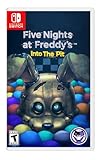
- Experience the heart-pounding adventure of a beloved entry in the Five Nights at Freddy’s franchise, Into the Pit.
- Solve satisfying puzzles intertwined with an adrenaline-fueled story.
- Immerse yourself in a narrative experience where you try to save your friends, your family, and your own life.
- Uncover secrets that span decades and discover different endings, as you escape the clutches of the animatronic creatures wreaking havoc across time.
- Includes a download code for the official game soundtrack.
Players connecting over the internet
The host normally needs to allow the server process through the operating system firewall and forward the configured port from the router to the server computer. The exact screens differ by router and operating system. Share only the public address and port required for the game, never administrative credentials, remote-desktop passwords, or the router login.
If the server starts but friends cannot connect, test in this order:
Recommended Free Tools
- Confirm the server console says it is fully started and is listening on the expected port.
- Verify that the firewall rule applies to the Java process or launch script used by this instance.
- Check that port forwarding points to the server computer’s current local address.
- Ask a player outside the host’s network to test. A test from inside the same network can fail because some routers do not support loopback connections.
Keep every player synchronized
Most connection errors are caused by a mismatch rather than a broken world. Give your group a short “join sheet” containing the following values:
- Minecraft version, such as 1.20.1 or 1.21.1.
- Loader family, Forge or NeoForge.
- Exact Fazcraft release number.
- Server address and port.
- Any server-specific rules, whitelist requirements, or required configuration changes.
When the server owner updates, distribute the new client release first, have every player close the game, and then update the server. Keep a copy of the previous server directory and world before replacing files. Never combine a 1.20.1 Forge mod directory with a 1.21.1 NeoForge server, even if both are labeled Fazcraft Reimagined.
Rank #4
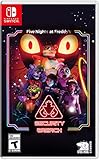
- INCLUDED - Five Nights at Freddy’s: Security Breach will feature an exclusive sticker sheet
- THE HUNTERS AND THE HUNTED - Once nighttime protocols are initiated, the animatronics at Freddy Fazbear’s Mega Pizzaplex will relentlessly pursue all intruders
- ADAPT TO SURVIVE - Access security cameras to survey the environment and plan your route through danger; Distract enemies by knocking over paint cans and toys; Hop into hiding spots and allow danger to pass, or try to outrun your pursuers
- EXPLORE AND DISCOVER - Freddy Fazbear’s Mega Pizzaplex offers a variety of attractions for guests to enjoy - Monty Golf, Roxy Raceway, Bonnie Bowl, the sewers, and… Sewers; The Pizzaplex is vast and has no shortage of goodies to discover
Common failures and fixes
“Incompatible mod set” or a rejected connection
Compare the four values on the join sheet with the player’s launcher profile. Reinstall the exact client release if the launcher silently selected a newer file. Remove extra manually added mods before testing again.
The server closes during startup
Read the first error and its surrounding lines in the latest log rather than relying on the final “server stopped” message. Typical causes include the wrong loader, an incomplete server-pack extraction, a missing library, or a Java runtime that does not satisfy the loader. Reinstall the matching loader and server pack in a clean directory if the log points to mixed files.
The world loads but content is missing
Stop the server and verify that the server-pack contents were extracted with their original paths. Starting a world with an incomplete pack can create a misleadingly playable environment while omitting structures or dimensions. Restore the pre-launch backup before attempting a repair.
Players time out while the console appears healthy
Check the firewall, router forwarding, address, and port. Confirm that the host’s local address did not change after a reboot. If local players can join but internet players cannot, the problem is usually network exposure rather than the modpack itself.
Best Value

- 2 Years Of Freddy - The Core Collection includes the first 5 titles that started it all: Five Nights at Freddy's, Five Nights at Freddy's 2, Five Nights at Freddy's 3, Five Nights at Freddy's 4, and Five Nights at Freddy's: Sister Location
- Celebrate with new friends - Meet a colorful cast of robotic companions that are ready to Welcome you to the fazbear family including bonnie, chica, foxy and Freddy fazbear himself
- Hide and seek - Survive the night by Monitoring the suspicious activity of the haunted animatronics that come alive at night; They can run, but you can hide
- Console exclusive features - A new achievement and trophy system as well as optional cheats that give new reasons to revisit fazbear entertainment
Crashes after an update
Return to the previous client and server release using the backups, then compare the new release’s changelog with the old one. The recorded 1.20.1 client 1.4.0 changelog mentions Sophisticated Backpacks and Sophisticated Core updates, so changes to those components can matter when diagnosing a 1.20.1 upgrade. Do not open a valuable world in a new release until you have a restorable copy.
Updating or moving an existing world
- Stop the server cleanly and wait for the process to exit.
- Copy the entire server directory, including the world, configuration, player data, and scripts, to a separate backup location.
- Read the target release notes and confirm that a server pack exists for the same Minecraft and loader combination.
- Test the new files with a copy of the world, not the only original.
- Have one or two players inspect spawn, previously visited bases, inventories, dimensions, and automated systems.
- Only then schedule the live migration and distribute the matching client release.
Moving between the 1.20.1 Forge and 1.21.1 NeoForge lines is a major compatibility change, not a routine patch. Treat it as a new migration project and retain the old installation until the group has confirmed that the world behaves correctly.
The Tool Desk
Outbyte Driver Updater FREEScan for outdated or missing drivers - takes under a minuteDriver Scan →Outbyte PC Repair FREEClear out junk files and repair common Windows errorsFree Scan →Hosting choices
You can run the server on a computer you control or use a managed Minecraft host that supports the required Forge or NeoForge release. Managed services can simplify installation, backups, port exposure, and always-on availability, while self-hosting gives you direct control over files and configuration.
The CurseForge listing says, “Need a server? BisectHosting is the BEST option to play this modpack.” That is the project page owner’s recommendation, not independent performance testing. A separate VeryGames listing states that Fazcraft Reimagined can be installed on its Minecraft server service. Before paying any provider, verify the currently supported pack release, Minecraft version, loader, storage limits, backup policy, regional availability, and cancellation terms. A host advertising generic modpack support may not support the exact Fazcraft release you selected.
Performance and administration practices
Horror exploration packs can generate additional structures and dimensions, and the project description also lists technology and magic systems. Those features can increase the amount of world data and background activity compared with an unmodded server. Use practical administration controls rather than assuming that a hosting plan or computer specification guarantees smooth play.
Quick Recap
- Generate or explore new areas gradually so the server is not forced to create many chunks at once.
- Watch the server console and logs during group activities, especially when players enter a new dimension.
- Schedule restarts during a quiet period and announce them before disconnecting players.
- Keep regular world backups and retain at least one backup from before each pack update.
- Limit operator access to people who need it, and use a whitelist for a private group.
- Do not delete configuration files to solve a problem without copying them first; settings may control world generation, progression, or mod behavior.
Final pre-launch checklist
- Every player has the same Minecraft version.
- Every player uses the same loader family: Forge for the 1.20.1 line or NeoForge for the 1.21.1 line.
- The server uses the matching server-pack release, not a client archive.
- The server has completed one clean startup and the EULA is accepted.
- Firewall and router rules expose only the intended game port.
- A tested backup exists before the first shared-world session.
- Players have the correct address, port, and any whitelist instructions.
Product prices and availability are accurate as of the date/time indicated and are subject to change. Any price and availability information displayed on Amazon at the time of purchase will apply.
Do these 3 things before closing this tab:
1Clear out junk files and repair common Windows errors2Fix the driver behind crashes, sound loss and screen glitches3Repair Windows errors before they cause bigger problems
