
iTechGuides is reader-supported. When you buy through links on our site, we may earn an affiliate commission. As an Amazon Associate I earn from qualifying purchases. Learn more
Usually, no. Wi‑Fi is primarily needed for a smart washing machine’s connected features—such as app monitoring, notifications, remote start on compatible models and additional programs—not necessarily for every local wash cycle. However, manufacturer documentation does not establish one offline rule for every smart washer. If you need the machine to operate without Wi‑Fi or internet access, check the manual for the exact model.
The practical distinction is between washing with the controls on the appliance and using internet-connected features. A washer can have both capabilities, but the balance differs by model.
What Wi‑Fi does on a smart washing machine
“Smart” normally describes the connection between the washer, a phone app and the manufacturer’s online service. The connection can add convenience without changing the appliance’s basic job. The features documented by manufacturers include:
Quick wins for a faster PC:
Fix the driver behind crashes, sound loss and screen glitchesFind Drivers →Repair Windows errors before they cause bigger problemsFix Now →- Viewing wash-program status in an app.
- Receiving notifications when a cycle finishes or needs attention.
- Starting a cycle remotely on models that support remote start.
- Accessing additional or downloadable programs.
- Monitoring and controlling supported appliances through the manufacturer’s app.
These features require more than a radio in the washer. They generally depend on a compatible model, a home network, internet access, an app and an account. Electrolux lists those requirements for its supported washing-machine range in its UK connection guide. Maytag likewise describes its connected appliances as using home Wi‑Fi and its app for monitoring and control (Maytag Connected Appliances).
#1 Best Overall

- Exclusive Installation Bundle: Includes 3-Prong and 4-Prong Dryer Power Cords, Washer Hose Set, 8-ft Vent Duct, and 1-Year CPS Protection Plan
- Smart Wi-Fi Enabled: Control washer and dryer remotely via SmartThings app
- 4.7 cu ft capacity Washer with Active WaterJet & vibration reduction tech
- Built-in WaterJet faucet lets you pretreat stains inside the tub
- Self Clean keeps the tub fresh without harsh chemicals
What “work” can mean when Wi‑Fi is unavailable
There are several different failure situations, and they should not be treated as identical.
Wi‑Fi deliberately disabled
This means the washer cannot reach your router. Depending on the model, the local control panel may still offer some or all normal programs, while app-only functions become unavailable. The reviewed manufacturer pages do not promise the same behavior across every smart washer, so the model manual is the authority.
Internet service is down
Your phone and washer may still be connected to the router, but cloud features can fail because the internet connection is unavailable. App status, notifications and remote commands may be delayed or unavailable. A local cycle might behave differently from a connected command; do not assume that an internet outage has one universal result.
The Tool Desk
Outbyte Driver Updater FREEScan for outdated or missing drivers - takes under a minuteDriver Scan →Outbyte PC Repair FREEClear out junk files and repair common Windows errorsFree Scan →The app or account is unavailable
An app update, sign-in problem or manufacturer-service outage can prevent remote control even when your home network is functioning. This is a connected-feature problem, not proof that the washer itself cannot wash clothes.
The washer has no network configured
A smart washer that has never been paired may still present its appliance controls, but connected setup will not be available until the required network and account steps are completed. Read the installation and user instructions before relying on any particular offline behavior.
What the manufacturer instructions actually establish
The following comparison keeps each statement within the scope of the cited manufacturer guidance. Network details apply to the models and setup procedures covered by those pages, not automatically to every washer sold under the brand.
| Manufacturer guidance | Connected functions described | Documented setup or network detail |
|---|---|---|
| Electrolux UK | Program-status monitoring, notifications, remote start on compatible models and additional programs | Wireless home network with internet access, smartphone or tablet, app and network credentials; the cited range supports 2.4 GHz Wi‑Fi |
| Whirlpool | Connecting a smart front-load washer to the Whirlpool app and enabling remote start | The documented setup uses a 2.4 GHz network for the phone and appliance; 5 GHz will not work for that connection method |
| Maytag | Monitoring and controlling supported appliances through the app | Prepare a supported appliance for Wi‑Fi setup and connect it to home Wi‑Fi and the app |
None of these pages makes a universal statement that every smart washer must have Wi‑Fi to begin a local cycle, and none supplies a single offline rule covering all models. That is why the model-specific manual matters.
Recommended Free Tools
Rank #2
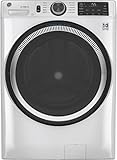
- Large 4.8 Cu. Ft. Capacity : Wash more in fewer loads—perfect for families and busy households with heavy laundry demands.
- UltraFresh Vent System with OdorBlock: Helps eliminate excess moisture after each wash cycle, keeping your washer interior fresh between uses.
- Built-In WiFi with SmartHQ App Integration: Remotely control your washer from your phone—start, stop, monitor, and receive alerts anytime, anywhere.
- Quick Wash Cycle (20 Minutes): Perfect for lightly soiled clothes, this cycle delivers a fast and efficient clean when time is limited.
- Time Saver Mode (35 Minutes): Enjoy a full, deep clean in just 35 minutes—ideal for mixed loads on busy days.
How to find out whether your exact washer can wash offline
- Identify the full model number. Use the rating plate, installation paperwork or the appliance’s settings screen. A product family name is not precise enough when connectivity behavior differs by model.
- Open the user manual, not only the app guide. Search for “Wi‑Fi,” “remote start,” “network,” “offline,” “connectivity,” “app” and “control panel.” The Electrolux guidance specifically directs owners to the user manual for model-specific details.
- Separate local and app instructions. Write down which cycles are selected on the washer itself and which options appear only in the app. An app feature list does not prove that the appliance’s local cycles require internet access.
- Check remote-start conditions. Some appliances require a physical confirmation or a particular control-panel state before remote start is enabled. Follow the safety and door-lock instructions in the manual rather than assuming a phone command can always start a load.
- Ask the manufacturer about outage behavior. Give support the exact model number and ask three separate questions: Can a local cycle be started with Wi‑Fi disabled? What happens if the internet fails during a cycle? Which functions are lost without the app?
- Test only when the manual permits it. If you need certainty, disconnect the washer from Wi‑Fi using the documented setting and run an empty, supervised local test. Do not interrupt a loaded cycle or defeat a door lock to perform an experiment.
Network requirements are model-specific
Do not buy a router or change its settings based solely on the word “smart.” The cited setup pages show why the exact instructions matter.
2.4 GHz versus 5 GHz
Electrolux’s UK guide says the cited washer range supports 2.4 GHz Wi‑Fi. Whirlpool’s documented connection method says the phone and appliance use 2.4 GHz and that 5 GHz will not work for that method. Those statements describe the covered models and procedures; they are not evidence that every smart washer rejects 5 GHz.
If your router combines 2.4 GHz and 5 GHz under one network name, follow the washer’s pairing instructions. You may need to select a 2.4 GHz network during setup, temporarily separate the bands, or use the manufacturer’s recommended pairing mode. Avoid changing advanced router settings until the manual or support team confirms what is required.
Other setup prerequisites
- A home wireless network that reaches the laundry area.
- Internet access when the manufacturer requires cloud registration or remote services.
- A compatible smartphone or tablet.
- The correct manufacturer app.
- An account and the network password or other credentials.
- A washer model that supports the specific feature you want, such as remote start.
A washer can connect successfully and still lack a particular feature if that feature is not implemented for the model or region. “Connected” is not a guarantee that every app function is present.
Free tools Windows power users keep installed
One-click scans. No signup required.
What happens to common functions without Wi‑Fi?
| Function | Connection dependence shown by the guidance | What to verify for your model |
|---|---|---|
| Selecting a cycle on the appliance | The reviewed pages do not establish a universal Wi‑Fi requirement or universal offline guarantee | Whether the manual lists local cycles and options independently of the app |
| Viewing status on a phone | Requires the connected app pathway | Whether status updates continue during an internet outage or only after reconnection |
| Completion notifications | Requires app connectivity and the manufacturer’s notification service | Which alerts are supported and whether they are delayed when the network is down |
| Remote start | Available only on compatible models and requires the connected setup | Whether a physical confirmation, selected mode or safety condition must be enabled first |
| Additional programs | Electrolux documents additional programs as an app benefit for its supported range | Which programs are built in locally and which are app-dependent |
The safest wording is therefore conditional: connected functions need the connection, while offline washing depends on the exact appliance design and instructions.
Troubleshooting when the app cannot control the washer
1. Check whether the problem is local or cloud-related
Look at the washer’s own display and buttons first. If the panel responds normally, the appliance may be usable locally even though app features are unavailable. If the panel shows an error, use the manual’s appliance troubleshooting steps rather than repeatedly attempting app commands.
2. Confirm the network band and signal
For the Whirlpool procedure covered by its instructions, verify that both phone and washer are using the 2.4 GHz network; a 5 GHz connection will not work for that method. For Electrolux models covered by its UK guide, use the supported 2.4 GHz network. Other models may have different requirements.
Rank #3

- High-Efficiency Front-Load Washer – ENERGY STAR certified design delivers powerful cleaning performance while helping reduce annual energy consumption to approximately 105 kWh/year.
- Large 5.0 Cu. Ft. Capacity – Easily handles bulky items like comforters and large laundry loads, reducing the number of cycles needed.
- Depth With Door Open (Maximum 55 inches) – Requires up to 55 in. of clearance with the door fully open (90°) for convenient loading and unloading.
- Smart ThinQ Technology – Wi-Fi enabled washer allows remote monitoring, cycle control, and notifications through the LG ThinQ app.
- Quiet & Durable Inverter Direct Drive Motor – Designed for reduced vibration, quieter operation, and long-term reliability.
3. Recheck account and app access
Confirm that you are signed in to the account paired with the appliance and that the app is the current manufacturer app for your region. A phone connected to Wi‑Fi is not enough if the washer was registered to a different account.
4. Restore the documented pairing state
Use the manual’s reset or re-pair procedure. Do not factory-reset the washer casually: a reset can remove saved settings and require the entire setup again. Keep the model number and error message available when contacting support.
5. Use local controls when appropriate
If you need to wash clothes while troubleshooting, select a documented local cycle only when the manual indicates that local operation is available. Do not infer from another model’s behavior that yours is safe to operate offline.
Independent reader supportYour contribution helps us test, update, and keep practical guides available for everyone.Remote start has practical and safety limits
Remote start is not simply “turn the washer on from anywhere.” Electrolux describes it only for compatible models, and Whirlpool’s setup instructions include enabling remote start. The washer may require a physical action before a remote command is accepted, and normal conditions still apply: the door must be closed, the load must be suitable, detergent and water connections must be ready, and no error or maintenance state can block operation.
Use remote start only when you can leave the appliance in a safe state. Do not place items in the drum and then assume an app command will override an open-door, unbalanced-load or maintenance warning. The exact confirmation sequence belongs in the model manual.
Do these 3 things before closing this tab:
1Fix the driver behind crashes, sound loss and screen glitches2Clear out junk files and repair common Windows errors3Scan for outdated or missing drivers - takes under a minuteShould you pay extra for a Wi‑Fi model?
Decide based on the features you will actually use, not the “smart” label. If app monitoring, completion alerts, remote start or additional programs solve a real routine problem, connectivity may be useful. If you always select cycles at the machine and do not need notifications, the available evidence does not justify paying extra merely to obtain Wi‑Fi.
Compare candidate washers on four separate axes:
- Local controls and programs: Check the cycles, temperature choices, spin settings and other options available without opening an app.
- Useful app functions: List the specific alerts, status information or programs you would use rather than counting the number of app features.
- Remote-start behavior: Verify that the model supports it and identify any physical confirmation or operating-state requirement.
- Network requirements: Confirm the supported Wi‑Fi band, app, account, internet dependency and regional availability for the exact model.
A non-connected washer with better local controls can be the better choice for a household that does not value app features. A connected model is most defensible when its particular app functions remove a recurring inconvenience.
Bottom line for an outage or a buying decision
Wi‑Fi is needed for the cited smart features, not proven to be universally required for every wash. Because manufacturers document connectivity by model, the only reliable answer for offline operation is the exact washer’s manual or support channel. Treat Wi‑Fi as an optional layer of monitoring and control unless the model documentation explicitly says otherwise.
Quick Recap
Product prices and availability are accurate as of the date/time indicated and are subject to change. Any price and availability information displayed on Amazon at the time of purchase will apply.

