
iTechGuides is reader-supported. When you buy through links on our site, we may earn an affiliate commission. As an Amazon Associate I earn from qualifying purchases. Learn more
To upgrade eligible Macs to macOS Sonoma with Intune, deploy an Apple declarative device management (DDM) software update policy. First verify each Mac is compatible and enrolled in a supported way; then choose either a targeted macOS version with a deadline or the latest eligible version with a delay. Pilot the policy and confirm the installed macOS version afterward—the policy’s configuration status alone does not show that the upgrade finished.
Check Mac compatibility and enrollment first
Sonoma eligibility depends on the exact Mac model. Apple’s compatibility list includes, among others, MacBook Pro and MacBook Air models from 2018, iMac from 2019, iMac Pro from 2017, Mac mini from 2018, Mac Studio from 2022, and Mac Pro from 2019, with model-specific distinctions. Do not infer eligibility from a processor family or approximate device age; compare each model with Apple’s macOS Sonoma compatibility list.
Identify each Mac’s model and installed macOS version before assignment. Apple notes that Software Update offers updates compatible with the Mac model. Intune’s DDM software update configuration requires macOS 14.0 or later and supports Device Enrollment and Automated Device Enrollment. Confirm the actual enrollment and management state meets the policy requirements in Microsoft’s DDM software update guidance.
Free tools Windows power users keep installed
One-click scans. No signup required.
Use DDM for macOS 14 and later
For organization-owned Macs running macOS 14 or later, Microsoft recommends Apple’s declarative device management (DDM), configured through an Intune Settings Catalog policy. Microsoft’s planning guidance says to use DDM on macOS 14 and newer devices to install a specific update by an enforced deadline. The older MDM-based software update workload is deprecated; its documented support scope does not make it the recommended route for Sonoma. See Microsoft’s DDM guidance and its macOS software update planning guide.
#1 Best Overall

- 1. 9-in-1 Linux:32GB Bootable Linux USB Flash Drive for Ubuntu 24.04 LTS, Linux Mint cinnamon 22, MX Linux xfce 23, Elementary OS 8.0, Linux Lite xfce 7.0, Manjaro kde 24(Replaced by Fedora Workstation 43), Peppermint Debian 32bit (being replaced by MX Linux 32bit) for older PC, Pop OS 22, Zorin OS core xfce 17. The versions you received might be latest than above as we update them to latest/LTS when we think necessary.
- 2. Try or install:Before installing on your PC, you can try them one by one without touching your hard disks.
- 3. Easy to use: These distros are easy to use and built with beginners in mind. Most of them Come with a wide range of pre-bundled software that includes office productivity suite, Web browser, instant messaging, image editing, multimedia, and email. Ensure transition to Linux World without regrets for Windows users.
- 4. Support: Printed user guide on how to boot up and try or install Linux; please contact us for help if you have an issue. Please press "Enter" a couple of times if you see a black screen after selecting a Linux.
- 5. Compatibility: Except for MACs,Chromebooks and ARM-based devices, works with any brand's laptop and desktop PC, legacy BIOS or UEFI booting, Requires enabling USB boot in BIOS/UEFI configuration and disabling Secure Boot is necessary for UEFI boot mode. Packing: The bootable USB drive comes in a colored PET/CPP zipper bag with instructions on how to get started. The box pictured is not included.
DDM settings take precedence over similar device-management commands. Avoid assigning overlapping legacy update controls unless you have accounted for that precedence. Microsoft documents the older MDM software update policy separately, but recommends DDM for macOS 14 and later: legacy macOS software update policy.
Choose the DDM policy pattern
Intune documents two practical DDM patterns. Choose based on whether you need to approve a particular OS version or simply enforce the latest eligible update.
Rank #2

- 1. 3IN1: Multiboot USB flash drive includes Linux Mint Cinnamon 22 & 21.3 64bit and Linux Mint Cinnamon 19 32bit.It's suitable to both older PC and new computers.You can always try on USB before install. The versions you received might be latest than above as we update them when we think necessary.
- 2. What is Linux Mint: Linux Mint is designed to work 'out of the box' and comes fully equipped with the apps most people need, such as graphic design, office software, web browser, multimedia and gaming.
- 3. Why choose Linux Mint: works out of the box, easy to use, requires little maintenance, safe, fast and comfortable.
- 4. Compatibility: This Multiboot USB is compatible with any brands' PC such as HP,Dell,Lenovo,Samsung,Toshiba,Sony,Acer,Asus except for Apple computers, Chromebooks and ARM-based devices, and works with both legacy BIOS and UEFI booting modes. When using UEFI boot mode, secure boot needs to be disabled in BIOS settings.
- 5. User Guide & Support: Print user guide and support available. please contact us for help if you have an issue.
| Policy pattern | Version control | Timing | Best fit |
|---|---|---|---|
| Latest eligible version | Installs the latest eligible release rather than a specifically selected OS version. | Set a delay in days and an install time. The delay determines the enforcement target date; it does not control when the update first becomes available to the user. | When the goal is adoption of the latest permitted update without pinning the rollout to a specific OS version. |
| Targeted version | Specify the target OS version; a build version may also be specified. If the build conflicts with the OS version, the OS version takes precedence. | Set a target date and time. Intune schedules it using the device’s local time zone. | When change control requires a particular approved OS version and an explicit enforcement deadline. |
Policy configuration details and enforcement behavior are described in Microsoft’s DDM software update documentation.
Understand the deadline and restart impact
For a targeted-version policy, a user who has not initiated the update by the deadline may see a short countdown before installation and restart are forced. If the Mac is powered off when the deadline arrives, Microsoft documents a one-hour grace period after it next powers on before forced installation and restart. Because the deadline is interpreted in each device’s local time zone, account for time-zone differences when choosing it.
Rank #3
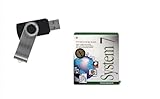
- Preloaded with Mac System 7 Installer: Includes the official System 7 software, ready for installation or restoration.
- Designed for Vintage Macs: Works with a range of classic Macintosh models (see compatibility below).
- Convenient USB Solution: No need for floppy disks or old drives—easily transfer System 7 onto your compatible Mac.
- High-Quality USB Drive: Durable, fast, and built for reliable performance.
These enforcement behaviors can interrupt work. Tell affected users the deadline and expected restart, and test the policy with a representative pilot group before broad assignment. The documentation does not prescribe a particular pilot size; select one that gives your organization enough coverage to assess its device mix and operational needs.
Roll out the Sonoma policy and verify the upgrade
- Inventory the Macs. Record exact models and installed macOS versions, then compare models with Apple’s Sonoma compatibility list.
- Confirm enrollment. Check that each device’s enrollment method and management state meet the requirements for Intune’s DDM software update configuration, which supports Device Enrollment and Automated Device Enrollment.
- Choose the policy pattern. Use a targeted version when change control requires Sonoma specifically; use latest eligible version when the goal is the latest permitted update. Configure the date or delay with local time zones and forced-restart impact in mind.
- Pilot and communicate. Assign the policy to a representative group, explain the enforcement deadline, and warn users about the possible installation and restart.
- Check the installed OS version. After deployment, inspect device OS versions to verify the upgrade completed. A successful policy configuration report confirms policy installation, not completion of the macOS upgrade. Microsoft recommends checking device OS versions; see its software update policy guidance.
Back up before upgrading
Apple recommends backing up files before an upgrade. Follow your organization’s approved backup and recovery procedure before enforcement. Do not treat an Intune update policy as a rollback mechanism: Microsoft states that Intune software update policies cannot downgrade an OS version in its legacy policy documentation. Sonoma deployment guidance also does not establish whether Sonoma is the newest or preferred macOS release for your environment, or resolve app compatibility, acceptable downtime, or recovery requirements. Validate those decisions against your organization’s own standards before assigning a target.
Quick Recap
Best Value

- ✅4-IN-1 USB drive 3.2: Tahoe 26、Sequoia 15、Sonoma 14、High Sierra 10.13.6, Can be fully installed on your Mac
- ✅Support Type-C and USB Port, Included instruction and technical support
- ✅1. Connect USB Drive and Power off Mac
- ✅2. Holding the "Power Button" for 12 seconds, it will appear startup menu
- ✅3. Choose USB drive from Startup Menu, it will be booting and install macos
Rank #4

- ✅8-IN-1 USB drive 3.2: Big Sur 11.7、Catalina 11.15.7、Mojave 11.14.6、High Sierra 11.13.6、El Capitan 10.11.6、Yosemite 10.10.5、Mavericks 10.9.5、Mountain-Lion 10.8.5, Can be fully installed on your Mac
- ✅1. Plug-In USB Drive
- ✅2. Holding the "Option" key , and Power On
- ✅3. it will appear startup menu, choose USB drive from startup menu
- ✅4. After that, the installation will begin.
Product prices and availability are accurate as of the date/time indicated and are subject to change. Any price and availability information displayed on Amazon at the time of purchase will apply.
What’s actually slowing this PC down?
Pick the symptom - the matching free tool is one click away.

