

Quick wins for a faster PC:
Clear out junk files and repair common Windows errorsFree Scan →Fix the driver behind crashes, sound loss and screen glitchesFind Drivers →iTechGuides is reader-supported. When you buy through links on our site, we may earn an affiliate commission. As an Amazon Associate I earn from qualifying purchases. Learn more
Still unable to decide which one to choose between the XPS 13 and 15 convertibles? This Dell XPS 13 2-in-1 vs Dell XPS 15 2-in-1 comparison will help.
Dell XPS 13 2-in-1 vs Dell XPS 15 2-in-1: At First Glance
There hasn’t been a single time when I missed an opportunity to express my love for Dell’s XPS line of laptops. For some obvious reasons, I constantly find myself admiring Dell’s XPS laptops, especially the XPS 13 and 15.
From their awesome display quality to their incredible performance, to good battery life, both the XPS 13 and 15 are tough options to ignore. Their impressive features sparked up a necessity for us to compare both laptops which we did on our XPS 13 vs XPS 15 comparison.
Now coming into the mix are the more functional 2-in-1’s that have been in the shadows of their XPS 13 and 15 siblings. Though this may sound bad, you can’t really blame the traditional XPS 13 and 15 laptops for stealing the spotlight considering how awesome they both are.
#1 Best Overall

- PREMIUM ULTRA-PORTABLE DESIGN – The Dell XPS 13 9350 designed for users who value performance, mobility, and premium craftsmanship. With its ultra-slim, lightweight design and refined finish, it delivers a high-end portable experience for work and daily use. Built for all-day productivity, up to 26 hours battery life keeps you powered without interruption
- INTUITIVE CONTROL & PREMIUM INTERACTION – Engineered for modern workflows, it features a precision haptic glass touchpad with smooth, responsive feedback and a streamlined touch function row for effortless control between media and function keys. Combined with its minimalist design, it delivers a clean, premium, and distraction-free experience for everyday productivity. Backlit keyboard ensures comfortable typing in low-light environments
- POWERFUL PERFORMANCE - Powered by Intel Ultra 7 256V Processor (8 cores, up to 4.8 GHz) and Intel Arc Graphics, this PC delivers efficient performance for multitasking, data analysis, and content creation. Equipped with 16GB DDR5 and 1TB PCIe SSD, it ensures swift application loading and ample storage for professional workloads
- IMMERSIVE DISPLAY - Features a 13.4-inch WUXGA (1920x1200) display with narrow borders, 500-nit brightness, and 120Hz refresh rate for smooth visuals and reduced eye strain. Supports up to 2 external displays via Thunderbolt 4, with up to 4K@60Hz output. The FHD RGB camera with dual-array microphones delivers clear video calls
- ADVANCED CONNECTIVITY - With 2x Thunderbolt 4, you can easily connect external displays, storage devices and essential peripherals. Stay fast and reliable on the go with Wi-Fi 7 and Bluetooth 5.4, perfect for video calls, cloud work, and wireless devices without lag
Put into consideration that the earlier versions of the 2-in-1 laptops were a bit heavy and you have one of the reasons these newer models may have been overlooked.
However, this complaint and several others look like they will all be a thing of the past. If you had these XPS 13 2-in-1 and XPS 15 2-in-1 laptops sitting in front of you, you would think the same too.
Add their spec sheets to the discussion and you will easily have two of the best 2-in-1 laptops. This is no surprise considering that Dell smartly drew up the construction formula for these laptops using their conventional siblings as blueprints.
As a result, the Dell XPS 13 2-in-1 looks very much like the regular XPS 13 laptop. Likewise, the XPS 15 2-in-1 is identical to the XPS 15 laptop.
The question now is: can these laptops deliver incredible performance as they did in their traditional forms; and which of the two is better?
Let’s go ahead to find out.
Dell XPS 13 2-in-1 vs Dell XPS 15 2-in-1: Design, Dimension and Weight
Dell didn’t completely reinvent the wheel for the conversion of the XPS 13 and 15 to 2-in-1 convertibles. Both the Dell XPS 13 2-in-1 and the XPS 15 2-in-1 share a similar hybrid redesign.
From the looks of it, it doesn’t look like Dell is ready to drop its XPS laptops’ design pattern any time soon. Sharing a nearly completely identical DNA with their regular XPS 13 and 15 laptops, these two laptops come with a lot of design elements that you are probably familiar with.
What’s actually slowing this PC down?
Pick the symptom - the matching free tool is one click away.
If you have had the pleasure of owning or using either the Dell XPS 13 or XPS 15, you will notice these similarities. For these 2-in-1 versions of the Dell XPS 13 and 15 laptops, Dell used the same machined aluminum design.
Other familiar features include the woven glass carbon fiber keyboard rest and their metal bottom.
However, there’s one major difference in both laptops’ design which is their design functionality. Dell has equipped the Dell XPS 13 2-in-1 and the XPS 15 2-in-1 with aluminum twin hinges that allow 360 degrees rotation.
As a result, both laptops have the flexibility to be converted into a tablet. You can also use both laptops in stand, tent, or fold mode.
The Tool Desk
Outbyte PC Repair FREEClear out junk files and repair common Windows errorsFree Scan →Outbyte Driver Updater FREEFix the driver behind crashes, sound loss and screen glitchesFind Drivers →Another beautiful thing about the hinges on both laptops is despite their rotational function, they look almost completely normal. Even though both laptops can switch between modes, their hinges do not make them look like they can because of their reserved styling.
Unlike the hinge on the Lenovo Yoga 920, the hinges Dell used on these laptops look pretty normal until you discover what they can do.
In addition, the hinge on both laptops are incredibly sturdy. They have just the right amount of resistance that helps prevent the horrible screen wobbles that are common with most 2-in-1s.
While the sturdiness of both laptops’ hinges may be of great benefit, It turned out to offer a little setback in the XPS 15 2-in-1’s build. The stiffness of the hinge makes it hard to open the XPS 15 2-in-1 with one hand.
That aside, the hinges on both laptops aren’t the only components with sturdy builds. The overall build quality of both laptops is also excellent.
To achieve their remarkable premium build quality, Dell took some laudable painstaking measures. The exemplary build quality of these laptops is a result of their CNC construction.
To explain further, both laptops are CNC cut from two blocks of aluminum that have been bonded with Corning Gorilla Glass 6 for increased durability. Hence, the lids of both laptops are impossible to bend without applying serious pressure.
Likewise, their keyboard decks barely give in.
While this construction technique improves durability, it also adds to the aesthetics of both laptops. Their diamond-cut edges along with their brushed finish give the 2-in-1 laptops luxurious accents.
Windows Errors? Fix Them Before They Spread
Repair common Windows errors and clear accumulated junk for a smoother, more stable PC - no reinstall needed.Free scan · no reinstallOutdated Drivers Are Slowing You Down
One free scan finds every outdated or missing driver and matches the right update for your exact hardware.Free scan · exact hardware matchYou still get the striking silver and black color scheme that breathes elegance into the air on both laptops. With that color option available, Dell now provides another color option for the XPS 13 2-in-1.
You can now also buy the XPS 13 2-in-1 in a gorgeous Frost aluminum and Arctic white design. Like the Platinum silver and black color scheme, the lid is finished in Frost aluminum while the interior flaunts the Arctic white color on its palm rest.
In case you are a neatnik like me who is worried about the laptop’s interior being covered in stains, then I have good news for you. Dell promises that the interior of these laptops has been covered in stain-resistant coating to prevent them from being stained.
Without being too extravagant, Dell has managed to nail the design of the XPS 13 2-in-1 and XPS 15 2-in-1. Both convertibles look simple yet stunning and luxurious.
Funny enough, their striking physical appearance isn’t what I found the most impressive on both laptops. I was more impressed by how thin both laptops were.
The XPS 13 2-in-1’s is so thin that it is nearly the same thickness as its lid. Likewise, on the XPS 15 2-in-1, Dell seems to have taken the time to slim down the laptop into a convertible that is comfortable to hold.
In fact, Dell claims that this 15-inch laptop is one of the smallest and thinnest laptops available today. Being one of the thinnest 15-inch convertibles I’ve laid eyes on, I do not disagree.
The Dell XPS 13 2-in-1 measures 296 x 207 x 7-13 mm and weighs 1330 g. Meanwhile, the Dell XPS 15 2-in-1 measures 354 x 235 x 9 – 16 mm and weighs 2000 g.
In case you are wondering how Dell achieved this feat on both laptops, particularly on the XPS 15 2-in-1 given its large display size – the secret behind their reduced size is in two forms.
One of the two is Dell’s use of its improved signature InfinityEdge display. This technology makes the display on the XPS 13 2-in-1 look like it barely has bezels.
Consequently, the thin display borders result in a screen-to-body ratio of 84.9%. Similarly, the thin bezels had a positive effect on the XPS 15 2-in-1’s size.
It allows a screen that’s 15.6 inches wide diagonally to fit in perfectly into a laptop that is just 13.9 inches wide.
Free tools Windows power users keep installed
One-click scans. No signup required.
The second is the new maglev keyboard that allows the base of both laptops to be thinner than normal. This is possible due to the keyboard’s use of magnets under each of the keys for measuring pressure instead of a rubber dome to press on the sensor.
At first, I was skeptical about these keyboards because they gave me flashbacks of the uncomfortable typing experience I had on Apple’s Butterfly keyboard.
I felt the keyboards on these laptops were even destined for failure when I accessed their measurements. The keys on both laptops have very low travels.
While the XPS 13 2-in-1 has key travel of 0.6 mm, the XPS 15 2-in-1 has 0.7 mm key travel. They are so shallow that you will barely feel any feedback while typing, which makes it seem as though you are typing on a flat surface.
Do these 3 things before closing this tab:
1Clear out junk files and repair common Windows errors2Fix the driver behind crashes, sound loss and screen glitches3Repair Windows errors before they cause bigger problemsRank #2

- 13.4-inch, FHD+ (1920 X 1200), 16:10, InfinityEdge Touch Display
- 10th Generation Intel Core i7-1065G7 Processor (8MB Cache, up to 3.9 GHz)
- 32GB 3733MHz LPDDR4x , 512 GB PCIe NVMe x4 SSD Onboard
- Intel Iris Plus Graphics (i7)
- Killer Wi-Fi 6 AX1650 (2x2) + Bluetooth 5.0
After some getting used to, I found the keyboard on both laptops to be incredibly comfortable. They are highly responsive, with only a very light tap needed to register inputs.
Their sensitivity is high enough to even increase your typing speed. To this effect, I was able to type at 86 words per minute when I took the 10fastfingers typing test on the Dell XPS 13 2-in-1.
On the XPS 15 2-in-1, I reached 93 words per minute.
Both the Dell XPS 13 2-in-1 and the XPS 15 2-in-1 feature a two-level key backlight. There’s also a sharp fingerprint scanner built into the power button that is isolated on the top right side of the keyboard.
Recommended Free Tools
With that being said, the large 4.4 x 2.6-inch touchpad on the XPS 13 2-in-1 is one of the best I’ve used. Its textured glass surface is smooth and feels great against the fingers.
I had no issues executing Windows 10 gestures, like three-finger swipe to switch apps and two-finger scrolling. Besides, this touchpad is also a Windows Precision touchpad.
The same is the case for the spacious 4.1 x 3.1 inches touchpad on the XPS 15 2-in-1. It is smooth, responsive, and clicky.
Responding to Windows 10 gestures was also no issue for the XPS 15 2-in-1.
“The thinner the laptop is the fewer ports you should expect”. This notion of mine proves to be accurate on most occasions, and the same is the case with the XPS 13 2-in-1.
On the right side of the Dell XPS 13 2-in-1, you’ll find a Thunderbolt 3 port and a headphone jack. Turn over to the other side and you’ll find another Thunderbolt 3 port along with a microSD card slot.
If you use the older USB-A devices a lot or you need more connections, you’ll need to get a dongle. Fortunately, Dell includes a USB-C-to-USB-A dongle in the laptop’s box, but you might still need to buy a USB hub if you use a lot of ports simultaneously.
Considering the XPS 15 2-in-1’s size, I was quite surprised to find a quite generous port selection. It features a port selection that’s at least better than the XPS 13 2-in-1’s.
Quick wins for a faster PC:
Clear out junk files and repair common Windows errorsFree Scan →Fix the driver behind crashes, sound loss and screen glitchesFind Drivers →Repair Windows errors before they cause bigger problemsFix Now →On the left side of the 2-in-1, you will find a pair of Thunderbolt 3 ports and a microSD card slot. Meanwhile, the right side of the laptop houses a pair of USB Type-C ports with DisplayPort, a headphone jack, and a Noble lock slot.
If you want to utilize the full functionalities of both laptops as productivity laptops, you can buy the Dell Premium Active Pen. Its tilt functionality and 4,096 points of pressure sensitivity will make it easy to jot down notes easily on the Sticky Notes app.
This stylus attaches magnetically to the XPS’s hinge so you don’t have to worry about misplacing the Pen.
Overall, both laptops share a similar design pattern that makes them offer the same gorgeous physical appearance. Their similar design DNA also sees that they both offer the same 2-in-1 functionality.
In the case of these two laptops, picking the better laptop in terms of the design largely depends on preference. If you like a larger screen then you will be more interested in the XPS 15 2-in-1.
For someone who likes a more compact laptop, the XPS 13 2-in-1 will be more suitable.
Both laptops score a nine in this Dell XPS 13 2-in-1 vs Dell XPS 15 2-in-1 design comparison based on their varying and similar factors.
Dell XPS 13 2-in-1 vs Dell XPS 15 2-in-1: Processor (CPU) Performance
Dell equips both the XPS 13 2-in-1 and the XPS 15 2-in-1 with Intel Core processors. These Intel processors differ depending on which of the two laptops you choose to buy.
The Dell XPS 13 2-in-1 is equipped with a quad-core Intel Core i5-1035G1 processor. This processor has a base frequency of 1.0 GHz and is capable of achieving a boost frequency of 3.60 GHz.
Meanwhile, you get to choose between two processors for the XPS 15 2-in-1 processor. You can buy the laptop with either a quad-core Intel Core i5-8305G or a quad-core Intel Core i7-8705G processor.
With its hyper-threading capabilities, the Intel Core i5-8305G idles at 2.80 GHz and is capable of running at 3.80 GHz boost frequency. The Intel Core i7-8705G processor, on the other hand, has a base frequency of 3.10 GHz and a boost frequency of 4.10 GHz.
This processor also has hyper-threading capabilities.
Now that we are done with the technicalities, let’s move on to compare both laptops’ performance. For this comparison, we acquired our XPS 15 2-in-1 review unit with the Intel Core i7-8705G processor.
While the XPS 13 2-in-1 is, of course, equipped with the Intel Core i5-1035G1 processor.
The XPS 13 2-in-1 is one of the first few laptops to be equipped with the 10-nanometer Ice Lake CPU, and it makes good use of it with its beast-like performance. Performance-wise, the XPS 13 2-in-1’s offers a performance that is on par with other capable quad-core processor laptops.
In our tests, the laptop offered strong performance. I was impressed by how the laptop handled our real-life CPU performance test.
Recommended Free Tools
It displayed a good performance when I ran regular computing operations like emailing, web browsing, and document editing. However, our focus is how its performance fares in comparison with the XPS 15 2-in-1.
Does it offer enough processing power to beat the XPS 15 2-in-1? Well, outperforming the XPS 15 2-in-1 will not be an easy feat.
The XPS 15 2-in-1’s Intel Core i7-8705G processor is an incredible hardware. Just like the XPS 13 2-in-1, the XPS 15 2-in-1 also handles everyday computing tasks with ease.
What’s more impressive is that both laptops are capable of handling even more intensive computing operations. For example, both laptops are more than capable of carrying out computing operations like video editing, running complex audio software, and photo editing.
The Tool Desk
Outbyte Driver Updater FREEFix the driver behind crashes, sound loss and screen glitchesFind Drivers →Outbyte PC Repair FREEClear out junk files and repair common Windows errorsFree Scan →On the benchmark tests, things got heated up a bit between both laptops. The first test I carried out on both laptops was the Cinebench R20 benchmark test.
In the multi-core aspect, the Dell XPS 15 2-in-1 outperformed the XPS 13 2-in-1. While the XPS 15 2-in-1 scored 2320 points, the XPS 13 2-in-1 scored a much lower 784 points.
Moving further to the single-core aspect, I discovered that the difference in both laptops’ performance results closed down a bit. The Dell XPS 15 2-in-1 barely passed the 500 mark this time around – it scored 527 points.
Meanwhile, the XPS 13 2-in-1 scored 515 points.
After this test, I decided to run a lower version of the Cinebench benchmark test – the Cinebench R15. On the single-core aspect of this test, the XPS 13 2-in-1 finally caught up to the XPS 15 2-in-1.
Free tools Windows power users keep installed
One-click scans. No signup required.
Rank #3

- [ Latest And Greatest ] The Latitude 5330 2-in-1 is DELL's latest release in the 13" Latitude 5000 family. It comes with all the latest technology including DDR4 Memory clocked at a whopping 3200MHz and a 12th generation INTEL 10-core Processor. The 10 cores on the Core i7-1265U processor allows for exceptional multitasking.
- [ Display & Graphics ] This Latitude 5330 2-in-1 comes with a 13.3" Touch Screen with (1920x1080) resolution for stunningly clear visuals and a integrated graphics card built into the INTEL Core i7-1265U processor which will use the computer's 32 GB of RAM for the graphics memory.
- [ High Speed RAM And Enormous Space ] The 32GB DDR4 RAM will let you smoothly run multiple applications and browser tabs all at once and a 512GB Solid State Drive will provide fast startup, data transfers, and large file storage!
- [ Operating System ] Microsoft Windows 11 Professional 64 Bit Operating System software delivers the performance, manageability, built-in security and stability of the Intel platform, the platform built for business.
- [ Extra Details ] The Dell Latitude 5330 2-in-1 Touchscreen Business Laptop is a refurbished product. The power supply and charger of refurbished products may not be original, but they are compatible with the computer and fully functional. The product is delivered in an ordinary packaging box, not the original packaging box.
They both scored 174 points.
In the multi-core aspect, the XPS 13 2-in-1’s performance indicated that it was not satisfied with just measuring up with the XPS 15 2-in-1. It went ahead to outscore the XPS 15 2-in-1 in the multi-core aspect.
With a score of 830 points, the XPS 13 2-in-1 got the edge over the XPS 15 2-in-1 that scored 746 points.
Even in another benchmark test entirely, the XPS 13 2-in-1 looked determined to prove its worth. On the Geekbench 4 performance test, the XPS 13 2-in-1 scored 19,225 points in the multi-core aspect, surpassing the XPS 15 2-in-1 that scored 16,055 points.
The results continued to take this pattern as I moved on to the single-core aspect. In this aspect, the XPS 13 2-in-1 surpassed the XPS 15 2-in-1’s score once again.
What’s actually slowing this PC down?
Pick the symptom - the matching free tool is one click away.
It scored 5571 points, while the XPS 15 2-in-1 scored 4826 points.
I still wasn’t satisfied with these benchmark tests so I decided to carry out another test. This time around, I tested the laptops on the Handbrake video editing benchmark.
On this test, it took the XPS 13 2-in-1 15 minutes and 55 seconds to convert a 4K video to 1080p resolution. Meanwhile, the XPS 15 2-in-1 converted the same 4K video to 1080p in 14 minutes and 13 seconds.
To be honest, I was completely amazed by the processing power of both the XPS 13 2-in-1 and the XPS 15 2-in-1. The real-world and synthetic benchmark performance that both laptops displayed in our tests are enough to make anyone fall in love with them.
Do these 3 things before closing this tab:
1Scan for outdated or missing drivers - takes under a minute2Repair Windows errors before they cause bigger problems3Fix the driver behind crashes, sound loss and screen glitchesBoth the Dell XPS 13 2-in-1 and XPS 15 2-in-1 are workhorses that are capable of even handling intensive computing operations. Their nearly equal processing power makes choosing between them a tight decision.
Nonetheless, the Dell XPS 13 2-in-1 comes out victorious in this round. We’ve made this decision based on the results of our tests.
In conclusion, the Dell XPS 13 2-in-1 scores a nine in this Dell XPS 13 2-in-1 vs Dell XPS 15 2-in-1 processor performance comparison. Meanwhile, the XPS 15 2-in-1 scores an eight.
Dell XPS 13 2-in-1 vs Dell XPS 15 2-in-1: Memory (RAM) Performance
The Dell XPS 13 2-in-1 and Dell XPS 15 2-in-1 share a lot in common in this aspect. Dell offers the same 16 GB and 8 GB memory size options for the two laptops.
PC Slower Than It Used to Be?
A free scan shows the junk files, broken settings and background clutter dragging Windows down - then fixes them in one click.Free scan · Windows 10 & 11Outdated Drivers Are Slowing You Down
One free scan finds every outdated or missing driver and matches the right update for your exact hardware.Free scan · exact hardware matchLikewise, they both have just one RAM slot and the maximum RAM size that Dell supports on both laptops is 16 GB.
The difference between them, however, is the memory type they feature. Dell equips the XPS 13 2-in-1 with an LPDDR4x, non-removable RAM.
On the other hand, the Dell XPS 15 2-in-1 features Dual Channel DDR4 RAM.
Our comparison units are both equipped with 16 GB RAM. On the real-world performance test, both laptops handled my multitasking workload with ease.
I ran 20 Google Chrome tabs, which included some heavy pages, like YouTube and Slack. Three of these tabs were streaming 1080p videos on YouTube, while I edited some documents on Google Docs.
The Dell XPS 15 2-in-1 even allowed me to open 10 more tabs while I streamed the new episode of Loki. However, the laptop’s fans started spinning faster indicating that it was running under much stress.
Despite these multiple simultaneous operations, both laptops had no issues running other background tasks. They also loaded new pages easily, with photos and graphics been rendered almost instantly.
In the synthetic benchmark test, the Dell XPS 13 2-in-1 started off on a strong note. The first test I conducted was the PCMark 10 test.
With a score of 9678 points in the essential aspect, the XPS 13 2-in-1 outperformed the XPS 15 2-in-1. The Dell XPS 15 2-in-1 scored a lower 9000 points.
In the productivity aspect of the PCMark 10 test, the XPS 13 2-in-1 continued to display a much better performance compared to the XPS 15 2-in-1.
While the XPS 13 2-in-1 scored 7179 points in the PCMark 10 productivity test, the XPS 15 2-in-1 scored 6771 points.
In conclusion, the XPS 13 2-in-1’s outstanding performance in the synthetic benchmark tests leaves no room for further deliberations. Even though the XPS 15 2-in-1 seems capable of handling more workload, the XPS 13 2-in-1’s benchmark performance gives it an edge.
Do these 3 things before closing this tab:
1Repair Windows errors before they cause bigger problems2Scan for outdated or missing drivers - takes under a minute3Clear out junk files and repair common Windows errorsHence, the XPS 13 2-in-1 scores an 8.5 in this Dell XPS 13 2-in-1 vs Dell XPS 15 2-in-1 memory performance comparison. The Dell XPS 15 2-in-1, on the other hand, scores an 8.
Dell XPS 13 2-in-1 vs Dell XPS 15 2-in-1: Storage Options and Performance
Like in the memory aspect, the XPS 13 2-in-1 and XPS 15 2-in-1 share some similarities in their storage configuration. Dell equips both laptops with PCIe NVMe SSD drive types.
They also offer a microSD card reader on both laptops for storage expansion. The major difference between both laptops in this aspect is their maximum storage size.
Dell doesn’t offer beyond 512 GB for the XPS 13 2-in-1 storage. Meanwhile, you can get up to 1 TB storage for the XPS 15 2-in-1.
Now let’s move further to test both laptop’s storage performance. Our first test will be conducted on the CrystalDiskMark 5 test.
On this test, the XPS 13 2-in-1 recorded a sequential read speed of 1801 MBps and a sequential write speed of 1223 MBps. Meanwhile, the XPS 15 2-in-1 recorded sequential read and write speeds of 2976.7 MBps and 520 MBps respectively.
Moving further to the real-world performance tests, I carried out our usual file transfer test on both laptops. The XPS 13 2-in-1 needed just 10 seconds to copy a 4.97 GB multimedia file at a transfer rate of 503.1 megabytes per second.
On the other hand, the XPS 15 2-in-1 was much slower in copying the file. It took the laptop 13 seconds to copy the same file at a rate of 391.5 MBps.
The Tool Desk
Outbyte PC Repair FREERepair Windows errors before they cause bigger problemsFix Now →Outbyte Driver Updater FREEScan for outdated or missing drivers - takes under a minuteDriver Scan →From these results, we see that both laptops share the spoils in this aspect. While the XPS 13 2-in-1 offers a faster write speed, the XPS 15 2-in-1 offers a faster read speed.
However, the larger storage capacity on the XPS 15 2-in-1 makes it a more tempting option. As a result, the XPS 15 2-in-1 scores an eight in this Dell XPS 13 2-in-1 vs Dell XPS 15 2-in-1 storage performance comparison.
Meanwhile, the XPS 13 2-in-1 scores a seven.
Independent reader supportYour contribution helps us test, update, and keep practical guides available for everyone.Dell XPS 13 2-in-1 vs Dell XPS 15 2-in-1: Graphics Card Performance
Aside from their integrated GPU interface, everything that concerns the GPU on both laptops is entirely different.
Rank #4
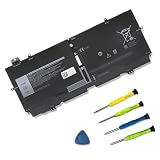
- 【Specifications】Model: 52TWH Voltage: 7.6V Capacity: 51Wh/6375mAh Battery type: Li-ion. Also comes with installation tools.
- 【Compatible Laptop/Notebook Models】 for for Dell XPS 13 7390 2-in-1 P103G P103G001 P103G002 Series Notebook
- 【Compatible Part Number】 52TWH MM6M8 0MM6M8 XX3T7 0XX3T7
- 【Purchasing Note】: Due to the complexity of laptop battery models, you may not be able to accurately determine the model you need to purchase,Please open the back cover of the laptop to confirm the original battery model number
- 【Tips】If the new battery is not recognized during the initial installation, please reinstall and check if the interface is fully connected. Run the new battery down to 5% (not 0%), then top up its power and complete 3-4 power cycles to wake up the new battery.
Dell equips the XPS 13 2-in-1 with an integrated Intel UHD Graphics card. This graphics card has a base frequency of 300 MHz and a boost frequency of 1150 MHz.
Free tools Windows power users keep installed
One-click scans. No signup required.
Meanwhile, the Dell XPS 15 2-in-1 features an integrated AMD Radeon RX Vega GPU. This graphics card has a base frequency of 931 MHz and a boost frequency of 1011 MHz.
Unlike the XPS 13 2-in-1 that doesn’t come with a dedicated VRAM, the XPS 15 2-in-1 comes equipped with a dedicated 4 GB VRAM. As you’d expect, this dedicated VRAM further improves the XPS 15 2-in-1’s graphics and gaming performance.
In the case of the XPS 13 2-in-1, gaming is not really an option unless you’ll be playing old title games or less graphically demanding ones. I will make this clearer later on in this section.
First, let’s begin our comparison with synthetic benchmark tests. The benchmark on which I will be testing these laptops is known as the 3DMark Fire Strike Graphics performance test.
Recommended Free Tools
On this test, XPS 15 2-in-1 performed far better than its 13″ sibbling, scoring 6150 points. Meanwhile, the XPS 13 2-in-1 scored 3847 points.
Moving further to the real-gaming performance, the XPS 15 2-in-1, in comparison to XPS 13 2-in-1 proved to be the king of the gaming. It crushed the XPS 13 2-in-1’s frame rates across various gaming tests.
When I ran Dirt 3 on the XPS 15 2-in-1, I was able to play the game at a smooth 185.6 frames per second rate. The gaming experience was better than the one I had on the XPS 13 2-in-1 which offered 63 frame rates per second.
I also tested both laptops with Rise of the Tomb Raider on High settings. The XPS 15 2-in-1 was able to offer a good frame rate of 44.4 frames per second.
Meanwhile, the XPS 13 2-in-1 could barely play the game at 14.7 frames per second.
Furthermore, the XPS 15 2-in-1 was able to play Overwatch at high settings with consistent frame rates of 60 frames per second. For the same game, the XPS 13 2-in-1 was able to offer playable frame rates of 29.7 frames per second.
Clearly, the XPS 15 2-in-1 offers a better graphics performance than the XPS 13 2-in-1. It outperformed the XPS 13 2-in-1 in both the benchmark test and the real-life gaming tests.
Hence, the XPS 15 2-in-1 scores a nine in this Dell XPS 13 2-in-1 vs Dell XPS 15 2-in-1 graphics performance review. The Dell XPS 13 2-in-1, on the other hand, scores a six.
Dell XPS 13 2-in-1 vs Dell XPS 15 2-in-1: Battery Life and Performance
Dell equips the XPS 13 2-in-1 with 4-Cell 51 WHr battery. Meanwhile, they offer the XPS 15 2-in-1 with a 6-Cell 75 WHr battery.
It is great to see that Dell has addressed the poor battery life that the previous version of the XPS 13 2-in-1 offered. This laptop’s battery life completes its near-perfect design.
If you consider the excellent design, display, and performance of the XPS 13 2-in-1 and its excellent runtime, you’ll agree that it is a nearly perfect laptop.
Besides, the Dell XPS 13 2-in-1 has Intel Evo certification, which means Intel has verified that it can offer at least 9 hours of battery runtime. I was impressed to confirm this on our battery life test.
Quick wins for a faster PC:
Scan for outdated or missing drivers - takes under a minuteDriver Scan →Clear out junk files and repair common Windows errorsFree Scan →On our battery test, the XPS 13 2-in-1 lasted 10 hours and 54 minutes. Our battery test involves continuous web surfing over Wi-Fi at medium screen brightness.
This runtime should be long enough for a full day in the office. With moderate usage, you should also be able to get some power left on the laptop to use it on your commute back home.
While the XPS 13 2-in-1 offers an impressive battery life unfortunately, the XPS 15 2-in-1’ battery life is sub-par. It lasted for just 6 hours and 30 minutes on our battery life test.
This is quite disappointing because Dell claims that the laptop will be able to last up to 15 hours on battery. At most, you will only get an hour more on moderate usage like regular web browsing, email checking, and text editing operations.
Comparatively, the XPS 13 2-in-1 offers a much better runtime. As a result, the XPS 13 2-in-1 scores an eight in this Dell XPS 13 2-in-1 vs Dell XPS 15 2-in-1 battery life comparison.
Meanwhile, the Dell XPS 15 2-in-1 scores a six.
Our Rating Summary
| Rating Areas | Dell XPS 13 2-in-1 | Dell XPS 15 2-in-1 | Notes/Comments |
|---|---|---|---|
| Design | 9 | 9 | Overall, both laptops share a similar design pattern that makes them offer the same gorgeous physical appearance. Their similar design DNA also sees that they both offer the same 2-in-1 functionality. |
| Processor (CPU) | 9 | 8 | Nonetheless, the Dell XPS 13 2-in-1 comes out victorious in this round. We’ve made this decision based on the results of our tests. |
| Memory (RAM) | 8.5 | 8 | The XPS 13 2-in-1’s outstanding performance in the synthetic benchmark tests leaves no room for further deliberations. Even though the XPS 15 2-in-1 seems capable of handling more workload, the XPS 13 2-in-1’s benchmark performance gives it an edge. |
| Storage | 7 | 8 | Both laptops share the spoils in this aspect. While the XPS 13 2-in-1 offers a faster write speed, the XPS 15 2-in-1 offers a faster read speed. However, the larger storage capacity on the XPS 15 2-in-1 makes it a more tempting option. |
| Graphics Card | 6 | 9 | Clearly, the XPS 15 2-in-1 offers a better graphics performance than the XPS 13 2-in-1. It outperformed the XPS 13 2-in-1 in both the benchmark test and the real-life gaming tests. |
| Battery Life | 8 | 6 | Comparatively, the XPS 13 2-in-1 offers a much better runtime. |
| Our Average Rating | 8.7 | 8.8 | On average, the Dell XPS 15 2-in-1 is a better laptop |
Conclusion
The entire narrative is very similar in regards to the regular XPS 13 and XPS 15 laptops. Both laptops are excellently designed laptops with a lot of value to offer.
Whichever one of the two laptops you acquire for yourself will go a long at satisfyingly completing most of your computing tasks. After all, one of the things our comparison has shown us is that both laptops have a distributed superiority in performance across various areas.
Still, our comparison article also shows that the XPS 15 2-in-1 offers better overall performance amongst the two laptops. This is mainly because of its more powerful hardware combination.
What’s actually slowing this PC down?
Pick the symptom - the matching free tool is one click away.
In the end, both laptops are incredible, but the larger XPS 15 2-in-1 has a slight hardware edge. However, its size and weight might be a concern for some, mostly because of its 2-in-1 functionality.
Some people might not find it comfortable to use the laptop in tablet mode because of its size and weight.
The XPS 13 2-in-1 is more compact and is also not underpowered. Hence, the XPS 13 2-in-1 doesn’t make for a bad option either.
Those looking for a powerful and highly mobile laptop will love this 2-in-1 laptop. Moreover, the fact that this laptop comes at a cheaper price might be the final point of attraction for many.
Outdated Drivers Are Slowing You Down
One free scan finds every outdated or missing driver and matches the right update for your exact hardware.Free scan · exact hardware matchPC Slower Than It Used to Be?
A free scan shows the junk files, broken settings and background clutter dragging Windows down - then fixes them in one click.Free scan · Windows 10 & 11However, there is still one area, in particular, where the XPS 13 2-in-1 lags, and that’s in its graphics power. The dedicated 4GB dedicated VRAM on the XPS 15 2-in-1 further improves its already powerful AMD Radeon RX Vega M GL.
This makes it hard for the XPS 13 2-in-1 to compete. If you are looking for a laptop that can adequately complete your creative and professional tasks, then the XPS 15 2-in-1 remains the better option.
Hence, based on our comprehensive review and comparison of Dell XPS 13 2-in-1 vs Dell XPS 15 2-in-1, we recommend:
Although we recommend the Dell XPS 15 2-in-1, if you prioritize battery life over all-around performance power, you should consider the Dell XPS 13 2-in-1.
The Tool Desk
Outbyte Driver Updater FREEFix the driver behind crashes, sound loss and screen glitchesFind Drivers →Outbyte PC Repair FREERepair Windows errors before they cause bigger problemsFix Now →I hope you found this Dell XPS 13 2-in-1 vs Dell XPS 15 2-in-1 comparison helpful. If you found the review helpful, kindly spare a few minutes to share your thoughts by responding to the “Was this page helpful?” question below.
Finally, for more laptop reviews, visit our Laptop Comparison Reviews page. You may also find our Laptop Specs page very helpful.
Quick Recap
Product prices and availability are accurate as of the date/time indicated and are subject to change. Any price and availability information displayed on Amazon at the time of purchase will apply.


