
iTechGuides is reader-supported. When you buy through links on our site, we may earn an affiliate commission. As an Amazon Associate I earn from qualifying purchases. Learn more
The Dell OptiPlex 745 is a 2006 business desktop based on Intel’s Q965 Express chipset. It is still useful for retro computing, basic file serving, lightweight Linux, and inexpensive workshop tasks—but only if its chassis-specific limits are understood.
Dell sold the 745 as a Mini Tower, Desktop, Small Form Factor (SFF), and Ultra Small Form Factor (USFF). These versions do not have the same drive bays, memory limits, power supplies, or graphics-card clearance. An upgrade that works in a Mini Tower may be impossible in a USFF system.
Dell OptiPlex 745 specifications
| Component | Specification |
|---|---|
| Chipset | Intel Q965 Express |
| Processor families documented by Dell | Intel Celeron, Pentium 4, Pentium D, and Core processors |
| Memory | Non-ECC DDR2 SDRAM |
| Supported memory speeds | 533, 667, or 800 MHz, depending on the configuration |
| Memory slots | Four in the Mini Tower, Desktop, and SFF; two in the USFF |
| Storage | SATA, supporting 1.5-Gb/s and 3.0-Gb/s signaling |
| Expansion | PCI 2.3 and PCI Express 1.0a |
| Graphics | Intel GMA 3000 integrated graphics, plus a PCI Express x16 graphics slot where the chassis permits |
| Network | Integrated 10/100/1000 Gigabit Ethernet |
| Audio | ADI 1983 High Definition Audio |
| Firmware | Legacy BIOS; it predates UEFI |
Dell’s OptiPlex 745 system guide is the useful reference because it separates the four chassis types. Do not apply Mini Tower specifications automatically to the Desktop, SFF, or USFF versions.
Quick wins for a faster PC:
Repair Windows errors before they cause bigger problemsFix Now →Fix the driver behind crashes, sound loss and screen glitchesFind Drivers →Memory upgrade limits
The OptiPlex 745 uses non-ECC DDR2 memory. Dell lists 256-MB, 512-MB, 1-GB, and 2-GB modules, but the maximum depends on both the chassis and memory speed.
#1 Best Overall

- 1GB DDR2 800MHz PC2-6400 Ram Memory Stick
- 1.8V 240-Pin Non-ECC Unbuffered DIMM (Non-ECC UDIMM)
- Designed for DELL OPTIPLEX 745
- All A-Tech modules undergo quality assurance testing to ensure dependable and reliable performance
- A-Tech Brand Lifetime Warranty + Free United States Based Technical Support
| Chassis | Maximum with 533/667-MHz DDR2 | Maximum with 800-MHz DDR2 | Slots |
|---|---|---|---|
| Mini Tower | 8 GB | 4 GB | 4 |
| Desktop | 8 GB | 4 GB | 4 |
| SFF | 8 GB | 4 GB | 4 |
| USFF | 4 GB | 4 GB | 2 |
The important exception is that Dell explicitly does not support 2-GB 800-MHz modules. Therefore, buying four 2-GB DDR2-800 sticks is not a reliable way to reach 8 GB. For an 8-GB upgrade in a Mini Tower, Desktop, or SFF model, use compatible 2-GB DDR2-533 or DDR2-667 modules instead.
A 32-bit operating system such as 32-bit Windows XP cannot use the entire installed 8 GB. In practice, it can address approximately 4 GB at most, with some memory reserved for hardware. A 64-bit operating system is required to make useful use of memory above that range.
Install the first module in DIMM1, the slot closest to the processor. Use matched pairs when possible to retain dual-channel operation. If an upgrade leaves less memory available than expected, check the operating system architecture, chassis type, module speed, and ECC status before assuming that the motherboard or memory is defective.
Windows Errors? Fix Them Before They Spread
Repair common Windows errors and clear accumulated junk for a smoother, more stable PC - no reinstall needed.Free scan · no reinstallOutdated Drivers Are Slowing You Down
One free scan finds every outdated or missing driver and matches the right update for your exact hardware.Free scan · exact hardware matchProcessor upgrades: what is actually supported?
The 745 uses an LGA775 processor socket and Dell documents support for the Celeron, Pentium 4, Pentium D, and Core families. That does not mean every LGA775 processor will work.
Processor compatibility also depends on the BIOS, front-side bus, processor stepping, power requirements, and cooling arrangement. A CPU can fit physically and still fail to start, report an incorrect model, or overheat the system.
Online upgrade lists often claim support for every Core 2 Quad, modified Xeon, or later 45-nm LGA775 processor. Those claims are not a Dell-certified compatibility list. Community reports also disagree about the upper limit and include mixed results with processors such as the Q6600, Q6700, and Yorkfield models.
Before purchasing a CPU, verify all of the following:
- Identify the exact chassis and motherboard configuration.
- Update the BIOS if a newer Dell release is appropriate.
- Check the processor’s socket, bus speed, stepping, and thermal design.
- Confirm the specific processor against Dell documentation or a known working configuration for the same OptiPlex 745 board.
- Replace old thermal compound and make sure the heatsink and fan are clean.
The safe conclusion is simple: the 745 supports specific processors within the documented families, not an unrestricted collection of LGA775 CPUs.
Installing a SATA SSD
A SATA SSD is the most practical speed upgrade for an OptiPlex 745 that still has a mechanical hard drive. The system uses SATA rather than IDE/PATA, and its controller supports 1.5-Gb/s and 3.0-Gb/s signaling. A modern 2.5-inch SATA SSD can work, although the computer cannot approach the drive’s newer SATA performance limits.
Use a suitable 2.5-inch-to-3.5-inch mounting adapter where the chassis requires one. The Mini Tower supports up to two SATA hard drives and up to two SATA optical drives; the other chassis have fewer and more restrictive drive positions. Check the physical bay and cable arrangement before ordering parts.
Rank #2

- 2GB (2 x 1GB) DDR2 800MHz PC2-6400 RAM Memory Module
- 240-pin Non-ECC Unbuffered DIMM (Non-ECC UDIMM)
- Designed for Dell OptiPlex Models: OptiPlex 960 (DT, MT, SFF) - OptiPlex 760 (MT, DT, SFF, USFF) - OptiPlex 755 (MT, DT, SFF, USFF) - OptiPlex 745 (MT, DT, SFF, USFF) - OptiPlex 740 (MT, DT, SFF) - OptiPlex 360 (MT, DT) - OptiPlex 330 (MT, DT) - OptiPlex 160 (Tiny Desktop)
- Genuine A-Tech Brand - Lifetime Warranty - Toll Free Technical Support
NVMe is not a native boot-drive replacement on this platform. An NVMe drive in a PCIe adapter may be detectable in some circumstances, but the legacy BIOS does not provide a normal, dependable NVMe boot path. A SATA SSD is the straightforward choice.
Do these 3 things before closing this tab:
1Scan for outdated or missing drivers - takes under a minute2Repair Windows errors before they cause bigger problems3Fix the driver behind crashes, sound loss and screen glitchesCheck the SATA controller mode
Enter System Setup by pressing F2 when the blue Dell logo appears. The setting is located at:
Drives
└── SATA Operation
The available modes are:
Normal— native SATA controller mode.Legacy— compatibility mode for older operating systems.
Do not change this setting casually after installing Windows or Linux. An operating system configured for one controller mode may stop booting when the mode is changed. Select the intended mode before installing the operating system, or prepare the existing installation for the new storage driver mode first.
BIOS update and firmware settings
Dell’s current driver page lists BIOS version 2.6.6, released June 4, 2020, as the recommended OptiPlex 745 BIOS package. The file is named:
HEIDEN_2.6.6.exeDownload it from Dell’s OptiPlex 745 driver page, rather than relying on an unofficial mirror.
Update from Windows
- Download
HEIDEN_2.6.6.exeand save it locally. - Close other applications.
- Double-click the executable.
- Allow the computer to restart and complete the flash process.
Keep the computer connected to AC power. Do not switch it off or disconnect power while the update is running.
Update from DOS
The Dell executable does not create DOS system files. Boot from an existing bootable DOS USB drive, then run:
HEIDEN_2.6.6.exeIf the USB drive is assigned A:, use:
A:HEIDEN_2.6.6.exeThe system restarts automatically after the flash process.
USB boot settings
Press F12 during startup to open the one-time boot menu. If the USB device does not appear, check:
Onboard Devices
└── USB Controller
Set USB Controller to On. The No Boot option permits USB devices inside the operating system but prevents booting from USB. The installer itself must also contain a legacy-BIOS boot path; a UEFI-only installer will not boot on this machine.
Rank #3
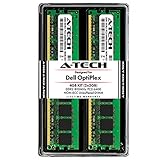
- 4GB Kit (2 x 2GB) DDR2 800MHz PC2-6400 RAM Memory Modules
- 240-pin Non-ECC Unbuffered DIMM (Non-ECC UDIMM)
- Designed for Dell OptiPlex Models: OptiPlex 960 (DT, MT, SFF) - OptiPlex 760 (MT, DT, SFF, USFF) - OptiPlex 755 (MT, DT, SFF, USFF) - OptiPlex 745 (MT, DT, SFF) - OptiPlex 740 (MT, DT, SFF) - OptiPlex 360 (MT, DT) - OptiPlex 330 (MT, DT) - OptiPlex 160 (Tiny Desktop)
- Genuine A-Tech Brand - Lifetime Warranty - Toll Free Technical Support
Graphics-card upgrades
The OptiPlex 745 provides a PCI Express x16 graphics slot, but the slot alone does not make every PCIe card suitable. The interface is PCI Express 1.0a, with Dell specifying an x16 bus speed of 8 GB/s bidirectional. A high-end modern GPU would be heavily bottlenecked even if it initialized.
Check these limits before installing a card:
- Chassis: Mini Tower cards may not fit the Desktop, SFF, or USFF chassis.
- Bracket: SFF and USFF systems may require low-profile cards.
- Power: the original power supply may not provide the required capacity or auxiliary PCIe connector.
- Firmware: some newer cards expect UEFI GOP support, while the 745 has legacy BIOS firmware.
- Drivers: the card must have a driver for the operating system being used.
If a card produces no display, inspect the card’s legacy-BIOS compatibility, physical seating, power requirements, and driver support. The preferred video setting is:
Video
└── Primary Video
Dell documents Auto and Onboard/Card. A compatible PCI Express card should take over when detected, but changing this setting cannot solve a card that requires UEFI firmware or more power than the system provides.
The Tool Desk
Outbyte Driver Updater FREEScan for outdated or missing drivers - takes under a minuteDriver Scan →Outbyte PC Repair FREERepair Windows errors before they cause bigger problemsFix Now →Windows 10 and Windows 11 compatibility
Windows 10 reached the end of normal support on October 14, 2025. It may continue to run on an OptiPlex 745, but standard editions no longer receive normal free security updates, technical assistance, or feature updates.
Windows 11 is not an officially supported operating system for this computer. Microsoft requires a supported 64-bit processor, at least 4 GB of RAM, 64 GB of storage, UEFI firmware with Secure Boot capability, TPM 2.0, and compatible DirectX 12/WDDM 2.0 graphics.
The OptiPlex 745 is a Q965-era legacy-BIOS system. Even if Windows 11 is installed by bypassing hardware checks, that is an unsupported workaround rather than a supported upgrade. It also does not solve the platform’s old processor, graphics, driver, and security limitations.
Linux as a modern alternative
A lightweight Linux distribution is generally more realistic than unsupported Windows 11. Choose a modest desktop environment rather than a current, resource-heavy graphical interface, particularly on a system with 2 GB or 4 GB of RAM.
Ubuntu’s current server documentation lists AMD64 installation support with 1.5 GB of RAM as an installation minimum and 3 GB or more suggested. Those figures describe Ubuntu Server, not guaranteed performance with a full desktop. A graphical Linux installation can feel slow because of the old CPU, DDR2 memory, integrated graphics, and limited storage bandwidth.
Linux is a good fit for tasks such as a lightweight desktop, SSH server, simple file server, retro-gaming system, or local utility machine. It is not a good fit for modern browser-heavy workloads, current 3D gaming, video editing, or demanding desktop applications.
Large-drive and boot limitations
The legacy BIOS normally boots from an MBR disk. MBR’s conventional boot-partition limit is approximately 2 TiB, so a 3-TB or larger disk may not work as a single boot volume in the way it would on a modern UEFI/GPT system.
Rank #4

- Speed: PC2 5300 667MHz
- Form Factor: 240 pin DIMM
- Capacity: 2GB Kit 2 x 1GB
- Warranty: Lifetime
A larger disk can still be useful as secondary storage with an appropriate partitioning arrangement, but it should not be confused with native GPT boot support. For a reliable system drive, a smaller SATA SSD is usually the least troublesome option.
Recommended Free Tools
TPM settings and security
The original guide documents TPM controls in System Setup:
Security
└── TPM Security

Security
└── TPM Activation
To activate the documented TPM feature:
- Press
F2to enter System Setup. - Open
Security > TPM Securityand set it toOn. - Save and exit.
- Enter System Setup again.
- Open
Security > TPM Activationand chooseActivate.
Having a TPM option does not make the computer Windows 11-compatible. Windows 11 requires TPM 2.0 as well as UEFI/Secure Boot capability and a supported processor. The 745’s documented legacy platform still fails those broader requirements.
What the OptiPlex 745 is good for in 2026
| Use | Verdict |
|---|---|
| Retro computing and older games | Good, especially with period-correct hardware |
| Basic Linux desktop | Usable with a lightweight environment and SSD |
| Simple file or SSH server | Possible, although power consumption and hardware age matter |
| Web browsing | Limited; modern websites can overwhelm the CPU and RAM |
| Modern Windows desktop | Not recommended |
| Modern 3D gaming or creative work | Poor fit |
The most sensible refresh is usually a SATA SSD, clean cooling, and correctly matched DDR2 memory. Spend cautiously on CPUs and graphics cards: the platform’s age, legacy BIOS, power supply, and chassis design limit the return on expensive upgrades.
FAQ
How much RAM can a Dell OptiPlex 745 use?
Mini Tower, Desktop, and SFF models can use up to 8 GB with 533- or 667-MHz non-ECC DDR2. Dell limits those chassis to 4 GB with 800-MHz memory. The USFF model has a 4-GB maximum and only two memory slots.
What’s actually slowing this PC down?
Pick the symptom - the matching free tool is one click away.
Can the OptiPlex 745 use a SATA SSD?
Yes. It uses SATA storage and supports 1.5-Gb/s and 3.0-Gb/s signaling. A 2.5-inch SATA SSD is the most practical storage upgrade, although it will operate within the computer’s older SATA performance limit.
Can any LGA775 processor be installed in an OptiPlex 745?
No. Dell documents processor families rather than every LGA775 model. BIOS support, bus speed, stepping, power consumption, and cooling must all match. Physical socket fit alone does not guarantee compatibility.
Can the Dell OptiPlex 745 run Windows 11?
It is not officially supported. The 745 uses legacy BIOS and lacks the supported platform characteristics required by Microsoft, including UEFI/Secure Boot capability and an approved processor. A bypass installation would be unsupported.
Why will my USB installer not boot?
Check System Setup under Onboard Devices > USB Controller and set it to On, not No Boot. Also verify that the USB was created with a legacy-BIOS boot path; UEFI-only installation media will not boot on the OptiPlex 745.
Free tools Windows power users keep installed
One-click scans. No signup required.
Can I install a 3-TB boot drive?
The legacy BIOS normally boots from MBR, whose conventional boot limit is about 2 TiB. A drive larger than 3 TB may be usable for secondary storage, but it is not equivalent to a modern UEFI/GPT boot setup.
The Bottom Line
The Dell OptiPlex 745 is still worthwhile as a low-cost legacy computer, retro system, simple server, or lightweight Linux machine. Install a SATA SSD, use the correct non-ECC DDR2 modules, and choose upgrades according to the exact chassis. Do not assume that every LGA775 CPU, PCIe graphics card, DDR2 module, or modern Windows release will work.
Its fixed limits are the Q965 platform, DDR2 memory, SATA interface, PCI Express 1.0a bus, legacy BIOS, aging power supply, and chassis-specific clearance. Those limitations make modest, targeted upgrades sensible—but make an expensive modernization poor value.
Quick Recap
Product prices and availability are accurate as of the date/time indicated and are subject to change. Any price and availability information displayed on Amazon at the time of purchase will apply.

