

Free tools Windows power users keep installed
One-click scans. No signup required.
iTechGuides is reader-supported. When you buy through links on our site, we may earn an affiliate commission. As an Amazon Associate I earn from qualifying purchases. Learn more
Dell Latitude E5500: At First Glance
The Dell Latitude series is a lineup of business laptops that have been around for a while. To be more specific, this series was announced by Dell in 1994 and has been offering us brilliant business laptops to date.
Moreover, as a business laptop series, the Dell Latitude series is mainly targeted at corporate bodies, health facilities, and government workers. So, for this review article, we will be discussing the 2009 release of the Dell Latitude series – the Dell Latitude E5500.
As with most laptops in the Latitude series, the Dell Latitude E5500 offers a long battery life. In addition to that, the laptop comes with a good number of ports and can handle rough handling.
However, this Dell laptop features a few dealbreakers which include its heavyweight. I guess that’s all for now, if you want to know more about this laptop, then you need to continue reading.
#1 Best Overall

- 256 GB SSD of storage.
- Multitasking is easy with 16GB of RAM
- Equipped with a blazing fast Core i5 2.00 GHz processor.
Dell Latitude E5500: Design, Dimension, and Weight
At first sight of the Dell Latitude E5500, I thought it was a mini-box with ports. To be more specific, the laptop features a bulky, compact, and robust-looking appearance.
Furthermore, the laptop is made of a rough-textured black plastic body. Moreover, despite being made of plastic, the laptop’s body is very robust and can withstand rough handling.
Unlike the entire body of the laptop, the Dell Latitude E5500’s lid is made of metal with a matte-black finish. Also, due to its metallic build, this lid looks robust and doesn’t flex even when pressed with force.
In addition to that, at the left center of the laptop’s lid, you’ll find a “Dell” logo. This logo features a reflective stainless finish that looks very appealing and shiny.
Moreover, the lid is attached to the base of the laptop with two metal hinges that are very firm and robust. Upon opening this lid, you’ll discover the Dell Latitude E5500’s 15.4-inch display.
Interestingly, this display is available with two resolution options – WXGA (1280 x 800) and WXGA+ (1440 x 900). However, for the purpose of this review, we will focus on the laptop’s 15.4-inch display with WXGA (1280 x 800) resolution.
With this screen resolution, the Dell Latitude E5500’s display offers decent picture quality for casual video streaming and web surfing. However, the display is flanked by somewhat thick bezels.
Moreover, the top and bottom bezels are thicker than the side bezels. Also, one would think that the cause of the thicker top and bottom bezels is because of extra features.
As disappointing as it may seem, the top bezel doesn’t feature anything including a webcam. On a positive note, the bottom bezel houses a shiny silver “Dell” logo at the center.
That said, moving on to the keyboard, the Dell Latitude E5500 comes with a full-sized chiclet-style keyboard. This keyboard features spacious keys with legible white letterings on top.
However, the keyboard offers poor key travel, which makes typing less comfortable and unappealing. Just to be clear, key travel is the distance between a key’s resting point to full depression.
On the plus side, like most laptops in the Latitude series, there is a TrackPoint in the center of the Dell Latitude E5500’s keyboard. This TrackPoint can be used as an alternative to the touchpad, allowing you to control the cursor on the screen.
Speaking of the touchpad, the Dell Latitude E5500 features a touchpad underneath its keyboard. This touchpad has four dedicated click buttons – two each at the top and bottom of the touchpad.
Moreover, the two click buttons at the top of the touchpad are actually for the laptop’s Trackpoint. Besides, all four click buttons work well and produce a pleasing clicky sound when pressed.
However, even though the surface of the touchpad is smooth, it is quite small. Thereby, making navigation not really comfortable.
What’s actually slowing this PC down?
Pick the symptom - the matching free tool is one click away.
Moving on, due to its bulkiness, the Dell Latitude E5500 laptop features plenty of ports. To begin with, you will find a Serial port, VGA out, Ethernet port, two USB 2.0 ports, and S-Video on the left side of the laptop.
On the other hand, the right side features a DVD drive, a Firewire port, a headphone jack, and a microphone jack. Also, the right side of this laptop houses two more USB 2.0 ports, a power socket, and a Kensington lock slot.
Meanwhile, on the front side of the Latitude E5500, you will find an MMC (MultiMediaCard) slot. Having discussed the ports of the laptop, let us now talk about its dimensions and weight.
Rank #2

- Input : AC 100-240V 1.5A 50/60 Hz, Output : DC 19.5V~4.62A 90W, 19.5V~3.34A 65W
- Connector plug Tip Diameter: 7.4x5.0mm.
- for Dell Latitude Series 100L, D500, D600, D800, Inspiron 1150, 8500, 8600, 9300 Series,
- NOTE: If the output Voltage Ampere DC jack size and connector Dia. is the same as your ac adapter it can fit your computer. Please double ensure. If not it will not compatible.
The Dell Latitude E5500 measures 355 x 260 x 37.5 mm (W x D x H) and weighs 2890 g. With this amount of weight, this Dell laptop is quite heavy and isn’t going to be comfortable to carry around.
Quick wins for a faster PC:
Scan for outdated or missing drivers - takes under a minuteDriver Scan →Repair Windows errors before they cause bigger problemsFix Now →Fix the driver behind crashes, sound loss and screen glitchesFind Drivers →However, when compared to the Lenovo Thinkpad SL500, the laptop weighs slightly less. To be more specific, the Lenovo Thinkpad SL500 measures 260 x 358 x 39 mm (W x D x H) and weighs 2900 g.
Thus, to conclude this design review section, I will rate the Dell Latitude E5500 an eight out of ten.
Dell Latitude E5500: Processor (CPU) Performance
For the processor, the Dell Latitude E5500 employs an Intel Core 2 Duo P8400 CPU. In addition to that, the processor is a dual-core processor that features a cache memory of 3 MB.
That’s not all, this processor also comes with a standard frequency of 2.26 GHz. However, the Intel Core 2 Duo P8400 CPU is a low-end processor that isn’t ideal for handling heavy-duty tasks.
Thus, with this processor, the Dell Latitude E5500 can only perform basic office-related tasks like web browsing and document editing.
That said, I will now be discussing the Dell Latitude E5500’s Cinebench R10 test result to further verify its processor’s performance. Briefly, Cinebench R10 is a benchmark test that assesses the processor capability of a computer.
Moreover, the benchmark test does this by measuring the performance of the processor’s cores. As a result, the test involves two different tests which are the single-core test and the multi-core test.
For your information, the single-core test assesses the performance of the processor when only one of its cores is in use. The multi-core test, on the other hand, assesses the processor’s performance when all of its cores are in use.
Windows Errors? Fix Them Before They Spread
Repair common Windows errors and clear accumulated junk for a smoother, more stable PC - no reinstall needed.Free scan · no reinstallCrashes, No Sound, or Screen Glitches?
Random freezes, missing sound and display glitches usually trace back to one bad driver. Find and replace yours safely.Free scan · under a minuteFurthermore, a high score on both of these Cinebench R10 tests means a good processor performance. So, based on the test result, the Dell Latitude E5500 delivered a score of 2527 points on the single-core test.
Meanwhile, on the Cinebench R10 multi-core test, this Dell laptop delivered a score of 4701 points. Compared to the Lenovo Thinkpad SL500 that uses the same CPU, the Dell Latitude E5500 has a better performance.
Specifically, on the Cinebench R10 test, the Lenovo Thinkpad SL500 scored 2495 and 4654 points on the single-core and multi-core tests respectively.
In conclusion, the Dell Latitude E5500 offers a low-end processor that can only perform basic computing tasks. However, this laptop beats one of its closest rivals on a processor benchmark test.
Do these 3 things before closing this tab:
1Scan for outdated or missing drivers - takes under a minute2Repair Windows errors before they cause bigger problems3Fix the driver behind crashes, sound loss and screen glitchesAs a result, I will rate the Dell Latitude E5500 a seven out of ten in this processor review section.
Dell Latitude E5500: Memory (RAM) Performance
To start with, the Dell Latitude E5500 offers two memory slots and a standard memory of just 512 MB on one slot. Thankfully, the laptop supports a maximum memory of 4 GB.
Therefore, with the help of its second memory slot, you should be able to upgrade the laptop’s memory up to 4 GB. Although the maximum memory of 4 GB might not be enough for intensive tasks, it is ideal for basic computing tasks.
As a matter of fact, with 4 GB memory, the Dell Latitude E5500 should be able to handle light multitasking. Speaking of which, this laptop will run effectively even when it has about a dozen Chrome tabs running concurrently.
Recommended Free Tools
Moving on, to further ascertain the Dell Latitude E5500’s performance with 4 GB RAM, I will be presenting its PCMark 5 test result. For a better understanding, PCMark 5 is a benchmark test that measures the memory performance of a computer when handling office-related tasks such as word processing.
Rank #3
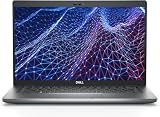
- Dell Latitude 5430 14" Laptop with Intel 12th Gen CPU | Certified Refurbished from Dell Including 1YR Factory Warranty
- 12th Gen Intel Core i5-1245U, vPro (12 MB cache, 10 cores, 12 threads, up to 4.40 GHz Turbo) | 512GB PCIe SSD | 16GB RAM
- 14.0" FHD (1920x1080) Anti Glare, Non-Touch, WVA, 250 nits, HD Camera, WLAN | Integrated Fingerprint Reader with Smart Card Reader
- Backlit Keyboard | 4-Cell 58Whr Battery | 65W USB-C Power Adapter | 3.01 lbs Total Weight
- 1. uSD 4.0 Memory Card Reader 2. Global Headset Jack 3. USB 3.2 Gen 1 4. USB 3.2 Gen 1 with Powershare 5. HDMI 2.0 6. RJ45 7. Wedge Lock Slot 8. 2 x Thunderbolt 4 with Power Delivery and DisplayPort (USB Type-C) Smart Card Reader
Additionally, a high score on this test means a good memory performance. Therefore, based on the PCMark 5 test result, the Dell Latitude scored 4615 points.
In comparison, this laptop performed better than the Lenovo Thinkpad SL500 which scored 4413 points on the same test. Thus, I will rate the Dell Latitude E5500 a seven out of ten in this memory performance review section.
Dell Latitude E5500: Storage Options and Performance
For storage, you can purchase the Dell Latitude E5500 with either a 5400 RPM SATA HDD or a 7200 RPM SATA HDD. These storage options offer a maximum storage capacity of 250 GB and 160 GB respectively.
The Tool Desk
Outbyte PC Repair FREEClear out junk files and repair common Windows errorsFree Scan →Outbyte Driver Updater FREEFix the driver behind crashes, sound loss and screen glitchesFind Drivers →However, this review is based on the Latitude E5500 with 250 GB 5400 RPM SATA HDD. From my own point of view, 250 GB of storage space might not be sufficient for most users to save their files or documents.
On a bright note, this Dell laptop offers an MMC (MultiMediaCard) slot that allows for storage expansion.
With that being said, let us now discuss the laptop’s performance on an HD Tune test to determine its storage performance. Just to be clear, HD Tune is a storage benchmark test that evaluates a computer’s storage drive, like the CrystalDiskMark test.
However, unlike CrystalDiskMark which measures a storage drive’s read and write speed, HD Tune measures the storage drive’s transfer rate. To give more details, HD Tune measures the minimum, maximum, and average transfer rate of the computer’s storage drive.
Moreover, on the HD Tune test, the higher the “MB/s” value, the faster the transfer rate of the computer’s storage drive. So, according to this test, the Dell Latitude E5500 delivered a minimum transfer rate of 29.7 MB/s.
Also, this laptop delivered a maximum and average transfer rate of 63.8 MB/s and 49.5 MB/s respectively. Compared to the Lenovo Thinkpad SL500 that also uses a 5400 RPM SATA HDD, the Latitude E5500 has faster transfer rates.
Specifically, the Lenovo Thinkpad SL500 delivered a minimum transfer rate of 4.1 MB/s on the HD Tune test. Also, this Lenovo laptop delivered a maximum and average transfer rate of 57.4 MB/s and 44 MB/s respectively.
In conclusion, even though the maximum storage capacities are limited, the Dell Latitude E5500 offers multiple storage options. Moreover, the laptop has a faster transfer rate than one of its closest competitors on a storage benchmark test.
Do these 3 things before closing this tab:
1Scan for outdated or missing drivers - takes under a minute2Repair Windows errors before they cause bigger problems3Fix the driver behind crashes, sound loss and screen glitchesThus, considering all these, I will rate the Dell Latitude E5500 a seven out of ten in this storage review section.
Dell Latitude E5500: Graphics Card Performance
For the graphics card, the Dell Latitude E5500 uses an integrated Intel Graphics Media Accelerator 4500MHD GPU. This graphics card comes with a standard frequency of 533 MHz.
Also, as an integrated GPU, this laptop’s graphics card lacks a dedicated VRAM. As a result, to carry out graphics-related duties, the GPU has to share the system memory with the CPU.
Thus, with the Intel Graphics Media Accelerator 4500 MHD GPU, the Dell Latitude E5500 will not be able to handle graphics-intensive apps or games. For example, while playing Dota 2 in low graphics settings, the laptop delivered a poor frame rate of 13 fps.
Free tools Windows power users keep installed
One-click scans. No signup required.
To further verify the Dell Latitude E5500’s graphics performance, we will now highlight its 3DMark 05 test result. 3DMark test is an app-based GPU benchmark test that measures a computer’s graphics rendering abilities.
In addition to that, a high score on the test means good graphics performance. Thus, based on the test result, the Dell Latitude E5500 scored 1206 points.
Sadly, this score is about 100 points lower than the 1387 points scored by the Lenovo ThinkPad SL300. It is important to mention that this Lenovo laptop also uses an Intel Graphics Media Accelerator (GMA) 4500MHD GPU.
Rank #4

- Dell Latitude 5430 14" Laptop with Intel 12th Gen CPU | Certified Refurbished from Dell
Finally, I will rate the Dell Latitude E5500 a six out of ten for its poor graphics performance.
Dell Latitude E5500: Battery Life and Performance
Dell offers four battery options for the Latitude E5500. These battery options are 4-cell 37 WHr Lithium-ion, 6-cell 56 WHr Lithium-ion, 6-cell 48 WHr Lithium-ion, and 9-cell 85 WHr Lithium-ion battery.
However, this review is based on the Dell Latitude E5500 with 6-cell 56 WHr Lithium-ion battery. In order to discover the battery life of the laptop, we will now discuss its performance on a battery rundown test.
This test involves surfing the internet continuously over a Wi-Fi network until the laptop dies. Hence, at the end of the battery rundown test, the Dell Latitude E5500 delivered a battery life of 6 hours and 20 minutes.
In comparison, the Dell Latitude E5500 has a longer battery life than the HP Notebook – 15-bs033cl. To be more specific, on the same battery rundown test, the HP Notebook – 15-bs033cl delivered a battery life of 5 hours.
Recommended Free Tools
Hence, I will rate the Dell Latitude E5500 an eight out of ten in this battery review section.
Frequently Asked Questions
No, the Dell Latitude E5500 isn’t compatible with Windows 10. However, the laptop can run Windows Vista, Windows XP, and Windows 7 operating systems.
No, the Dell Latitude E5500 doesn’t feature a webcam.
The Dell Latitude E5500 was released in 2009.
The Dell Latitude E5500 comes with four USB 2.0 ports.
Windows Errors? Fix Them Before They Spread
Repair common Windows errors and clear accumulated junk for a smoother, more stable PC - no reinstall needed.Free scan · no reinstallCrashes, No Sound, or Screen Glitches?
Random freezes, missing sound and display glitches usually trace back to one bad driver. Find and replace yours safely.Free scan · under a minuteWeighing 2890 g, the Dell Latitude E5500 is quite heavy.
Conclusion
The Dell Latitude E5500 is a business laptop that offers reasonable specs for handling basic office-related tasks like web browsing. Furthermore, this laptop comes with a good amount of ports.
In addition to that, the laptop offers a long battery life. However, the Dell Latitude E5500 cannot be used to carry out demanding computing tasks like video editing and heavy multitasking.
Also, this laptop is quite bulky and heavy. That’s not all, the laptop’s touchpad is also small and its keyboard offers poor key travel.
Nevertheless, if you are a small business owner and you need a laptop for basic computing tasks, you should consider buying the Dell Latitude E5500.
I hope you found this Dell Latitude E5500 review helpful. If it was, Kindly spare two minutes to share your thoughts with our community using the comments form below.
Alternatively, simply respond to the “Was this page helpful” question below and provide us with your feedback.
Finally, for more laptop reviews, visit our Laptop Reviews page. You may also find our Laptop Specs page very helpful
Quick Recap
Product prices and availability are accurate as of the date/time indicated and are subject to change. Any price and availability information displayed on Amazon at the time of purchase will apply.


