
Recommended Free Tools
iTechGuides is reader-supported. When you buy through links on our site, we may earn an affiliate commission. As an Amazon Associate I earn from qualifying purchases. Learn more
Do not treat the Cysic bridge as a routine transfer route right now. The Cysic Foundation suspended it after an incident reported on October 18, 2026, in which an attacker minted 10 million unauthorized CYS on BNB Chain and moved approximately $727,000 in proceeds to Ethereum. The report said 2.8 million CYS remained restricted after blacklisting.
The practical alternative depends on the asset and the exact source and destination chains. Stargate V2 is designed for same-asset transfers, Wormhole covers a broad set of multichain and Solana-connected routes, Celer cBridge supports particular EVM routes and assets, and Circle CCTP is for native USDC only. None should be assumed to support CYS until its live interface explicitly lists the token contract and route.
What happened to the Cysic bridge?
The Cysic bridge is not a normal option for moving tokens while the suspension and incident review are in effect. The Block reported that an attacker created 10 million unauthorized CYS on BNB Chain, converted or moved proceeds to Ethereum worth approximately $727,000, and that 2.8 million CYS were still restricted after blacklisting. Those figures describe the reported October 18, 2026 incident; they are not a measure of the bridge’s normal capacity or a guarantee about recoverability.
Cysic’s security page says its audit covered “message-passing, signature verification, replay protection, and cross-chain asset integrity.” An audit scope explains what reviewers examined. It does not establish that a bridge is currently operating safely after an exploit, that a paused contract can be used, or that newly deployed remediation has been independently reviewed.
#1 Best Overall

- Effortlessly build your crypto portfolio via the all in one Ledger Wallet app: buy, sell, send, receive, swap, stake and more across popular blockchains. 15,000+ coins & tokens in a single dashboard. Keep a close eye on the market. Compare service providers. Track performance. Get timely alerts. Build your portfolio with confidence.
- Enjoy Bluetooth connectivity, iOS access, and hours of battery use with this mobile-first, secure backup signer. Freedom you can depend on.
- Genuine Check: confirm your signer is authentic during setup with the Ledger Wallet app.
- Protect your signer: keep it in mint condition at all times with a bespoke Pod or Case to avoid scratches and everyday wear and tear.
What the suspension means for a transfer
- Do not send tokens to an old Cysic bridge contract, router, or deposit address merely because a wallet still displays it.
- Do not approve a replacement contract announced in an unsolicited message, social-media reply, or private chat.
- Do not assume that a token visible on BNB Chain or Ethereum is authentic. Compare its contract address with an official project notice before interacting.
- If a transaction is already pending, use the source-chain explorer and the bridge’s official incident guidance. Do not submit the same transfer repeatedly; a paused message or delayed relayer can create confusing duplicate attempts.
A bridge alternative can move an asset only when it supports the exact source chain, destination chain, token and representation. A service that supports USDC between Ethereum and another network does not automatically support CYS, and a route that supports a wrapped token does not necessarily deliver the native asset.
Which bridge fits which transfer?
Use the following as a starting point, then verify the live route immediately before signing. Support, liquidity, fees and pause status can change independently for each network.
| Alternative | Best fit | How the transfer is represented | Important trade-off |
|---|---|---|---|
| Stargate V2 | Same-asset transfers on supported chains, especially stablecoins | Route-specific cross-chain transfer with a choice between taxi and bus execution | Taxi execution is immediate; bus batching can reduce gas but delay destination delivery. Local settlement is documented as instant and guaranteed, while destination receipt depends on the selected mode. |
| Wormhole | Broad multichain coverage, including routes connected to Solana | Wrapped Token Transfer (WTT), Native Token Transfer (NTT), and other product-specific paths | WTT, NTT, CCTP and relayer support differ by network. A feature available on one route may be absent on another. |
| Celer cBridge | Specific EVM routes shown by the live cBridge interface | Route- and asset-specific transfer, usually relying on the listed liquidity and supported token representation | Verify the exact token and route. Oasis documentation lists ETH, USDC, USDT, WBTC, BNB, MATIC, OCEAN and wROSE for documented networks including Ethereum, Polygon, BNB Chain and Oasis Sapphire; that list is not a promise of current availability for every pair. |
| Circle CCTP / USDC Bridge | Native USDC transfers when Circle supports both chains | Native USDC burn-and-mint rather than a wrapped USDC representation | USDC-specific. Circle says users must check supported tokens, wallets and blockchains and hold native gas on the source chain. |
How to compare a bridge before signing
1. Check the asset representation
Ask what arrives on the destination chain. A wrapped token is issued by a bridge or its ecosystem and may depend on that system’s contracts and liquidity. A native-token route may burn the source asset and mint the native representation on the destination, as Circle’s CCTP model does for USDC. Some services can transfer a token that already exists on both chains without changing its identity, while others use a canonical wrapped version.
The Tool Desk
Outbyte Driver Updater FREEScan for outdated or missing drivers - takes under a minuteDriver Scan →Outbyte PC Repair FREEClear out junk files and repair common Windows errorsFree Scan →Read the destination token symbol and contract address shown by the route. A familiar symbol is not enough: two tokens can share a ticker while having different issuers, decimals, or redemption rules. If the bridge does not clearly identify the representation, stop and investigate rather than approving a blind transaction.
2. Understand who can validate, pause or upgrade
Security is more than whether a contract was audited. Identify the message-validation mechanism, the parties that can pause the system, upgrade contracts or change route configuration, and the role of relayers or liquidity providers. Wormhole documentation describes rate limiting, pausing, access control and threshold attestations. Those controls can reduce blast radius, but they also mean that an administrator or validator action can affect availability.
For Cysic, the recent incident demonstrates why operational controls matter alongside the audit topics listed by the Cysic Foundation. A previously completed audit is not evidence that every later deployment, privileged key or service-side process is safe today.
3. Confirm the exact route matrix
Select the source chain, destination chain and token in the bridge’s official interface. Confirm all three before connecting a wallet. Route coverage is not universal: Wormhole’s WTT, NTT, CCTP and relayer-assisted features vary by network; cBridge support is listed per asset and chain; and Circle CCTP works only where Circle supports the required USDC path.
Rank #2

- Simply & securely take control of your digital assets and identity with the all-in-one Ledger Wallet crypto app and Ledger Flex touchscreen signer.
- Digital asset control at your fingertips: manage 15,000+ crypto across multiple chains. Earn rewards. Top up & share with ease. Explore DeFi with confidence. Collect and showcase NFTs. Make informed choices with clarity.
- Connect effortlessly with Ledger Wallet: pair your secure Ledger signer with the all in one Ledger Wallet crypto app to manage thousands of digital assets across multiple devices and accounts with Ledger Sync from a single, secure dashboard.
- Cutting-edge design: monitor the market, compare rates, and Clear Sign transactions on the secure, high resolution, 2.8'' E Ink touchscreen.
- This is what security feels like: Ledger touchscreen signers all come with a private, offline, PIN-protected backup, Ledger Recovery Key, to never lose access to your assets.
4. Separate finality from wallet display speed
A bridge may accept a transaction quickly while the destination transfer still waits for source-chain finality, an attestation, a relayer, batching or destination execution. Stargate V2 makes this trade-off explicit: taxi mode is immediate, while bus mode batches transfers to reduce gas and can delay receipt. Even an “instant” local settlement still requires the destination transaction to execute and the wallet to refresh its balance.
5. Calculate the total cost
Compare the complete quote, not only the headline protocol fee. Include source-chain gas, bridge or protocol fees, relayer fees, destination gas or gas-drop charges, any swap fee, and slippage. A low fee can be offset by an unfavorable exchange rate or by the need to acquire gas on the destination chain. Review the quote immediately before signing because liquidity and gas prices change.
6. Check operational status
Look for a current incident notice, pause indicator, route-liquidity warning or maintenance message. A route that worked yesterday can be disabled today. Do not infer availability from an old tutorial, a cached wallet entry or a token listing on an explorer.
Step-by-step: moving a supported token while Cysic is unavailable
- Inventory the transfer. Write down the token contract, source chain, destination chain, amount and the destination wallet. If the token is CYS, treat support as unconfirmed until an official route explicitly lists it.
- Stop unsafe approvals. Close links from unsolicited messages and do not approve a contract presented as a “Cysic recovery” or “emergency migration” tool. If you previously approved a suspicious spender, review the wallet’s token-approval controls and revoke it where the wallet or a trusted approval-management service supports that function.
- Choose a candidate bridge by use case. Use Stargate V2 for a documented same-asset route, Wormhole when its specific WTT, NTT or relayer path fits, cBridge when its live interface lists the exact EVM pair and asset, or Circle CCTP for a supported native-USDC pair.
- Open the official application. Use a verified bookmark or the project’s official documentation, not an advertisement or search result that imitates the service. Check that the domain, wallet network and contract prompts match the intended product.
- Select both chains and the token. Read the displayed token name, symbol and contract address. If the source or destination is missing, do not substitute a similarly named chain or token.
- Review the representation and quote. Confirm whether the destination asset is native, burned-and-minted or wrapped. Record the amount received, minimum received, all fees, estimated timing and any destination gas-drop option.
- Fund source gas and test small. Keep enough native gas for the approval and transfer. For a new route, send a small amount first when the minimum and fees make that practical. A successful small transfer proves only that the selected route worked for that transaction; it does not guarantee future availability.
- Approve only the required spender. Check the spender address and allowance amount in the wallet confirmation. Prefer an exact or limited allowance when the interface permits it, especially after a bridge incident.
- Submit the transfer once. Save the source transaction hash. Wait for the interface to show source confirmation before taking any recovery action.
- Verify destination receipt independently. Check the destination explorer and token contract, then add the token to the wallet only if the contract matches the route’s stated representation. Do not trust a balance display that shows only a symbol.
- Record the final details. Keep the source and destination hashes, route, token contract, fees and timestamp. This information is essential if a relayer delay or support investigation occurs.
Using Stargate V2
When it is a good fit
Stargate V2 is aimed at same-asset transfers across supported chains. It is most straightforward when the token you hold and the token you need are the same supported asset and the route has visible liquidity.
Taxi versus bus execution
Taxi mode is the immediate path described in Stargate documentation. Bus mode batches transfers, which can reduce gas but delay delivery to the destination. The interface’s timing estimate and quote should determine whether the saving is worth waiting.
Practical procedure
- Select the source and destination chains and choose the same supported asset on both sides.
- Compare the taxi and bus choices, including the estimated destination time, fee and amount received.
- Confirm the destination token representation and any gas-drop setting.
- Keep source-chain gas for approval and submission, then monitor the destination transaction rather than resubmitting while the first transfer is pending.
Stargate’s documented instant local settlement does not mean every destination wallet updates instantly. Destination receipt still depends on the selected execution mode, chain finality, relaying and wallet indexing.
Using Wormhole
Understand the product path first
Wormhole is an ecosystem of products rather than one universal route. Wrapped Token Transfer (WTT) moves wrapped representations; Native Token Transfer (NTT) is intended for native-token deployments; Connect and relayer-assisted paths provide integration options. Wormhole documentation makes clear that availability differs by network.
Rank #3

- Protect your privacy, identity & digital assets while growing your wealth with the all-in-one Ledger Wallet app and this premium touchscreen signer.
- Digital asset control at your fingertips: manage 15,000+ crypto across multiple chains. Earn rewards. Top up & share with ease. Explore DeFi with confidence. Collect and showcase NFTs. Make informed choices with clarity.
- Connect effortlessly with Ledger Wallet: pair your secure Ledger signer with the all in one Ledger Wallet crypto app to manage thousands of digital assets across multiple devices and accounts with Ledger Sync from a single, secure dashboard.
- Award-winning design: confidently monitor the market, compare rates and Clear Sign transactions on the secure high resolution, 3.7'' curved E Ink touchscreen.
- This is what security feels like: Ledger touchscreen signers all come with a private, offline, PIN-protected backup, Ledger Recovery Key, to never lose access to your assets.
Choose WTT or NTT deliberately
- WTT: Use it only when you understand which wrapped asset will arrive and how it is redeemed or used on the destination chain.
- NTT: Use it when the specific token and both chains are listed for an NTT route and you want the native-token deployment rather than a wrapped representation.
- CCTP or relayer-assisted path: These are separate capabilities and are not automatically present on every Wormhole-connected chain.
Wormhole checklist
- Use the route selector to verify both networks and the exact token.
- Read whether the route uses WTT, NTT, CCTP or another relayer-supported method.
- Check the expected finality and any rate-limit, pause or maintenance notice.
- Compare the destination contract with the route documentation before using the received asset in another transaction.
Wormhole documentation describes rate limiting, pausing, access control and threshold attestations. Those mechanisms are relevant to both security and availability: a protective pause can delay a legitimate transfer during an incident.
Windows Errors? Fix Them Before They Spread
Repair common Windows errors and clear accumulated junk for a smoother, more stable PC - no reinstall needed.Free scan · no reinstallOutdated Drivers Are Slowing You Down
One free scan finds every outdated or missing driver and matches the right update for your exact hardware.Free scan · exact hardware matchUsing Celer cBridge
Why route verification matters
cBridge is best treated as a route-specific tool. The live interface, not a general list, should decide whether your exact source chain, destination chain and token are available. A route may disappear because liquidity, maintenance or risk controls changed.
Assets and networks documented for example routes
Oasis documentation lists ETH, USDC, USDT, WBTC, BNB, MATIC, OCEAN and wROSE for documented networks including Ethereum, Polygon, BNB Chain and Oasis Sapphire. This is an example of documented coverage, not proof that every asset is available between every pair or that the list is unchanged.
Safe cBridge workflow
- Choose the source and destination networks in the live cBridge interface.
- Select the token and compare the displayed contract addresses with the official token information for both chains.
- Review liquidity, minimum received, fees and estimated completion time.
- Send a small test amount if the route minimum and fees make testing reasonable.
- Verify the destination token contract before treating the transfer as complete.
If CYS does not appear as a selectable asset on the exact route, do not paste a CYS contract into an arbitrary token field or attempt a contract-level workaround.
Using Circle CCTP or the USDC Bridge
What CCTP does
Circle’s CCTP model is for native USDC. It burns USDC on the source chain and mints native USDC on the supported destination chain, avoiding a separate wrapped-USDC issuer for that route.
Quick wins for a faster PC:
Scan for outdated or missing drivers - takes under a minuteDriver Scan →Repair Windows errors before they cause bigger problemsFix Now →Requirements
- Both the source and destination blockchains must be supported for the specific CCTP route.
- The token must be the supported native USDC version, not an unrelated token that merely uses the USDC ticker.
- Your wallet must be compatible with the route.
- You must hold enough native gas on the source chain to approve and submit the burn transaction.
Circle advises users to check supported tokens, wallets and blockchains. CCTP cannot transfer CYS, ETH, BNB or a general-purpose token; it is an alternative only when your transfer is specifically native USDC.
Independent reader supportYour contribution helps us test, update, and keep practical guides available for everyone.Can these alternatives move CYS?
There is no established evidence here that Stargate V2, Wormhole, cBridge or Circle CCTP supports CYS on the required Cysic, Ethereum or BNB Chain route. Circle CCTP is USDC-specific, and the other services must be checked in their live route selectors. Do not infer CYS support from a bridge’s support for another token or from the existence of a CYS contract on a destination explorer.
Rank #4
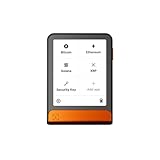
- Simply & securely take control of your digital assets and identity with the all-in-one Ledger Wallet crypto app and Ledger Flex touchscreen signer.
- Digital asset control at your fingertips: manage 15,000+ crypto across multiple chains. Earn rewards. Top up & share with ease. Explore DeFi with confidence. Collect and showcase NFTs. Make informed choices with clarity.
- Connect effortlessly with Ledger Wallet: pair your secure Ledger signer with the all in one Ledger Wallet crypto app to manage thousands of digital assets across multiple devices and accounts with Ledger Sync from a single, secure dashboard.
- Cutting-edge design: monitor the market, compare rates, and Clear Sign transactions on the secure, high resolution, 2.8'' E Ink touchscreen.
- This is what security feels like: Ledger touchscreen signers all come with a private, offline, PIN-protected backup, Ledger Recovery Key, to never lose access to your assets.
How to verify CYS support without guessing
- Obtain the official CYS contract address and the current incident or suspension notice from Cysic’s verified channels.
- Open the candidate bridge through its official documentation and search for CYS by both symbol and contract address.
- Set the exact source and destination chains. A token listing without the required pair is not route support.
- Read the destination representation and redemption terms. Confirm whether the route delivers native CYS, a wrapped CYS token or no destination asset until a later claim.
- Check the route’s current status and liquidity immediately before signing.
If no reputable route lists CYS on the required pair, the responsible answer is that the bridge cannot presently be used for that transfer. Wait for an official Cysic update or use a separately verified custody or trading route only after checking its chain, contract and withdrawal conditions. Do not try to bypass a suspension by interacting directly with bridge contracts.
Specific route decisions
Cysic to Ethereum
The Cysic suspension means you should not initiate a Cysic-to-Ethereum transfer through an old interface or contract. A bridge such as Stargate, Wormhole or cBridge can help only if you already hold a supported asset on a supported source chain and the service lists Ethereum as the destination. It does not create a safe substitute for an unsupported CYS route.
Cysic to BNB Chain
The reported unauthorized mint occurred on BNB Chain, so treat CYS-related BNB Chain contracts and “migration” offers with particular caution. Verify the contract from an official Cysic notice and avoid sending funds to an address supplied by an unverified helper. A bridge’s BNB Chain connectivity for USDC, BNB or another token does not establish CYS support.
USDC between supported chains
For a USDC transfer, compare Circle CCTP with a general bridge route. CCTP’s native burn-and-mint model may be preferable when both chains and wallets are supported. Stargate, Wormhole or cBridge may be useful when their route offers the required chain pair, liquidity, timing or destination-gas option. Compare the live quote and representation rather than choosing by brand name alone.
Security steps after interacting with a compromised or paused bridge
Separate pending transfers from wallet compromise
A delayed bridge message does not by itself prove that your wallet keys were stolen. Review the source transaction, the spender approved, and any unfamiliar transactions. If your wallet signed a malicious approval or transaction, move remaining assets to a clean wallet only after assessing whether the original wallet or device may be compromised.
Review approvals
Use the wallet’s built-in approval controls or a trusted approval-management tool to inspect bridge and router spenders. Revoke allowances you do not recognize or no longer need, taking into account the gas cost and the possibility that a compromised key can sign further transactions. Revoking an approval does not reverse an already completed transfer.
Do these 3 things before closing this tab:
1Scan for outdated or missing drivers - takes under a minute2Clear out junk files and repair common Windows errors3Fix the driver behind crashes, sound loss and screen glitchesIgnore recovery scams
After a public exploit, impersonators often promise refunds, replacement tokens or “manual unlocking.” Never provide a seed phrase, private key or remote-control access. Legitimate support will not need your secret recovery material to verify a transaction hash.
Understand blacklisting limits
The reported incident left 2.8 million CYS restricted after blacklisting. A blacklist can prevent movement of identified tokens, but it does not automatically return funds to victims or prove that every related token is safe. Follow only an official recovery process and verify every contract address before signing.
Quick Recap
Troubleshooting common bridge problems
| Symptom | Likely explanation | What to do |
|---|---|---|
| The route is missing | The token pair, chain pair, liquidity or service status is unsupported | Do not force the route. Try a different supported asset or wait for an official status change. |
| Source transaction succeeded but destination balance is unchanged | Finality, attestation, batching, relayer execution or wallet indexing is still pending | Check the destination explorer and bridge status using the source hash. Do not submit a duplicate transfer. |
| The destination token has an unexpected symbol or contract | The route delivered a wrapped or alternate representation | Stop further swaps and compare the contract with the route’s stated destination asset. |
| The quoted amount changes before signing | Gas, liquidity, fees or slippage changed | Recheck minimum received and total cost. Reject the transaction if the new quote is unacceptable. |
| A site asks for a seed phrase or private key | Likely phishing or an impersonation attempt | Close the site, do not disclose secrets, and use only verified official support channels. |
| An approval request names an unfamiliar spender | The interface may be counterfeit or the route may be misconfigured | Reject it and verify the official application, contract and chain before trying again. |
A practical decision framework
| Your objective | First candidate to evaluate | Checks that decide |
|---|---|---|
| Move the same stablecoin between supported chains | Stargate V2 | Taxi versus bus timing, destination receipt, fee, liquidity and token representation |
| Connect a route involving Solana or broad multichain coverage | Wormhole | Whether WTT, NTT, CCTP or relayer support exists for this exact pair |
| Move an asset on a documented EVM route | Celer cBridge | Live support for the exact token, source, destination, liquidity and contract |
| Move native USDC | Circle CCTP / USDC Bridge | Supported chains and wallets, native source gas and the expected burn-and-mint flow |
| Move CYS after the Cysic incident | No alternative can be assumed | Explicit official support for the CYS contract and route, current operational status and a verified destination representation |
Final pre-signing checklist
- Is the bridge currently operating, with no unresolved pause or incident notice?
- Are the source chain, destination chain and token contract exactly correct?
- Do you know whether the destination asset is native, burned-and-minted or wrapped?
- Who validates the message, and who can pause or upgrade the route?
- Have you included source gas, protocol fees, relayer charges, destination gas and slippage?
- Is the selected execution mode worth its timing and cost trade-off?
- Have you tested a small amount where practical?
- Did the wallet request only the expected spender and allowance?
- Can you independently verify the destination contract and transaction hash?
- If the asset is CYS, is support explicitly confirmed for this route rather than inferred from another token?
Product prices and availability are accurate as of the date/time indicated and are subject to change. Any price and availability information displayed on Amazon at the time of purchase will apply.

