
What’s actually slowing this PC down?
Pick the symptom - the matching free tool is one click away.
iTechGuides is reader-supported. When you buy through links on our site, we may earn an affiliate commission. As an Amazon Associate I earn from qualifying purchases. Learn more
Cyberpunk 2077: Ultimate Edition runs on Nintendo Switch 2 with two official graphics modes. Quality mode targets 30 frames per second at 1080p in both TV and handheld play. Performance mode targets up to 40 FPS, using a 1080p target on a TV and 720p in handheld mode; handheld play also uses variable refresh rate (VRR) for smoother motion. Nintendo lists 60.5 GB of required space for the digital version, while CD PROJEKT RED describes the game as approximately 59 GB. Plan for at least 60.5 GB free, plus additional room for updates and optional language packs.
The 64 GB physical edition runs from its game card, but patches and language downloads still require internal storage or a Nintendo Switch 2-compatible microSD Express card. Joy-Con 2 adds gyro, motion, touch and mouse-style controls; the Switch 2 Pro Controller supports conventional play in every mode.
How well does Cyberpunk 2077 run on Switch 2?
The Switch 2 version offers a choice between image quality and responsiveness rather than a single fixed presentation. CD PROJEKT RED’s technical support documentation defines the two modes as follows:
Quick wins for a faster PC:
Scan for outdated or missing drivers - takes under a minuteDriver Scan →Clear out junk files and repair common Windows errorsFree Scan →| Mode | TV resolution target | Handheld resolution target | Frame-rate target | Other behavior |
|---|---|---|---|---|
| Quality | 1080p | 1080p | 30 FPS | Prioritizes the higher resolution target in both modes |
| Performance | 1080p | 720p | Up to 40 FPS | Handheld mode uses VRR for a smoother presentation |
These figures are official mode targets, not a promise that every scene stays at the maximum frame rate. A target of up to 40 FPS describes the mode’s intended ceiling; demanding scenes can still vary. Likewise, the listed resolutions are targets for each mode, not an assurance that every part of the image is rendered at a constant native resolution under all conditions.
#1 Best Overall

- Explore all of Night City’s extremes — From V’s rise as a cyberpunk mercenary in Night City to their journey into the shadowy world of spies in Dogtown, dive into the full story and carve your own path through it.
- Meet unforgettable characters — Forge relationships with a rich cast of characters all with their own dreams, tragedies, and tales to tell, including Keanu Reeves as rockerboy Johnny Silverhand and Idris Elba as secret agent Solomon Reed.
- Explore one of the most immersive cities in video games — Experience a breathtaking city of the dark future at home or on the go with the power of Nintendo Switch 2! Customize your journey from the very first steps with performance and quality mode.
Quality mode: the consistent 30 FPS choice
Quality mode is specified at 1080p and 30 FPS whether the console is docked or being used handheld. Choose it if you prefer the same resolution target in both ways of playing, or if a stable 30-FPS presentation matters more to you than faster response. It is also the straightforward option for a television where you sit farther from the screen and value image detail over additional fluidity.
Performance mode: faster response, lower handheld resolution
Performance mode targets up to 40 FPS at 1080p in TV mode. In handheld mode, its target is up to 40 FPS at 720p. The lower handheld resolution is the trade-off for the more responsive frame-rate target. Nintendo Switch 2 handheld play uses VRR in this mode, allowing the display to adapt to changes in frame delivery instead of presenting every fluctuation as obvious judder or tearing.
Use Performance when aiming, driving and camera movement feel more important than maximum handheld sharpness. Use Quality when you would rather keep the specified 1080p target in handheld mode and accept 30 FPS.
What the two modes mean in everyday play
At 30 FPS, camera movement and input updates arrive less often than at 40 FPS, but the mode can still provide a consistent, cinematic feel. At up to 40 FPS, controls can feel more immediate and panning the camera can look smoother, especially on a display that can refresh at the required rate. The difference is most noticeable during driving, rapid turns and gunplay rather than while reading dialogue or navigating static menus.
Rank #2
![Cyberpunk 2077: Ultimate Edition - Nintendo Switch 2 [Digital Code]](https://m.media-amazon.com/images/I/41R5kouU7PL._SL160_.jpg)
- A Nintendo Switch Online membership may be required for online play. Please check the game detail page on Nintendo.com for membership requirements.
- 2025 CD PROJEKT S.A. All rights reserved. CD PROJEKT, the CD PROJEKT logo, the REDengine logo, Cyberpunk, Cyberpunk 2077, the Cyberpunk 2077 logo, Johnny Silverhand, the SAMURAI logo, Phantom Liberty and the Phantom Liberty logo are trademarks and/or registered trademarks of CD PROJEKT S.A. in the US and/or other countries. All other copyrights and trademarks are the property of their respective owners.
TV and handheld resolutions differ only in Performance mode according to the published specifications. Quality mode is listed as 1080p in both. If you switch modes frequently, remember that the handheld Performance target is 720p; a softer image there is an intentional mode trade-off, not necessarily a fault with your console or display.
Joy-Con 2, touch, gyro, motion and mouse controls
Nintendo lists touch-screen, gyro, motion and mouse features for this version. The additions are optional: CD PROJEKT RED gameplay technical design expert Filip Downar described the design philosophy as adding them where they genuinely improved play without forcing players to use unfamiliar gestures.
Touch controls for menus
In handheld or tabletop mode, you can tap, swipe and pinch in the Inventory, Perks, Map and other menus. Touch is therefore most useful for navigation and selection. It does not replace every traditional controller input, and the game remains fully playable with buttons and sticks.
Free tools Windows power users keep installed
One-click scans. No signup required.
Motion gestures with separated Joy-Con 2 controllers
With the Joy-Con 2 controllers separated, motion gestures can be used for actions such as attacking, dodging and using health items. The developer’s examples include rolling the left Joy-Con 2 to dodge and using distinct motion patterns for healing and dodging. These actions are designed as alternatives to button inputs, so you can ignore them if you prefer a conventional layout.
Rank #3
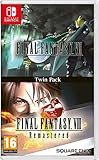
- Final Fantasy VI - The following extra features are included:
- 3X speed mode
- ability to turn battle encounters off
- battle enhancement mode
- final FANTASY VIII remastered - The following extra features are included.battle assist options (HP, ATB gauge, and limit break boosts).game speed boost (X3.no random encounters
The studio has also acknowledged a usability constraint: too many gesture patterns could confuse players. The implementation therefore focuses on a limited set of recognizable actions rather than turning every ability into a motion command.
Mouse-style aiming with the right Joy-Con 2
The right Joy-Con 2 can be detached and placed on its side to activate its mouse-sensor control. This provides a mouse-like pointing and aiming option while the other Joy-Con remains available for movement. It is a Joy-Con 2 feature; the Switch 2 Pro Controller does not include the detached-controller mouse sensor.
Traditional controller play
The Switch 2 Pro Controller works in any play mode and supports standard controls. Choose it if you want a conventional two-stick setup, longer sessions with a full-size controller, or no motion input. Using the Pro Controller means giving up the unique detached Joy-Con 2 mouse, gyro and gesture features, but not the game itself or its normal controls.
Which controller setup should you use?
| Setup | Best for | Features available | Important limitation |
|---|---|---|---|
| Handheld Switch 2 with attached Joy-Con 2 | Portable play and touch navigation | Touch screen, standard controls, handheld VRR where supported by the selected mode | No separated-controller mouse posture |
| Separated Joy-Con 2 | Players who want motion actions or mouse-style aiming | Gyro, motion gestures, touch when the console is accessible, right-controller mouse sensor | Requires learning optional gesture patterns |
| Switch 2 Pro Controller | Conventional TV or tabletop play | Standard buttons, sticks and triggers in any mode | No Joy-Con 2 mouse sensor or Joy-Con-specific motion gestures |
How much storage does Cyberpunk 2077 need?
There are two official figures because they describe different contexts. Nintendo’s 2025 eShop listing gives a 60.5 GB required-space figure for Nintendo Switch 2. CD PROJEKT RED’s support information calls the game approximately 59 GB. The smaller number is a rounded description of the game, while Nintendo’s listing is the installation-space figure shown to eShop buyers. They are not contradictory measurements of a single guaranteed file size.
Rank #4

- FOR CYBERPUNK 2077 VIDEO GAME FANS: You might lose your sanity in Night City, but at least you won't lose your keys
- QUALITY DESIGN: Molded flat relief design; sturdy metal alloy construction with enamel color finish
- IDEAL SIZE: Keychain design measures approximately 2.75 inches x 0.84 inches
- AUTHENTIC CYBERPUNK 2077 KEY CHAIN: Officially licensed by CD PROJEKT RED; designed and created by JINX
| Source or format | Published figure | What it means for planning |
|---|---|---|
| Nintendo eShop listing (2025) | 60.5 GB required space | Use this as the minimum free-space target before a digital installation |
| CD PROJEKT RED support (updated 2025) | Approximately 59 GB | Approximate game size; not a substitute for the eShop installation requirement |
| Physical edition | 64 GB game card | The base game runs directly from the card, but updates and language packs need separate storage |
Nintendo warns that installation can require more or less free space than the displayed amount. Updates and additional language packs can increase the final requirement. For a digital purchase, make room for at least 60.5 GB before starting, then leave additional headroom rather than filling the storage exactly to that number.
Physical cartridge versus digital download
Physical edition
The physical Ultimate Edition uses a 64 GB game card. CD PROJEKT RED states that the physical version runs directly from the game card, so the base installation does not have to occupy 60.5 GB of internal storage in the same way as a digital copy. Insert the card and the console can run the game from it.
“Cartridge” does not mean “no storage required.” Future patches and optional language packs must be installed to internal storage or an SD card for both physical and digital versions. A physical buyer should therefore reserve storage even if the card contains the playable base software.
Recommended Free Tools
Digital edition
A digital purchase is downloaded and installed to the console’s internal storage or a compatible microSD Express card. Nintendo Switch 2 supports microSD Express cards; ordinary microSD compatibility from earlier Switch models should not be assumed for this installation. Check the card’s Express designation before buying or moving the game.
Best Value
![No Sleep For Kaname Date - From AI: THE SOMNIUM FILES - Nintendo Switch 2 [Game Key Card]](https://m.media-amazon.com/images/I/51iodZyRbPL._SL160_.jpg)
- Investigation: Use the special functions in Date's left eye to gather information that will lead to Iris's whereabouts! Familiar and new characters will also appear!
- Somnium: Explore the eccentric dream world of potential suspects to uncover clues and secret memories!
- Escape: Solve thrilling mysteries while exploring a locked environment. When you find the true answer beyond the surface level of logic, the door to escape will open!
- Exclusive item: Physical copies come with two 3" holographic stickers!
- Languages: English and Japanese voice, English, Japanese, Simplified Chinese, and Traditional Chinese text.
What is included in the Ultimate Edition?
The Nintendo Switch 2 Ultimate Edition combines the base Cyberpunk 2077 game with the Phantom Liberty expansion. It is the complete package for this platform rather than a base-game-only release. The expansion and any later updates or language packs still contribute to the storage used by your installation.
Installing the game: practical steps
Digital purchase
- Check the console’s free space in System Settings before purchasing or starting the download.
- Reserve at least 60.5 GB, using Nintendo’s eShop figure as the baseline, and keep extra room for updates and language packs.
- If internal storage is insufficient, insert a Nintendo Switch 2-compatible microSD Express card.
- Start the eShop download and allow the installation to finish before launching the game.
- Apply available updates, then check free space again if you plan to add language packs.
Physical purchase
- Insert the 64 GB game card with the console powered on or in sleep mode.
- Launch the game from the HOME menu and install any update the system offers.
- Keep internal storage or a microSD Express card available for patches and optional language packs.
- If an update fails for lack of space, archive another game or move data to the Express card, then retry the update.
Common problems and fixes
The eShop says there is not enough space
Free at least the full 60.5 GB shown by Nintendo, not merely the approximately 59 GB description from CD PROJEKT RED. Installation processes can need temporary working space, so delete or archive enough additional data to create a safety margin.
The physical card still asks for a download
The card contains the game software, but a patch or language pack may be separate. Connect to the internet, review the update’s size, and ensure internal storage or a microSD Express card has room. The physical format does not eliminate every future download.
PC Slower Than It Used to Be?
A free scan shows the junk files, broken settings and background clutter dragging Windows down - then fixes them in one click.Free scan · Windows 10 & 11Crashes, No Sound, or Screen Glitches?
Random freezes, missing sound and display glitches usually trace back to one bad driver. Find and replace yours safely.Free scan · under a minutePerformance mode looks softer in handheld play
Handheld Performance mode has a 720p target, while Quality mode is specified at 1080p in handheld mode. Switch to Quality if resolution is your priority; remain in Performance if the up-to-40-FPS target and VRR presentation are more valuable to you.
Motion controls are not responding
Confirm that you are using Joy-Con 2 controllers and that they are separated when the action requires independent motion. A Pro Controller provides standard controls but does not supply the detached Joy-Con 2 mouse sensor or Joy-Con-specific gesture system.
What is not officially specified
The published technical information defines frame-rate and resolution targets, but it does not provide an independent average battery-runtime figure for this game. Battery life therefore depends on the console’s operating conditions, screen settings, brightness and play pattern; no single official Cyberpunk 2077 runtime should be assumed.
For most players, the practical choice is clear: use Quality for the specified 1080p/30-FPS presentation in either mode, or Performance for up to 40 FPS with a 720p handheld target and VRR. Buy digitally only when you have at least 60.5 GB free plus headroom, and remember that even the 64 GB physical card cannot cover every future update or language download.
Quick Recap
Product prices and availability are accurate as of the date/time indicated and are subject to change. Any price and availability information displayed on Amazon at the time of purchase will apply.

