
iTechGuides is reader-supported. When you buy through links on our site, we may earn an affiliate commission. As an Amazon Associate I earn from qualifying purchases. Learn more
For most owners, stock LiveArea remains the safest and simplest choice. It is built into the firmware, needs no modification, and organizes software as bubbles that open each app’s own LiveArea screen. A custom dashboard becomes worthwhile when you want a file-oriented workflow, PSP-style categories, extensive visual customization, or a large homebrew library.
VitaShell is best understood as a utility shell, while VitaXMB is a newer launcher focused on browsing games and homebrew. Neither completely removes the system’s launch behavior: VitaXMB still hands a selected game to the normal LiveArea bubble transition. Both custom approaches require a modified Vita environment, and an SD2Vita adapter is optional hardware for expanding storage, not a dashboard by itself.
What changes when you replace LiveArea?
LiveArea is Sony’s application-centered home interface. On the home screen, each game or app appears as a bubble. Selecting one opens that application’s LiveArea screen, which acts as the launch gate and can expose related actions. Sony’s 2021 documentation says the Vita can have up to 10 home-screen pages and can keep LiveArea screens open for multiple applications. Up to six can remain open at once; opening a seventh closes the oldest one.
The Tool Desk
Outbyte Driver Updater FREEFix the driver behind crashes, sound loss and screen glitchesFind Drivers →Outbyte PC Repair FREERepair Windows errors before they cause bigger problemsFix Now →A custom dashboard changes the browsing layer rather than rewriting every part of the operating system. It can present files, categories, folders, artwork or settings in a different way, but the firmware still controls important transitions and system functions. That distinction explains why a custom launcher can feel dramatically different while a game launch may still briefly show the familiar LiveArea bubble animation.
#1 Best Overall

- 4948872413602
- PCH-2000ZA11
- PlayStation Vita Wi-Fi Black
Stock LiveArea: strengths and limits
How the stock interface is organized
LiveArea treats every installed application as a first-class object. You move bubbles between pages, tap a bubble to open its LiveArea, and move between currently open LiveArea screens. The model is predictable and touch-first, and it works on an unmodified Vita, Vita Slim or PlayStation TV with Sony’s normal firmware support.
The application-centered design is useful when you have a modest library and want the system’s standard suspend-and-resume behavior. It is less efficient when you frequently launch utilities, browse folders of homebrew, or want one menu that groups games by system or genre instead of by individual bubbles.
Built-in organization tools
Sony documents three practical customization tools:
What’s actually slowing this PC down?
Pick the symptom - the matching free tool is one click away.
- Pages: You can add pages and move bubbles between them.
- One-level folders: Folders group bubbles, but they do not become nested folder trees.
- Backgrounds: Each page can have its own background image. Sony recommends 960 × 544 pixel source images for optimum clarity.
The documented capacity is up to 500 icons, including icons inside folders. That is a platform limit, not a recommendation to fill every page. A carefully named page and folder scheme can keep a stock Vita usable, but the bubble model becomes cumbersome when installations grow into hundreds of items.
VitaShell: a utility-first alternative shell
What it is designed to do
The archived HENkaku project README describes VitaShell as an alternative replacement for the PS Vita’s LiveArea. Its core functions are operational rather than game-catalog oriented: a file manager, VPK package installer and built-in FTP server, plus additional tools for moving and inspecting content.
That makes VitaShell a strong choice for people who regularly install homebrew, copy files, repair folder layouts or transfer content over a network. It exposes storage locations directly instead of hiding them behind application bubbles. If your main frustration is finding a file or installing a package, VitaShell addresses that problem more directly than a visual game launcher.
Customization and maintenance status
VitaShell supports custom colors, wallpapers, browser, editor and player backgrounds, battery graphics, icons, and dialog or context-menu images. These options can produce a highly personalized shell, but they are asset-level customizations rather than a polished console-style catalog.
Free tools Windows power users keep installed
One-click scans. No signup required.
The project repository was marked read-only and archived on 21 November 2019. Treat VitaShell as a mature utility with a fixed documentation baseline. A newer firmware, plugin combination or storage setup may require separate compatibility checks; the archived README should not be assumed to describe every later environment.
Rank #2

- This Renewed product is tested and certified to look and work like new, with limited to no wear. The refurbishing process includes functionality testing, inspection, and repackaging. The product is backed byand may arrive in a generic box. The product ships with a charger and cable, but does not include headphone, manual or SIM card. Only select sellers who maintain a high performance bar may offer Certified Refurbished products on Amazon.
- Comes with AC Adapter, Charging Cable, and Silicone Button Covers for Joysticks
- Remote Play -Stream a wide range of your PS4 games on your PS Vita system over a local wi-fi network when away from your PS4 system or TV
- Entertainment and Apps -Search videos, check your friend's status, watch your favorite TV shows and movies, stream music, and much much more on the PS Vita system
VitaXMB: a PSP-style launcher with a system handoff
Navigation model
The 2026 VitaXMB release discussion describes a horizontal, PSP-inspired bar with six categories. Its Game category can browse installed games and homebrew, folders provide another level of organization, and Settings uses a two-level layout. An integrated MP3 player and animated waves and sounds make the interface feel like a console menu rather than a file manager.
Beta support for PSP custom themes is also listed in the release notes. Because this is an actively changing project, features, compatibility and theme behavior can change between releases. Read the release notes for the exact build you intend to use rather than relying on screenshots from an older version.
The launch limitation that matters
VitaXMB does not bypass the system’s final launch transition. Its author states that starting a game still shows the normal LiveArea bubble transition because that transition is drawn by the system. In practice, VitaXMB changes how you browse and select software; it does not turn the Vita into a completely independent shell from power-on to game execution.
The same release notes mention an experimental artwork-decryption option that froze the author’s Vita once and is disabled by default. This is a project-specific warning, not a published failure rate. Leave experimental artwork processing disabled unless a current release note explains a safe use case and a recovery path.
LiveArea, VitaShell and VitaXMB compared
| Criterion | Stock LiveArea | VitaShell | VitaXMB |
|---|---|---|---|
| Primary model | Application bubbles and app-specific LiveAreas | File and package management | Category-based, PSP-style launcher |
| Game and homebrew browsing | One bubble per installed application, arranged on pages | Browse storage directories and launch supported content | Game list, homebrew list and folders |
| Launch behavior | Native LiveArea flow | Uses the modified system environment and installed applications | Still hands games to the normal LiveArea bubble transition |
| Customization | Pages, one-level folders and page backgrounds | Colors, wallpapers, icons and dialog assets | Animated presentation, sounds and beta custom-theme support |
| Setup burden | None beyond normal firmware | Requires homebrew access and a compatible setup | Requires homebrew access, plus version-matched launcher and plugins |
| Maintenance outlook | Stable Sony firmware behavior | Archived documentation baseline from 2019 | Active and therefore more changeable; verify current notes |
| Best fit | Low-risk everyday use and small-to-medium libraries | Installing, transferring and managing files | Console-style browsing of a large game or homebrew collection |
Which dashboard fits your use?
Stay with LiveArea if reliability is the priority
Choose stock LiveArea when you want an unmodified system, official support, predictable suspend behavior and no plugin maintenance. Use pages for broad groups such as Vita games, utilities and media, then use one-level folders for smaller sets. Keep the 500-icon ceiling in mind when planning a very large collection.
Choose VitaShell for hands-on management
VitaShell is the practical choice when your routine includes VPK installation, FTP transfers, file cleanup or inspecting storage. It is not a catalog replacement in the same sense as a console launcher; its advantage is direct control over files and packages.
Choose VitaXMB for a console-style library
VitaXMB makes the most sense if you want categories, folders, music playback and a PSP-like visual experience. Accept that the final launch still passes through LiveArea and that active development means more frequent compatibility checks than stock firmware.
Recommended Free Tools
What you need before installing a custom dashboard
A compatible modified environment
Custom dashboards do not run on an untouched Vita. The Vita Hacks Guide describes moving a stock Vita or PlayStation TV to custom firmware and identifies Ensō as a boot-time homebrew environment. Its coverage includes Vita, Vita Slim and PS TV firmware 1.03 through 3.74. Ensō is available on firmware 3.65 or below; higher versions may need a downgrade before using that boot-time setup.
Rank #3

- This Certified Refurbished product is tested and certified to look and work like new, with limited to no wear. The refurbishing process includes functionality testing, inspection, and repackaging. The product is backed by a minimum 90-day warranty, and may arrive in a generic box. The product ships with a charger and cable, but does not include headphone, manual or SIM card. Only select sellers who maintain a high performance bar may offer Certified Refurbished products on Amazon.
- Comes with AC Adapter, Charging Cable, and Silicon Button Covers for Joysticks
- Play over 1,000 PlayStation games, stream PS4 games via Remote Play, and stream PS3 games via PS Now
- App Enabled : PlayStationStore is your one-stop-shop for movies and hot new TV shows, and don’t forget apps like Netflix and TuneIn Radio.
- 5 inch LED Display
Firmware matching is essential. A launcher, kernel plugin and storage driver can each have different compatibility requirements. Record your exact firmware version and model before changing anything, and follow a current, version-specific guide rather than combining instructions from unrelated releases.
Understand the brick risk
The same guide warns that every system modification carries the potential for an unrecoverable brick. That is a hardware-risk statement, not a guarantee that a brick will occur. Reduce avoidable risk by charging the device, checking files before copying them, avoiding interruptions during firmware operations, and keeping a recovery method available for your model and firmware.
Plan your rollback and storage
- Keep a backup of important saves and personal files before changing the shell or storage layout.
- Use only plugins documented for your firmware and boot environment.
- Do not enable experimental launcher options until you know how to disable them.
- Keep the original memory arrangement available until the custom setup has been tested.
Do you need an SD2Vita?
No. A custom dashboard can be used without an SD2Vita adapter. The adapter is a storage expansion accessory that places a microSD card in the Vita’s game-card slot. It becomes useful when the internal memory or official card is too small for a large homebrew and game library.
Do these 3 things before closing this tab:
1Repair Windows errors before they cause bigger problems2Fix the driver behind crashes, sound loss and screen glitches3Clear out junk files and repair common Windows errorsHow YAMT fits the setup
The YAMT guide describes YAMT, or Yet Another Mount Tool, as a kernel plugin that allows a microSD card to act as Vita storage through an SD2Vita adapter. With a compatible configuration, the microSD can be mounted as ux0:, the primary storage location used by many applications.
YAMT compatibility is documented for firmware 3.60 and 3.65 running HENkaku Ensō. That limitation is important: an SD2Vita adapter is not universally plug-and-play, and buying one does not install a dashboard or guarantee that a particular firmware can mount it.
Storage decisions before migration
- Confirm that your firmware, boot environment and YAMT version are compatible.
- Choose a reliable microSD card with enough capacity for the library you actually maintain.
- Back up the current
ux0:contents before changing mount points. - Set the mount only after verifying which storage contains the launcher, plugins and recovery files.
- Boot and test the system with the original storage path available before deleting or reformatting anything.
If the Vita boots without expected bubbles or homebrew after a storage change, the problem is usually a mount, filesystem or plugin mismatch rather than the dashboard itself. Restore the known-good storage arrangement first, then troubleshoot one variable at a time.
Independent reader supportYour contribution helps us test, update, and keep practical guides available for everyone.Organizing games and homebrew effectively
A stock LiveArea scheme
Use pages for major categories and folders for stable subgroups. For example, dedicate one page to Vita games, another to emulators and utilities, and a third to media tools. Keep frequently used applications near the first page so you do not depend on a deep folder path. Since folders are only one level deep, avoid a naming scheme that requires nested categories.
A VitaShell workflow
Separate installers from installed applications and keep temporary transfer files in a clearly named directory. Use FTP for routine transfers, then remove obsolete packages after confirming installation. Before deleting anything, verify the target path and preserve saves and configuration files that a utility may share with other software.
Rank #4
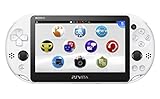
- PlayStationVita (PCH-2006 series) Wi-Fi model body × 1
- USB cable × 1
- AC adapter × 1
- Power cord × 1
- Printed matter × 1 formula
A VitaXMB workflow
Use its categories for broad platforms or functions, then folders for series, genres or utility groups. Keep artwork conservative until the launcher build is proven stable. If a theme or artwork option causes a freeze, disable that option rather than repeatedly rebooting with the same experimental setting.
Common problems and safer fixes
The launcher does not appear after reboot
Check that the dashboard is installed in the storage location mounted at boot and that its plugin is enabled for the correct title or environment. Revert to the last known-good shell, then confirm firmware compatibility before reinstalling.
Games still show LiveArea
That is expected with VitaXMB. The launcher controls selection, but the system draws the final LiveArea bubble transition. It is not evidence that the launcher failed.
Crashes, No Sound, or Screen Glitches?
Random freezes, missing sound and display glitches usually trace back to one bad driver. Find and replace yours safely.Free scan · under a minuteWindows Errors? Fix Them Before They Spread
Repair common Windows errors and clear accumulated junk for a smoother, more stable PC - no reinstall needed.Free scan · no reinstallHomebrew disappears after adding SD2Vita
Verify the YAMT mount, card filesystem and ux0: contents. Do not format or delete the old storage until the new mount has been tested and backed up. If necessary, boot with the original storage path and undo the mount change.
Artwork or themes freeze the Vita
Disable experimental artwork processing and return to a default theme. The reported VitaXMB artwork-decryption freeze is a caution about that option, not proof that every installation will fail.
Maintenance expectations
Stock LiveArea changes only when Sony firmware changes, so its behavior is comparatively stable. VitaShell’s archived status means its feature set and documentation are unlikely to evolve, but compatibility with a newer plugin stack still needs checking. VitaXMB is active and more changeable: read each release’s compatibility notes, back up before updating, and treat beta themes or artwork features as optional experiments.
Verdict
There is no single best PS Vita dashboard for every owner. LiveArea is the right default for low-risk, application-centered use. VitaShell is the better tool when file management and package installation are the daily tasks. VitaXMB is the strongest match for a PSP-style, category-based library, provided you accept the normal LiveArea handoff and the maintenance of a modified environment. SD2Vita is worthwhile only when storage capacity is the problem and your firmware and YAMT combination explicitly support it.
Quick Recap
Product prices and availability are accurate as of the date/time indicated and are subject to change. Any price and availability information displayed on Amazon at the time of purchase will apply.

