
What’s actually slowing this PC down?
Pick the symptom - the matching free tool is one click away.
iTechGuides is reader-supported. When you buy through links on our site, we may earn an affiliate commission. As an Amazon Associate I earn from qualifying purchases. Learn more
Use the bonus code WoN-Boots from CrossCode’s main menu. It unlocks Sparkly Boots, a cosmetic Add-On that makes Lea leave star-like sparkles while running and play a shimmering sound when she jumps. It does not replace stat-bearing leg equipment, and the available references do not establish identical behavior on every platform.
What the Sparkly Boots code unlocks
WoN-Boots is the code listed for CrossCode’s Sparkly Boots bonus. The CrossCode Wiki describes bonus codes as small in-game bonuses entered from the main menu. Sparkly Boots is not a weapon, armor piece, or movement upgrade: it is an appearance effect attached to the game’s Add-On system.
| # | Preview | Product | Price | |
|---|---|---|---|---|
| 1 |
|
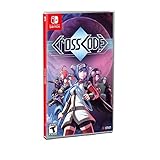
CrossCode - Nintendo Switch Edition | $49.95 | Buy on Amazon |
| 2 |

|
Crosscode - Nintendo Switch (PEGI Version) | $69.97 | Buy on Amazon |
| 3 |

|
Risen (Nintendo Switch) | $34.70 | Buy on Amazon |
| 4 |

|
Super Smash Bros. Ultimate - US Version | $52.99 | Buy on Amazon |
| 5 |

|
Minecraft - Nintendo Switch | $29.82 | Buy on Amazon |
Once the cosmetic is available, Lea produces star sparkles as she runs. Jumping triggers a shimmering sound. Those effects are the practical reward; the references do not describe extra speed, defense, attack power, traversal ability, or another mechanical advantage.
How to enter WoN-Boots
The sources document the menu-level process rather than a universal sequence of controller buttons. Menu labels and button prompts can differ by platform, so use the following platform-neutral procedure:
#1 Best Overall
- Outstanding puzzle quality
- Emotionally involving sci-fi storyline
- Diversified settings
- Challenging and Diversified combat system
- 16-Bit, snes-style 2D graphics with detailed animations
- Launch CrossCode and return to the main menu rather than entering a save file first.
- Open the menu option for bonus codes. The CrossCode Wiki identifies the main menu as the place where these codes are entered.
- Type
WoN-Bootsexactly, including the hyphen and capitalization shown here. - Confirm the entry and wait for the game to acknowledge the bonus. If the game returns you to the menu without a visible reward screen, check the Add-On inventory before trying the code again.
- Load your save and open the character inventory or equipment interface. Look for the Add-On section, where the cosmetic can be selected or toggled independently of ordinary equipment.
Do not look for Sparkly Boots in the leg-armor statistics screen. Its current implementation is an Add-On, so it may appear in a separate cosmetic category. A community guide describes toggling it from the inventory’s Add-On section; treat that as practical community guidance, not a guaranteed identical workflow for every release.
What you will see after enabling it
| Action | Documented result | Effect category |
|---|---|---|
| Run with Sparkly Boots active | Lea emits star sparkles | Visual step effect |
| Jump with Sparkly Boots active | A shimmering sound plays | Audio effect |
| Fight, equip armor, or change leg gear | No bonus to statistics is documented | Cosmetic only |
The sparkle and sound are intended as presentation changes. They do not turn the code into a cheat that makes combat, movement, or puzzles easier according to the available item description.
Rank #2
- 30-80 hours of playtime and outstanding puzzle quality
- emotionally involving sci-fi storyline and diversified settings
- challenging and diversified combat system
- 16-bit, SNES-style 2D graphics with detailed animations
- advanced character development
Why the item is called “boots” even though it is an Add-On
Older CrossCode references treat Sparkling Boots as appearance-changing footwear. Radical Fish Games explained in a July 1, 2018 update that equipment such as “Holiday Hat” and “Sparkling Boots” had been converted into Add-Ons so players could wear those effects without using outdated equipment. The team’s wording was: “Equipment like ‘Holiday Hat’ and ‘Sparkling Boots’ that change your appearance/add visual effects have been converted to ‘Add-Ons’ so you can ‘wear’ them at any time, without having to use outdated equipment!”
That change explains the terminology you may encounter in older walkthroughs. “Sparkly Boots” remains the familiar name for the reward, but the current design separates its visual effect from the leg slot that holds equipment with gameplay statistics. You can therefore keep the leg equipment you want for its attributes while activating the boot-themed appearance effect.
Rank #3
- Risen (Nintendo Switch)
Which platforms are confirmed?
CrossCode’s official page lists Steam, Nintendo Switch, PlayStation 4, and Xbox One. That list confirms the game’s released platforms, not universal compatibility for every bonus code. The reviewed references do not provide a platform-by-platform test of WoN-Boots.
| Platform or source | What is established | What remains unverified |
|---|---|---|
| Steam | CrossCode is listed on the official platform page; community material discusses the Add-On. | No cited source proves the code behaves identically on every Steam build or input setup. |
| Nintendo Switch | GameFAQs includes the code in a Nintendo Switch cheats listing. | The listing does not establish behavior on other editions or every Switch release. |
| PlayStation 4 | The official page lists the platform. | No cited source confirms a platform-specific code result. |
| Xbox One | The official page lists the platform. | No cited source confirms a platform-specific code result. |
The strongest console-oriented corroboration is the GameFAQs Nintendo Switch cheats page. It supports the existence of the listing on at least one console reference, but it is not an official, all-platform compatibility statement. If the bonus-code option or Add-On does not appear in your edition, avoid assuming that a different controller sequence will fix it; the available evidence does not document such a sequence.
Rank #4
- New stages and fighters are joined by the combined rosters of every past Super Smash Bros. Game
- Challenge others anytime, anywhere, whether you're on the couch or on the go
- Play any way you want—locally, online, in TV mode, Tabletop mode, Handheld mode, or even with GameCube Controllers
- Fight faster and smarter with new and returning techniques, like the perfect shield and directional air dodge
- Face off in 2-4 player battles, or play against the computer
Troubleshooting when Sparkly Boots does not appear
The code is rejected
- Return to the main menu and use the bonus-code option there. The documented entry point is not a normal pause-menu or inventory text field.
- Check the spelling, hyphen, and capitalization of
WoN-Boots. Re-enter it manually instead of relying on a copied space or altered dash. - Confirm that the game has accepted the entry before loading a save. If no acknowledgement appears, close the code field and try again from the main menu.
The code is accepted but the item is not visible
- Open the Add-On area of the inventory or equipment interface rather than the standard leg-equipment slot.
- Look for a toggle or selection control for cosmetic effects. Community instructions describe this location, but exact labels can vary.
- Leave and reopen the inventory, or load the save again, if the interface has not refreshed.
The item appears but no effect is obvious
- Run in an open area and watch behind Lea for the star particles.
- Jump with game audio enabled; the documented sound effect is tied to jumping.
- Make sure another visual Add-On has not replaced Sparkly Boots. The Add-On system is designed to let appearance effects be selected independently of stat equipment.
You are playing on a platform not covered by the listings
Do not infer compatibility from the official platform list alone. The reviewed material does not verify the code on every platform, regional edition, or software revision. You can try the documented main-menu entry point, but a missing option or unresponsive code should be reported as an edition-specific limitation rather than “fixed” with an invented button combination.
Do these 3 things before closing this tab:
1Repair Windows errors before they cause bigger problems2Scan for outdated or missing drivers - takes under a minute3Clear out junk files and repair common Windows errorsWhat “secrets” this code does—and does not—provide
The phrase “secrets” is often used broadly in cheat searches, but the cited material ties this particular code to one cosmetic reward. It does not document a hidden quest, secret area, extra currency, invulnerability, or progression skip. The CrossCode Wiki characterizes bonus codes as minor bonuses, and Sparkly Boots fits that description: its value is the distinctive running and jumping presentation.
Best Value
- Minecraft is a game about placing blocks and going on adventures
- Explore randomly generated worlds and build amazing things from the simplest of homes to the grandest of castles
- Play in creative mode with unlimited resources or mine deep into the world in survival mode, crafting weapons and armor to fend off the dangerous mobs
- Play on the go in handheld or tabletop modes
- Includes Super Mario Mash-Up, Natural Texture Pack, Biome Settlers Skin Pack, Battle & Beasts Skin Pack, Campfire Tales Skin Pack; Compatible with Nintendo Switch only
No authoritative list in the reviewed material establishes additional codes that should be bundled with this unlock. If you find a list claiming that WoN-Boots grants statistics or unlocks unrelated content, treat that claim separately from the documented Sparkly Boots behavior.
Source reliability and how to interpret conflicting guides
The code and item behavior are primarily documented by the community-maintained CrossCode Wiki, with the Nintendo Switch listing on GameFAQs providing corroboration. Radical Fish Games’ July 2018 update is the official source for the Add-On conversion and explains why older guides describe Sparkling Boots as equipment. The official CrossCode page supplies the platform list.
These sources answer different questions. A community wiki can record the exact bonus string while an official update explains the system change; neither, in the material reviewed, promises that every platform exposes the same controls. When an older guide tells you to equip boots in a leg slot, follow the newer Add-On model instead. When a guide claims universal compatibility, require platform-specific evidence before treating that claim as established.
Quick checklist
- Use the exact code:
WoN-Boots. - Enter it from CrossCode’s main menu bonus-code option.
- Find the reward in the Add-On section, not among stat-bearing leg equipment.
- Expect star sparkles while running and a shimmering sound while jumping.
- Do not expect combat, movement, or defense improvements.
- Remember that Nintendo Switch has a cheats-page listing, while universal platform support is not verified.
Bottom line
Sparkly Boots is a cosmetic secret rather than a power cheat. Enter WoN-Boots at the main menu, activate the resulting Add-On in the inventory, and keep your normal leg equipment equipped for its statistics. The visual and audio effects are documented; identical operation on every CrossCode platform is not.
Quick Recap
Product prices and availability are accurate as of the date/time indicated and are subject to change. Any price and availability information displayed on Amazon at the time of purchase will apply.

