
iTechGuides is reader-supported. When you buy through links on our site, we may earn an affiliate commission. As an Amazon Associate I earn from qualifying purchases. Learn more
Copilot Autofix gives a developer one proposed patch for an eligible CodeQL alert. Agentic autofix delegates the alert to GitHub Copilot’s cloud agent, which can inspect the wider repository, change and validate code, iterate, and open a pull request. Neither path proves that a vulnerability is fixed: both are best-effort workflows that require testing, security review, and confirmation that the alert is resolved.
This distinction determines the right control model. Use the suggested-fix flow when a developer wants a narrow, directly reviewable change. Consider agentic autofix when repository-wide context or multi-file work is useful and your organization accepts preview features, cloud-agent permissions, and AI-credit consumption.


What each autofix path actually does
Copilot Autofix: one proposed change
Open an eligible code-scanning alert and choose Generate fix when that action is offered. GitHub presents a single suggested remediation for the alert. You can inspect the diff, modify it, commit it, or use it to create a draft pull request, then run your normal checks and confirm that the alert no longer appears. A Copilot subscription is not required for this suggestion feature, and GitHub says the flow does not consume AI credits.
Quick wins for a faster PC:
Repair Windows errors before they cause bigger problemsFix Now →Fix the driver behind crashes, sound loss and screen glitchesFind Drivers →Clear out junk files and repair common Windows errorsFree Scan →The suggestion is intentionally focused. It addresses the alert and may be useful for a localized input-validation, escaping, or API-use correction, but it is not a repository-wide refactoring service. The developer remains responsible for understanding the data flow, checking project conventions, and deciding whether the proposed behavior is correct for the application.
#1 Best Overall
Fix generation covers only a subset of CodeQL queries, so the button will not appear for every alert. Coverage is a product capability boundary, not a severity judgment: an alert without a generated patch can still represent a serious vulnerability.
GitHub explicitly cautions that “Copilot Autofix for code scanning alerts won’t be able to generate a fix for every alert in every situation.” See GitHub’s alert-resolution instructions.
Agentic autofix: a cloud-agent pull request
With agentic autofix, you assign an alert to Copilot’s cloud agent. The agent can explore files beyond the one named in the alert, inspect callers and related configuration, propose edits, run validation, iterate, and open a pull request. That broader context is useful when the vulnerable operation is separated from its input, when tests must be updated, or when several coordinated files need to change.
The pull request contains a summary and validation details, and its session log lets a reviewer see what the agent did. A reviewer can request another iteration in a pull-request comment. This creates a reviewable work product, but it does not transfer accountability to the agent: a person still needs to inspect the complete diff, test the intended behavior, and approve through the repository’s normal controls.
GitHub documents agentic autofix as public preview and states that it “works on a best-effort basis.” It is not an autonomous merge system. The documented outcome is a pull request, followed by human assessment and approval.
Side-by-side comparison
| Dimension | Copilot Autofix | Agentic autofix |
|---|---|---|
| Interaction | Generate one suggested fix for an alert; developer reviews and applies it. | Assign an alert to Copilot; a cloud-agent session creates a pull request. |
| Repository scope | One proposed fix for the alert. | May inspect related files and make multi-file changes before validation. |
| Typical control point | Developer reviews the generated diff before committing or opening a draft pull request. | Reviewer examines the pull request, summary, session log, validation, and any requested iterations. |
| Prerequisites | CodeQL code scanning and an eligible repository; Copilot subscription not required for the suggestion. | Copilot Autofix plus availability of Copilot cloud agent and applicable preview policies. |
| Credit impact | GitHub says the single suggested-fix flow does not consume AI credits. | Billed as a Copilot cloud-agent session and consumes AI credits. Check current billing terms for rates. |
| Validation boundary | Developer runs tests and confirms the alert is fixed. | Agent reruns CodeQL on a best-effort basis; it cannot confirm fixes for custom-query or security-extended-query-suite alerts, and third-party-tool fix quality is not guaranteed. |
| Batching | The documented interaction is a single alert and one suggested fix. | GitHub documents assigning 1–25 alerts from a backlog or security campaign for resolution in one pull request. |
| Human control | Review, edit, test, commit, and run pull-request checks. | Review the diff, session log, and validation, request iteration if needed, then approve through normal controls. |
Eligibility, policies, and disabling behavior
GitHub documents Copilot Autofix for public repositories on GitHub.com and qualifying organization-owned repositories on GitHub Team with GitHub Code Security enabled. The current documentation says it is enabled by default for repositories using CodeQL, but an administrator can disable it at enterprise, organization, or repository scope. Eligibility and labels can change, so verify the current settings before adopting a workflow.
In practice, start by checking that CodeQL analysis is running and that the alert is in a repository covered by the organization’s Code Security entitlement. If CodeQL is not producing the alert, Autofix cannot act on it. If the repository is eligible but the control is disabled, repository users will not see the expected generation or assignment actions.
Free tools Windows power users keep installed
One-click scans. No signup required.
Agentic autofix additionally requires Copilot cloud agent. Its preview status means enterprise and organization policies can restrict access. If cloud agent is unavailable, assignment falls back to Copilot Autofix when that feature is available. A fallback is still subject to Autofix’s narrower query coverage and single-suggestion interaction; it should not be described as equivalent agentic execution.
Disabling Copilot Autofix also disables agentic autofix. GitHub notes that disabling can close existing open Autofix suggestions attached to pull-request alerts. Re-enabling does not regenerate suggestions for already-open pull requests unless those pull requests are reopened or code scanning is rerun. Administration details are in GitHub’s disabling guide.
Rank #2

- PORTABLE DOCUMENT SCANNER — Weighs under 10 oz and measures 10.7 x 1.3 x 10.7 in, making it one of the smallest and lightest mobile document scanners in its class for easy transport between office and home locations
- SCANSMART AI TECHNOLOGY — AI-powered document scanner converts receipts, invoices and business cards into digital data that integrates with QuickBooks, TurboTax and other financial software applications
- FAST SCANNING PERFORMANCE — Scans up to 10 pages per minute in Automatic Feeding Mode, allowing quick digitization of receipts and documents for business organization and tax preparation with this computer scanner
- VERSATILE DOCUMENT HANDLING — Handles receipts, invoices, business cards, ID cards and long pages up to 8.5 x 72 in, supporting portable scanner use for laptop and desktop document management needs
- USB POWERED OPERATION — USB-powered design removes the need for external power adapters, supporting portable scanner use for documents for mobile professionals and remote work with any laptop or computer system
How to use Copilot Autofix safely
- Run CodeQL scanning and open the alert in the repository’s Security area.
- Check whether Generate fix is available. Its absence means the alert or query is outside current coverage, the repository is not eligible, or an administrator has disabled the feature; it does not mean the alert is harmless.
- Read the alert location, data flow, severity, and intended behavior before accepting a change. Identify the source, sink, trust boundary, and any existing sanitization so that a patch can be evaluated against the actual exploit path.
- Generate the suggestion and inspect every changed line, including validation, error handling, authorization, logging, and dependency effects. Confirm that the change does not merely suppress the finding or move the risky operation elsewhere.
- Compare the proposed behavior with project conventions and supported runtime versions. Modify the patch where business logic, compatibility, localization, performance, or API contracts require a different implementation.
- Create a draft pull request if that gives reviewers better context. Include the alert identifier, why the change addresses the data flow, and any limitations of the generated suggestion.
- Run unit, integration, security, and regression tests, plus the repository’s normal pull-request checks. Exercise both the previously failing path and valid paths that must continue to work.
- Rerun code scanning and verify that the specific alert is resolved. A clean result does not replace review for related weaknesses, duplicate flows, or a second sink that the original query did not report.
Use the review and triage guidance in GitHub’s pull-request alert documentation.
How to use agentic autofix safely
- Confirm that CodeQL, Copilot Autofix, and Copilot cloud agent are enabled for the repository and permitted by enterprise and organization policy. Confirm that the people assigning work are allowed to use preview functionality.
- From an individual code-scanning alert, assign the alert to Copilot. For backlog or security-campaign work, GitHub documents assigning 1–25 alerts together for resolution in one pull request. The REST API assignee is
copilot-swe-agent[bot]. - Group alerts only when one pull request can be reviewed coherently. A batch limit is not a recommendation to combine unrelated trust boundaries or high-impact changes. Separate work when ownership, testing, or rollback differs.
- Wait for the draft pull request. GitHub says it typically opens within a few minutes, but that is not a completion guarantee. Treat a delayed or failed session as unfinished remediation rather than silently closing the alert.
- Read the pull-request summary, complete diff, validation output, and session log. Pay particular attention to files outside the original alert location, generated code, configuration, test fixtures, and changes to dependencies or permissions.
- Check whether the query is custom or uses the security-extended suite; GitHub says agentic validation cannot confirm fixes for those cases. Also remember that third-party-tool fix quality is not guaranteed by this workflow.
- Run your own tests, static analysis, dependency checks, and threat-model review. Ask Copilot to iterate in a pull-request comment only after identifying a concrete defect or missing case. Record what changed between iterations.
- Require the usual code-owner and security approval. Merge only after the alert is confirmed resolved and the change is appropriate for the intended behavior.
Validation: what “fixed” should mean
Validation has several separate questions. First, does the code-scanning alert disappear when the relevant analysis is rerun? Second, does the patch actually remove or constrain the vulnerable data flow? Third, does the application preserve required behavior for legitimate inputs? Fourth, did the change introduce a different weakness, such as a bypass, information leak, authorization regression, or denial-of-service path?
Do these 3 things before closing this tab:
1Clear out junk files and repair common Windows errors2Fix the driver behind crashes, sound loss and screen glitches3Repair Windows errors before they cause bigger problemsCopilot Autofix gives you a proposed change, not a test result. Agentic autofix can run validation and rerun CodeQL, but GitHub describes that process as best effort. GitHub specifically says agentic autofix cannot confirm fixes for alerts from custom queries or the security-extended query suite. Therefore, a passing agent session is evidence to inspect, not a security attestation.
For either path, keep the alert open or mark it for additional review when the evidence is incomplete. A dismissed or closed alert can reflect a change in code, a configuration change, or a triage decision; it is not by itself proof that the underlying risk is gone.
Cost, capacity, and operational planning
The two paths have different commercial mechanics. GitHub says the single suggested-fix flow does not consume AI credits, while an agentic autofix assignment is billed as a Copilot cloud-agent session and consumes AI credits. The amount depends on the applicable, current Copilot billing terms, so do not put a fixed price in a policy or budget without checking those terms.
Teams should nevertheless plan capacity for both workflows. A suggested fix consumes developer and reviewer time even when it consumes no AI credits. An agentic session consumes credits and still requires someone to inspect the pull request, rerun independent checks, and handle failures. Track sessions by repository, alert type, and outcome so that teams can see where broader exploration is valuable and where a manual fix is faster.
For campaigns, define who may assign up to 25 alerts in one pull request, what severity or ownership rules apply, and when batching is prohibited. A batch can reduce coordination overhead, but it can also create a large review surface and make rollback harder.
Decision framework for engineering and security teams
Choose Copilot Autofix when
- The remediation should remain narrowly scoped and a developer can supply repository context quickly.
- You want a non-credit-consuming suggestion and an immediate human-controlled edit.
- The alert is covered by supported CodeQL queries and does not require coordinated changes across files.
- The repository cannot use the preview cloud agent or policy requires a developer to initiate every code change.
- You need a small diff that is easy to explain in a security review or emergency patch.
Choose agentic autofix when
- The likely fix spans configuration, callers, tests, or multiple related files.
- You want a draft pull request, validation details, and a session log as the work product.
- Your policies permit the public-preview cloud agent and you have budgeted AI credits.
- A team can review a broader diff and has time to investigate iterations rather than accepting the first result.
- Several related alerts can be grouped coherently within the documented 1–25-alert batch limit.
Escalate instead of accepting either output when
- The alert concerns authentication, authorization, cryptography, tenant isolation, or other high-impact behavior that needs specialist review.
- The generated patch changes security boundaries, suppresses findings, weakens validation, or fails tests.
- The query is unsupported, custom, or otherwise lacks meaningful automated confirmation.
- The session modifies unrelated files, cannot explain its validation, or produces a diff too broad for the assigned reviewers.
Governance controls that make AI patches auditable
- Keep code owners and security approval mandatory; do not let an Autofix-generated pull request bypass branch protection.
- Record which alert triggered the work, the generated diff, the repository and commit analyzed, tests run, reviewer decisions, iterations requested, and final scan result.
- Limit cloud-agent permissions to the repositories and actions required for remediation. Review who can assign individual alerts or batches and who can approve the resulting pull requests.
- Monitor AI-credit usage for agentic sessions and define who may assign batches of up to 25 alerts. Set an internal escalation path for sessions that consume credits without producing a usable pull request.
- Test generated fixes against abuse cases and intended application behavior, not only whether the original alert disappears.
- Separate preview use from production approval. Public-preview availability can change, and enterprise or organization policy may restrict it without changing the underlying repository code.
- Recheck enterprise and repository settings after policy changes; disabling Autofix affects both workflows and may close existing suggestions.
- Preserve the session log and pull-request discussion when your audit process requires an explanation of how a security change was produced and reviewed.
Limits and failure modes
No Generate fix button
The alert may use a CodeQL query outside Autofix coverage, the repository may not meet Code Security eligibility, or an administrator may have disabled the feature. Resolve the access or coverage issue; do not infer that the finding is unimportant. For an unsupported query, use a manually designed remediation and document why automated fix generation was unavailable.
The patch compiles but the vulnerability remains
Compilation and a closed alert are insufficient evidence. Review data flow, authorization assumptions, edge cases, and tests that exercise the exploit path. Agentic validation is explicitly best effort and has the query-suite exclusions described above. A patch can satisfy a query while leaving a logically equivalent path reachable through another endpoint or configuration.
The agent changes too much
Use the session log and diff to identify unrelated edits, revert them, or ask for a narrower iteration. If the change cannot be bounded, handle the alert through a manually designed pull request. Broad repository exploration is a capability, not permission to rewrite unrelated code.
The agent changes too little
A multi-file vulnerability may require updates to callers, tests, configuration, or shared libraries. If the pull request touches only the reported line, inspect whether the source can still reach the sink through another path. Request a focused iteration or redesign the fix manually rather than assuming the first patch is complete.
Autofix was disabled and suggestions disappeared
Check enterprise, organization, and repository settings. After re-enabling, reopen the pull request or rerun code scanning as GitHub documents; existing open pull requests do not automatically receive regenerated suggestions. Reconcile any alerts that were closed when the feature was disabled with the current scan results.
Cloud agent is unavailable
Assignment may fall back to Copilot Autofix when that feature is available. Confirm which workflow actually ran before evaluating scope, credit usage, and validation. Do not expect a cloud-agent session log or multi-file exploration from a fallback suggestion.
Independent reader supportYour contribution helps us test, update, and keep practical guides available for everyone.Frequently asked questions
Can GitHub Copilot automatically fix vulnerabilities?
It can generate a proposed fix for some CodeQL alerts, and its cloud agent can create a pull request for an assigned alert. Neither workflow guarantees a correct fix or an automatic merge. Review, testing, and confirmation of the specific alert remain required.
The Tool Desk
Outbyte PC Repair FREERepair Windows errors before they cause bigger problemsFix Now →Outbyte Driver Updater FREEFix the driver behind crashes, sound loss and screen glitchesFind Drivers →Do I need a Copilot subscription for Copilot Autofix?
GitHub documents that a Copilot subscription is not required for the single suggested-fix feature. Agentic autofix is different: it requires Copilot Autofix and availability of Copilot cloud agent, subject to the applicable policies.
Does Copilot Autofix use AI credits?
GitHub says the single suggested-fix flow does not consume AI credits. Agentic autofix is billed as a Copilot cloud-agent session and consumes AI credits. Check current GitHub billing documentation for the rates that apply to your organization.
How many alerts can I assign to agentic autofix at once?
GitHub documents assigning between 1 and 25 alerts from the backlog or a security campaign for resolution in one pull request. Use the limit as an operational boundary, not as a reason to combine unrelated or high-risk changes.
How long does an agentic autofix pull request take?
GitHub says the draft pull request typically opens within a few minutes, but this is not a completion guarantee. A session can take longer, fail, or require iteration. Treat the pull request and its validation details as the beginning of review.
What’s actually slowing this PC down?
Pick the symptom - the matching free tool is one click away.
Rank #4
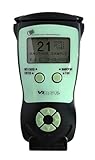
- Fast and Accurate Scanning: Scans 2D barcode and magnetic stripe ID and drivers license cards in U.S. and Canada with speed and precision
- Quick Age Verification Display: Provides instant age and expiration status display with a backlight for easy visibility
- Easy and Ergonomic Design: Compact, portable, and stand alone device with no user training required; plug and play functionality
- Compliance Reporting Capability: Memory can be disabled or enabled providing due diligence reporting with free compliance software included
- Affordable with No Hidden Costs: Comes standard with all accessories and compliance software; free ID updates for the life of the device with no hidden fees or subscriptions
Can agentic autofix validate every code-scanning alert?
No. GitHub describes validation as best effort and says it cannot confirm fixes for custom-query or security-extended-query-suite alerts. Third-party-tool fix quality is also not guaranteed. Run independent tests and security review.
Will disabling Autofix stop agentic autofix?
Yes. Disabling Copilot Autofix also blocks agentic autofix. GitHub says disabling can close existing open Autofix suggestions attached to pull-request alerts, and re-enabling does not regenerate suggestions for already-open pull requests unless they are reopened or code scanning is rerun.
Does agentic autofix merge the pull request by itself?
No such automatic merge is documented here. The documented result is a pull request. Human reviewers should inspect the change, run the required checks, confirm the alert is resolved, and approve it through normal branch protections.
Bottom line
Copilot Autofix is a focused, developer-applied suggestion. Agentic autofix is a broader, cloud-agent pull-request workflow with repository exploration, iteration, preview-policy requirements, and AI-credit cost. Select based on scope, governance capacity, and validation needs—not on the word “agentic.” Treat every output as proposed remediation, preserve human review, run independent tests, and confirm the specific code-scanning alert before acceptance.
Windows Errors? Fix Them Before They Spread
Repair common Windows errors and clear accumulated junk for a smoother, more stable PC - no reinstall needed.Free scan · no reinstallOutdated Drivers Are Slowing You Down
One free scan finds every outdated or missing driver and matches the right update for your exact hardware.Free scan · exact hardware matchFrequently Asked Questions
Can GitHub Copilot automatically fix vulnerabilities?
It can generate a proposed fix for some CodeQL alerts, and its cloud agent can create a pull request for an assigned alert. Neither workflow guarantees a correct fix or an automatic merge; review, testing, and confirmation remain required.
Do I need a Copilot subscription for Copilot Autofix?
GitHub documents that a Copilot subscription is not required for the single suggested-fix feature. Agentic autofix additionally requires Copilot cloud agent and applicable policy access.
Does Copilot Autofix use AI credits?
The single suggested-fix flow does not consume AI credits. Agentic autofix is billed as a Copilot cloud-agent session and consumes AI credits; consult current billing terms for rates.
How many alerts can agentic autofix handle together?
GitHub documents assigning 1–25 alerts from a backlog or security campaign for resolution in one pull request. Batch only alerts that can be reviewed coherently.
Can agentic autofix validate every alert?
No. Validation is best effort and cannot confirm fixes for custom-query or security-extended-query-suite alerts. Independent tests and security review are still necessary.
What happens if Autofix is disabled?
Disabling Copilot Autofix also blocks agentic autofix and can close existing open Autofix suggestions attached to pull-request alerts. Re-enabling does not regenerate suggestions for already-open pull requests unless they are reopened or code scanning is rerun.
The Bottom Line
Use Copilot Autofix for a narrow, no-AI-credit suggestion under direct developer control. Use agentic autofix for broader, multi-file remediation only when cloud-agent access, preview governance, credit usage, and deeper review are acceptable. In both cases, the output is proposed remediation—not proof of security.
Quick Recap
Product prices and availability are accurate as of the date/time indicated and are subject to change. Any price and availability information displayed on Amazon at the time of purchase will apply.
Recommended Free Tools

