
Do these 3 things before closing this tab:
1Fix the driver behind crashes, sound loss and screen glitches2Repair Windows errors before they cause bigger problems3Scan for outdated or missing drivers - takes under a minuteiTechGuides is reader-supported. When you buy through links on our site, we may earn an affiliate commission. As an Amazon Associate I earn from qualifying purchases. Learn more
To connect Galaxy Buds Live, open the charging case near a Samsung phone and tap Connect when prompted. On another Android phone, use the Galaxy Wearable app; on an iPhone or other Bluetooth device, select the earbuds in Bluetooth settings. If they do not appear, wear both earbuds and hold both touchpads to start pairing mode manually.
How do I connect Galaxy Buds Live to a Samsung phone?
- Place both earbuds in their matching slots in the charging case and close the case.
- Open the case near your phone. A connection pop-up should appear.
- Tap Connect and follow the on-screen instructions.
After setup, opening the case with the earbuds inside can prompt them to reconnect. Screens and prompts can vary by phone model and software version. Samsung’s instructions are available in its Galaxy Buds pairing guide.
How do I connect Galaxy Buds Live to another Android phone?
- Install and open the Galaxy Wearable app.
- Put both earbuds in the case, close it, then open it to begin pairing.
- Follow the connection instructions in the app.
Samsung’s UK support page lists Android 5.0 or later and at least 1.5 GB of memory as compatibility guidance for the app. Requirements can change, so check the current app listing if your phone is near those limits. The Samsung UK pairing guide covers this setup.
How do I connect Galaxy Buds Live to an iPhone or another Bluetooth device?
- With the earbuds in the case, close it for about five to six seconds, then open it.
- On the phone, computer, or other device, open Bluetooth settings.
- Select the Galaxy Buds Live from the available devices and confirm pairing if asked.
Galaxy Buds Live can be paired as standard Bluetooth headphones without Galaxy Wearable. Bluetooth menu names vary by device; consult its manufacturer’s instructions if needed. Samsung describes this method in its Bluetooth connection guide.
#1 Best Overall

- BLUETOOTH CONNECTIVITY: Features Bluetooth 5.4 technology for stable, high-quality wireless audio streaming and seamless device pairing
- NOISE CANCELLATION: Active Noise Cancellation technology helps block out unwanted ambient sounds for immersive listening
- BATTERY LIFE: Extended playback time of up to 35 hours of continuous music playback for all-day entertainment
- MODEL DETAILS: Latest 2025 Galaxy Buds Core model (SM-R410) featuring modern design and intuitive touch controls
What if my phone cannot find Galaxy Buds Live?
Start pairing mode manually
- Wear both earbuds.
- Touch and hold both touchpads at the same time for more than three seconds, until you hear a sound indicating pairing mode.
- Open your phone’s Bluetooth settings and select the earbuds. On a Samsung Galaxy phone, the path is Settings > Connections > Bluetooth; tap the Buds Live and confirm Pair.
Menu paths on other Android phones and iPhones differ. Samsung’s Buds Live instructions explain how to enter Bluetooth pairing mode manually; its troubleshooting page gives the Galaxy-device steps and the hold duration: Bluetooth device will not connect to a Samsung Galaxy device.
Restart the case-open pairing attempt
If the buds are relying on automatic case-open pairing and do not connect within three minutes, Samsung says active pairing stops. Close and reopen the case to start the attempt again. Keep the earbuds near the phone: Samsung gives 10 metres as a general Bluetooth range, but the usable distance varies with surroundings. Walls, other obstructions, and wireless interference can also affect the connection. These figures and caveats come from Samsung UK support, not independent performance testing.
Rank #2
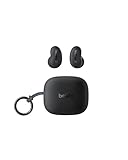
- ERGONOMIC, FLUSH-TO-EAR DESIGN: SoundForm Anywhere has a semi in-ear fit that eliminates ear pressure buildup from ear tips, while sitting securely in your ear during everyday activities such as working out, commuting, and sleeping.
- ALL DAY USE: 6 hours of life per earbud plus 20 hours in their case totals a 26-hour battery life, allowing these earbuds to keep up with you all day, from the gym to the gym and more! Just 10 minutes of USB C fast charging yields 90 minutes of playtime.
- BLUETOOTH CONNECTION: Equipped with Bluetooth 5.4 technology, SoundForm Anywhere allows you to wirelessly connect to all Bluetooth compatible devices. Easily pair with your laptop, iPad, or mobile device without your movement being restricted by a cord.
- CLEAR CALL QUALITY + 3 EQ PRESETS: Clear Call Quality technology ensures clean, crisp audio while minimizing background noise. Plus, you can choose from Belkin Signature Sound, Bass Boost, or Balanced EQ presets to personalize your listening experience.
- BLUETOOTH MULTIPOINT 2-DEVICE CONNECTION: Stay connected to 2 devices at once; enjoy a seamless transition from your laptop to your iPhone and vice versa. Switch back and forth between taking calls on the laptop and listening to music on your phone.
How do I restart Galaxy Buds Live?
- Place each earbud in its matching slot in the charging case.
- Leave them there for at least seven seconds, then remove them.
- Try pairing again. If the case battery is low, connect the case to a charger first.
Samsung also recommends checking that the Galaxy Wearable app, phone software, and Buds Live software are up to date. Its Buds Live support page, last updated October 24, 2023, describes the restart procedure. Bluetooth compatibility is not guaranteed for every device; Samsung notes that untested devices and interference may cause connection problems.
Recommended Free Tools
Quick Recap
Rank #4

- Engineered for all day comfort and clear audio without distractions, the Galaxy Buds Live Noise-Canceling True Wireless Earbud Headphones from Samsung feature an eartip-less design and active noise cancellation. Adjustable wing tips and the ergonomic shape of each earbud are made to fit comfortably and securely within the folds of your ears, without the need for an invasive in-ear plug.
- When inserted, active noise cancellation technology works to receive and filter out distracting ambient sounds, so you're left with only your favorite music or podcasts. Audio quality is a focus of the Galaxy Buds Live, thanks to 12mm drivers and a bass-boosting air duct. When you need to interact with others or with the environment around you, simply engage the earbuds' Ambient Aware feature to let some of the world back in.
- The Buds Live earbuds are conveniently stored within the included charging case that's designed to match the color of your earbuds. The stylish, palm-sized, jewelry box-like case has an internal battery that automatically recharges the earbuds when they are placed inside. On a full charge, the Buds Live provide up to 8 hours of listening (ANC on and Bixby voice wakeup off), and the case can provide an additional 21 hours of power.
- In a rush and need to make sure your Buds Live have enough power? With just 5 minutes of charging inside the case, you can enjoy up to 1 hour of playback.
Rank #3

- Compatibility: This charging case compatible with Samsung Galaxy Buds Live SM-R180 (wireless bluetooth earbuds is not included). 【NOT Compatible with Galaxy Buds / Galaxy Buds+ / Galaxy Buds Pro / Galaxy Buds 2 / Galaxy Buds 2 Pro】
- Large Capacity: The charging case build--in a 600mAh capacity battery, it can full charge Galaxy Buds Live about 3 times. Very convenience to charge at home, in office, in car or on travel.
- Wired Charging & Safe Protection: The charging case is not support wireless charging, it only capable of USB Type C wired charging. with over-charge/over-current/discharge protection, protecting your earbuds in all directions.
- LED Function Let You Know: The earbuds indicator let you know the earbuds charging status (Red-earbuds in charging; Light off-earbuds full charge). Charging case indicator let know the charging case status (During charging: Red-charging case in charging; Green-charging case full charge). As the battery percentage of the charging case will not be displayed on phone, you can get it from the outside Led status (Red: 0~30%; Orange: 30~60%; Green: 60~100%).
- Package Includes: 1 x charging case for Galaxy Buds Live, 1 x USB-C cable. and with sincerely after-sales services. If you have any question, please contact us online.
Product prices and availability are accurate as of the date/time indicated and are subject to change. Any price and availability information displayed on Amazon at the time of purchase will apply.

