
iTechGuides is reader-supported. When you buy through links on our site, we may earn an affiliate commission. As an Amazon Associate I earn from qualifying purchases. Learn more
For compatible modern gear, HDMI is the simplest way to connect a source component to a TV or receiver because it carries both digital audio and video on one cable. To hear TV audio through a receiver or soundbar, use the devices’ labeled HDMI ARC or eARC ports. Optical is an audio-only alternative; composite and component are for older equipment with matching analog connections.
Which connection should you use?
Choose based on what the link needs to carry, which ports the devices actually have, and whether you are sending sound from the TV back to an audio system.
| Connection | What it carries | When it fits | What to check |
|---|---|---|---|
| HDMI | Digital audio and video | Modern source-to-TV or source-to-receiver connections | Confirm that both devices have compatible HDMI ports and capabilities. |
| HDMI ARC/eARC | TV audio returning to an audio system over HDMI | Playing TV audio through a compatible receiver or soundbar | Use the labeled ARC/eARC ports and enable the feature as required by both devices. |
| Optical | Digital audio only | TV-to-receiver audio when ARC/eARC is unavailable or unsupported | It does not carry video; check the devices’ ports and audio-output settings. |
| Composite AV | Analog video plus separate left- and right-channel audio | Older players and equipment with matching composite ports | Match the input and output connections; the equipment must support the connection. |
| Component video | Analog video over separate plugs, with audio wired separately | Legacy TV and receiver combinations with matching component ports | Connect audio separately and check whether the receiver requires input assignment. |
TCL Support advises, “If possible, connect your devices using HDMI® cables (not provided).” TCL’s guide to connecting sound components also explains the roles of composite plugs and ARC.
How do you connect components through a receiver?
If your receiver switches HDMI sources, route each source device to an HDMI input on the receiver, then connect the receiver’s HDMI monitor/output to the TV. Select the matching receiver input to watch that source. This setup lets the receiver handle source selection while sending audio and video onward to the TV.
#1 Best Overall

- 【HDMI Audio Extractor】The HDMI audio extractor can extract audio from HDMI signal and transmit it to AV receiver through optical or 3.5mm Cable.(Note: Devices do not support ARC and eARC.TV is not supported as the input source,otherwise product doesn't p video.)
- 【3 modes】2.0CH, 5.1CH and PASS mode. Select 3.5mm stereo output, please use 2.0CH mode. Select optical output, please use 5.1CH mode. When you use the first and two modes and find that no audio and video signal is output, use the pass mode.
- 【4K Ultra-HD with HDMI 1.4V】HDMI audio converter up to 10.2G bandwidth, support HDCP1.4,4K@30Hz RGB / YUV4:4:4 Ultra high definition image quality. The optical output supports DTS 5.1. The 3.5mm output supports PCM2.0. The audio splitter does not support 7.1 channels.Note: Fire TV, Apple TV, PS4/5 etc. only support 1080p format signals and do not support 4K
- 【Low energy consumption】HDMI audio splitter has a low energy consumption,only requires the USB port to be connected to the 5V-USB port of another device to work. Or use your other 5V-USB power adapter
- 【Wide Compatibility & Plug and Play】Suitable for various HDMI source devices without dedicated audio output as well as Blu-ray/ DVD/ HD player, cable/satellite box, Amazon Fire TV, PS4,PS5, Xbox, PC/laptop etc
- Check the port labels on the source, receiver, and TV before connecting them.
- Connect each source device to an available HDMI input on the receiver.
- Connect the receiver’s HDMI monitor/output to an HDMI input on the TV.
- Select the corresponding source input on the receiver.
For older composite or component connections, match the port labels and colors and connect the audio leads separately. Some receivers require the video and audio jacks to be assigned to the same input. Consult the model manual for that setting and for supported signal formats. Yamaha’s CX-A5200 manual describes HDMI connections and separate audio/video assignments for component and composite inputs.
How do you send TV audio to a receiver or soundbar?
Connect the TV’s HDMI port labeled ARC or eARC to the matching ARC/eARC port on the receiver or soundbar. Turn on the audio system, select it as the TV’s speaker output, and enable ARC or eARC if the device settings require it. The exact menu names and available settings vary by model.
ARC/eARC is the audio-return path: it sends sound from the TV to the external audio system over HDMI. It is separate from connecting a source component to a receiver for source switching. The ports must be labeled for ARC/eARC and the devices must support the feature. Sony’s guide to connecting an audio system covers ARC/eARC and optical setup; terminal availability and settings depend on the model and region.
Quick wins for a faster PC:
Repair Windows errors before they cause bigger problemsFix Now →Scan for outdated or missing drivers - takes under a minuteDriver Scan →Clear out junk files and repair common Windows errorsFree Scan →Rank #2
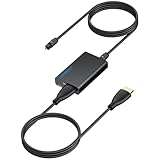
- 【eARC to Optical Audio Conversion】This hdmi earc audio extractor can efficiently converts HDMI eARC/ARC signals from your TV to optical audio, providing seamless connection to your soundbar or home theater system
- 【High-Quality Audio Transmission】The hdmi eARC audio extractor supports up to 24bit/192KHz audio for crystal-clear sound output, ensuring a lossless audio experience
- 【Plug and Play】This earc audio extractor is no software or drivers needed, simply connect to the HDMI eARC/ARC port and enjoy instant high-quality audio without delay or distortion
- 【Supports Multiple Audio Formats】PCM 2.0, Dolby 5.1, and DTS 5.1 are supported, this hdmi arc adapter is providing immersive surround sound for your home entertainment system
- 【Wide Compatibility】The hdmi arc to optical audio adapter is compatible with HDTVs, soundbars, wireless headphones, and home theater systems, making it a versatile solution for all your audio needs
When is optical the better choice?
Use an optical connection when both devices have compatible optical audio ports and ARC/eARC is unavailable or cannot be used. Connect the TV’s optical digital audio output to the receiver’s optical input, set the TV to output audio through that connection, and select the corresponding receiver input.
Optical carries audio, not video. Keep the source-to-TV or source-to-receiver video connection separate. Check the device manuals for supported audio formats and output settings rather than assuming every format will pass through.
What should you do with older analog equipment?
Composite AV
Composite uses a video plug plus separate left and right stereo audio plugs. Connect those to matching composite input and output ports; confirm that the TV or receiver has the needed ports.
Rank #3
![192KHz HDMI ARC to Optical Audio Adapter, HDMI ARC Cable for Soundbar to TV, Plug & Play Optical Audio to HDMI A RC Converter, Optical Audio Splitter Support for PCM/LPCM/Dolby 5.1/DTS 5.1[No CEC]](https://m.media-amazon.com/images/I/31K-FVSFFsL._SL160_.jpg)
- HDMI ARC to Optical Audio Converter for Clear Sound: This HDMI to optical audio adapter extracts high-quality digital audio from your TV's HDMI ARC port and converts it to optical outputs, enabling seamless connections to soundbars, home theater systems, and amplifiers. The ARC audio converter Only for TV with “ARC” interface, Not for “HDMI eARC”or "HDMI " interface
- Audio Formats Setting: Experience immersive audio with support for PCM, LPCM Dolby 5.1 or DTS 5.1 surround sound formats. This optical to HDMI converter delivers theater-quality audio to your sound system, ensuring every movie, game, or show sounds crisp and dynamic. If using Dolby 5.1 or DTS 5.1 audio formats, the sound system also need support Dolby Audio or DTS.
- Plug & Play: Enjoy pristine sound with a 192KHz/24-bit sampling rate for minimal signal loss. This HDMI eARC to optical adapter requires no drivers or software—simply connect the included HDMI ARC cable, plug in the USB for power, and your system is ready to go. The HDMI ARC port features two LED indicators: POWER/INPUT. When the USB port is connected to a power source, the “Power” indicator will illuminate. When the HDMI ARC port is connected to a TV, the “Input” indicator will illuminate.
- Wide Compatibility: This sleek HDMI audio extractor works with most TVs featuring HDMI ARC ports from brands like Samsung, Sony, and more. Its compact build saves space and integrates neatly into your entertainment setup. We've implemented specialized zero-latency synchronization optimization in ARC mode, ensuring perfect audio-visual synchronization at all times to fully meet your everyday viewing needs! NOTE: LG TVs are not supported! LG TVs are not supported!
- Note on Setup & CEC Functionality: 1. Ensure Your HDTV support ARC function. 2. Connect the ARC Audio Converter's USB cable to your TV's USB port or another device's USB port. 3. Ensure the HDMI cable is connected to the HDTV ARC interface 4. Ensure your TV’s audio output is set to PCM, LPCM, Dolby 5.1, or DTS 5.1. Refer to the TV's user manual for setup. 5. Note that volume control via TV remote may not work over optical output; use your sound system’s remote instead. To adjust the volume using the TV remote control, both the TV and soundbar must support CEC functionality.
Component video
Component separates analog video across multiple plugs, while audio uses separate connections. Match the component jacks and connect audio as well. If the receiver does not associate those connections automatically, assign the video and audio inputs as described in its manual.
Recommended Free Tools
These analog options are useful only when the devices have matching ports. Connection guides describe common wiring, not universal compatibility: port availability and supported formats vary across models and regions. Cox’s receiver-to-TV guide covers HDMI, composite, and component connection choices.
Independent reader supportYour contribution helps us test, update, and keep practical guides available for everyone.Will an adapter cable solve a port mismatch?
Not necessarily. A passive cable does not automatically convert one signal type into another. Before buying an adapter or converter, confirm the signal direction, the input and output ports, and the resolution or format it supports. An active converter may be required when, for example, an older composite output must connect to a TV’s HDMI input.
Check each device’s manual for its specific ports, settings, and pass-through capabilities. LG’s Easy TV Connect Guide lists HDMI for several source types and HDMI ARC or optical for audio components, while noting that connections depend on the TV model.
Quick Recap
Product prices and availability are accurate as of the date/time indicated and are subject to change. Any price and availability information displayed on Amazon at the time of purchase will apply.

