
The Tool Desk
Outbyte PC Repair FREEClear out junk files and repair common Windows errorsFree Scan →Outbyte Driver Updater FREEFix the driver behind crashes, sound loss and screen glitchesFind Drivers →iTechGuides is reader-supported. When you buy through links on our site, we may earn an affiliate commission. As an Amazon Associate I earn from qualifying purchases. Learn more
To hide a Galaxy tablet’s on-screen keyboard, use the setting that matches how you’re using the tablet: Samsung DeX has its own keyboard switch, while a separate option controls whether the touch keyboard appears when you use a physical keyboard outside DeX. Samsung’s published instructions do not establish a universal switch that disables the touch keyboard for all ordinary tablet use.
Hide the keyboard in Samsung DeX
If the keyboard appears in the DeX workspace, turn off DeX’s on-screen keyboard option:
- Open Settings.
- Tap Connected devices.
- Tap Samsung DeX.
- Tap Keyboard.
- Turn off Show on-screen keyboard in Samsung DeX.
This control applies to Samsung DeX, not every app or mode on the tablet. Samsung notes that the virtual keyboard may remain available with a physical keyboard connected. It can disappear when you select an app from the DeX desktop or taskbar and appear again when you select the virtual keyboard or a text field. See Samsung’s DeX keyboard troubleshooting instructions.
Hide it while using a physical keyboard outside DeX
If a connected keyboard is handling your typing but the tablet still shows its touch keyboard, open Settings > General management > Physical keyboard and turn off Show on-screen keyboard. Samsung lists this option among the physical-keyboard settings in its Galaxy tablet keyboard guide.
#1 Best Overall

- 【Compatible Models】This keyboard cover is compatible with Samsung Galaxy tablet A11+/A9+ 11-inch (2025/2023 version), models include SM-X230/X236B/X238/X315,SM-X315SM-X210/X215/X216/X218. Please check your tablet model "SM-Xxxx" in your tablet "Settings" before purchasing. (This product does not include: tablet, pencil!)
- 【Rainbow Backlight, Multi-Function Keyboard】Suitable for Samsung tablet A11+/A9+ RGB rainbow backlight keyboard, 7 adjustable backlight colors, breathing light backlight mode can be automatically switched. The backlit keyboard can be used in the dark, providing a comfortable typing experience. Rich function shortcut keys allow you to use Samsung Tablet A9+ more efficiently & comfortably, such as editing documents, navigating applications, creating presentations
- 【Precise Hole Position, Honeycomb Design】 The mold for A11+/A9+ case is made based on the real tablet, and the precise cutouts can make full use of all functions, and provide perfect protection and convenience for daily use. The soft TPU inner shell adopts a honeycomb design, which is beneficial to the heat dissipation of the tablet and improves the performance of the tablet
- 【Multi-Angle Adjustment, Detachable Keyboard】The protective case has 3 anti-slip grooves, supporting 100°,110° and 120° angles, allowing you to use the tablet at a comfortable tilt angle and enjoy reading, drawing, watching, chatting, etc. The detachable keyboard can be used alone and can be removed when not in use, making it very convenient to carry
- 【Rechargeable Keyboard, Long-Lasting Battery Life】The keyboard charges for 2-3 hours and can work continuously for up to 50 hours under normal use (without turning on the backlight). The keyboard will automatically enter sleep mode when not used for a long time to save power. Click any key to instantly The wake-up and standby state lasts up to 90 days, which is very friendly for travel and mobile office
This setting concerns use with a physical keyboard; it is not a general-purpose switch for disabling touch typing. If a Bluetooth keyboard is not recognized, check that Bluetooth is on and that the keyboard is paired. For a USB keyboard, check its cable or receiver connection and power, as applicable.
Which setting applies?
| How you use the tablet | Setting to look for | What it controls |
|---|---|---|
| Samsung DeX | Settings > Connected devices > Samsung DeX > Keyboard > Show on-screen keyboard in Samsung DeX | Whether the on-screen keyboard is shown in DeX. |
| Physical keyboard in regular tablet mode | Settings > General management > Physical keyboard > Show on-screen keyboard | Whether the touch keyboard is shown while a physical keyboard is in use. |
| Touch typing in ordinary tablet use | No universal off control established in the cited Samsung instructions. | The standard on-screen keyboard remains the default input method for touch use. |
Can you disable the keyboard for all ordinary tablet use?
The Samsung instructions cited here do not document a universal setting to disable the standard on-screen keyboard across ordinary tablet use. Samsung describes its keyboard as the default on-screen keyboard, and its troubleshooting guidance addresses selecting Samsung Keyboard as the input method when resolving keyboard problems. Avoid treating removal of the keyboard app or clearing its data as routine ways to hide it.
Rank #2

- SUPER COMPATIBILITY: Highly compatible for Samsung Galaxy Tab A11 Plus/A9+/S11/S10+/S10 FE/S9 FE/S7 FE/S6 Lite and almost other samsung tablets, laptops and phones
- SLIM AND PORTABLE: Specially design the keyboard for Samsung Tablets with thin and light size (11.2"L x 4.7"W x 0.2"H), easily packed in backpacks and handbags while work or travel
- LONG BATTERY LIFE: 30 days of continuous use and automatic sleep model allows up to half a year between battery change,Powered by 2pcs AAA batteries (BATTERIES NOT INCLUDED)
- BRILLIANT DESIGN: Scissor feet and chocolate key-caps design provide a comfortable and noiseless typing. QWERTY layout with featured function keys including volume, music control, brightness, etc
- EASY TO USE: Bluetooth wireless easily connect with your mobile device such as tablets and mobile phones, the operating distance up to 10 meters, you could enjoy fast response with each typing
If neither setting appears on your device, search Settings for Physical keyboard, Samsung DeX, or on-screen keyboard. Samsung says available screens and settings can vary by carrier and software version; its Canada guidance also notes that screens may differ for devices sold in other regions. For the relevant details, consult Samsung’s Galaxy tablet keyboard settings guidance. If the search does not find the option, check your exact Galaxy Tab model and software version before following instructions for a different device.
What’s actually slowing this PC down?
Pick the symptom - the matching free tool is one click away.
Move or resize the keyboard instead
If your aim is to make the keyboard take up less space rather than turn it off, Samsung Keyboard offers Standard, Split, and Floating modes. Standard keeps the keyboard together; Split separates it into two sides; Floating lets you move it around the screen. These modes change its layout or position, not whether the keyboard is enabled.
Rank #3
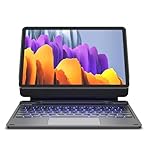
- !!!IMPORTANT: DO NOT update your tablet software to One UI 8.5 manually. Please turn off auto-update: Settings → Software update → (tap the ⋮(three dots) at the top right) → Auto download over WLAN → OFF. One UI 8.5 currently has a widely reported compatibility issue with our keyboard cases. After updating, the trackpad may stop working.
- 【ENHANCED COMPATIBILITY】 Exclusively designed for 2025 Samsung Galaxy Tab S10 Lite 10.9 inch/ Tab S10 FE 10.9 inch/ 2023 Samsung Galaxy Tab S9 11 inches / S9 FE 5G 10.9 inches. Compatible for Galaxy Tab S10 Lite (Wi-Fi SM-X400/ 5G SM-X406B)/ Galaxy Tab S10 FE (SM-X520, SM-X526, SM-X526B) / Galaxy Tab S9 (Wi-Fi SM-X710/SM- 5G X716B/SM-X718U) and Galaxy Tab S9 FE(Wi-Fi SM-X510/ 5G SM-X516B/SM-X518U). Note: It DOES NOT fit the Tab S10 FE+/ S9+/ S9 FE+ 12.4 inches. Please confirm your tablet model before purchase! (Tablet and S Pen not included.)
- 【EASY-SET MAGNETIC STAND】 A Sturdy aluminum alloy hinge with embedded magnets transforms your tablet into a laptop instantly, offering seamless adjustments for perfect viewing angles. Perfect for travel, business and work.
- 【HIGH-PRECISION MULTI-TOUCH TRACKPAD】 Navigate with ease using the smart trackpad supporting multi-finger gestures. Enjoy mouse-like controls for efficient document editing, web browsing, and presentation building.
- 【S PEN HOLDERS】Keep your S Pen secure with two holders – a built-in magnetic holder in the keyboard for storage and a cut-out slot on the back cover for both charging and storage. Enjoy the convenience of quick access while preventing loss. The case folds into a slim folio for solid front and back protection.
To change the mode, open an app with a text field and bring up the keyboard. Use the keyboard’s settings or expand control, then choose Mode(s). The control can vary by software version. Samsung describes these options in its keyboard settings guide.
Quick Recap
Rank #4

- 【Model Compatibility】Designed ONLY for Samsung Galaxy Tab A9 Plus 11 inch (Model: SM-X210 /SM-X215 /SM-X216B) , Tab A11 Plus 11 inch(SM-X230, SM-X236B,SM-X315) , Not compatible with other models. You can check the model number before purchasing to make sure you get the correct size tablet keyboard case.
- 【Magnetically Detachable Keyboard】case for Samsung Galaxy Tab A9 Plus 11 inch comes with a detachable magnetic keyboard. The ultra-thin and lightweight magnetic keyboard can be firmly attached to the case, which helps the tablet stand upright and turn it into a mini laptop in less than a second. You can move and change the keyboard position at any time according to your usual preferences.
- 【Adjustable Viewing Angles and Support for Pen】case supports 3 viewing angles and has anti-slip slots. Move the tablet forward or backward along the case to choose a suitable angle to use the tablet for writing, viewing, reading, drawing, etc. Built-in Pen holder makes it easy to carry the Pen with your device. (NOTE: Pen not included!).
- 【Auto Sleep/Wake Function】The protective case has an automatic sleep/wake function to protect and save the battery life of your tablet. When the lid is opened, the tablet wakes up; when the lid is closed, the tablet goes to sleep. (NOTE: Tablet not included!).
- 【Premium Protection】keyboard case for Samsung Galaxy Tab A9 Plus / A9+ 11 inch has full edge coverage and provides full 360° protection against scratches, bumps or dents, protecting your tablet from all kinds of dropping accidents. The inner layer provides cushioning with Honeycomb grid pattern, protects your tablet from overheating and increases its lifespan by more than 30%.
Product prices and availability are accurate as of the date/time indicated and are subject to change. Any price and availability information displayed on Amazon at the time of purchase will apply.

