
Recommended Free Tools
iTechGuides is reader-supported. When you buy through links on our site, we may earn an affiliate commission. As an Amazon Associate I earn from qualifying purchases. Learn more
These nine projects are a curated set of free and open-source terminal options associated with web technologies—not a measured ranking, and not nine interchangeable Electron apps. The practical differences are whether you need a local shell, SSH or other remote connections, multiplexer-style workflows, customization, or a lighter desktop footprint. Start with Tabby or electerm if remote access is central; consider Hyper for extensibility. For the other entries, confirm current platform support, licensing, and release status in the project’s own documentation before installing.
What “built with web technologies” means here
The term covers more than one implementation. The projects in this list are presented as web-technology-based, but that does not establish that every one uses the same framework, packaging method, or desktop runtime. For example, electerm is described as Electron, React, and CSS; Hyper emphasizes open web standards; and Terax is described as using Tauri, Rust, and React. Tauri’s native component makes Terax a different implementation profile from an Electron application. electerm project · Hyper repository · Terax description

That distinction matters because “web-based” alone does not tell you how an app behaves, what systems it supports, or how much memory it uses. There are no comparable performance measurements for these nine projects in the available sources, so treat resource use as something to check on your own machine rather than infer from the category.
Free tools Windows power users keep installed
One-click scans. No signup required.
Which terminal should you consider?
| Project | Documented focus | What to verify |
|---|---|---|
| Tabby | Configurable terminal, SSH client, and serial client for Windows, macOS, and Linux; documents tabs, split panes, themes, remote connections, and several Windows shells. | It explicitly describes itself as not lightweight. Check memory use and responsiveness on your hardware if that is a priority. |
| Wave Terminal | Listed in the roundup as an AI-native terminal. | The available current evidence does not establish specific platform, release, or feature details; consult its current project documentation. |
| electerm | Electron, React, and CSS application combining terminal sessions with SSH/SFTP and other connection protocols, plus a graphical file manager. Its project page lists desktop and mobile operating systems and says it is MIT-licensed. | Check the project’s current downloads and platform details for your device and architecture. |
| Terax | Terminal-first workspace described as built with Tauri, Rust, and React. | Confirm current availability and support in project documentation; do not assume it is an Electron app. |
| Hyper | Terminal built on web technologies, with a stated emphasis on a beautiful, extensible command-line experience based on open web standards. Its repository links an MIT license. | Check current releases and the project’s documentation for the capabilities and support you need. |
| Kerminal | Listed as a modern terminal emulator and SSH manager. | Current license, platform support, and detailed features are not established by the available project evidence. |
| DomTerm | Listed as a terminal emulator, REPL console, and screen multiplexer. | Confirm current platform support, license, and release status in its documentation. |
| Tess | Listed as a hackable, simple terminal. | Current status and platform support are not established by the available project evidence. |
| Packet | Listed as a terminal multiplexer and broadcast system, a potentially different workflow from a conventional single-session desktop terminal. | Check current documentation to confirm how it works and whether it fits your use case. |
The descriptions above reflect the roundup published August 23, 2026, and the project pages or repository documentation linked below. They are not a guarantee that each project is actively maintained or that every listed capability is available in its latest release.
#1 Best Overall
How to choose for your workflow
For a local shell plus remote sessions
Tabby documents local terminal use alongside SSH and serial connections, while electerm combines terminal use with SSH/SFTP and additional connection protocols. If you routinely move between local commands and remote machines, compare how each handles saved connections, file transfer, and session organization in its current release. These documented roles are more useful selection criteria than appearance alone.
For tabs, panes, and customization
Tabby documents tabs, split panes, themes, and configurable behavior. Hyper’s project goal stresses extensibility, but check its current documentation for the specific extensions and workflows you want; a general emphasis on extensibility is not a guarantee of any particular plugin or feature.
Rank #2

- The PocketTerm35 is a handheld computer designed specifically for the Raspberry Pi 4B and Pi 5.
- It provides a complete Linux desktop experience, enabling you to enter commands, run development tools, or execute daily computing tasks directly in the terminal at any time.
- Features a compact 93.5 × 168.5 × 37 mm design, equipped with a 3.5inch 640 × 480 optical bonding touch display. Portable and lightweight, it is an ideal tool for geeks, developers, and electronics enthusiasts.
- Suitable for terminal operations, command-line input,and graphical interface browsing
- Supports seamless switching between Batt and external power,enhancing system reliability. Supports handheld gaming, compatible with the RetroPie system
For multiplexing or adjacent workflows
DomTerm is listed as a REPL console and screen multiplexer, and Packet as a multiplexer and broadcast system. Those labels suggest workflows that differ from simply opening one shell window. Read each project’s current documentation before choosing it for a team, automation, or multi-session setup.
For limited memory or older hardware
Do not assume an app is light because its interface uses web technologies. The roundup notes that Electron applications can carry resource costs if not optimized, and Tabby specifically says it is not lightweight. No comparable memory or performance benchmark is available for this list; try the candidates you are considering under your normal workload.
Quick Recap
Best Value

- BUILD YOUR OWN PORTABLE CYBERDECK – Turn your Raspberry Pi CM4 into a powerful handheld Linux computer. The uConsole combines a 5-inch IPS display, backlit QWERTY keyboard, and modular design, making it ideal for programming, networking, cybersecurity, remote administration, and DIY electronics projects.
- LATEST REV.5 MAINBOARD – Features the newest ClockworkPi v3.14 Rev.5 mainboard with improved stability and compatibility. Supports Raspberry Pi Compute Module 4 (CM4) and includes WiFi + 4G LTE expansion capability for portable computing anywhere.
- PREMIUM HANDHELD LINUX COMPUTER – Equipped with a crisp 5-inch HD IPS display, ultra-portable backlit QWERTY keyboard, dual speakers, modular aluminum enclosure, and rechargeable battery module for an excellent mobile Linux experience.
- PERFECT FOR DEVELOPERS & MAKERS – Great for Linux enthusiasts, programmers, penetration testers, network engineers, embedded development, IoT projects, retro computing, SDR applications, and portable terminal use.
- WHAT'S INCLUDED – Includes Rev.5 mainboard, CM4 adapter, WiFi antenna, WiFi + 4G LTE module, 5-inch IPS display, backlit keyboard, battery module, dual speakers, enclosure, brackets, and assembly tools. 18650 batteries are not included. The Non-Core Kit does not include the Raspberry Pi CM4 or the 32GB microSD card.
Rank #4
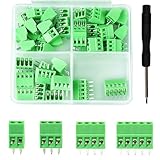
- 【Kit includes】52pcs 0.1" Pitch Screw Terminal Block Connector,2 Pins(20pcs) 3Pins(20pcs) 4Pins(10pcs) 5Pins(2pcs)+1pcs Special screwdriver.
- 【Rated Voltage】: 150V; Rated Current: 6A.
- 【Compatible wire sizes】:Screw terminals accomodate wire sizes from 18AWG to 26AWG.
- 【Quick Connection】: Screw Terminal on header provide secure connection and quick disconnection.
- 【Widely Applications】: It is well-suited for interfacing with I/O cards, data acquisition (DAQ) equipment, and any other device that uses a 2.54mm/0.1in header connector. Applications include the Raspberry Pi A+, B+, 2B, and 3B boards, Arduino, all of which use a 0.1" pitch pin header for their GPIO expansion ports.
Rank #3
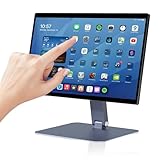
- 【RK3399 Android 12 Fanless Platform】This All-in-one industrial Desktop Computer is powered by the RK3399 processor and Android 12. It features a 15.6-inch touchscreen, fanless operation for high reliability, 4GB memory, and 64GB ROM storage, ensuring smooth multitasking and data processing in harsh industrial environments
- 【 FHD Screen & 10-Point Touch】Designed for diverse industrial applications, this 15.6-inch PC features a 1920×1080 FHD 16:9 display for clear visuals and software compatibility. Its high-sensitivity G+G 10-point capacitive touch ensures precise and rapid operation in all conditions, including wet environments or when gloves are required
- 【Rugged Wide-Temp Design & Durability】This industrial all-in-one Desktop Computer features a compact and robust structure. It operates reliably across a wide temperature range of -10°C to 55°C and supports 12V/3A power input, delivering the high reliability, durability, and resistance required for the most demanding industrial applications
- 【Wi-Fi 5, BT 4.2 & Gigabit LAN】Experience stable and reliable connections with this industrial PC. It features enhanced signal reception via high-speed Wi-Fi 5, stable low-latency communication over an extended range with Bluetooth 4.2, and guarantees seamless network access in any setting through its 1000M LAN port
- 【Pivoting Mount & VESA】Built for durability and adaptable use, the device comes with a robust pivoting mount for flexible viewing. Its rear panel features standard VESA mounting holes, enabling secure installation on walls, desktops, or other supports, making it ready for various industrial and commercial environments
Checks to make before installing
- Confirm operating-system and architecture support. Tabby and electerm have broad platform information in the sources cited here. For the other entries, check the current project’s download page or documentation rather than inferring compatibility from the roundup.
- Match the connection features to your work. Decide whether you need only a local shell or also SSH, serial, SFTP, other protocols, file management, or a multiplexer workflow. Feature claims should come from the project’s current documentation.
- Check license and release status. The cited sources establish MIT licensing for Hyper and electerm; they do not settle the current license for every project in the list. Verify the license and recent release information before adopting a tool for ongoing use.
- Test resource use on your own machine. Try the terminal with your typical number of tabs, panes, remote sessions, and extensions. The list contains no controlled, side-by-side benchmark.
Project references
- Tabby project
- Wave Terminal project site
- electerm repository
- Terax description
- Hyper repository
- Roundup listing all nine projects, published August 23, 2026
Product prices and availability are accurate as of the date/time indicated and are subject to change. Any price and availability information displayed on Amazon at the time of purchase will apply.

