
What’s actually slowing this PC down?
Pick the symptom - the matching free tool is one click away.
iTechGuides is reader-supported. When you buy through links on our site, we may earn an affiliate commission. As an Amazon Associate I earn from qualifying purchases. Learn more
Outlook does not have one universal “open attachments with” setting. The correct change depends on whether you are opening a cloud file link, previewing a received attachment, or launching a downloaded file such as a PDF.
Use the section that matches what you are seeing:
- Word, Excel, or PowerPoint link from OneDrive or SharePoint: change Microsoft 365’s File open preference.
- Attachment preview inside classic Outlook: change the previewer settings in the Trust Center.
- Attachment in new Outlook: choose Preview, Open in Word, Edit in Browser, or another available action from the attachment menu.
- PDF or another downloaded file: change its Windows default application.
Choose whether OneDrive and SharePoint Office links open in the desktop app or browser
This setting applies to links to Word, Excel, and PowerPoint files stored on OneDrive or SharePoint. It does not control every attachment in Outlook.
It is available in classic Outlook for Microsoft 365, Outlook 2024, Outlook 2021, Outlook 2019, and Outlook 2016.
Recommended Free Tools
Set the default in classic Outlook
- Open classic Outlook for Windows.
- Select File in the upper-left corner.
- Select Options.
- Open the Advanced category.
- Find File open preference. In some builds, this is labelled File and browser preferences.
- Choose Desktop or Browser from the drop-down list.
- Select OK.
The preference is shared across Microsoft 365 desktop applications. For example, changing it in Word, Excel, or PowerPoint can also change the behavior in Outlook.
#1 Best Overall

- Scanner type: Document
- Connectivity technology: USB
- With Auto Scan Mode, the scanner automatically detects what you're scanning
- Digitize documents and images
Change the behavior for one link only
You do not have to change the global preference when you only want one file to open differently.
- Right-click the Word, Excel, or PowerPoint link in the Outlook message.
- Select Open with.
- Choose the one-time option, such as the browser or the desktop application.
Depending on the Outlook and Microsoft 365 build, you may instead see:
Right-click the file link > Set open default > Desktop or Browser.
The Desktop/Browser preference can be ignored when the account is not signed in, the file is outside OneDrive or SharePoint, or the link comes from an unsupported client such as Outlook on the web or Teams on the web. It can also fall back to the web for links from certain notifications, SharePoint vanity domains, sovereign-cloud tenants, and deep links to locations inside a document, such as a comment or slide.
Microsoft also documents an exception for Office installations from the Microsoft Store on Windows 10 and for some Outlook Premium accounts with real-time URL phishing protection enabled.
Stop or control attachment previews in classic Outlook
Classic Outlook can display a file inside the Reading Pane or message window without opening the file in its full external application. The preview setting controls that embedded preview—not the Windows program associated with every file type.
Rank #2

- USB3.0 B to USB3.0 A: USB 3.0 B Female to A Female printer data adapter, converts the device's USB 3.0 Type B interface to USB3.0 interface for data transfer. Easily solve the compatibility problem between devices and cables.
- 5Gbps High Speed: USB3.0 Type B Female to USB3.0 Female data connector converter supports up to 5Gbps transfer rate, provides a safe and stable transmission environment. Note: The USB cable must support USB 3.0 data to achieve a transfer rate of 5Gbps.
- Note: 5Gbps USB3.0 Type B to USB3.0 A Connector Adapter, it is 9Pin USB3.0 Type B plug, not suitable for 4Pin USB B 2.0 interface, please check carefully before purchase. USB3.0 A Supports data transfer rates of up to 5Gbps and is backward compatible with USB 2.0/1.1.
- Plug and Play: MEIRIYFA USB 3.0 Type B to USB 3.0 Type A Printer adapter, support hot plug and play, no driver required, plug and play, More compact and convenient than cables.
- Wide Application: USB3.0 Type B Female to USB3.0 A Female Printer Adapter is used to convert USB 3.0 Type B port of printer, scanner, hard disk, musical instrument and other devices to USB3.0 port input and output to connect to computer. Perform printing or transferring data.
Turn off all attachment previews
- Open classic Outlook.
- Select File > Options.
- Select Trust Center.
- Select Trust Center Settings.
- Select Attachment Handling.
- Select Turn off Attachment Preview.
- Select OK, then select OK again if necessary.
After this change, Outlook will not preview attachments in its message window. You can still save the file and open it separately.
Disable only one previewer
- Go to File > Options > Trust Center > Trust Center Settings.
- Select Attachment Handling.
- Select Attachment and Document Previewers.
- Clear the check box for the previewer you do not want to use.
- Select OK until the Outlook Options window closes.
For example, you can disable a PDF previewer without turning off previews for Word documents. The exact previewer names depend on the applications installed on the computer.
Choose an action for an attachment in new Outlook
New Outlook for Windows does not use the classic Outlook Trust Center path for the same attachment workflow. Instead, choose an action from the attachment’s menu.
- Open the message containing the attachment.
- In the Reading Pane, select the attachment’s drop-down arrow.
- Choose an available action, such as Preview, Open in Word, Edit in Browser, or Edit in desktop app.
The available choices vary by file type, account, and whether the relevant desktop application is installed. Clicking or double-clicking an attachment can therefore produce different results: it may open a preview, launch the file-type application, or offer another supported action.
For file types Outlook cannot edit directly, download the attachment first and open the downloaded copy with a compatible application.
The Tool Desk
Outbyte Driver Updater FREEScan for outdated or missing drivers - takes under a minuteDriver Scan →Outbyte PC Repair FREERepair Windows errors before they cause bigger problemsFix Now →Change the application used for PDFs and other downloaded files
If a PDF always opens in the wrong program, change the Windows file association. This is separate from Outlook’s attachment-preview controls and separate from Microsoft 365’s Desktop/Browser preference.
Rank #3

- PORTABLE SCANNER FOR USE ON-THE-GO — The fastest and lightest mobile single-sheet-fed compact document scanner in its class¹
- QUICK DOCUMENT SCANNING ― This Epson ultra-fast scanner scans a single page as quickly as 5.5 seconds²; Windows and Mac compatible
- VERSATILE PAPER HANDLING ― Portable scanner scans documents up to 8.5 x 72 in; Also easily digitizes receipts and ID cards to make accounting, bookkeeping, and organizing simpler
- INTUITIVE, HIGH-SPEED SOFTWARE — Epson ScanSmart Software³ is a smart tool allowing you to easily scan, review, and save; Stay organized easily with the help of this Epson scanner
- EASY SETUP — USB-powered connect to your computer for quick and simple scanning; No batteries or external power supply required to operate portable document scanner; Standard Connectivity: USB 2.0
Change the default app for a file extension in Windows
- Open Windows Settings.
- Go to Apps > Default apps.
- Search for the extension, such as .pdf.
- Select the application currently associated with that extension.
- Choose the application you want to use, such as Adobe Acrobat Reader.
You can also open Apps > Default apps, search for an application under Set defaults for applications, and change the extensions associated with it.
For example, if Microsoft Edge is the default PDF application, a PDF attachment may preview or open in Edge. Assigning .pdf to Adobe Acrobat Reader changes the application used for PDF files after they are downloaded or opened externally.
How the main Outlook opening settings differ
| What you are trying to change | Where to change it | What it affects |
|---|---|---|
| Open a OneDrive or SharePoint Office link in an app or browser | Classic Outlook: File > Options > Advanced > File open preference | Word, Excel, and PowerPoint cloud-file links |
| Stop Outlook displaying files inside the message | Classic Outlook: File > Options > Trust Center > Trust Center Settings > Attachment Handling | Outlook attachment previewers |
| Choose an action for a received attachment | New Outlook: attachment arrow in the Reading Pane | Preview, browser editing, desktop editing, or download options available for that file |
| Change the program for PDFs and other file types | Windows: Settings > Apps > Default apps | The Windows application associated with an extension |
Open attachments in Outlook on the web or Outlook.com
Outlook on the web and Outlook.com provide file-specific actions rather than the classic Outlook Trust Center controls.
- Open the message.
- Select the attachment’s More actions icon or drop-down arrow.
- Choose an option such as Download, Save to OneDrive, Download all, Edit in Browser, or Edit in desktop app when available.
Office files may open in the browser or desktop application depending on the file type, account, and installed software. Downloads are saved to the last folder previously used for saving a file in Outlook on the web or Outlook.com.
Open .eml, .msg, and .oft files in new Outlook
New Outlook for Windows and Outlook on the web can open .eml, .msg, and .oft files by dragging them into the Reading Pane.
To associate one of these files with new Outlook in Windows:
Rank #4

- Security Assurance: Our Products are in Compliance with Top Industry Standards, Include Numerous Safety Mechanisms, Including Protection Against Short Circuiting, Over voltage, Over current, and Internal Overheating. Every of our charger is made of high-quality material, can charge your device as efficiently as the original charger. All our products are CE, FCC and RoHS safety certified
- Output Voltage: DC 19V; Input Voltage: AC 100-240V, 50/60Hz; Connecter Size: Barrel Tip.
- 19V AC DC Adapter Replacement Charger for ScanSnap iX2500 Wireless or USB High-Speed Cloud Enabled Document, Photo & Receipt Scanner, ScanSnap iX2400 High-Speed Simple One-Touch Button Color Document, Photo & Receipt Scanner
- What will you get: 1 x Power Adapter, 1 x Power Supply Cord, 1 x User Manual, our worry-free 36-month warranty, and friendly customer service. If you have any questions about the power adapters, please feel free to contact our customer service team, we will reply you within 24 hours
- Open File Explorer and right-click the file.
- Select Open with.
- Select Outlook (new).
Opening .msg and .oft files in new Outlook requires a qualifying Microsoft 365 subscription. If the file does not open when double-clicked, Windows may not have the file type associated with Outlook (new).
Windows Errors? Fix Them Before They Spread
Repair common Windows errors and clear accumulated junk for a smoother, more stable PC - no reinstall needed.Free scan · no reinstallOutdated Drivers Are Slowing You Down
One free scan finds every outdated or missing driver and matches the right update for your exact hardware.Free scan · exact hardware matchMake .msg files open in the correct Outlook version
When classic and new Outlook—or multiple desktop Outlook versions—are installed, Windows may send a .msg file to an unexpected version.
- Exit every running Outlook version.
- Right-click a .msg file.
- Select Open With > Choose another app.
- Under Other Options, select Outlook (desktop).
- Enable Always use this app to open .msg files.
- Select OK.
When the Browser preference does not work
Microsoft documented a classic Outlook for Microsoft 365 issue where SharePoint or OneDrive Office links could open in the desktop app despite selecting Browser. Other symptoms included a blank document or a corruption/repair error.
Microsoft marked that issue Fixed and stated that the service-side fix began rolling out on May 4, 2026. The rollout could take up to four hours and required an Outlook restart, but not an Outlook client update.
If a supported link still opens incorrectly, restart Outlook first and verify that you are signed in to Microsoft 365. As a documented workaround, administrators or advanced users can force browser opening with this current-user registry value:
Key: HKEY_CURRENT_USERSoftwareMicrosoftoffice16.0CommonInternet
Value name: OpenDirectlyInApp
Type: REG_DWORD
Value data: 0
Registry editing can affect Office behavior, so export the relevant key or consult your organization’s administrator before applying it. The value is intended for classic Outlook’s OneDrive and SharePoint Office-link behavior; it is not a general attachment-association setting.
Best Value
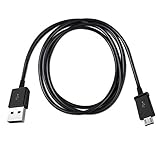
- Length: 3FT
- Compatible with Canon ImageFORMULA P-215II Mobile Document Scanner M111132
- This cable can both sync and charge your device through a USB port.
- Color: Black
Outlook for Mac
Outlook for Mac provides attachment actions from the message or Reading Pane:
- Open the message or display it in the Reading Pane.
- Select the drop-down arrow next to the attachment.
- Choose Preview, Open, or Download.
- For multiple files, use Preview All or Download All where shown.
Microsoft states that support for legacy Outlook for Mac ends in October 2026.
Common mistakes
- Changing the default browser to control every attachment: this does not change the separate Microsoft 365 Desktop/Browser preference for OneDrive and SharePoint Office links.
- Using Attachment Handling to change the external application: classic Outlook’s Trust Center controls previews. Windows file associations control many external file openings.
- Expecting the Desktop/Browser setting to cover PDFs or ordinary attachments: it is specifically for Word, Excel, and PowerPoint links hosted on OneDrive or SharePoint.
- Looking for classic Trust Center controls in new Outlook: new Outlook uses the attachment’s action menu instead.
- Expecting an overwrite prompt when saving: Outlook generally adds a number to the filename rather than asking before overwriting every existing file.
FAQ
How do I make Outlook attachments open in Word instead of the browser?
For a Word link stored on OneDrive or SharePoint in classic Outlook, go to File > Options > Advanced and set File open preference to Desktop. For a normal attached .docx file in new Outlook, open the attachment menu and choose Open in Word or Edit in desktop app when available.
Free tools Windows power users keep installed
One-click scans. No signup required.
How do I stop Outlook from previewing attachments?
In classic Outlook, go to File > Options > Trust Center > Trust Center Settings > Attachment Handling and select Turn off Attachment Preview. This stops embedded previews but does not change the Windows application associated with the file.
Why does my PDF attachment open in Microsoft Edge?
Edge is probably the Windows default application for .pdf files. Change it under Windows Settings > Apps > Default apps, search for .pdf, select the current app, and choose Adobe Acrobat Reader or another PDF viewer.
Does Outlook have one setting for all attachment types?
No. Cloud-hosted Word, Excel, and PowerPoint links use the Microsoft 365 File open preference; classic Outlook preview uses Trust Center settings; and many downloaded file types use Windows file associations.
Why does a OneDrive link still open in the browser when Desktop is selected?
The preference only applies to supported Word, Excel, and PowerPoint files in OneDrive or SharePoint and supported Microsoft 365 desktop clients. Sign-in status, unsupported clients, sovereign clouds, vanity domains, notifications, deep links, and some installation types can cause the link to open on the web.
Can new Outlook open .msg files?
Yes. New Outlook for Windows and Outlook on the web can open .eml, .msg, and .oft files through drag-and-drop into the Reading Pane. Opening .msg and .oft files requires a qualifying Microsoft 365 subscription.
The Bottom Line
Use the setting that matches the object you are opening: File open preference for OneDrive and SharePoint Word, Excel, and PowerPoint links; Trust Center > Attachment Handling for classic Outlook previews; the attachment menu in new Outlook for one-file actions; and Windows Settings > Apps > Default apps for PDFs and other file associations. Changing the browser alone will not control all Outlook attachments.
Quick Recap
Product prices and availability are accurate as of the date/time indicated and are subject to change. Any price and availability information displayed on Amazon at the time of purchase will apply.

